How to Choose the Right Security Camera System
April 10, 2026
How to Choose the Best GPS Medical Alert System
April 14, 2026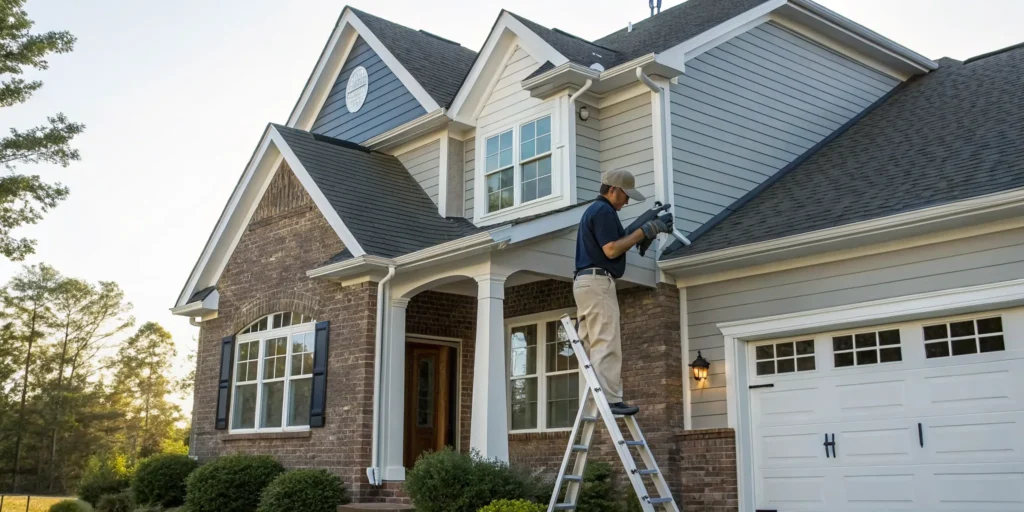
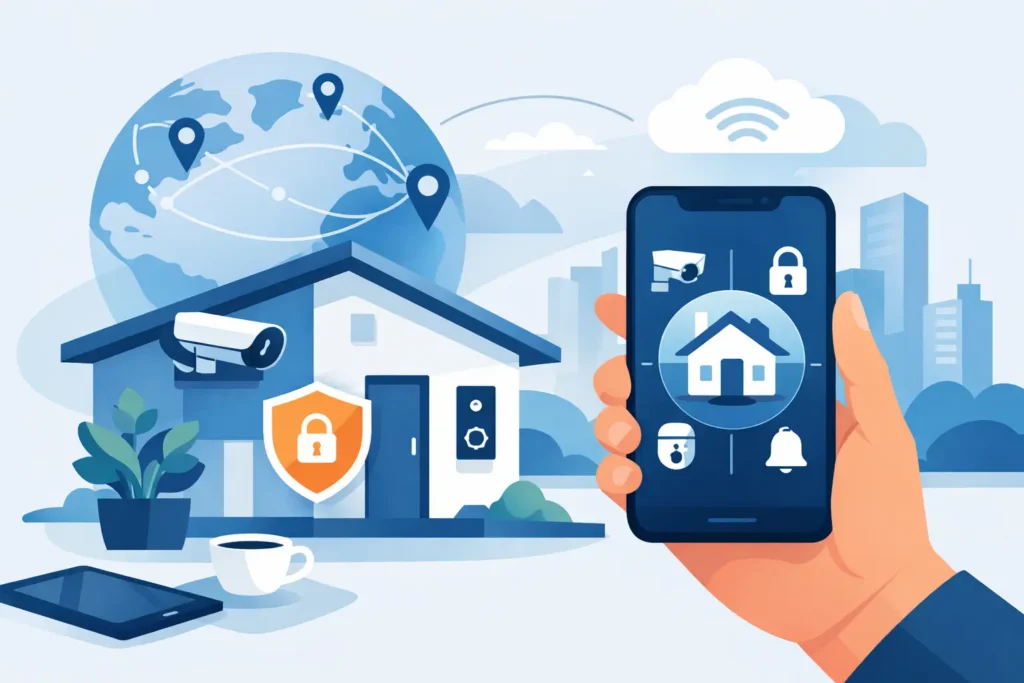
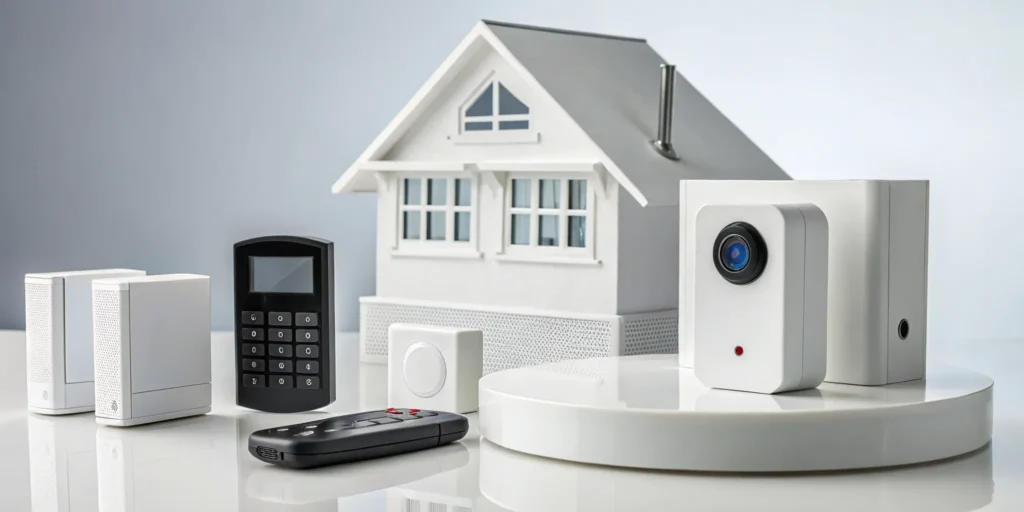
A modern security system is more than just an alarm—it’s the command center for your entire smart home. It can link your doorbell camera, smart locks, lights, and thermostat into one seamless network. This integration offers incredible convenience and a much deeper sense of security. But making all these different devices work together perfectly requires real expertise. A poorly configured system can be more frustrating than helpful. That’s why finding a trusted professional for home security and camera installation Mauldin is key to creating a system that’s both powerful and genuinely easy to use.
Key Takeaways
- Opt for Professional Installation for True Security: A professional setup does more than just hang cameras; it ensures your system is strategically designed for your home. An expert identifies vulnerabilities you might miss, guaranteeing every component works together for reliable protection.
- Choose a Local Partner You Can Trust: The best security partner is one who understands the Mauldin community. Ask direct questions about their installation process, monitoring services, and support policies to find a transparent, reputable team that will be there for you long term.
- Plan Your Budget Around Three Key Costs: A complete security solution includes equipment, installation, and ongoing monitoring. When getting quotes, make sure you see a clear breakdown of these three areas so you can choose a system that fits your family’s needs and financial plan.
What Are My Best Home Security Options in Mauldin?
Finding the right home security system can feel like a big decision, but living in Mauldin means you have some excellent options right in your backyard. The key is to find a solution that fits your home, your family, and your lifestyle. It’s not just about alarms and cameras; it’s about creating a system that gives you genuine peace of mind, whether you’re at home or away. From simple camera setups to fully integrated smart homes, let’s walk through what’s available so you can make a choice you feel confident about.
Breaking Down Your Local Security Options
When you start looking, you’ll see a mix of national and regional names. For example, you might come across providers like ADT, which offers professionally installed systems for families, or CPI Security, another company with a local presence. While these companies offer solid technology, the real difference often comes down to service. A local provider who knows Mauldin understands the community and can offer a more personalized touch. They’re your neighbors, and that connection can be invaluable when you need support.
The Deterrent Effect of Visible Security Cameras
Sometimes, the best security feature is the one a potential intruder sees from the street. It’s a powerful psychological deterrent; why risk getting caught on camera when the house next door is an easier target? In fact, the presence of a camera can be so effective that studies show homes with visible security can experience up to 60% fewer break-ins. That’s a huge difference, and it highlights how much of security is about prevention. But it’s not just about sticking a camera in a window. Strategic placement is everything. A professional installation ensures your cameras are positioned in the most effective locations to be seen and to capture critical angles, creating a formidable first line of defense for your Mauldin home.
What Features Do I Need in a Home Security Camera?
Security cameras are a cornerstone of modern home protection, but the options can be overwhelming. A great place to start is by thinking about your budget and needs. The cost to install security cameras varies, with wired cameras often ranging from $150 to $450 per camera, offering a stable and reliable connection. Wireless cameras are more flexible and can be more affordable upfront, but it’s important to consider factors like battery life and Wi-Fi signal strength. Think about what you want to see: Do you need a wide view of the yard, or a close-up of the front door with two-way audio? Answering these questions will help you select the right features.
Understanding Video Resolution: From 1080p to 4K
When you’re looking at camera specs, “resolution” just means how clear the picture is. Think of it like the difference between standard and high-definition TV. For security cameras, good video quality is non-negotiable. While 1080p HD is a solid starting point and will give you a clear view of your property, upgrading to 4K resolution can make a significant difference. That extra detail is what allows you to capture small but crucial information, like the numbers on a license plate or the specific features of a person’s face from a distance. Deciding between 1080p and 4K often comes down to balancing your budget with the specific needs of your home, but for key areas like a driveway or front entrance, the clarity of 4K can be invaluable.
Seeing in the Dark: Infrared vs. Color Night Vision
A security camera is only as good as its ability to see, and that includes after the sun goes down. Most cameras come with infrared (IR) night vision, which produces the familiar black-and-white video you’ve probably seen before. It’s effective for detecting motion and shapes in total darkness. However, many modern cameras now offer color night vision. By using advanced sensors and sometimes a built-in spotlight, these cameras can record in full color in low-light conditions. This is a huge advantage, as it can help you identify important details like the color of a car or a person’s clothing, providing more useful evidence if an incident occurs.
Field of View: Covering More Area with a Single Camera
A camera’s field of view is simply how much it can see at once, measured in degrees. A narrow field of view is like looking through a tunnel, while a wide one gives you a panoramic perspective. Some professional-grade cameras offer a wide field of view, sometimes up to 160 degrees or more. The main benefit here is efficiency. With a wider view, a single, strategically placed camera can monitor a large area like your entire backyard or the front of your house. This means you may be able to get complete coverage with fewer devices, which simplifies your system and can even save you money on equipment and installation.
Smart Features That Actively Protect Your Home
Today’s best security cameras don’t just passively record—they can actively help deter intruders. Many models now include smart features like built-in, motion-activated spotlights and loud sirens that you can trigger from your phone. Imagine a trespasser stepping onto your property at night, only to be met with a bright light and a blaring alarm. That’s often enough to send them running. Many cameras also feature two-way audio, allowing you to speak directly to whoever is there. When these features are connected to a professional monitoring service, it creates an even stronger defense. Our team at ADP Security can be alerted and dispatch authorities, ensuring your home is protected even when you can’t respond yourself.
AI Capabilities Like Facial Recognition
Artificial intelligence (AI) is making security cameras much smarter and more helpful. Instead of getting a notification every time a car drives by or a stray cat wanders into the yard, AI helps the camera understand what it’s seeing. For example, it can distinguish between a person, a package, an animal, and a vehicle, so you can customize your alerts for what really matters. Some advanced systems even offer AI capabilities like facial recognition, which allows the camera to learn the faces of your family members. This reduces false alarms and can instantly alert you if an unfamiliar person is at your door, giving you a more intuitive and less intrusive way to keep an eye on things.
Choosing the Right Type of Camera System
Once you know what features you want, it’s time to think about the cameras themselves. The physical style of a camera isn’t just about looks; it affects what it can see and how it holds up to the elements. Different types are designed for different jobs, from visibly deterring potential intruders to discreetly monitoring a specific area. Understanding these basic styles will help you and your security partner choose the perfect hardware for every spot around your home, ensuring you have the right tool for the job without paying for features you don’t need.
Physical Camera Styles: Bullet, Dome, and Turret
You’ll generally encounter three main camera shapes: bullet, dome, and turret. Bullet cameras are the most traditional-looking; they’re long, cylindrical, and highly visible, which makes them an excellent deterrent. Dome cameras are more discreet, housed in a round, protective casing that makes it difficult for anyone to tell which direction the lens is pointing. This is great for indoor spaces or entryways where you want coverage without being obvious. Turret cameras offer a nice balance; they are compact like a dome but have a flexible ball-and-socket design that makes them easy to position, similar to a bullet camera.
Specialized Cameras for Unique Needs: PTZ and Vandal-Proof
Sometimes, a standard camera isn’t quite enough. If you have a large area to monitor, like a big backyard or a long driveway, a Pan-Tilt-Zoom (PTZ) camera is a fantastic solution. It allows you to remotely control the camera to look around and zoom in on specific points of interest. For cameras placed in vulnerable, low-hanging spots, you might consider a vandal-proof model. These are built with extra-tough housing, often with an IK10 rating for impact resistance, to withstand attempts at tampering or damage, ensuring your investment stays protected.
Wired Systems: Understanding NVR vs. DVR Recorders
If you opt for a wired system, your video footage will be managed by a central recorder. The two main types are Network Video Recorders (NVR) and Digital Video Recorders (DVR). NVR systems are the modern standard, using IP cameras and Ethernet cables to record high-quality digital video. DVR systems work with older analog cameras and coaxial cables, making them a cost-effective choice if you’re upgrading a pre-existing security system. Deciding between them often comes down to your home’s existing wiring and your desired video quality, which is where a professional can provide clarity and recommend the best fit.
Power, Storage, and Connectivity Explained
A camera is only as good as its power source and its ability to save and send video. These “behind-the-scenes” details are just as important as video quality or night vision. How will your cameras be powered? Where will the footage be stored? And how will they stay connected to your network? Answering these questions is essential for building a reliable system that you can count on day in and day out. Let’s break down the most common options so you can understand what will work best for your property.
Wireless vs. Wire-Free: A Key Distinction
The terms “wireless” and “wire-free” are often used interchangeably, but they mean very different things. A wireless camera still needs to be plugged into a power outlet, but it transmits its video signal over your Wi-Fi network. This eliminates the need to run a video cable back to your recorder. A truly wire-free camera, on the other hand, runs entirely on batteries and also uses Wi-Fi to transmit video. This offers the ultimate flexibility in placement but means you’ll need to monitor battery life and recharge them periodically.
Common Power Sources: PoE, Solar, and Battery Life
For wired cameras, Power over Ethernet (PoE) is a popular and efficient solution. It allows a single Ethernet cable to provide both a data connection and electrical power to the camera, simplifying installation. For wire-free cameras, battery life is a major consideration. Many models can last between three to six months on a single charge, but this can vary based on usage. For cameras in remote locations without easy access to power, a small solar panel can be a great accessory, continuously topping off the battery so you never have to worry about it.
Video Storage: Local Control vs. Cloud Convenience
You have two main options for storing your video footage: locally or in the cloud. Local storage means the video is saved to a physical device in your home, like a hard drive inside an NVR. The big advantage here is that you have complete control over your data and there are typically no monthly fees. Cloud storage saves your footage on a secure remote server, which you can access from anywhere. While this often comes with a subscription fee, it provides a convenient off-site backup of your recordings in case something happens to the camera or local recorder.
Staying Connected: Solutions for Properties Without Wi-Fi
What if you want to monitor a location that doesn’t have Wi-Fi, like a detached garage, a barn, or a vacation cabin? You still have options. Some modern cameras are designed to work without a traditional internet connection by using a 4G LTE cellular signal, just like your smartphone. For example, the Arlo Go 2 camera can connect via Wi-Fi or a cellular network, making it incredibly versatile for securing properties off the grid. This ensures you can keep an eye on what matters, no matter where it is.
Making Your Security System Part of Your Smart Home
Your security system can do so much more than just sound an alarm. By integrating it with your smart home devices, you can create a seamless and convenient living experience. Imagine being able to lock your doors, adjust your thermostat, and turn off the lights from a single app on your phone. This level of control not only adds a layer of security but also helps with energy efficiency. A professional installation is key here, as an expert can ensure all your devices communicate flawlessly, from your smart locks to your security panel, giving you a truly connected and protected home.
What Does Professional Security Installation Cost in Mauldin?
Figuring out the budget for a home security system is a top priority for most families. The total price isn’t just about the cameras themselves; it includes the equipment, the cost of professional installation, and any ongoing monitoring services you choose. Understanding how these pieces fit together will help you find a solution that protects your home without breaking the bank. Let’s break down the numbers so you know what to expect when you start getting quotes from Mauldin security providers.
Breaking Down Installation and Equipment Costs
When you invest in a professionally installed security system, you’re paying for both the hardware and the expertise. On average, a complete security camera installation cost can range from about $600 to over $2,000, with a typical homeowner spending around $1,300. The final price depends on several factors, including the number and type of cameras you select. For example, wired cameras often cost more upfront per unit due to the complexity of running cables. In contrast, wireless cameras can be more affordable initially but may have other considerations. It’s important to get a detailed quote that separates equipment costs from labor.
Understanding Product Tiers and Pricing
When you start comparing security systems, you’ll notice that pricing is often broken into different tiers based on the technology you choose. The cost of the cameras themselves is a major factor; a reliable, wired camera typically runs from $150 to $450 per unit. This is why a complete professional installation can range from $600 to over $2,000. It’s helpful to think about long-term value here. While a wired system may have a higher initial cost, its performance is incredibly stable. Wireless systems can be more budget-friendly upfront but may require future considerations like battery replacements. A transparent quote should always break down the three core costs for you: equipment, installation, and any ongoing monitoring services, ensuring you can find a plan that perfectly fits your family’s needs.
What’s Included in a Professional Monitoring Plan?
Beyond the initial setup, many security systems include professional monitoring for a monthly fee. This service ensures that a dedicated team is ready to respond to alerts from your system 24/7, whether it’s a break-in, fire, or medical emergency. In the Mauldin area, monthly monitoring plans can range anywhere from $15 to over $100. The price varies based on the level of service and the features included, such as video verification, smart home integration, or cellular backup. When comparing home security systems in Mauldin, SC, be sure to ask what each monitoring tier includes so you can choose the right level of protection for your family.
How to Get the Best Deal on Home Security
You can often find great value by keeping an eye out for promotions and special offers. Many national providers run deals for new customers, such as the ADT Mauldin SC promotion that includes a reward card, or discounts from companies like Vivint for purchasing a certain amount of equipment. Local providers also offer competitive packages designed for our community. The key is to look beyond the initial sticker price and consider the long-term value. Ask about bundled packages, seasonal discounts, or special rates for new homeowners. Comparing a few different quotes will help you find the best deal for your specific security needs.
Why Choose Pro Installation for Your Home Security Cameras?
The satisfaction of a completed DIY project is hard to beat. But when it comes to protecting your home and family, the stakes are much higher than assembling a bookshelf. While DIY security kits are available everywhere, they leave the most critical parts of the job, like system design and component placement, entirely up to you. A professional installation ensures your system is set up correctly from day one, giving you reliable, long-term peace of mind without the guesswork. It’s about making sure your security system works exactly as it should when you need it most.
Why an Expert Setup Protects Your Investment
Think of professional installation as a guarantee for your security investment. A trained technician does more than just mount cameras; they bring a strategic eye to your home’s unique layout. Professional installation focuses on accuracy, reliability, and long-term performance. An expert evaluates your property, identifies potential coverage gaps you might miss, and ensures every sensor and camera is positioned for optimal function. They handle all the technical details, from running wiring cleanly to confirming that every component is communicating correctly with the central monitoring station. This expert setup prevents the common DIY security mistakes that can leave your home vulnerable.
Why Professional Camera Placement Matters
Where you place your security equipment is just as important as the equipment itself. A camera pointed at the wrong angle or a motion sensor in a low-traffic area won’t do you much good. This is where an expert’s experience becomes invaluable. Professional installation is especially helpful for larger homes, multi-story layouts, or for homeowners who want a fully integrated smart system. A technician understands how to create overlapping fields of view to eliminate blind spots and where to place entry sensors for maximum effect. They ensure your system provides a complete shield of protection, not just a few disconnected gadgets.
Strategic Placement: Ideal Height and Angles
Getting the placement right is a game of inches that makes a world of difference. For most cameras, the ideal mounting height is between seven and ten feet off the ground. This sweet spot is high enough to keep the camera out of easy reach from tampering but low enough to capture clear facial features instead of just the top of someone’s head. Just as important is the angle. A professional will typically position cameras pointing downward at a 30 to 45-degree angle. This perspective maximizes your view of the ground, reduces sun glare that can wash out an image, and ensures you capture activity happening directly below and approaching the camera.
Determining How Many Cameras Your Home Needs
There is no magic number for how many cameras a home needs; it’s all about covering your unique vulnerabilities. The goal is to create comprehensive security coverage that leaves no obvious blind spots. Start by walking your property and identifying all points of entry on the ground floor—this includes the front door, back door, and any sliding glass doors. You should also plan to cover first-floor windows that are not street-facing, as well as key areas like the driveway, garage, and backyard. A professional can help you map this out during a consultation, identifying spots you might not have considered and ensuring your cameras work together to create a complete security perimeter.
Using Accessories for a Clean and Professional Setup
A professional installation is defined by its attention to detail, which includes using the right accessories for a clean and secure finish. Instead of leaving wires exposed to the elements or potential tampering, an expert will use junction boxes and conduit to protect connections and create a seamless look. They also use the correct mounting hardware for every surface, whether it’s brick, vinyl siding, or stucco, ensuring your cameras stay put. These small details do more than just make the system look better; they protect your investment from weather damage and vandalism, ensuring your system remains reliable for years to come. It’s the difference between a temporary fix and a permanent security solution.
Why Ongoing Support Is a Must-Have
What happens when a sensor battery dies or a camera feed goes offline? With a DIY system, you become your own IT department. When you partner with a professional security provider, you get a team of experts on your side for the long haul. Security professionals have the expertise to provide ongoing support and maintenance, ensuring that your system operates effectively over time. Whether you need a quick system check, a repair, or help with a new feature, you have a local team to call. This continuous support means your system stays up-to-date and fully functional, protecting your Mauldin home year after year.
Understanding Security Camera Laws and Privacy
Adding security cameras to your home brings a great sense of security, but it also comes with responsibilities. It’s important to understand the rules around privacy to ensure your system protects you without infringing on the rights of others. The laws are generally based on common sense and the idea of a “reasonable expectation of privacy.” Knowing where you can and can’t place cameras, especially regarding audio recording, is key to using your system responsibly. This knowledge ensures your peace of mind doesn’t come at someone else’s expense.
Your Rights and Responsibilities as a Camera Owner
As a homeowner, you have the right to monitor your property. However, that right is balanced by privacy laws, especially when it comes to audio. Many security cameras can record sound, but capturing private conversations can fall under wiretapping laws that require consent from the people being recorded. Because of this, it’s often best to disable audio recording on outdoor cameras. The most important rule is to avoid placing cameras in areas where someone has a reasonable expectation of privacy. According to True Home Protection, you should never use hidden cameras or place a recording device in bedrooms or bathrooms, as this violates both privacy rights and the law. Sticking to common areas and entry points keeps you on the right side of the law.
Can a Neighbor’s Camera Point at Your Property?
It’s a common concern: you notice a neighbor’s new camera and wonder where it’s pointing. Generally, your neighbor is allowed to install cameras to monitor their own property. The issue arises when their camera’s view extends into your private spaces. The law protects areas where you have an expected privacy, like inside your home, your backyard, or around a pool area. A camera that captures the public street or the front of your house is usually permissible, but one aimed directly into your living room window is not. If a camera seems to record areas where people expect to be private, it could be considered an invasion of privacy. If you’re concerned, the best first step is a friendly conversation with your neighbor, as they may not even realize the camera’s angle is an issue.
How to Choose the Right Security Company in Mauldin
Choosing the right company to protect your home is a big decision. You’re not just buying equipment; you’re investing in peace of mind for your family. The right partner will understand your specific needs, offer transparent pricing, and provide reliable support when you need it most. It’s about finding a team you can trust to be there for you, from the initial consultation to any late-night alerts.
As you compare your options, think beyond the initial price tag. Consider the company’s reputation, their connection to the Mauldin community, and the quality of their customer service. A great security partner acts as a long-term ally in keeping your home and loved ones safe. To help you make a confident choice, let’s walk through what sets a great local provider apart, the essential questions you should ask, and the red flags to watch out for.
The Advantage of a Local Mauldin Security Team
When it comes to your family’s safety, there’s a real advantage to working with a team that lives and works right here in the Upstate. A local provider like ADP Security Systems brings more than just state-of-the-art technology; they bring a deep understanding of Mauldin and our surrounding communities. Having served local families since 1989, they know the area and are genuinely invested in its safety. This long-standing presence means you get tailored solutions from neighbors who are committed to protecting your home, not just a generic package from a national call center.
Questions You Should Ask Any Security Provider
Before you sign any contract, it’s important to ask a few key questions to make sure a company is the right fit. Start by asking about their installation process. Do they send a trained technician to evaluate your home’s layout, or do they just ship you a box of sensors? A professional installation is focused on accuracy and long-term performance, ensuring every camera angle is optimized and every entry point is secure. Also, ask about their monitoring center, response times, and what happens if a component needs service. The answers will tell you a lot about their commitment to your security.
Red Flags to Watch for in a Security Company
Be on the lookout for red flags that might signal a poor partnership. One common issue is a lack of transparency. If a company pushes high upfront costs or confusing monthly bills without a clear explanation, take a step back. A reputable provider will offer clear, straightforward pricing. Also, be wary of any salesperson who dismisses your concerns or uses high-pressure tactics. It’s a common misconception that only certain types of homes need security systems; a good partner will listen to your needs and help you find a solution that makes you feel safe, regardless of your neighborhood.
Related Articles
- DIY vs Professional Home Security: Which is Best?
- Pro Security Camera Installation Greenville SC: A Guide
- Your Guide to Commercial Burglar Alarms in Greenville SC
Frequently Asked Questions
What’s the real difference between a local company and a big national brand? The biggest difference often comes down to the service and relationship. While national companies offer proven technology, a local provider offers a personal connection to your community. They understand the area, can often provide faster, more personalized service, and are invested in your safety as a neighbor. Think of it as choosing between a big-box store and a local specialist; both can get the job done, but the specialist provides a level of care and expertise tailored just for you.
Is professional monitoring really necessary if I have cameras I can check on my phone? Self-monitoring through your phone is a great feature, but it requires you to be the one to see an alert and call for help. Professional monitoring works for you 24/7, even when you’re busy, asleep, or your phone is off. A trained team is always ready to verify an alarm, whether it’s a break-in, a fire, or a medical emergency, and dispatch the right authorities immediately. It’s a crucial layer of protection that ensures a response happens when seconds count.
I’m not very tech-savvy. Will a smart security system be too complicated for me? Not at all, and that’s a key benefit of professional installation. A good security partner doesn’t just install the equipment; they design the system to be intuitive and easy for you to use. The technician will set everything up, connect it all to a single user-friendly app, and walk you through exactly how to arm the system, check cameras, and use any smart features. Their goal is to make you feel confident and in control of your system from day one.
How can I be sure I’m getting the right camera placement without leaving blind spots? This is one of the most important reasons to work with a professional. During your consultation, a security expert will walk through your property to identify key entry points, vulnerable areas, and your home’s unique layout. They use this assessment to create a strategic plan that ensures overlapping fields of view and complete coverage. This expertise removes the guesswork and prevents the common blind spots that can occur with a DIY setup.
What if my security needs change in a few years? Can I upgrade my system? Absolutely. A great security partner will build a system that can adapt with you. Life changes, and your security should be able to keep up, whether you build a new addition, want to add a camera to watch a new puppy, or decide to incorporate more smart home features. Reputable companies design their systems to be scalable, making it simple to add new sensors, cameras, or other devices to your existing setup down the road.