What to Look For in Fire Alarm Contractors
June 1, 2026
Find the Right Alarm App for Your Sleep Style
June 3, 2026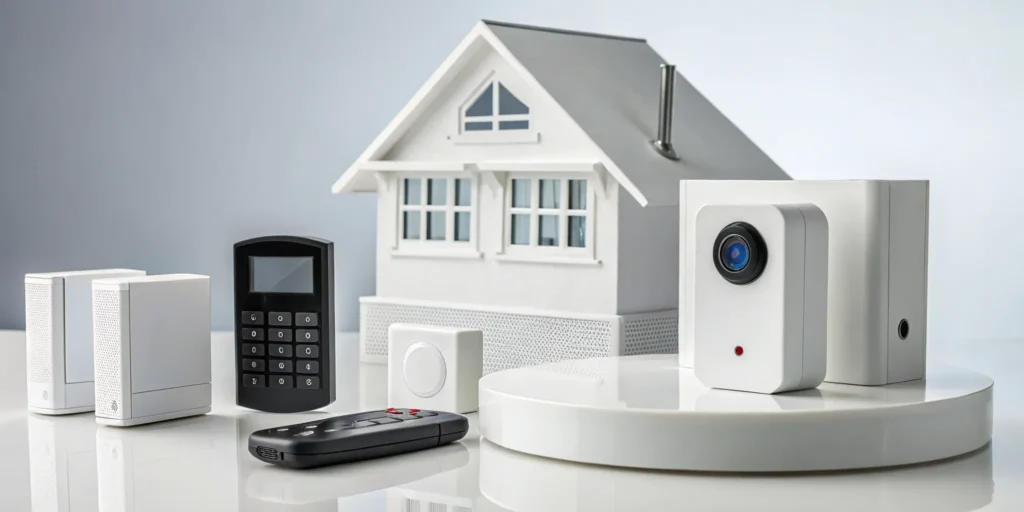
Those “free equipment” deals from national brands can be tempting, but they rarely tell the whole story. When you ask, “how much does a home alarm system cost?”, it’s important to look beyond the initial quote. The true cost includes potential activation fees, long-term contract commitments, and what happens when a piece of equipment needs to be replaced. A trustworthy security partner is transparent about every line item. This guide will help you understand the total cost of ownership, so you can spot hidden fees and avoid common budgeting mistakes. We’ll give you the right questions to ask to ensure you get a fair price and a system that truly protects your home.
Key Takeaways
- Look Beyond the Initial Price: A system’s true cost includes the equipment, installation, and the total monthly monitoring fees over the life of your contract. Calculating this full amount helps you accurately compare options and avoid budget surprises.
- Customize Your System to Your Actual Needs: Start by assessing your home’s unique vulnerabilities, then choose the components that address them. Prioritizing must-haves like door sensors and professional monitoring over nice-to-have gadgets ensures you get effective protection without overspending.
- Decide Who Responds in an Emergency: The choice between self and professional monitoring determines who takes action when an alarm sounds. Self-monitoring puts the responsibility on you to call for help, while professional monitoring provides a dedicated team to dispatch emergency services 24/7.
What Are My Home Alarm System Options?
When you start looking for a home alarm system, you’ll quickly find that your first big decisions come down to two key questions: Who will install it, and who will watch over it? Your answers will shape everything from your upfront cost to your daily peace of mind. Understanding the difference between DIY and professional installation, as well as monitored and unmonitored service, is the first step to building a security plan that truly fits your home and lifestyle. Let’s walk through what each option means for you and your family.
DIY vs. Professional Installation
Your first choice is how the system gets into your home. A DIY (Do-It-Yourself) system means you order the equipment and set it up on your own. The main appeal here is saving on the professional installation fee, which can save you a couple hundred dollars upfront. If you’re comfortable with technology and follow instructions well, this can be a good option.
On the other hand, professional installation means a trained technician handles everything for you. A local expert will ensure sensors are placed in the most effective spots, connect the system correctly, and show you how to use it. For many homeowners in communities like Greer or Simpsonville, the assurance that it’s done right by a professional is worth the investment. It removes the guesswork and gives you confidence that your system is ready from day one.
Monitored vs. Unmonitored Service
Next, you’ll decide who responds when an alarm goes off. An unmonitored system will sound a siren and may send an alert to your phone, but that’s it. It’s up to you to see the notification and call for help. This is a cheaper route since there’s no monthly fee, but it puts all the responsibility on you. If you’re on a plane, in a meeting, or sleeping, you could miss a critical alert.
Professional monitoring means a dedicated team is watching over your home 24/7. When a smoke detector, motion sensor, or medical alert is triggered, they are instantly notified. A trained agent will verify the emergency and dispatch police, fire, or medical services for you. This constant oversight provides a powerful layer of protection, ensuring a fast response whether you’re home or away.
How Much Does a Home Alarm System Cost?
When you start looking into a home alarm system, one of the first questions you’ll have is, “What’s this going to cost me?” It’s a totally fair question, and the answer isn’t a single number. The total price is really a combination of three main things: the physical equipment you choose, the cost to get it installed, and the ongoing monthly service that keeps you protected. Thinking about it in these separate pieces makes it much easier to understand where your money is going and to build a system that fits your family’s needs and your budget. Let’s break down each part so you know exactly what to expect.
Equipment and Hardware
This is the upfront cost for all the physical parts of your system, like sensors, keypads, and cameras. For a simple, do-it-yourself kit, you might spend as little as $130. However, for more comprehensive systems that cover a larger home in a community like Greer or Taylors, costs can climb toward $2,000 or more. The final price tag for hardware really depends on your home’s specific needs. A smaller home may only need a few entry sensors, while a larger property might require a full suite of indoor and outdoor cameras, motion detectors, and smart home devices. This is the most variable part of your security investment.
Installation and Setup Fees
Once you have your equipment, you need to get it installed. If you opt for a DIY system, you can handle the setup yourself at no extra cost. For those of us who prefer the peace of mind that comes with an expert touch, professional installation is the way to go. This service typically starts around $99 and can range from $100 to $200, depending on the complexity of your system. Paying for a professional ensures every sensor is placed correctly and every component is communicating perfectly, which is a huge relief when your family’s safety is on the line.
Monthly Monitoring Service
This is the ongoing fee that keeps your system connected to a 24/7 response center. Think of it as having a dedicated security team always on standby for your home. On average, professional monitoring services cost about $25 per month, with some plans ranging from $25 to $35. This fee ensures that if a sensor is tripped, a real person is there to verify the alarm and dispatch police or fire services to your Anderson or Spartanburg home immediately. Many companies require a contract, often for up to three years, so be sure to factor this recurring cost into your long-term budget.
What Affects the Price of a Security System?
Figuring out the cost of a home security system can feel a bit like solving a puzzle. There isn’t a single price tag because every system is tailored to the home it protects. The final cost depends on a few key variables that you control. Think of it less like buying a product off the shelf and more like creating a personalized safety net for your family.
The main factors that shape your total investment are the size and layout of your home, the specific pieces of equipment you select, whether you add smart home features, and the type of monitoring plan you choose. Understanding how each of these elements contributes to the cost will help you build a system that gives you the right level of protection without breaking your budget. By looking at each piece, you can prioritize what matters most to you and get a clear picture of what you’ll be paying for.
Your Home’s Size and Layout
The physical characteristics of your home are the starting point for designing any security system. A larger home simply has more ground to cover. As security experts point out, bigger houses naturally need more equipment to secure all potential entry points and vulnerable areas. A sprawling ranch in Greer will require more door and window sensors than a two-story townhouse in Anderson.
When we design a system, we look at every door, window, and hallway. The goal is to leave no blind spots. This means the number of sensors, motion detectors, and cameras you need is directly tied to your home’s square footage and floor plan. A custom layout ensures you’re only paying for the coverage you truly need.
The Equipment You Choose
The hardware is the heart of your security system, and your choices here directly influence the upfront cost. A basic starter kit might include a central hub and a few door and window sensors. According to NerdWallet, a simple DIY security kit can start as low as $130, with average kits costing around $230.
However, you can add many other components to build a more robust system. You might want to include glass break sensors for rooms with large windows, security cameras for your front porch, or a video doorbell to see who’s there. Each piece of equipment you add will adjust the total price, so it’s important to decide which devices are essential for your peace of mind.
Smart Home Automation Features
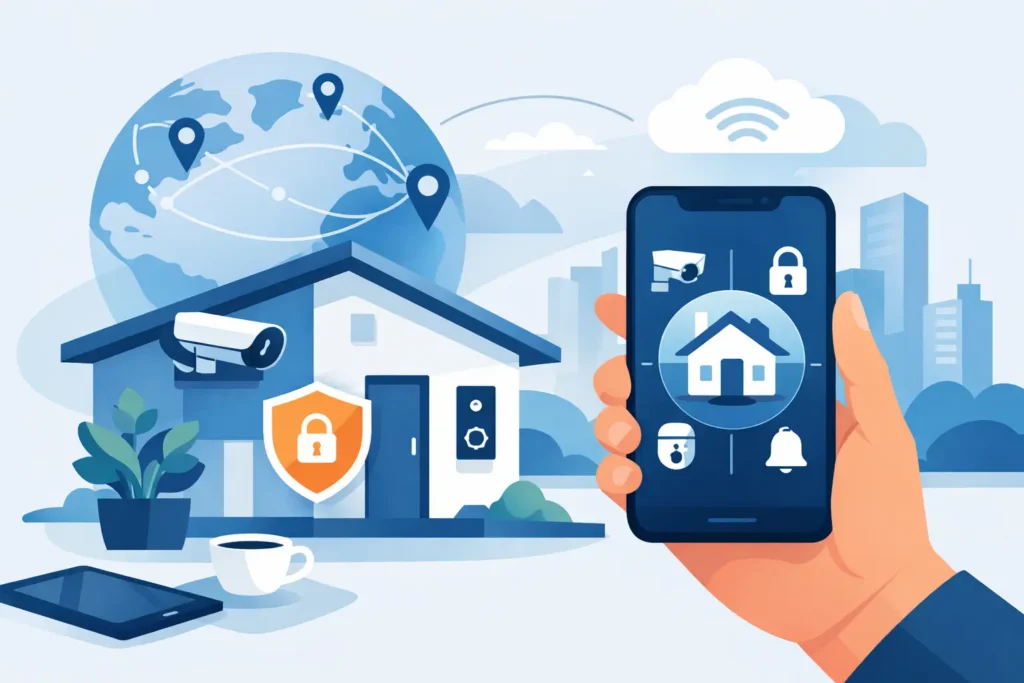
Modern security systems can do much more than just sound an alarm. Integrating smart home features adds a layer of convenience and control, but it also affects the price. These features allow you to manage your home remotely, letting you do things like lock your doors, adjust the thermostat, and turn lights on or off right from your smartphone.
This is great for everyday life and for making your home look occupied when you’re away. Adding smart locks, thermostats, or lighting controls will increase your initial equipment cost. Furthermore, some advanced features, like cloud storage for video clips, can add a small amount to your monthly monitoring fee. It’s a trade-off between added functionality and your budget.
Your Monitoring Plan and Contract
Beyond the initial hardware costs, the biggest factor in your ongoing expense is your monitoring plan. Professional monitoring, where a dedicated team is on standby 24/7 to respond to alarms, is the service that provides true peace of mind. This service typically involves a monthly fee, which can range from about $29 to $60.
The price of your plan often depends on the level of service you choose. A basic plan might only cover burglary alarms, while more comprehensive plans could include fire and carbon monoxide monitoring, video surveillance, and smart home controls. The length of your contract can also impact the monthly rate. We can walk you through the different options to find a plan that fits your security needs and your long-term budget.
Are There Hidden Home Security Costs?
When you’re budgeting for a home security system, the initial quote for equipment and monitoring is just the starting point. The total cost of ownership can include other fees that aren’t always advertised in big, bold letters. Understanding these potential expenses from the beginning ensures you find a solution that truly fits your budget long-term, without any unwelcome surprises. Think of it less as uncovering “hidden” fees and more as getting a complete picture of your investment.
A trustworthy security partner will be transparent about every line item, but it’s always smart to know what to ask. Some national providers are known for complex contracts and fine print that can leave you paying more than you expected. That’s why it’s so important to have a clear conversation about the full scope of costs. We’ll walk through the most common expenses that can appear down the road, including one-time service fees, contract penalties, and the costs associated with keeping your system in top shape for years to come. Being prepared with the right questions will help you choose a security plan with confidence.
Activation and Service Fees
An activation fee is a one-time charge some companies require to get your new security system connected to their network and monitoring center. It’s a fairly common fee, but it’s not always included in the initial price you see online. Before you commit, you should always ask if there’s an activation fee and exactly what it covers. Sometimes this fee is bundled with professional installation, but other times it’s a separate charge you’ll see on your first bill.
Beyond activation, ask about other service fees. For example, if you want to add continuous video recording from your security cameras, there might be an extra monthly charge for cloud storage. A clear service agreement will outline these costs, so be sure to review it carefully.
Early Termination Penalties
Many security companies use contracts to lock in your monthly monitoring rate for a set period, often between two and three years. While this protects you from price hikes, it also means you’re committed for the full term. If you decide to move or cancel your service early, you could face a significant early termination penalty. This fee is often calculated as a percentage of your remaining contract balance, which can add up to hundreds of dollars.
Before signing anything, make sure you understand the contract length and the specific cancellation policy. If you’re renting or think you might relocate from your home in Greer or Simpsonville in the next few years, ask about shorter-term or contract-free options. A flexible plan can save you a major headache later on.
Ongoing Maintenance and Upgrades
Your security system is a piece of technology, and just like any other tech, it requires care to perform its best. It’s wise to ask about the warranty on your equipment and whether the company offers any extended service plans. These plans can cover the cost of repairs or service calls if a component malfunctions outside of the initial warranty period. This helps you avoid unexpected repair bills.
You should also think about the future. Technology evolves quickly, and the state-of-the-art camera today might feel dated in five years. Ask your provider about their policy on equipment upgrades. Will you have to buy new devices at full price, or do they offer discounts for loyal customers looking to add newer features?
Future Equipment Replacement
Those “free equipment” deals you see advertised can be tempting, but it’s important to understand what that really means. Often, the cost of the hardware is simply rolled into your monthly monitoring payments over the life of a contract. The real question is what happens when a piece of that equipment needs to be replaced after the warranty expires. If a door sensor fails or a keypad stops responding, will you be responsible for the full replacement cost?
This is where the quality of the initial hardware makes a huge difference. Investing in reliable, professional-grade equipment from the start can reduce the likelihood of failures. Always ask about the standard equipment warranty and the out-of-pocket cost to replace common components, so you can plan for the future.
What Equipment Do I Actually Need?
Walking into the world of home security can feel like learning a new language. With so many gadgets and terms, it’s easy to wonder what you actually need. The good news is that you don’t have to get everything. The best system is one that’s tailored to your home, your family, and your peace of mind. Let’s break down the essential building blocks and some popular extras to help you decide.
Standard Security System Components
Think of these as the foundation of your home’s protection. Nearly every basic security setup starts with a few key pieces working together. A central hub or keypad acts as the brain of the operation, connecting everything. Door and window sensors are your first line of defense, alerting you if an entry point is breached. Motion detectors are also a staple, designed to detect movement inside your home when the system is armed.
Many modern starter kits also include a video doorbell or an indoor security camera, giving you visual confirmation of what’s happening on your property. These core components create a solid security perimeter that protects your home’s most vulnerable spots.
Popular and Recommended Add-Ons
Once your foundation is set, you can add layers of protection and convenience that fit your lifestyle. These add-ons integrate seamlessly into your system, creating a truly smart and responsive home. For example, smart thermostats learn your schedule to save energy, while flood monitors are unsung heroes that can alert you to a leak before it causes major damage. Many homeowners in the Upstate also add extra security cameras for complete coverage of their property, from the driveway to the backyard.
The best part is that you can build your own system piece by piece. You can start with the essentials and add new devices over time as your needs change, ensuring your system always provides the right level of protection.
Is Professional Monitoring Worth It?
This is one of the biggest decisions you’ll make when setting up your system. While a DIY, unmonitored alarm can seem like a great way to save money, it’s important to understand what you gain, and what you give up, when you opt out of professional monitoring. Let’s break down what each choice really means for your home and family’s safety here in South Carolina.
The Benefits of Professional Monitoring
Professional monitoring means a dedicated team is watching over your home 24/7. If a sensor is triggered, an alert goes directly to a certified monitoring center. A trained professional will then attempt to contact you to verify the alarm. If they can’t reach you or you confirm it’s an emergency, they will immediately dispatch the police, fire department, or paramedics to your Greenville or Anderson home. This rapid response is critical when every second counts. It’s not just about break-ins, either. Comprehensive systems also monitor for fire, carbon monoxide, and flooding, giving you complete peace of mind whether you’re at work, on vacation, or asleep in your bed.
The Risks of Self-Monitoring
Choosing to self-monitor puts all the responsibility squarely on your shoulders. When an alarm goes off, a notification is sent to your smartphone, and that’s it. It’s up to you to see the alert, assess the situation, and call for help. This can be a problem if you’re in an area with poor cell service, on a flight, in an important meeting, or if your phone battery dies. With a self-monitored system, you are responsible for every single alert. While you save on a monthly fee, you trade the assurance of a constant, professional safety net for the hope that you’ll always be available and able to respond during an emergency.
How Can I Save Money on a Home Security System?
Protecting your home is a top priority, but that doesn’t mean you have to drain your bank account to do it. Getting the peace of mind you deserve is absolutely possible on a budget. It’s all about knowing where to look for savings and making smart choices that fit your specific needs. A lower price tag doesn’t have to mean less security. In fact, with a few strategic moves, you can get a robust, reliable system that keeps your family safe without causing financial stress. From bundling equipment to checking for local deals right here in South Carolina, let’s walk through some practical steps you can take to make your home security system more affordable.
Look for Equipment Bundles
One of the easiest ways to save money right from the start is by looking for equipment bundles. Instead of buying your door sensors, motion detectors, and cameras one by one, you can purchase them together in a starter package. Think of it like a value meal; buying the items together is almost always cheaper than purchasing them à la carte. Most security providers, both local and national, offer pre-packaged kits designed for different home sizes and security needs. These bundles are created to give you the essential components for a complete system, ensuring you get comprehensive protection at a much better price point.
Consider Professional vs. DIY Installation
Your next decision point is installation, and you have two main paths: doing it yourself or hiring a professional. A DIY installation can save you money upfront because there’s no labor cost, which is a great option if you’re comfortable with technology and a bit of handiwork. However, a professional installation ensures every sensor is placed for optimal coverage and every component communicates correctly from day one. While there’s typically a fee for this service, it eliminates the guesswork and gives you confidence that your system is set up perfectly. Many homeowners find the one-time cost is well worth the long-term peace of mind.
Ask About Home Insurance Discounts
Here’s a tip that can help you save money every month: call your homeowners insurance agent. Many insurance companies offer a significant discount, sometimes up to 20%, for homes with a monitored security system. A professionally monitored system demonstrates to your insurer that you’re taking proactive steps to prevent theft, fire, and other potential claims. Be sure to ask your provider what their specific requirements are. Some may offer a small discount for any alarm, but the best rates are often reserved for systems with 24/7 professional monitoring. This monthly homeowners insurance discount can help offset the cost of your monitoring plan.
Check for Local Promotions
Before you commit to a big-box national brand, take a moment to see what your local security experts are offering. Companies that serve the Upstate, like us here at ADP Security Systems, often run promotions specifically for our South Carolina neighbors. We have a much better understanding of the security needs in communities from Greenville to Anderson and can create a custom system that fits your home perfectly. This personalized approach often provides better value than a one-size-fits-all package. Plus, you get the benefit of supporting a local business and having a team nearby whenever you need help. We encourage you to get in touch to see what current offers we have available.
Avoid These Common Budgeting Mistakes
Finding a security system that fits your budget is important, but the sticker price doesn’t always tell the whole story. A great deal on paper can sometimes lead to headaches down the road. By keeping an eye out for a few common budgeting mistakes, you can make a confident choice that protects your home and your wallet for years to come.
Ignoring Long-Term Costs
It’s easy to focus on the upfront equipment cost, but the long-term expenses are where the real numbers lie. A low initial price can sometimes hide higher monthly fees or a contract that locks you into rising rates. Before signing anything, take a moment to calculate the total investment. Add up the monthly monitoring fee for the entire contract period and combine it with any equipment or installation charges. This gives you a clear, honest comparison of what you’ll actually pay over time and helps you understand all the associated costs before you commit.
Sacrificing Features for a Lower Price
We all love a good bargain, but when it comes to your family’s safety, the cheapest option isn’t always the smartest. Some budget-friendly or free plans cut corners by removing essential features like professional monitoring or video recording. A self-monitored system, for example, puts the entire responsibility on you to see an alert and call for help, which isn’t always possible. It’s important to weigh the cost against the protection you’re truly getting. A system that gives you genuine peace of mind is a much better value than one that just checks a box.
Not Planning for the Future
Your life isn’t static, and your security system shouldn’t be either. Are you planning to move in the next few years? Will you want to add new features later, like a camera for a nursery or a medical alert button for an aging parent? Some companies make it easy to transfer your service to a new home, while others lock you in. Working with a local expert here in South Carolina means you have a partner who can help you adapt your system as your needs change, ensuring your protection grows right along with your family.
How to Choose the Right System for Your Budget
Finding a security system that fits your budget isn’t about picking the cheapest option; it’s about investing wisely in the right protection for your home and family. The goal is to find that sweet spot where you feel secure without feeling financially strained. A system that protects your Greenville home might look different from one designed for a business in Spartanburg, and that’s perfectly okay. By thinking through your specific needs, you can confidently choose a system that provides real peace of mind.
Making a smart decision comes down to a few key steps. First, you’ll want to take a close look at your property and lifestyle to figure out what you truly need to protect. From there, you can decide which features are essential and which are simply nice extras. Finally, understanding the financial commitment is crucial. Let’s walk through how to get the best value for your investment.
Assess Your Home’s Needs
Before you even look at equipment, take a walk around your property. Where are the most vulnerable points? Think about ground-floor windows, back doors, or a detached garage. Your family’s daily routine also plays a role. Do you have kids who come home from school before you do? Or perhaps an elderly parent living with you in your Simpsonville home? A personalized home security plan starts with understanding what, and who, you want to keep safe. This initial assessment helps you avoid paying for components you don’t need and ensures you cover all your bases from the start.
Prioritize Your Must-Have Features
Modern security systems offer an amazing range of features, from video doorbells and smart locks to flood monitors and automated thermostats. It’s easy to get excited by all the possibilities, but it’s important to focus on your priorities. Make a list of your non-negotiables. For many, this includes door and window sensors, motion detectors, and professional monitoring. For others, being able to check in on a pet with an indoor camera is a must-have. Deciding between professional and self-monitoring is another key choice, as it directly impacts your monthly costs and your response during an emergency.
Read the Contract Carefully
Once you have a quote, it’s time to look at the details. A trustworthy security provider will be transparent about all costs, but it’s still your job to understand what you’re signing. Look closely at the equipment cost, installation fees, and the monthly monitoring rate. Be sure you know the length of the contract and what the penalties are for early termination. Be cautious of “free” equipment offers, as that cost is often absorbed into a higher monthly fee over a long-term agreement. Reading the consumer contract carefully ensures there are no surprises down the road.
Get the Best Value with a Local Security Expert
When you’re shopping for a home alarm system, it’s easy to get drawn in by the big national names you see on TV. But the best value often comes from a local security expert right here in South Carolina. A local company can provide a level of personalized service and flexibility that larger corporations simply can’t match, giving you a better system for a more competitive price.
Unlike a one-size-fits-all package, a local provider can design a system that’s truly tailored to your home and your family’s needs. They take the time to understand your property’s unique layout, listen to your concerns, and build a solution that makes sense for you. Have some security equipment already? A local pro is often more willing to integrate existing devices, saving you money on new hardware. This customized approach ensures you get the protection you need without paying for features you don’t.
Another major advantage is service. When your security provider is based in the Upstate, you’re not just another account number in a national database. Technicians are your neighbors, which means they can respond much faster if you need a repair or an emergency service call. That proximity provides a level of reassurance that a call center hundreds of miles away can’t offer. By choosing a local expert, you’re not only getting a dedicated partner in your home’s safety, but you’re also investing in the local economy and supporting a business that cares about the Greenville, Spartanburg, and Anderson communities.
Related Articles
- DIY vs Professional Home Security: Which is Best?
- Best Home Security Camera System South Carolina Guide
- Smart Home Alarm Installation Greenville SC: What to Know
- Your Guide to a Burglar Alarm for a House in Greer
Frequently Asked Questions
Do I have to sign a long-term contract? Not always. While many national security companies rely on two or three-year contracts to cover the cost of “free” equipment, it isn’t the only way. It’s important to ask about contract-free or flexible month-to-month options. A good provider, especially a local one, will be transparent about all choices and can often work with you to find a plan that provides security without locking you into a long-term commitment you’re not comfortable with.
Will my pets set off the motion detectors? This is such a common worry, but you can relax. Modern motion detectors are quite sophisticated and can be calibrated to ignore pets up to a certain weight, usually around 85 pounds. During a professional installation, the technician will also place the sensors strategically to create detection zones that your furry family members are unlikely to trigger, ensuring you don’t get false alarms every time your dog or cat wanders through the living room.
What happens if I move before my contract is up? This is a crucial question to ask before you sign anything. Policies vary widely between companies. Some will require you to pay a large portion of your remaining contract balance as a penalty. However, other providers have moving programs that allow you to transfer your service to your new home. A local company may offer more flexibility, so it’s always best to have a direct conversation about their specific moving policy from the start.
Why can’t I just use cameras and monitor my home myself? Cameras are a fantastic tool for checking in on your home, but they don’t replace professional monitoring. A self-monitored system puts the entire burden on you to see a phone alert, decide if it’s a real emergency, and contact the authorities. Professional monitoring ensures that a trained agent is ready to respond 24/7. If a fire or break-in is detected, they verify the alarm and dispatch emergency services immediately, even if you’re asleep, on a plane, or can’t get to your phone.
Can I add more equipment to my system later on? Absolutely. In fact, this is a smart way to build a system that fits your budget over time. Most modern security systems are designed to be modular, meaning you can easily add new devices as your needs or budget change. You can start with the essentials like door sensors and a keypad, and then add things like security cameras, a video doorbell, or smart locks down the road.