Business Alarm Systems Pricing: A Full Breakdown
May 12, 2026
What Is a Smart Home App & How Do You Choose?
May 14, 2026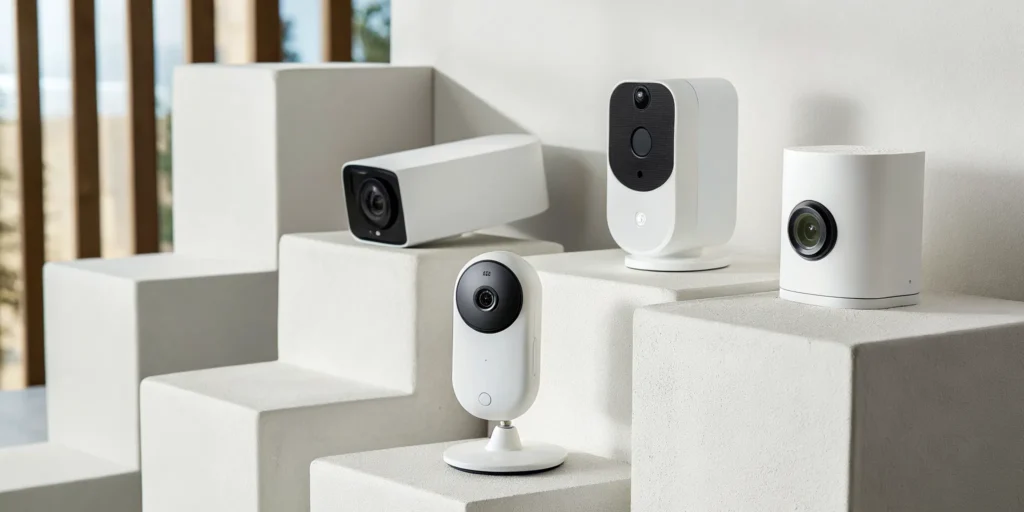
Protecting a property in South Carolina comes with its own set of rules. From our humid summers that can damage outdoor equipment to the specific building codes in communities like Spartanburg and Anderson, a generic security solution just doesn’t cut it. This is where local expertise makes all the difference. A local professional understands how to design a system for a wooded lot in Simpsonville and knows the compliance requirements for a new storefront in Mauldin. We’ll cover what Upstate business owners truly need, from weather-resistant hardware to the specific factors that influence business alarm systems pricing in our area.
Key Takeaways
- Prioritize features that deliver real information: A great camera system provides clear, actionable details. Look for key features like 2K or higher resolution for sharp video, color night vision for nighttime clarity, and smart alerts that differentiate between people, vehicles, and animals to reduce false alarms.
- Choose between hands-on control and professional response: Decide if a DIY system, which you install and monitor yourself, fits your comfort level. Alternatively, a professionally installed and monitored system offers a tailored setup and the peace of mind that comes from having a 24/7 team ready to dispatch help.
- Perform simple maintenance for lasting reliability: Your security system requires small, routine check-ups to perform at its best. Regularly cleaning camera lenses, keeping software updated, and testing your system ensures it will work correctly when you need it most, protecting your initial investment.
What Makes a Home Security Camera *Actually* Good?
When you start looking at home security cameras, the sheer number of options can feel overwhelming. From resolution and night vision to storage and smart features, every detail plays a role in how well your system protects your home. A great system isn’t just about recording video; it’s about providing clear, actionable information when you need it most. It’s the difference between seeing a blurry shape in your yard and being able to clearly identify a person’s face.
Let’s walk through the key features that separate a basic camera from a truly effective security solution. Understanding these will help you feel confident you’re making the right choice for your family, whether you live in Greenville, Anderson, or anywhere across the Upstate.
Why Crystal-Clear Video Is a Must-Have
Imagine your camera captures an event, but the video is too grainy to make out a face or a license plate. That’s why video resolution is so important. Measured in pixels (like 1080p, 2K, or 4K), higher resolution means a sharper, more detailed image. While 1080p was once the standard, many of the best systems now offer 2K or even 4K video. This clarity is crucial for identifying important details if you ever need to share footage with law enforcement. For most homes in areas like Greer or Taylors, a camera with at least 2K resolution provides an excellent balance of detail and data storage efficiency, giving you the clarity you need for true peace of mind.
Seeing in the Dark: Why Night Vision Is Crucial
Security concerns don’t stop when the sun goes down. A great camera system needs to perform just as well in the dark. Most cameras use infrared (IR) technology, which produces clear black-and-white video even in total darkness. However, many modern outdoor cameras now feature color night vision. By using advanced sensors or a small, motion-activated spotlight, these cameras can record in full color at night. This provides critical details that IR can’t capture, like the color of a vehicle or a person’s clothing. The best outdoor security cameras often include this feature, ensuring you have a complete picture of what’s happening on your property, day or night.
How to Get Alerts That Actually Matter
If your phone buzzes every time a car drives by or a tree branch sways, you’ll quickly start ignoring your security alerts. This is called “notification fatigue,” and it’s a real problem. That’s why smart alerts are a game-changer. Using artificial intelligence, modern cameras can tell the difference between people, animals, and vehicles. Some can even detect packages. This means you only get notified about the events that actually matter. Instead of a generic “Motion Detected” alert, you’ll get a specific “Person Detected on Porch.” This intelligent filtering helps you stay aware without being overwhelmed, ensuring you pay attention when it counts.
Where to Store Your Footage: Cloud vs. Local
When your camera records a video clip, it has to be stored somewhere. You generally have two options: local storage or cloud storage. Local storage saves footage directly onto a device at your home, like a microSD card in the camera or a central recording hub. This means you control your data and typically avoid monthly fees. The downside is that if a thief steals the camera or hub, your footage is gone, too. Cloud storage, on the other hand, sends your video to secure servers online. You can access it from anywhere, and it’s safe from physical theft. While this often requires a subscription, many homeowners find the convenience and security of cloud services well worth it.
Cloud Storage Pricing for Businesses
For business owners in the Upstate, the decision between local and cloud storage involves a few extra layers. Unlike a one-time purchase for a local hard drive, cloud storage for commercial systems typically involves a monthly or yearly fee. This cost isn’t random; it’s based on your specific needs. Factors like how many cameras you’re running, the resolution of the video, and the duration you need to retain the footage all play a role in the final price. It’s also wise to account for other potential expenses, as many cities require annual permits for business alarm systems. When you’re protecting your assets in a place like Spartanburg or Mauldin, understanding the total cost of ownership is key. A professional partner can help you map out these costs to find a solution that fits your budget and security goals.
How Two-Way Audio & Smart Integration Work for You
Today’s security cameras can do more than just record. Two-way audio, which includes a built-in microphone and speaker, lets you listen and talk through your camera. You can greet a visitor, instruct a delivery driver, or even warn off an unwanted guest directly from your phone. Smart home integration takes this a step further by allowing your cameras to work with other devices. For example, you could set your system so that when an outdoor camera detects motion after dark, your porch lights automatically turn on. The best home security systems connect seamlessly with platforms like Google Home and Amazon Alexa, making your home not just safer, but smarter.
Does Your Camera Need to Be Weatherproof?
An outdoor security camera is a long-term investment, and it needs to be tough enough to handle South Carolina’s weather. From our hot, humid summers to chilly winter nights and sudden downpours, the elements can take a toll on electronics. That’s why weather resistance is a non-negotiable feature. Look for cameras with a high IP (Ingress Protection) rating, like IP65 or higher, which indicates they are sealed against dust and water. A durable, well-built camera ensures your property remains protected year-round, without you having to worry about your equipment failing when you need it most.
Key Features for Business Security Systems
While home security is about protecting your family and personal space, securing a business in places like Spartanburg or Mauldin introduces a whole new set of challenges. You’re not just protecting property; you’re responsible for employees, inventory, sensitive data, and your customers’ trust. A business security system needs to do more than just sound an alarm. It should be a comprehensive tool that helps you manage operations, reduce liability, and protect your bottom line. Let’s break down the essential features that a robust commercial security system should have, moving beyond basic cameras to the tools that truly secure a modern business.
Access Control Systems
One of the biggest challenges for any business owner is managing who has access to the building. Traditional keys get lost, copied, or aren’t returned when an employee leaves, creating a constant security risk. An access control system solves this problem by replacing physical keys with a more secure, manageable solution. It allows you to decide exactly who can enter your facility—or specific rooms within it—and when. This gives you complete control over your property, ensuring that only authorized personnel can access sensitive areas like stock rooms, server closets, or offices containing confidential files.
Key Cards, Keypads, and Biometrics
Modern access control offers several ways to manage entry. Key cards and fobs are a popular choice, allowing you to grant or revoke access digitally without changing locks. Keypads provide another layer of security with unique codes for different employees. For the highest level of protection, biometric systems use unique physical traits, like a fingerprint, to grant access. Many of these systems can be managed from a mobile app, letting you lock or unlock doors remotely or check entry logs from anywhere. This technology gives you a clear record of who went where and when, which is invaluable for both security and operational oversight. You can explore different types of access control to see which technology best fits your business’s daily workflow and security needs.
Environmental Protection Sensors
A comprehensive security strategy protects your business from more than just intruders. Threats like fire, flooding, and extreme temperatures can be just as devastating, if not more so. That’s why environmental sensors are a critical component of any commercial system. These devices monitor for hazards like smoke, heat, and carbon monoxide, providing early warnings that are essential for protecting your employees and meeting local fire codes. Here in South Carolina, sensors that detect water leaks or extreme temperature changes are also incredibly valuable. They can prevent a small leak from becoming a catastrophic flood or alert you if the AC in your server room fails on a hot summer day, saving you from costly equipment damage and downtime.
Scalable Systems for Business Growth
Your business isn’t static, and your security system shouldn’t be either. As your company grows—whether you’re hiring more employees, expanding your current building in Easley, or opening a new location in Anderson—your security needs will evolve. A scalable system is designed to grow with you. This means you can easily add new cameras, access control points, or sensors without having to replace the entire infrastructure. Choosing a flexible, modular system from the start is a smart investment. It ensures that your initial security solution can adapt to future challenges, providing long-term value and saving you the significant cost and disruption of a complete overhaul down the road.
DIY vs. Professional Systems: Which Is Right for You?
Choosing a home security system often comes down to one big question: should you install it yourself or hire a professional? Both paths have their merits, and the right choice depends on your comfort with technology, your home’s specific needs, and the level of protection you’re looking for. Let’s break down what each option means for you and your family, so you can feel confident in your decision to protect your home.
Installing It Yourself? Here’s What to Expect
The appeal of do-it-yourself security is easy to see. Brands like Ring and SimpliSafe have made a name for themselves by offering systems you can set up in an afternoon. These DIY systems give you total control over installation and often don’t require a long-term contract, which is great if you value flexibility. This route can be a solid choice if you’re comfortable with technology and your security needs are straightforward. However, the responsibility rests entirely on your shoulders, from ensuring cameras are placed correctly to troubleshooting any connection issues that pop up. You are your own installer, monitor, and tech support.
Letting the Pros Handle It: What You Get with Professional Installation
A professionally installed system is all about comprehensive, worry-free protection. Instead of spending your weekend on a ladder, a trained technician designs and installs a system tailored to your home’s unique layout. The biggest advantage is the 24/7 professional monitoring. If an alarm is triggered, a dedicated team is ready to respond in seconds, not minutes. They can even use video verification to confirm a real threat, which helps police respond faster. These systems are also built to integrate seamlessly with your other smart home devices, creating a connected ecosystem that keeps you safe and simplifies your life.
The Importance of Professional Certifications
When you trust a company with your family’s safety, you want to know they’re true experts. That’s where professional certifications come in. They’re a clear indicator that a company and its technicians have met rigorous national standards for quality and knowledge. For example, a NICET certification is a gold standard for fire alarm system design and installation, ensuring your system is code-compliant and reliable. Similarly, a UL-certified monitoring center means the facility has passed strict tests for security, power redundancy, and staffing. Choosing a company that invests in these credentials means you’re getting a team that is serious about its craft and dedicated to providing the highest level of protection.
Understanding Security System Grades for Insurance
Did you know that a professionally monitored security system can often lower your homeowner’s insurance premium? Insurance companies love when you take proactive steps to protect your property, but they often have specific requirements. Many insurers classify security systems by “grades,” which reflect their level of security and reliability. While a basic DIY system might be Grade 1, insurance companies often require stronger systems, like Grade 3 or 4, to qualify for the best discounts. These higher-grade systems typically include professional monitoring and cellular backup. Before you commit, it’s a great idea to call your insurance agent and ask what specific system features will earn you a discount.
Choosing Non-Proprietary Equipment
Here’s a crucial question to ask any security provider: “If I decide to switch monitoring services later, can I use this equipment with another company?” Some providers use proprietary equipment, meaning their cameras and sensors are designed to work only with their service. This can lock you into a long-term relationship, even if you become unhappy with the service or pricing. Opting for a provider that uses standard, non-proprietary equipment gives you freedom and flexibility. It ensures that you own your hardware outright and can choose the monitoring service that best fits your needs in the future, putting you in control of your home’s security.
Does a Local South Carolina Pro Really Make a Difference?
While national brands offer a one-size-fits-all solution, there’s a distinct advantage to working with someone who knows South Carolina. A local expert understands the specific needs of homeowners in communities from Greer to Anderson. We can design a system that accounts for a wooded lot in Simpsonville or the building codes for a new business in Mauldin. When you have a question or need service, you’re not calling a massive call center; you’re speaking with a local team of experts who are your neighbors. This personalized approach ensures you get the right protection and the peace of mind that comes from knowing help is always right around the corner.
Don’t Fall for These Home Security Myths
When it comes to protecting your home and family, a little bit of misinformation can go a long way. Many common myths about security systems can keep you from getting the effective, reliable protection you deserve. Let’s clear the air and separate fact from fiction so you can make a confident choice for your South Carolina home.
Myth: “Monitoring is just an extra cost.”
It’s easy to look at a monthly fee and see it as just another bill. But a professional monitoring subscription is much more than a simple cost; it’s an active service. Think of it as the difference between having a recording of a problem and having a team of experts ready to solve it in real time. While some cameras offer basic features without a plan, a subscription provides 24/7 professional monitoring, secure cloud storage for your video clips, and often includes advanced alerts. It transforms your camera from a passive recording device into an active part of your home’s safety net.
Myth: “Expensive always means better.”
While you often get what you pay for, a higher price tag on a security camera doesn’t automatically guarantee better protection. Instead, costlier models typically include advanced features designed to make your system smarter and more reliable. These might include sophisticated analytics that can tell the difference between a person and a passing car, reducing false alarms. Investing in a quality system means you’re paying for effectiveness and peace of mind, not just a brand name. The best home security cameras are the ones that fit your specific needs with features that provide genuine security, not just a higher price.
Myth: “My DIY install is just as good as a pro’s.”
The appeal of DIY is strong, and setting up a single camera can seem straightforward. However, a truly effective security system is more than just a collection of gadgets; it’s an integrated ecosystem. Professional installation ensures your cameras are placed in optimal locations to eliminate blind spots, are configured correctly for your network, and work together seamlessly. An expert can also integrate your cameras with other safety devices, like smoke detectors or door sensors. While DIY can save money upfront, professional installation maximizes the effectiveness of your home security system from day one.
Myth: “Local storage is your only secure option.”
Many people worry about privacy and believe storing video on a local SD card or hub is the safest bet. While local storage gives you physical control, it has a major vulnerability: if a burglar steals your camera or the hub, your evidence is gone too. This method can also make it difficult to access footage when you’re away from home. Secure cloud storage, on the other hand, protects your recordings from theft, fire, or damage by keeping them on an encrypted server. This ensures you can always access critical footage, even if the camera itself is compromised.
How Much Should You Really Spend on Home Security?
When you start shopping for a home security system, it’s easy to focus on the price of the cameras on the shelf. But the true cost of securing your home is about more than just the initial purchase. It’s a mix of upfront equipment expenses, potential monthly fees for monitoring, and the priceless value of feeling safe. Thinking through these different elements helps you find a solution that truly fits your budget and your life, whether you’re in Greenville or anywhere across South Carolina. Let’s break down what you should consider so you can make a confident choice for your family.
First, Let’s Talk Equipment Costs
The first thing you’ll notice is the wide range of equipment prices. Some cameras cost less than a nice dinner out, while others are a more significant investment. You can find basic cameras for as little as $30, but premium options from brands like Nest or Ecobee can be over $100 each. This price gap usually comes down to features. More expensive cameras often have higher-quality video and smarter technology that can tell the difference between a passing car and a person approaching your door, which is key to preventing a flood of false alarms. The best home security cameras often justify their price with features that provide clearer evidence and fewer unnecessary notifications.
Looking Beyond the Monthly Fee: The Value of Monitoring
After the initial equipment purchase, the next cost to consider is professional monitoring. This is the monthly service that connects your system to a 24/7 team of security experts. While it is an ongoing expense, its value becomes clear during an actual emergency. Some of the best home security systems are known for their incredibly fast response times, answering alerts in under a minute. This service ensures that a trained professional is ready to dispatch police, fire, or medical help the moment an alarm is triggered, even if you’re asleep, at work, or on vacation. Plans often start around $25 per month, giving you a direct line to help when you need it most.
Is Short-Term Savings Worth Your Peace of Mind?
This brings us to the central question: should you prioritize short-term savings or long-term peace of mind? Choosing a system with no subscription helps you avoid ongoing costs, and storing your video recordings on a local device can feel more private. Many people appreciate these cameras without a subscription for their simplicity and control. However, a monitored system offers a different kind of assurance. It’s the confidence that comes from knowing your home is protected by a dedicated team, not just a piece of technology. This investment is less about the hardware and more about the reliable, professional safety net it provides for your family.
Breaking Down Business Alarm System Pricing
Securing your business is a completely different ballgame than protecting your home. The stakes are higher, the spaces are often larger and more complex, and the technology needs to be more robust. As a business owner in the Upstate, you’re not just protecting inventory; you’re protecting your livelihood, your employees, and your customers. Understanding the costs involved is the first step toward making a smart investment. The price of a commercial security system isn’t a single number but a combination of equipment, specialized components, and ongoing services tailored to your specific needs, whether you run a boutique in downtown Greenville or a warehouse in Spartanburg.
Typical Costs for Business Security Equipment
The foundation of any security system is its hardware, and the cost is directly tied to the size and complexity of your property. You need to think about every entry point, window, and vulnerable area. For a small retail shop or office, a basic system with door and window sensors, a few cameras, and a keypad might be sufficient. For larger facilities, you’ll need more sensors, a wider camera network, and potentially more advanced equipment to cover the entire space effectively. This initial equipment cost is where you’ll see the most significant variation based on your business’s unique footprint.
Small Business vs. Medium Warehouse Pricing
To put it in perspective, a basic system for a small business typically runs between $1,500 and $3,000. This covers the essentials for a smaller storefront or office. However, if you operate a medium-sized warehouse or factory, your needs expand significantly. You have more ground to cover, more entry points like loading docks, and valuable inventory to protect. For a space like that, you can expect equipment costs to range from $3,500 to $7,500. This accounts for the additional cameras, motion detectors, and sensors required to secure a larger, more complex environment without leaving dangerous blind spots.
Commercial-Grade Component Costs
Beyond the basic sensors and cameras, commercial properties often require specialized, heavy-duty components to meet safety codes and provide comprehensive protection. These aren’t the same off-the-shelf devices you’d use at home; they are built for durability, reliability, and integration into a larger, more complex system. Things like commercial fire alarms and access control are not just add-ons—they are often essential for compliance and for managing the flow of people in and out of your building. These systems are a critical part of a complete business security strategy that protects both people and property.
Fire Alarm and Access Control Systems
A commercial fire alarm system is one of the most important investments you can make. These systems are designed to meet strict local and national fire codes, and their cost reflects that complexity. A system can start around $2,000 and exceed $10,000, depending on your building’s size and specific regulations in your area. Similarly, an access control system, which uses key cards, keypads, or biometrics to manage who can enter certain areas, can range from $500 for a single door to over $8,000 for a multi-door, networked solution. This technology is crucial for securing sensitive areas and keeping a log of who comes and goes.
Monthly Monitoring Fees for Businesses
Your security hardware is only as good as the response it triggers. That’s where professional monitoring comes in. For businesses, this service is even more critical than it is for homes. A break-in, fire, or other emergency can’t wait for you to see a notification on your phone. Professional monitoring ensures a 24/7 team of experts is watching over your property, ready to dispatch emergency services at a moment’s notice. This constant vigilance is what turns your alarm system into an active shield. Monthly monitoring fees for businesses typically range from $40 to $120, depending on the level of service you choose.
For an even faster and more reliable response, many businesses opt for video-verified monitoring. With this service, the monitoring center can access video clips from your cameras the moment an alarm is triggered. This allows them to confirm a real threat is in progress, which can lead to a higher-priority police dispatch. It also dramatically reduces the chances of costly false alarm fines. Because of the advanced technology and added layer of security, plans that include video verification generally fall in the higher end of the monitoring fee spectrum, often between $70 and $120 per month.
Financial Considerations for Business Security
Investing in a security system is a major business decision, and it’s important to look at it from every financial angle. The sticker price of the equipment is just one piece of the puzzle. To make a truly informed choice, you need to consider the long-term costs, potential savings, and different ways to pay for it. Thinking about these factors ahead of time will help you budget effectively and understand the full value your security system brings to your business. It’s not just an expense; it’s an investment in continuity, safety, and peace of mind.
Calculating the Total Cost of Ownership (TCO)
To get a realistic picture of what you’ll spend, you need to calculate the Total Cost of Ownership, or TCO. This goes beyond the initial price tag. Add up the upfront cost of the equipment, professional installation fees, and your monthly monitoring subscription over a set period, like three to five years. Don’t forget to factor in other potential expenses, such as annual alarm permit fees required by your city and any potential maintenance costs. This comprehensive view gives you a much more accurate long-term budget and helps you compare different systems on an apples-to-apples basis.
Leasing vs. Buying Equipment
One of the first financial decisions you’ll face is whether to buy your security equipment outright or lease it. Buying it means you own the hardware from day one, giving you full control. However, it also requires a significant upfront capital expense. Leasing, on the other hand, allows you to get a state-of-the-art system with a much lower initial cost, spreading the expense out in predictable monthly payments. While leasing might cost more over the entire life of the contract, it can be a great option for businesses that want to preserve cash flow for other operational needs.
Potential Insurance Premium Discounts
Here’s a financial benefit you might not have considered: a professionally monitored security system can often lower your business insurance premiums. Insurance companies see a monitored system as a proactive step to reduce risk. By protecting your property against theft, fire, and vandalism, you’re less likely to file a major claim. Many insurers offer discounts for businesses with monitored fire and burglar alarms. Be sure to talk to your insurance agent to see how much you could save; in some cases, the discount can help offset the monthly monitoring fee.
Tax-Deductible Security Expenses
As a business owner, you’re always looking for legitimate ways to reduce your tax burden. The good news is that the costs associated with securing your business are generally considered a necessary business expense and can be tax-deductible. This includes the cost of the equipment, installation, and monthly monitoring fees. This tax benefit can help make a quality security system more affordable. Of course, tax laws can be complex, so it’s always a good idea to consult with your accountant to understand exactly how these deductions apply to your specific situation.
Available Payment Plans
A large, one-time payment for a security system can be a challenge for any business, especially a new or growing one. Recognizing this, many security providers offer flexible payment plans to make top-tier protection more accessible. Here at ADP Security Systems, we work with South Carolina business owners to find financing solutions that fit their budgets. These plans allow you to get the comprehensive system you need now without draining your capital, breaking down the cost into manageable monthly installments. It ensures you don’t have to compromise on safety due to upfront cost concerns.
Additional Regulations and Potential Costs for Businesses
Beyond the system itself, there are a few other costs and regulations to keep in mind. Running a business comes with a responsibility to adhere to local ordinances, and your alarm system is no exception. These rules are in place to ensure emergency services are used effectively and to maintain community safety. Being aware of these requirements from the start can help you avoid unexpected fines and ensure your business operates smoothly within your local jurisdiction, whether you’re in Anderson, Clemson, or anywhere in between.
Annual Alarm Permit Requirements
Most municipalities in South Carolina and across the country require businesses to register their alarm systems and obtain an annual permit. This helps local law enforcement and fire departments manage their resources and maintain a record of all active alarm systems in their jurisdiction. The cost for this permit is usually modest, typically ranging from $30 to $110 per year. It’s a small but necessary administrative cost of having a monitored security system, so be sure to check with your local city or county office for their specific requirements.
Fees and Fines for False Alarms
False alarms are a significant drain on emergency resources, and as a result, nearly all cities and counties impose fines on businesses that have too many of them. These fines can be costly, often starting around $150 per incident and increasing for repeat offenses. This is where a professionally installed system with high-quality equipment and smart features really proves its worth. Proper installation, user training, and features like video verification can drastically reduce the likelihood of false alarms, saving you from unnecessary fees and maintaining a good relationship with local first responders.
Wired vs. Wireless: Which System Fits Your Home?
One of the first big decisions you’ll make is choosing between a wired or a wireless security system. There’s no single right answer, as the best choice really depends on your home’s layout and your personal preferences. Let’s walk through the key differences so you can feel confident in your decision.
Wired camera systems connect directly to a central recording device and your home’s power supply. Their biggest advantage is reliability. Since they are hardwired, you don’t have to worry about a weak Wi-Fi signal dropping your connection or batteries dying at a critical moment. The installation is more involved, often requiring a professional to run cables through walls, but the result is a stable, low-maintenance system you can set and forget. This can be a great option for new construction in areas like Greer or for homeowners who want the most dependable connection possible.
On the other hand, wireless cameras offer incredible flexibility. They communicate over Wi-Fi and are typically powered by rechargeable batteries, making installation a breeze. You can place them almost anywhere without drilling holes or running wires. This is perfect for renters or for adding cameras to tricky spots. Many of the best home security cameras on the market are wireless, and they can even keep recording during a power outage. The main trade-off is that you’ll need to monitor battery levels and ensure you have a strong, secure Wi-Fi network.
How to Plan Your Indoor and Outdoor Camera Coverage
Once you’ve settled on a system type, the next step is mapping out your camera placement. A great security plan covers your property’s most vulnerable spots, both inside and out. Start by thinking about the main points of entry. Your front door, back door, and any ground-floor windows are obvious priorities. Don’t forget the garage, as it’s a common and often overlooked entry point for intruders. Placing sensors on these doors can add another layer of protection. The best home security systems often integrate cameras and sensors for total coverage. A well-placed outdoor camera can deter someone before they even reach your door, while indoor cameras can monitor main hallways and common areas without invading your private spaces.
What Does 24/7 Professional Monitoring Actually Do?
When you think about a security system, you might picture a loud alarm scaring off a potential intruder. That’s certainly part of it, but with a professionally monitored system, the siren is just the beginning. So, what happens after that? This is where 24/7 professional monitoring comes in, turning your cameras and sensors from a simple deterrent into a direct line to emergency help. It means a dedicated team of trained security experts is on standby, day and night, ready to respond the second an alarm is triggered at your home.
Whether it’s a door sensor tripped at 3 a.m. or a smoke detector going off while you’re on vacation, a signal is sent to a central monitoring station. These are not overseas call centers; they are secure facilities staffed with professionals whose only job is to manage these alerts. The average time for a monitoring center to respond is around 45 seconds, with some of the best home security systems answering in under 35 seconds. In that short window, a real person is assessing the situation, ready to contact you and dispatch the right help, whether that’s the police, fire department, or medical services. It’s the crucial human element that ensures you’re protected, even when you can’t get to your phone.
What Happens When an Alarm Is Triggered?
When an alarm goes off, a clear, practiced protocol begins instantly. First, the monitoring agent receives the alert, which tells them the type of emergency and where it’s happening in your home. They will immediately try to contact you to verify the alarm. If they can’t reach you or if you confirm it’s a real emergency, they dispatch first responders to your address right away. This process eliminates the guesswork and panic of handling an alert yourself.
Modern systems add another layer of effectiveness. With integrated cameras, monitoring agents can often visually confirm a break-in. This visual verification is critical, as it tells police that a crime is actively in progress, which can lead to a faster police response. Some systems even allow agents to speak directly through your cameras, warning an intruder that they are being recorded and that authorities are on the way. This can often stop a threat in its tracks.
The Role of UL-Certified Monitoring Centers
When you choose a professionally monitored system, it’s important to know who is on the other end of the line. This is where UL certification comes in. A UL-certified monitoring center isn’t just any call center; it’s a facility that has met the rigorous safety, reliability, and performance standards set by Underwriters Laboratories. This certification is a big deal—it means the center is equipped with backup power, secure infrastructure, and highly trained staff to ensure it never goes down. So, whether there’s a power outage or a severe storm, you can be confident that a team of professionals is always there, ready to respond to an alert from your home in seconds. It’s the gold standard for monitoring, providing an extra layer of assurance that your family is protected by the best in the business.
The Reality of Self-Monitoring vs. Professional Response
Many people consider self-monitoring their security systems to avoid ongoing monthly fees. The idea is simple: you get an alert on your phone and decide what to do. This can work if you’re always available and able to respond. But what happens if an alert comes while you’re in a meeting, on a flight, or asleep? A notification can be easily missed, leaving your home or business vulnerable when every second counts.
This is the reality check for self-monitoring. It puts the entire responsibility of a timely and correct response squarely on your shoulders. Professional monitoring acts as your constant, reliable backup. It ensures that even if you miss the alert, a trained expert is ready to take action. For families in Greenville, business owners in Spartanburg, or anyone caring for an elderly parent in Anderson, that guaranteed response provides a level of security that a push notification alone simply can’t match.
Reliable Monitoring Connections for Businesses
For a business in Clemson or Mauldin, a security system isn’t just about peace of mind; it’s about protecting your livelihood. The reliability of your entire system hinges on one critical component: its connection to the monitoring center. This is the digital lifeline that ensures an alert gets to the people who can help. While a home system might use your Wi-Fi network, a commercial-grade system requires a more robust solution. A downed internet connection or a cut phone line can’t be the reason your business is left unprotected. That’s why understanding the different connection types is so important for making sure your investment in security actually pays off when you need it.
Why Cellular is a Commercial Standard
When it comes to business security, cellular monitoring has become the gold standard for a reason. Unlike traditional landlines that can be easily cut or Wi-Fi that can go down during a power outage, a cellular connection provides a dedicated and secure link to your monitoring service. Security experts agree that cellular connections are more reliable than other options, making them an essential part of a modern commercial alarm system. This dedicated channel ensures that whether it’s a break-in or a fire alarm, the signal gets through. It’s also why professional monitoring is highly recommended to ensure your system is set up right and works flawlessly. At ADP Security, we rely on this technology to give our business clients across the Upstate the unwavering protection they need.
Ready to Buy? Use This Security Camera Checklist
Choosing a security camera system can feel like a huge decision, but it doesn’t have to be complicated. When you know what to look for, you can confidently pick a system that fits your home and gives you real peace of mind. Think of this as your personal checklist to walk through before you buy. We’ll cover the big questions, from installation to privacy, so you can feel great about your choice.
Will You Install It or Hire a Pro?
First, decide how you want to get your system up and running. DIY systems are popular because you can set them up yourself, often without being tied to a long-term contract. This route offers flexibility and can be a good fit if you’re comfortable with technology and have a straightforward home layout.
However, a professional installation ensures every camera angle is optimized, every wire is secure, and the entire system works together flawlessly from day one. A local expert here in the Upstate can assess your property’s unique vulnerabilities and design a system that provides maximum coverage. While some companies require a contract with professional installation, it often comes with the benefit of ongoing support and maintenance, which is a major plus.
Will It Work with Your Smart Home?
If you already use smart devices, you’ll want a security system that plays well with others. Smart home integration allows your cameras to communicate with other gadgets in your home, creating helpful automated routines. For example, you could set your system to turn on the porch lights whenever an outdoor camera detects motion after dark or have your smart speakers announce when a camera spots a person at the door.
Before you purchase a system, double-check that it’s compatible with your existing smart home ecosystem, whether you use Amazon Alexa, Google Home, or another platform. This simple step ensures you can build a truly connected and responsive smart home without running into frustrating compatibility issues down the road.
Protecting Your Privacy and Network
Bringing a camera into your home is a decision that requires trust. It’s essential to understand how your video footage is stored and protected. Some cameras offer local storage, saving video to an SD card or a base station right in your house. This means your recordings aren’t automatically sent to a company’s servers, which can give you a greater sense of privacy.
Alternatively, many professionally monitored systems use secure, encrypted cloud storage. This protects your footage from being lost if a burglar steals your camera or hub and allows you to access it from anywhere. Whichever you choose, look for a provider that prioritizes your data security with features like two-factor authentication and strong encryption to keep your personal information safe.
Cybersecurity Costs for Your Business Network
When you’re planning the budget for your business’s network security, it’s about more than just the initial software purchase. A professional firewall, for example, can range from $70 to over $500 a month depending on the level of protection you need. It’s also smart to account for potential hidden costs, like the fines many cities issue for false alarms—often around $150 per incident. To get a true sense of the investment, add up all the upfront costs and monthly fees over a few years. On the bright side, investing in a professionally monitored system can often lower your business insurance premiums, so it’s worth asking your agent about. Planning for future upgrades as your business grows will also help you budget effectively and keep your network secure for the long haul.
What’s the Deal with Warranties and Support?
A security system is a long-term investment, so it’s important to know what kind of support you’ll have after the purchase. Before you commit, look into the warranty. How long does it last, and what does it cover? If a camera stops working, will the company replace it quickly and without a hassle?
Equally important is the quality of customer support. When you have a question or a problem, you want to be able to reach a real person who can help. Consider whether you’d prefer a DIY company’s online chat support or the direct line to a local team in South Carolina. Having accessible, expert support provides an extra layer of assurance that your system will always be there to protect you.
How to Maintain Your Home Security System
Once your security system is installed, it’s easy to set it and forget it. But just like any important piece of technology, a little routine maintenance ensures it performs reliably for years to come. Think of it as a quick check-up to confirm the system you trust to protect your home is always ready to do its job. Taking a few minutes every few months to run through these simple steps will give you lasting confidence and peace of mind. These small actions help maintain the integrity of your security, ensuring that from your front door in Greenville to your back porch in Anderson, every angle is covered and every connection is secure. It’s a straightforward way to protect your investment and, more importantly, your family.
Always Keep Your Firmware Updated
Your security camera runs on internal software called firmware. Manufacturers release updates to add new capabilities, improve performance, and patch security vulnerabilities. Keeping your system current is one of the most important things you can do to keep it secure and functioning properly. Many systems will notify you in the app when an update is available, and some even allow you to turn on automatic updates. It’s a good idea to accept these updates promptly. These firmware updates are your first line of defense against new threats and ensure you have the best features available.
Clean Your Lenses and Check Your Angles
A blurry or obstructed view makes a security camera far less effective. Over time, outdoor cameras can collect dust, pollen, and water spots, while indoor cameras can get smudged or accidentally bumped. Regularly cleaning the camera lenses with a soft, microfiber cloth will keep your video footage crisp and clear. While you’re at it, take a moment to check the live feed. Make sure tree branches haven’t grown to block the view or that a piece of furniture hasn’t been moved into the camera’s line of sight. A quick adjustment can make all the difference.
Routinely Test Your System
Don’t wait for an actual emergency to find out if your system is working correctly. A simple, routine test can catch potential issues early. Once a month, check the live video feeds from all your cameras to ensure they are online and recording. Walk in front of a motion-activated camera to make sure you receive an alert on your phone. If you have professional monitoring with us, you can call us to put your system into test mode. This allows you to safely test your alarms without dispatching emergency services. This routine testing is the best way to confirm every component is communicating and ready to respond.
Lock Down Your Wi-Fi and Passwords
Your security cameras are connected to your home’s Wi-Fi network, so your network’s security is your system’s security. Start by securing your Wi-Fi network with a strong, unique password that is difficult to guess. The same rule applies to the password for your security system app. Avoid using common words or personal information. For an even greater layer of protection, enable two-factor authentication (2FA) on your security account if it’s available. This requires a second form of verification, like a code sent to your phone, to log in, making it much harder for unauthorized users to gain access.
Professional Maintenance Plans for Businesses
For a business owner, your security system is a critical asset that protects your property and people. But like any important equipment, it needs regular care to stay reliable. This is where a professional maintenance plan comes in. Think of it as proactive care that ensures your system is always operating at peak performance. These plans typically include routine check-ups to clean camera lenses, keep software updated, and test every component to confirm it will work correctly when you need it most. A service plan is a predictable annual expense that protects your initial investment and helps you avoid unexpected, costly repairs down the road, giving you the confidence that your business is always secure.
Ready to Design the Right System for Your Home?
After exploring all the options, you’re ready to start picturing what a security system looks like for your own home. The best system isn’t about having the most gadgets; it’s about having the right ones that fit your life and property. Before you make a decision, take a moment to think about what you truly need. What are your non-negotiables? For some, it’s having crystal-clear video with excellent night vision. For others, it’s getting smart alerts that can distinguish a person from a stray cat, so your phone isn’t buzzing all night.
Next, consider how you want to manage your video footage. Storing recordings on a local device like an SD card can give you more control over your privacy and help you avoid monthly fees. On the other hand, a cloud subscription ensures your footage is safe even if a camera is damaged or stolen. Many cameras offer both options, giving you the flexibility to choose what feels right. This decision often goes hand-in-hand with whether you prefer a DIY setup or a professionally monitored system. While a DIY approach can be straightforward for a single camera, creating a fully integrated system that covers every angle of your home is a different story.
If you’re feeling a bit overwhelmed by the choices, that’s completely normal. Designing a system that truly protects your family involves more than just picking cameras off a shelf. This is where talking to a local expert can make all the difference. A professional can walk through your home with you, identify vulnerable spots you might have missed, and design a cohesive system that works together seamlessly. Instead of spending your weekend on a ladder, you can get a solution tailored to your South Carolina home, installed correctly from day one.
Related Articles
- Best Home Security Camera System South Carolina Guide
- Pro Security Camera Installation Greenville SC: A Guide
- Pro Home Security & Camera Installation Mauldin Guide
Frequently Asked Questions
With so many options, where should I even start when choosing a security system? The best place to start is by thinking about your primary goal. Are you trying to deter package thieves, keep an eye on the kids after school, or ensure a fast response in a real emergency? Your answer will guide your choices. Take a quick walk around your property to identify the most important spots to cover, like your front door, back patio, and garage. This simple assessment helps you focus on the features that matter for your specific situation instead of getting lost in all the technical details.
Do I really need to pay a monthly fee for a security system to be effective? You don’t strictly need a monthly fee for a camera to record video, but that fee pays for an active service, not just a feature. Professional monitoring means a team of experts is ready to respond to an alarm 24/7, contact authorities, and verify emergencies. It’s the difference between having a recording of a break-in and having someone dispatch the police for you, even if you’re asleep or can’t get to your phone.
When does it make sense to choose a professional installation over a DIY system? A DIY system can be great if your needs are simple, like monitoring a single room or your front porch, and you’re comfortable with the tech. However, a professional installation becomes the smarter choice when you want comprehensive coverage without blind spots, need to integrate multiple devices like cameras and sensors, or want the reliability of a hardwired system. It’s also ideal if you simply want the peace of mind that comes from knowing an expert handled the entire setup correctly.
I’m worried about privacy. How can I make sure my security camera footage stays secure? This is a very valid concern. A great first step is to secure the foundation: your home Wi-Fi network. Use a strong, unique password for both your network and your security app account, and enable two-factor authentication whenever possible. For your video footage, you can choose systems that store video locally on an SD card. If you prefer the convenience of cloud storage, choose a reputable provider that uses encryption to protect your data while it’s being transferred and stored.
My phone gets too many motion alerts from my current camera. Is there a way to fix this? Yes, and this is a common problem that modern cameras are built to solve. The issue is often called “notification fatigue.” Look for a camera system with smart alerts or person detection. This technology uses artificial intelligence to tell the difference between significant events, like a person walking up your driveway, and minor ones, like swaying trees or a passing car. This way, you only receive notifications for the things that actually require your attention.