Business Alarm Systems Pricing: A Full Breakdown
May 12, 2026
Best Security System for Small Business: A 2025 Guide
May 15, 2026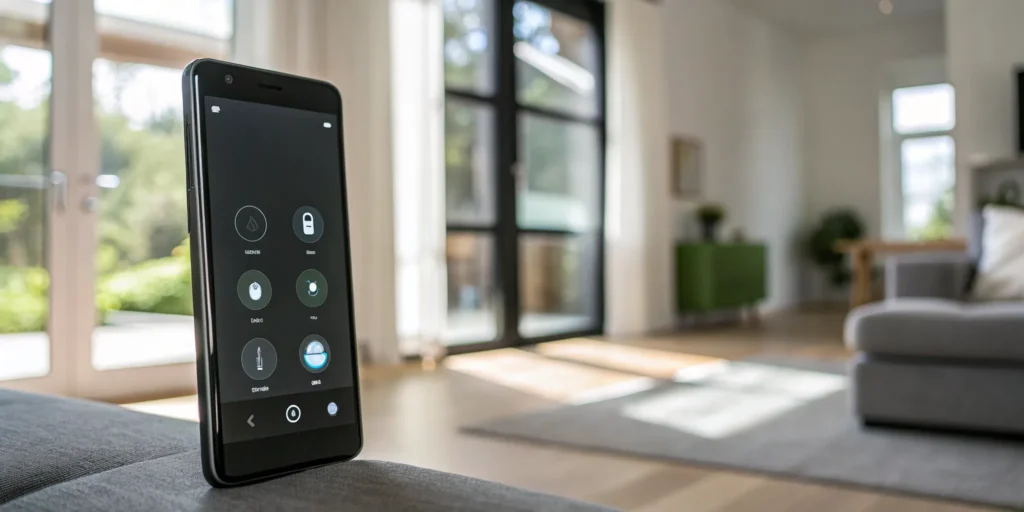
Building a smart home comes down to one big question. Are you a tech enthusiast who loves connecting different gadgets, or do you just want a system that works flawlessly from day one? Your choice of smart home app is at the heart of this decision. A DIY setup gives you freedom but often comes with frustrating compatibility issues. A professionally installed system, however, offers a single, powerful app built for total reliability. This guide will break down the features, costs, and best options to help you choose the right path for your South Carolina home.
Key Takeaways
- Consolidate Control in One Place: A smart home app acts as a universal remote for your entire house, letting you manage security, lights, and climate from a single screen. This simplifies your daily routine and gives you control from anywhere.
- Choose Between DIY and Professional Systems: Decide if you prefer a hands-on DIY approach with apps like Google Home or the guaranteed reliability of a professional system. DIY offers flexibility but may require troubleshooting, while a professional service ensures all your devices work together perfectly.
- Look Beyond the Free App: The app itself is usually free, but the real investment is in the hardware and optional monthly services. These subscriptions provide critical features like 24/7 professional monitoring and secure video storage, which are essential for a complete security solution.
What Is a Smart Home App?
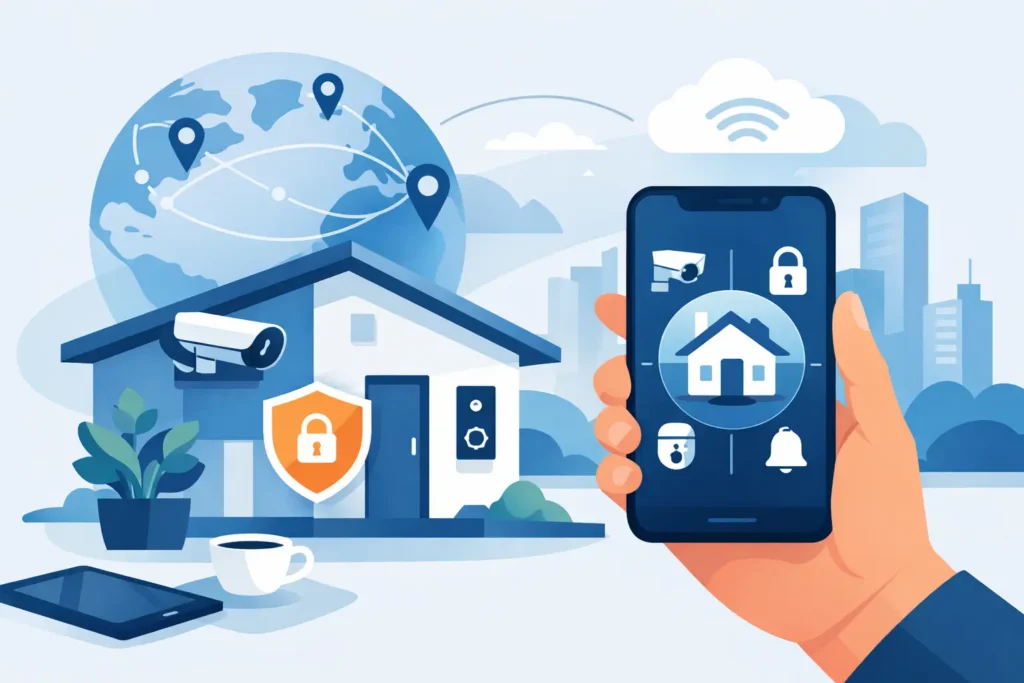
Think of a smart home app as the universal remote for your house. Instead of juggling different controls for your lights, thermostat, and security system, a smart home app brings everything together in one convenient place on your phone or tablet. It’s the command center that connects you to your home, whether you’re relaxing on the couch in Greenville or on vacation hundreds of miles away. The main goal is to simplify your life and give you greater peace of mind by putting complete control right at your fingertips. This central hub makes managing your home’s security and comfort not just possible, but incredibly easy.
How Do Smart Home Apps Work?
So, how does it all connect? Your smart home app works by using your home’s Wi-Fi network to communicate with your connected devices. When you tap a button in the app, like “lock front door,” it sends a signal through the internet to your smart lock, which then carries out the command. This is what allows you to control your devices from anywhere you have an internet connection. Many systems also use a central “smart hub,” a small device that acts as a translator, ensuring all your different gadgets can talk to each other and to the app smoothly. This creates a reliable and responsive smart home ecosystem.
What Can You Control with a Smart Home App?
The possibilities are pretty amazing. From a single app, you can manage a wide range of devices that make your home safer and more efficient. Imagine arming your security system, checking live video from your cameras, and locking the doors after you’ve already left for work in Spartanburg. You can also adjust your thermostat to save energy, turn lights on before you get home, or open the garage door for a delivery. For families in South Carolina, this means you can let the kids in after school or check on an elderly parent, all from your phone. It’s about turning individual smart devices into a cohesive, helpful system.
More Than Just Tech: The Origins and Meanings of “Smart”
A Word with a History
The word “smart” has been around for ages, usually describing a clever person or a sharp outfit. But how did it become the go-to term for our gadgets? The shift happened as technology started doing things on its own, without us needing to push a button for every single action. The term began to describe devices that could automate tasks and connect to the internet, reflecting a new kind of intelligence—one that wasn’t human, but was designed to help humans. This evolution of smart technology shows how our idea of “intelligence” has expanded to include machines that can learn our routines and make our lives a little easier, moving from simple tools to helpful partners in our homes.
Common Phrases and Meanings
You hear phrases like “smart technology” and “smart home” all the time, but they basically boil down to one simple idea: connection. “Smart technology” refers to any device, from a lightbulb to a security camera, that can connect to the internet and be controlled remotely. When you bring these devices together, you create a “smart home.” The whole concept of a smart home is about making these separate gadgets work as a team to improve your security, comfort, and even energy efficiency. It’s what allows your security system to tell your lights to turn on when motion is detected outside your Anderson home, creating a system that is truly greater than the sum of its parts.
Choosing the right outdoor security lighting setup makes this integration even more effective by ensuring the right fixtures are in place for motion detection and camera visibility.
Clearing Up the Confusion: What We Mean by “Smart”
The word “smart” gets thrown around a lot these days. We have smartphones, smartwatches, and even smart cars. It’s easy for the term to lose its meaning and become just another buzzword. When we talk about a “smart home,” we’re referring to something very specific. It’s not just about adding a few cool gadgets; it’s about creating an integrated ecosystem that makes your home safer, more efficient, and easier to manage. Let’s break down what “smart” means in our world and how it differs from other uses of the term you might see.
Not to Be Confused with SMART Technologies
First, let’s clarify that when we talk about smart home technology, we aren’t referring to the S.M.A.R.T. acronym often used for setting goals. In our context, “smart” refers to devices and systems designed for home automation and security. This is a rapidly growing field focused on giving you more control over your environment. The demand for convenience, energy savings, and better security is driving huge interest from homeowners. In fact, the global smart home market is a multi-billion dollar industry, built on technology that makes daily life simpler and safer for families everywhere, from Anderson to the coast.
Different from SMART Public Transit
You might also hear about “smart” public transit systems. While these also use technology to improve daily life, the focus is completely different. For transit, “smart” means using data for things like real-time bus tracking or more efficient fare collection. The International Transport Forum explains that these systems are designed to enhance public services and user engagement on a large scale. In contrast, smart home technology is all about your personal space. It’s about creating a secure, comfortable, and convenient environment tailored specifically to you and your family’s needs, giving you direct control over your own home.
Other Brands: Smart Automobile and Smart Telecom
The “smart” label is also a popular part of branding for many companies. You’ve probably heard of Smart Automobile, known for its small urban cars, or various telecom companies with “smart” in their name. These brands use the word to signal that their products are modern and technologically advanced. For example, the automotive industry is heavily invested in making smarter cars with enhanced safety and connectivity features. While the technology is impressive, it serves a different purpose. Our focus is on unifying the technology within your home’s walls to create a single, seamless experience for security and automation.
Must-Have Features for Your Smart Home App
Choosing a smart home app can feel a lot like choosing a new car. They all promise to get you where you need to go, but the experience behind the wheel varies wildly. The right app makes managing your home simple and secure, while the wrong one can be a source of constant frustration. To make sure you get an app that truly works for you and your family, it’s helpful to know which features deliver real value. From all-in-one device management to instant security alerts, here are the key features that separate a great smart home app from a mediocre one.
Connect Everything: Look for Universal Compatibility
The main goal of a smart home is to simplify your life, not to make you juggle a dozen different apps. The best smart home apps bring all your smart devices together so you can control them from one central dashboard. Imagine adjusting your thermostat, checking your security cameras, and turning off the lights all from a single screen on your phone. Before committing to an app, check its compatibility list. You want to ensure it works with the brands you already own and offers the flexibility to add new devices in the future. A truly integrated system is the foundation of a seamless smart home experience.
Automate Your Routines with Smart Scheduling
This is where your smart home starts to feel truly intelligent. A great app allows you to set up automations, which are rules that tell your devices what to do and when to do them. For example, you can create a “Goodnight” scene that locks the doors, arms the security system, and turns off all the lights with a single tap. You can also schedule your porch lights to turn on at sunset or have your thermostat lower the temperature automatically when you leave for work. These simple automations add a layer of convenience and security to your daily routine, giving you one less thing to worry about.
Setting “SMART” Goals for Your Home Automation
To get the most out of your smart home, it helps to have a clear plan. A great way to approach this is by setting “SMART” goals, a framework that keeps your projects focused. Instead of a vague wish, get Specific: “Automate the porch lights to turn on at sunset.” Make it Measurable: “Reduce our energy bill by 10%.” Ensure it’s Achievable; you can start small with a few smart plugs, and for bigger goals like a fully integrated security system, our team at ADP can help make it happen. Your goals should also be relevant to your family’s lifestyle, like automating door locks for when the kids get home. Finally, make it Time-bound: “Install the new video doorbell by next month.” This method turns a big idea into a clear, actionable plan.
Enjoy Hands-Free Living with Voice Control
For those moments when your hands are full, voice control is a game-changer. Top-tier smart home apps integrate smoothly with popular voice assistants like Amazon Alexa, Google Assistant, and Siri. This allows you to use your voice to manage your home without ever touching your phone. You can ask your assistant to show you the camera feed from the nursery, dim the living room lights for movie night, or confirm that the garage door is closed. This hands-free convenience makes your home more accessible and easier to manage, especially for busy families or anyone who finds navigating app menus difficult.
Stay Informed with Instant Alerts & Strong Security
Your smart home app should be your first line of defense, keeping you informed and in control. A critical feature is the ability to send instant notifications to your phone for important events. You’ll want to know immediately if a security sensor is triggered, a smoke alarm goes off, or motion is detected at your front door when you’re not home. Just as important is data security. The app should use strong encryption to protect your personal information and prevent unauthorized access to your system. Always choose a provider that is transparent about its privacy policies and committed to keeping your data safe.
Track Your Energy Use (and Save Money)
A smart home can also be a more efficient home, and a good app will give you the tools to make it happen. Look for features that track your energy consumption and offer insights into where you can save. For example, some apps work with smart plugs that can show you exactly how much energy a specific appliance uses. By identifying these “vampire” devices that draw power even when they’re off, you can make smarter decisions to lower your monthly utility bills. This is a practical feature that provides a clear return on your investment over time.
Local vs. Cloud Control: What’s the Difference?
Have you ever wondered what happens to your smart home if your internet goes down? It depends on whether your system uses cloud or local control. Cloud-based systems rely on an internet connection to function, while systems with local control can operate independently. For essential functions like security, local control provides a huge reliability advantage. It means your security sensors, alarms, and automations will still work even during an internet outage. The most robust systems, like those from ADP Security, often use a hybrid approach, offering the reliability of local processing with the convenience of cloud-based remote access.
Is the App Actually Easy to Use?
All the features in the world won’t matter if the app is confusing to use. A well-designed smart home app should feel intuitive from the moment you open it. Look for a clean layout, easy-to-read text, and clear icons that make it simple to find what you need. Whether you’re setting a schedule for your lights or reviewing security footage, the process should be straightforward. The best app is one that everyone in your household, from your kids to your parents, can use with confidence. After all, the goal is to make your life easier, and that starts with an app that’s a pleasure to use.
How Much Do Smart Home Apps Cost?
When you start looking into smart home technology, one of the first questions that comes to mind is about the cost. The good news is that there’s a solution for nearly every budget. The price isn’t a single number; it’s a combination of the devices you choose, the app you use to control them, and any services you add on for extra security and convenience.
The app itself is often free to download onto your phone or tablet, acting as the central command center for your system. The real investment comes from the hardware, like cameras, smart locks, and thermostats, and any optional monthly subscriptions for features like video storage or professional monitoring. Think of it less like a one-size-fits-all purchase and more like building a custom plan that perfectly fits your home and lifestyle, whether you’re in Greenville, Anderson, or anywhere across South Carolina. The total cost can range from a simple, budget-friendly setup to a fully integrated smart home ecosystem.
Can You Get a Great Smart Home App for Free?
Most smart home apps are completely free to download from the Apple App Store or Google Play Store. This initial free access is what allows you to connect and control your devices right from your smartphone. For many people, this free version is all they need to manage their lights, thermostat, and a few other gadgets.
However, some companies use a “freemium” model. This means the basic app is free, but you can pay to access premium features. These paid upgrades might include things like longer video storage history for your security cameras, the ability to create more complex automations, or support for an unlimited number of devices. It’s always a good idea to check what’s included in the free tier before you commit to a system.
What Do Monthly Subscriptions Include?
Beyond the initial hardware purchase, some smart home systems involve monthly subscription fees. These fees typically range from about $10 to $50 per month and cover ongoing services that add significant value and convenience. The most common reason for a monthly fee is for cloud video storage, which securely saves footage from your cameras so you can review it later.
Other subscriptions might grant you access to advanced app features or analytics that help you manage your home more effectively. For many South Carolina homeowners, a small monthly fee is a worthwhile investment for the peace of mind that comes with having a reliable, feature-rich system that keeps their family and property safe.
Paying Once: One-Time Purchases & Bundles
The biggest factor in your total smart home cost is the hardware itself. A complete, professionally installed smart home system can range from around a thousand dollars to well over $15,000. This wide range depends entirely on your goals and the size of your property. A starter kit with a few smart plugs and a video doorbell for a condo in Spartanburg will naturally cost less than a comprehensive system with dozens of sensors, smart locks, and cameras for a large family home.
Many companies, including local providers here in South Carolina, offer bundled packages that include the essential devices and professional installation. This approach simplifies the process and ensures everything is set up correctly from day one.
Adding a Layer of Safety: Professional Monitoring
While many smart home apps allow you to monitor your home yourself through alerts sent to your phone, adding professional monitoring provides an entirely different level of security. This service connects your system to a 24/7 command center staffed by trained security experts. If your alarm is triggered by a break-in, fire, or medical emergency, these professionals will verify the situation and immediately dispatch the appropriate first responders to your home.
This service typically comes with a monthly fee, often falling within that same $10 to $50 range. For families, business owners, and seniors who want to age in place safely, professional monitoring offers invaluable peace of mind, knowing that help is always on the way.
Which Smart Home App Is Best? A Look at Top Options
Once you start exploring smart home technology, you’ll quickly see there are a lot of apps to choose from. Some are designed to be central hubs for devices from many different brands, while others are built specifically for one system. The best choice for your South Carolina home really comes down to what you’re looking for. Do you want a simple, professionally supported system that just works, or do you enjoy the process of tinkering with technology and connecting devices yourself? Let’s walk through some of the most popular options to help you decide.
ADP Security Systems: For Total Home Protection
When you partner with a professional security provider like us, you get an app that’s designed to work perfectly with your entire system. We use powerful, top-rated apps like Alarm.com to bring your security, cameras, locks, lights, and thermostats into one simple interface. Instead of juggling multiple apps for different devices, you get a single, reliable command center on your phone. The biggest advantage is the seamless integration with our 24/7 professional monitoring. This ensures that a real person is ready to respond to an emergency, something a standalone DIY app can’t offer. It’s all about providing true peace of mind.
Google Home: The Heart of the Google Ecosystem
The Google Home app is a popular choice for people who want to build their smart home piece by piece. It acts as a central dashboard to connect and control a wide variety of smart devices from different manufacturers, like Philips Hue lights and Nest thermostats. Its main strength is its integration with Google Assistant, allowing you to control your home with voice commands. While it’s flexible, getting different brands to work together can sometimes require a bit of troubleshooting. It’s a solid option if you enjoy a more hands-on, DIY approach to your smart home setup and want a lot of device options.
Amazon Alexa: More Than a Voice Assistant
Similar to Google Home, the Amazon Alexa app is a hub for controlling a massive range of smart devices. If you have an Amazon Echo speaker, you’re likely already familiar with it. The app is where you set up devices, create “Routines” that trigger multiple actions at once (like a “Good Morning” routine that turns on lights and starts the coffee maker), and enable Alexa Skills to add new capabilities. It’s incredibly versatile and supported by thousands of products, making it a go-to for those who want maximum choice in their smart home gadgets and enjoy customizing their automated tasks.
Apple HomeKit: For the Seamless Apple Experience
If your family is already using Apple products, the Apple Home app is a natural fit. Built right into every iPhone, iPad, and Mac, it offers a clean, intuitive, and highly secure way to manage your smart home. Apple places a strong emphasis on privacy, with a strict certification process for all compatible devices. This means the list of HomeKit-enabled accessories is more curated than Google’s or Amazon’s, but you can trust that they all work together seamlessly. For those already invested in the Apple ecosystem, HomeKit provides a secure and user-friendly experience that just feels right.
Home Assistant: The Perfect DIY Smart Home App
For the true tech enthusiast who wants ultimate control, there’s Home Assistant. This is a free, open-source platform that you typically run on a dedicated device in your home, like a Raspberry Pi. It’s not a simple app you download; it’s a powerful engine that gives you complete control to automate and connect virtually any smart device, regardless of the brand. Home Assistant is incredibly customizable but has a steep learning curve. It’s the perfect project for a hobbyist who loves to tinker and wants to build a smart home that is 100% tailored to their exact specifications.
Why a Smart Home App Is a Smart Choice for Your SC Home
Deciding to turn your house into a smart home is a big step, and it’s natural to wonder if it’s the right move for your family. Here in South Carolina, our lives are a unique blend of modern convenience and deep-rooted community values. Whether you’re managing a busy household in Greer, running a business in downtown Greenville, or enjoying a well-deserved retirement in Anderson, you want technology that simplifies your life, not complicates it. A smart home app isn’t just about flashy gadgets; it’s about creating a home that works for you.
Think of it as a central remote control for your entire house, right on your phone. It can give you peace of mind when you’re away, help you save on those summer energy bills with professional smart thermostat installation, and even provide an extra layer of support for aging parents. The key is finding a system that fits your specific needs. For some, that might mean a few smart plugs and a voice assistant. For others, it’s a fully integrated security and automation system that protects what matters most. Let’s explore what a smart home app can do for your life here in the Upstate.
Keep Your Family Safe and Connected
For most of us, home is synonymous with safety. A smart home app acts as your digital lookout, connecting you to your home no matter where you are. Imagine being at work in Spartanburg and getting an alert that your kids are home safely from school, or checking your security cameras while you’re on vacation to make sure everything is secure. Smart home technology allows your devices to communicate with each other and follow your commands from anywhere.
With an integrated app, you can lock your doors, view live camera feeds, and arm your security system with a single tap. This constant connection provides incredible peace of mind, transforming your home from a passive structure into an active partner in your family’s safety.
Save Energy and Simplify Your Daily Routine
Life gets busy, and anything that can streamline our daily routines is a welcome change. Smart home apps excel at this by putting you in complete control of your home’s environment. You can create automated schedules, or “scenes,” that match your lifestyle. For example, a “Good Morning” scene could gradually brighten your lights, adjust the thermostat, and turn on the news, all before your feet hit the floor.
This centralized control also has a direct impact on your wallet. With South Carolina’s hot summers, air conditioning can be a major expense. A smart thermostat managed by your app can learn your habits and adjust the temperature automatically, helping you save on energy costs without sacrificing comfort. It’s a simple way to make your home more efficient and your life a little easier.
Support Independent Living for Loved Ones
For many South Carolina families, caring for aging parents is a top priority. We want them to maintain their independence and live comfortably in their own homes for as long as possible. Smart home technology can be a powerful ally in making that happen. An app can help you or your loved one control lights, thermostats, and door locks without needing to get up, which can be a huge help for those with limited mobility.
More advanced systems, like our GPS-enabled medical alerts, can provide an essential safety net. Features like automatic fall detection and a simple way to call for help offer reassurance to both seniors and their caregivers. This technology empowers older adults to age in place safely, knowing that support is always just a tap away.
What Other Homeowners Are Saying
When you start exploring smart home options, you’ll find a lot of opinions online. Many homeowners love the convenience of DIY systems like Google Home or Amazon Alexa. However, as you’ll see in discussions on forums like Reddit, a common frustration is device compatibility. You might buy a smart lightbulb only to find it doesn’t work with your smart speaker, or discover that automated routines sometimes fail to run as expected.
This is where it’s important to consider your goals. If you enjoy tinkering with technology, a DIY setup can be a fun project. But if you want a reliable, all-in-one system where every component works together seamlessly, a professionally installed and monitored solution is often the better choice. It removes the guesswork and ensures your system is dependable when you need it most.
Related Articles
- DIY vs Professional Home Security: Which is Best?
- Best Home Security Camera System South Carolina Guide
- Your Guide to a Burglar Alarm for a House in Greer
- Smart Home Alarm Installation Greenville SC: What to Know
Frequently Asked Questions
What’s the main difference between using a free app like Google Home and a professional system from a company like yours? Think of it like this: a free app like Google Home or Amazon Alexa is a great toolbox that lets you connect different devices you buy yourself. A professional system, like the one we provide, is a fully integrated solution where the app, the devices, and the security services are all designed from the start to work together perfectly. The biggest advantage is the addition of 24/7 professional monitoring, which means a trained expert is always ready to respond to an emergency, something a DIY app simply can’t do.
Will my security system stop working if my internet goes down? This is a fantastic question and a critical one for security. With many DIY systems that rely only on the cloud, an internet outage can leave you unprotected. However, a robust professional system uses local control for essential security functions. This means your alarms, sensors, and key automations will continue to work reliably even if your Wi-Fi connection is lost, giving you a much more dependable layer of protection.
Do I have to pay a monthly fee to use a smart home app? Most smart home apps themselves are free to download and use for basic controls. The monthly fees you often see are for optional, but very valuable, services. These subscriptions typically cover things like 24/7 professional monitoring, which connects your home to a dispatch center, or cloud storage for your security camera footage so you can review it anytime. It’s about adding layers of service and security on top of the basic device control.
Is it difficult to get all my different smart devices to work together? If you’re building a system yourself, it can sometimes be a challenge. You might find that a smart lock from one brand doesn’t communicate well with a camera from another, which can lead to a lot of troubleshooting. When you choose a professionally installed system, we handle all of that for you. We use components that are guaranteed to be compatible, creating a single, seamless system that you can control from one app without any of the technical headaches.
Can I start with a basic system and add more smart devices later? Absolutely. A good smart home system should be able to grow with you. You can start with the essentials, like door sensors and a video doorbell, and then easily add more devices over time as your needs or budget change. You might decide to add smart lighting, a smart thermostat, or more cameras down the road. A flexible system allows you to build the smart home that’s right for you, at your own pace.