Security Systems for Business: Costs and Options
June 9, 2026
Small Business Security Systems Cost: A Budget Guide
June 9, 2026
Choosing business security cameras should start with a walkthrough, not a product catalog. The right system must capture useful details at high-risk areas, store footage for an appropriate period, and give authorized people reliable access. A camera that looks impressive on a specification sheet can still miss faces, license plates, or after-hours activity when it is placed poorly.
Schedule a business security camera assessment with ADP Security Systems.
This pre-installation checklist helps business owners and facility managers make better decisions before equipment is purchased or cable is run. It is designed for retailers, offices, warehouses, and other businesses in Greenville and across Upstate South Carolina.
What should business security cameras accomplish?
Business security cameras should capture specific, useful evidence at the places where people, vehicles, inventory, and money move. Before discussing resolution or camera style, define what each view needs to accomplish. “Watch the parking lot” is too broad. Do you need an overview of vehicle movement, a clear image of a person approaching the building, or a readable license plate at a controlled entrance? Those goals require different placement and equipment.
For each proposed location, write down one primary purpose. A camera may need to detect that someone entered an area. Observe activity across a wider scene, recognize a familiar visitor, identify a person, or verify an alarm event. Defining that purpose prevents a common design mistake: asking one wide-angle camera to cover a large area and also produce close-up detail everywhere within it.
Questions that clarify the purpose
- Which people, assets, or events need to be visible?
- What detail would make recorded footage useful after an incident?
- Will someone actively watch the view, or will footage usually be reviewed later?
- Which event should trigger an alert or response?
- Who is responsible for acting on the information?
Write the expected result beside every camera on the proposed floor plan. This creates a practical standard for reviewing the installation before final approval.
Which areas should a business prioritize for camera coverage?
A useful camera plan follows how people, vehicles, inventory, and money move through the property. Walk the site during operating hours and after dark. Note entrances, exits, blind corners, lighting changes, valuable assets, and areas where an incident would be difficult to reconstruct.
Common locations to evaluate
- Customer and employee entrances
- Loading docks, delivery doors, and receiving areas
- Parking-lot entrances and pedestrian approaches
- Point-of-sale stations and cash-handling areas
- Stockrooms, equipment yards, and high-value inventory
- Server rooms, records storage, and restricted spaces
- Hallway intersections and stairwells
Prioritize places that combine likelihood and consequence. A rarely used door beside valuable inventory may deserve more attention than a busy lobby that is staffed all day. A professional security camera installation assessment can identify sightline problems that are easy to overlook from a floor plan.
Also check for objects that could block views later. Delivery vehicles, seasonal displays, growing landscaping, open doors, and stacked inventory can turn a good view into a blind spot. Camera height matters too. Mounting a camera very high may protect it from tampering, but the resulting angle may show the top of a person’s head instead of a useful face image.
How do you choose image quality for each scene?
Resolution matters, but it is only one part of useful video. Lens choice, distance, lighting, camera angle, motion, and compression all affect the recorded image. High-resolution IP cameras can provide detailed footage, but a camera aimed at the wrong angle will still produce poor evidence.
Review day and night performance
Ask to review representative footage during the day and after dark. Confirm what happens near bright windows, headlights, direct sunlight, and deep shadows. For outdoor areas in Upstate South Carolina, cameras and mounting methods should also suit heat, humidity, storms, and changing light throughout the year.
Low-light capability does not guarantee a clear moving image. A scene may look bright while a moving person appears blurred. Test the proposed view under conditions that resemble the actual operating environment.
Match detail to distance
The image quality needed at a front door is different from the quality needed across a parking lot. Ask the installer to demonstrate how much detail the selected lens will provide at the farthest important point. When a license plate or face must be identifiable, a dedicated view may be more dependable than cropping a wide overview after an incident.
What type of security camera is best for a business?
The best camera type is the one suited to the specific view and environment. Dome or turret cameras provide a compact profile for many indoor and sheltered locations. Bullet cameras create a visible security presence and often suit perimeter views. Pan-tilt-zoom cameras help trained users monitor broad areas, but they do not replace fixed cameras that continuously record priority views.
| Camera type | Often suited for | Planning consideration |
|---|---|---|
| Dome or turret | Offices, retail spaces, interiors, and sheltered entrances | Confirm the lens provides enough detail at the target distance. |
| Bullet | Perimeters, parking areas, and visible deterrence | Choose a weather-suitable model and avoid glare or direct sunlight. |
| Pan-tilt-zoom | Large areas actively watched by trained staff | A moving camera may not record the area it has turned away from. |
| License plate recognition | Controlled vehicle entrances and exits | Placement, vehicle speed, lighting, and angle are critical. |
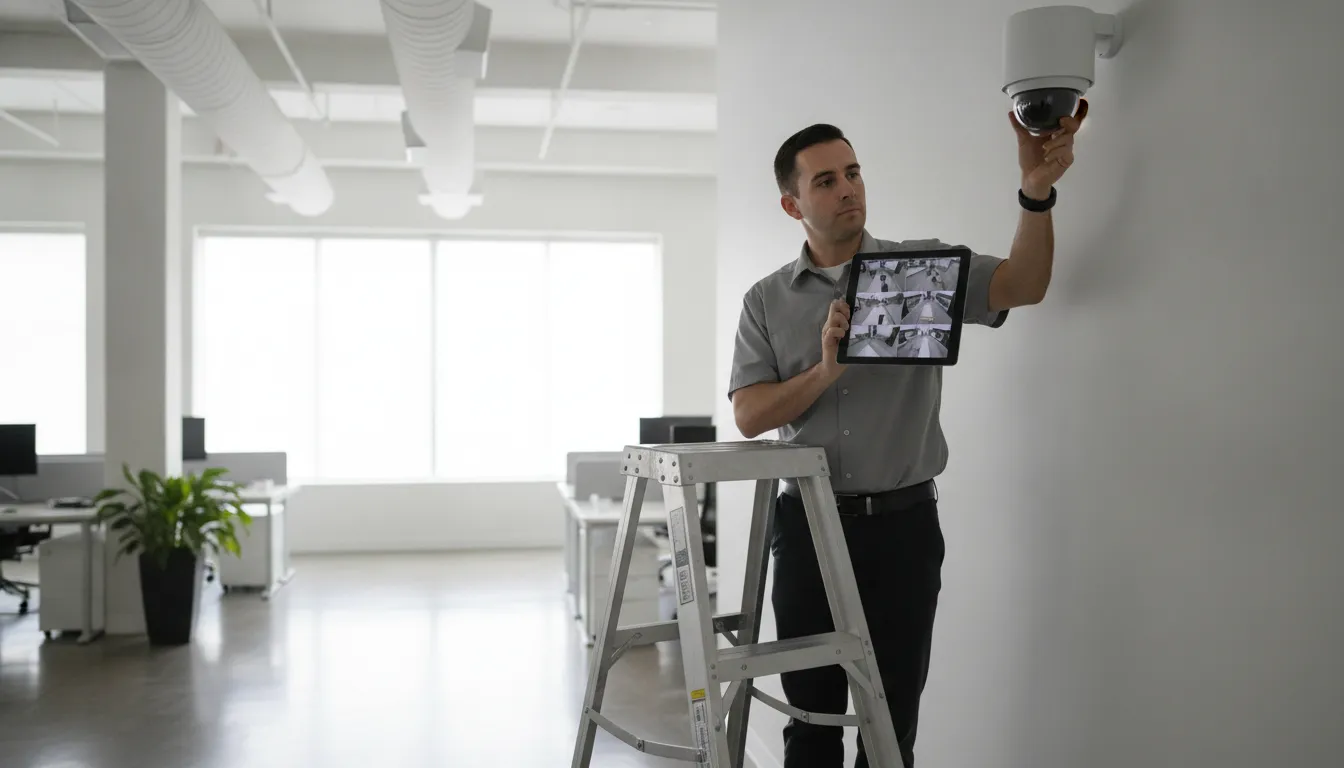
Specialized uses may call for video analytics, low-light performance, or license plate recognition. Treat these features as tools for a defined need, not automatic upgrades for every location. A well-designed mixed system is often more useful than installing the same model everywhere.
Ask how analytics will be configured and maintained. An alert that triggers on every shadow, branch, or delivery vehicle can quickly become noise. Useful alerts focus on events your team is prepared to review or respond to.
Request professional help planning camera types, placement, and coverage.
How long should a business keep security camera footage?
Recording strategy affects cost, network demands, and how quickly a team can find an incident. Business systems may use a network video recorder, cloud storage, or a combination of local and remote services. Before installation, decide how many days of footage you need to keep and whether every camera requires the same retention period.
Storage planning questions
- How long after an incident is it usually discovered?
- Will cameras record continuously, on motion, or on a schedule?
- Who is allowed to review and export footage?
- How will important clips be preserved beyond normal retention?
- What happens if internet service is interrupted?
- Can the system expand when cameras are added later?
Do not choose retention by guesswork. More cameras, higher resolution, longer recording periods, and continuous recording all increase storage requirements. Ask the installer to document the assumptions used to size the system. That document should state the expected retention and explain how adding cameras or increasing quality will affect it.
Plan the footage request process before an incident happens. Identify who can authorize an export, where exported clips are stored, and how access is documented. Staff members who may need footage should practice finding and exporting a test event after installation.
Confirm network capacity, power, and cable routes
Modern business security cameras are part of the technology infrastructure. They need dependable power, suitable network capacity, secure configuration, and sensible cable paths. A pre-installation assessment should identify network closets, recorder locations, cable distances, exterior penetrations, and areas where conduit or lifts may be required.
Ask whether the cameras will be separated from general business traffic and how remote connections will be secured. Also plan for outages. Backup power and resilient communication can reduce gaps when power or connectivity fails. Confirm how the system reports an offline camera, recorder problem, or storage failure so issues do not remain unnoticed.
Wired and wireless considerations
Wireless cameras may appear easier to install, but they still require power and dependable signal coverage. Building materials, distance, interference, and network congestion can affect performance. For many commercial applications, properly planned wired connections offer a more predictable foundation.
Review cable paths before signing the proposal. Difficult ceiling access, masonry walls, occupied work areas, and exterior trenching can affect cost and scheduling. Agree on how penetrations will be sealed, how cables will be protected, and what areas must remain open during the work.
Set rules for remote access, alerts, and privacy
Remote mobile viewing helps owners and managers check locations without being onsite. It also creates a responsibility to control access. Decide who can view live video, review recordings, change settings, and export clips. Access should follow job responsibilities and be removed promptly when an employee leaves or changes roles.
Require individual user accounts rather than shared credentials. Review the user list regularly, protect administrator access, and document who can change retention or camera settings. Ask the provider how software and device updates are handled over the life of the system. Businesses coordinating video with door permissions can also review this guide to access control systems in Greenville.
Build alerts around actions
Too many notifications encourage people to ignore all of them. Configure alerts around events that have an owner and a response plan. Decide what should happen during operating hours, after hours, and when the primary contact is unavailable. Test the escalation process instead of assuming a notification will reach the right person.
Address privacy before cameras go live
Placement should respect employee and visitor privacy while meeting the business’s security goals. Avoid private areas, limit access to footage, and establish written rules for viewing, retention, and sharing. Audio recording can raise additional legal considerations. Before enabling it, consult qualified legal counsel about the rules that apply to the workplace and intended use.
Discuss signage and policy requirements before installation. The right approach depends on the property, industry, workforce, and system use. Planning these issues early is easier than moving cameras or changing practices later.
Connect cameras with the complete security plan
Video works best as one part of a coordinated security program. When cameras, intrusion detection, access control, and monitoring are planned together, footage can help verify alarms and provide context around events. Business owners evaluating broader protection should review ADP Security Systems’ commercial security solutions alongside the camera plan.
Consider support after installation. Ask who handles service calls, how quickly help is available, whether the installer trains staff, and who documents the final camera names and views. ADP Security Systems is a family-owned, owner-operated provider based in Greenville with more than 30 years of experience. Its local team provides professional installation and supports businesses across the Upstate.
Integration should solve a practical problem. For example, relevant video may help an authorized manager review an access event or verify an alarm. Ask the provider to demonstrate the proposed workflow before buying. Confirm which features require ongoing services and which remain available if the business changes its service plan. For coordinated intrusion protection, compare the planning considerations in ADP’s commercial burglar alarm guide.
Follow this business camera pre-installation process
A disciplined review makes proposals easier to compare and reduces surprises during installation.
- Define risks and outcomes. State what each view needs to capture and why.
- Walk the site. Review lighting, sightlines, cable paths, and priority areas during relevant hours.
- Review the design. Confirm camera types, lenses, placement, storage, network needs, and expansion capacity.
- Set operating rules. Assign access, alert, privacy, retention, and footage-export responsibilities.
- Compare complete proposals. Separate equipment, installation, storage, training, maintenance, and ongoing service.
- Test before handoff. Verify every view day and night, practice exporting footage, and confirm alerts reach the right people.
Before approving a proposal, ask the installer to label every camera on a floor plan and state its intended result. Review sample images at the distance that matters, not only footage captured close to the lens. Confirm that the proposal separates equipment, installation, storage, training, and ongoing service so bids can be compared fairly.
A good design should leave room for change. Businesses add doors, rearrange stock, expand parking, and adjust operating hours. Ask whether the recorder, network, and cabling plan can support additional cameras later. Spending more time on capacity and documentation before installation can prevent expensive replacement work as needs evolve.
Frequently asked questions about business security cameras
What is the best security camera for a small business?
The best camera depends on the area and detail the business needs to capture. A small business may need different cameras for entrances, transaction areas, stockrooms, and parking. Start with a site assessment, then match the lens, resolution, low-light performance, and recording method to each view.
How much does a business security camera system cost?
Cost varies with camera count, image quality, storage, analytics, wiring complexity, building conditions, and service needs. A site-specific quote is more reliable than a package price because it accounts for coverage goals and installation conditions. For a detailed breakdown of camera types and what businesses typically spend, see our best security cameras for business buyer’s guide.
Are wired or wireless cameras better for a business?
Wired cameras are often preferred for predictable commercial performance, especially when continuous recording is important. Wireless cameras can work in suitable locations, but signal strength, interference, bandwidth, and power still need to be addressed.
How long should a business keep camera footage?
Retention should reflect how quickly incidents are discovered, operational needs, storage capacity, and applicable requirements. An installer can calculate storage after the business selects camera resolution, recording schedule, and desired retention period.
Request a business camera assessment
A productive proposal should explain what each camera will capture, why it is placed there, how footage is stored, and how the system will be supported. That clarity helps a business compare options based on outcomes rather than camera count alone.
Request a security assessment and quote from ADP Security Systems.
ADP Security Systems designs and professionally installs video surveillance for businesses in Greenville and across Upstate South Carolina. Explore ADP’s business security camera guide, or contact the local team to request a security assessment and quote.