Smart Building Security System: Guide for SC Commercial Properties
July 23, 2026
Smart Locks for Small Business Comparison Guide
July 27, 2026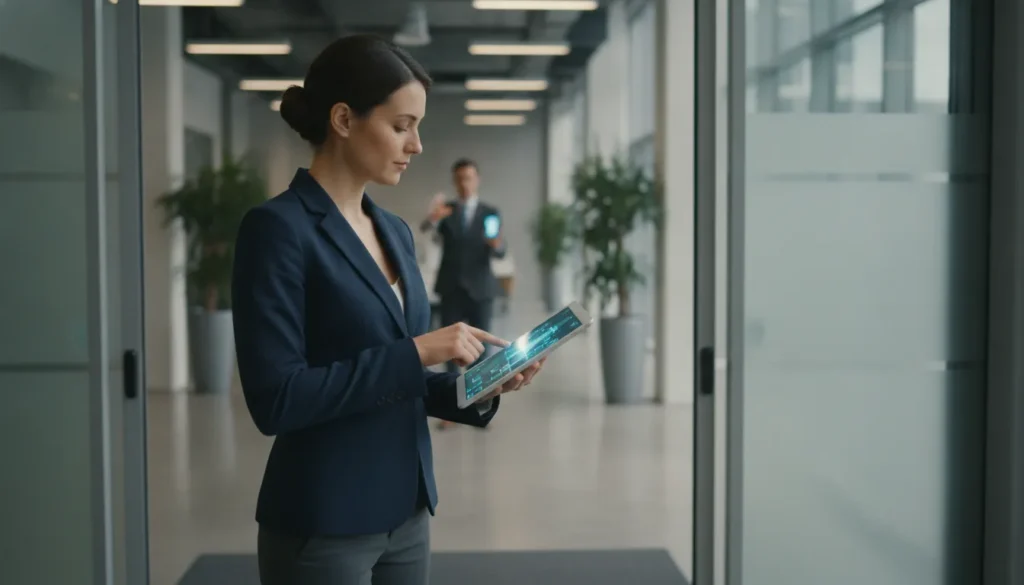
For a Greenville or Upstate South Carolina business, access control is more than deciding who can unlock a door. It affects employee safety, tenant access, visitor management, audit records, and how quickly your team can respond when circumstances change. The right system also fits your facility, IT resources, growth plans, and applicable code requirements.
Schedule a free on-site security assessment to compare cloud-based access control systems and on-premise solutions for your Greenville or Upstate SC facility. Get your free assessment today.
Cloud-based access control systems let authorized administrators manage doors, users, credentials, and access events remotely through an internet-connected platform. They simplify multi-location management and scaling, while on-premise systems keep core hardware and data under local control. The better choice depends on your security priorities, connectivity, budget, compliance needs, and long-term operating model.
Understanding where each approach handles processing, updates, permissions, and system maintenance will make the comparison more practical. Start with the underlying architecture, then weigh how each option would perform in your specific South Carolina facility.
What Are Cloud-Based Access Control Systems?
Cloud-based access control systems manage doors, credentials, users, and access events through a hosted software platform. They do not rely entirely on a server inside the facility. Authorized administrators can review activity and update permissions from any connected device. This is useful for businesses with multiple buildings, changing staff, or after-hours security responsibilities. The core goal stays the same: allow the right people to enter approved areas while keeping a dependable record of access.
How the cloud architecture works
Readers, electronic locks, and door controllers still operate at the building. The difference is where management software and data handling reside. The local equipment communicates with a secure cloud platform. Administrators can add users, assign schedules, review logs, and revoke credentials from that platform.
Key architectural features include:
- Granular permissions for employees, contractors, and visitors, rather than one credential for everyone.
- Centralized multi-location management from a single interface, useful for property groups and growing companies.
- Real-time access logs so you can see who entered and when, from any location.
Identity management is a core part of the security model. The National Institute of Standards and Technology describes identity and access management as a way to ensure that the right individuals reach the right resources at the right times and for the right reasons. In practice, a business may give an employee access to office areas during scheduled hours. A vendor gets temporary access to a mechanical room. A visitor gets limited access to a reception area.
Cloud-based and on-premise systems use different infrastructure
With a traditional on-premise design, the business maintains dedicated local servers or other facility-managed hardware. This creates a larger hardware footprint, requires internal maintenance, and places more responsibility on local IT staff. Cloud-based designs move much of the processing and data management off-site, reducing equipment at the facility.
Key differences in day-to-day operations:
- Updates: Cloud platforms deliver automatic software and firmware updates. On-premise systems require each update to be performed manually.
- Maintenance: Cloud reduces local server maintenance. On-premise places hardware responsibility on your team.
- Growth: Cloud scales without major hardware upgrades. On-premise expansion may require additional controllers and servers.
Cloud access does not mean doors stop working when the internet is interrupted. The actual behavior depends on the selected equipment and system configuration. Ask your installer how doors behave during an outage before approving the design. Businesses should also evaluate provider security practices, administrator authentication, data retention, and emergency operation procedures.
Integration is another consideration. Modern platforms connect access events with commercial security cameras and intercoms. This helps staff verify who is requesting entry and respond with better context. Some systems also tie into smart building security platforms for unified facility management.
For Greenville and Upstate South Carolina businesses, the right choice depends on the building, users, compliance requirements, and operating model. Talk to a local security professional to compare cloud and on-premise architectures for your facility.
Cloud-Based vs. On-Premise Access Control: Key Differences
Both architectures protect commercial facilities, but they place responsibility in different areas. The right choice depends on how your organization budgets for technology, manages IT, handles compliance, and protects operational data. Here is how they compare side by side.
| Consideration | Cloud-based access control | On-premise access control |
|---|---|---|
| Cost structure | Often uses a subscription model, converting a large upfront capital expense into a more predictable operating expense. Review recurring licensing, support, and connectivity costs before choosing a provider. Learn more about subscription-based cloud access control. | Requires a larger initial investment in local servers, controllers, and related hardware. The organization carries the cost of maintaining and eventually replacing that equipment. |
| Scalability | Businesses can generally add doors, users, or locations without major hardware upgrades. Multi-site organizations manage locations from a single dashboard, centralizing administration as the business grows. | Expansion may require additional local controllers, servers, network capacity, and configuration. Works well for stable, single-site environments, but growth planning should include added infrastructure. |
| Maintenance and updates | Cloud platforms often deliver automatic firmware and software updates, keeping current security features active without manual effort. See how cloud updates are managed. | Dedicated local hardware requires ongoing maintenance, system monitoring, and planned updates. Those responsibilities fall to internal IT staff or a security partner. |
| Security and compliance | Security depends partly on the provider’s controls. Evaluate authentication, access permissions, encryption, monitoring, and independent standards such as SOC 2 Type II. CISA recommends multi-factor authentication for systems and applications. | Organizations retain more direct control over infrastructure and configuration, but they also retain responsibility for patching, access governance, monitoring, and evidence for internal or regulatory reviews. |
| Reliability and redundancy | Geographically redundant servers can provide higher uptime and reduce exposure to a single local hardware failure. The design should still account for internet outages and how doors behave when connectivity is interrupted. | Local operation can reduce dependence on an external connection, but a failed server, controller, power supply, or network component can affect the system without a local redundancy plan. |
| Data control and air-gapped requirements | Data and system management are hosted through the provider’s cloud environment. Confirm retention, export, ownership, and access policies during due diligence. | May be the better fit for organizations with strict air-gapped network requirements that cannot permit external connectivity. Provides local control with disciplined internal security management. |
For Greenville and Upstate South Carolina businesses, the comparison should end with the operating environment, not a feature checklist. A professional assessment accounts for building layout, growth plans, internet resilience, IT resources, and applicable code requirements before recommending an architecture.
What Benefits Do Cloud-Based Access Control Systems Offer Greenville Businesses?
For a Greenville business with employees, contractors, visitors, or more than one facility, access control needs to keep pace with daily operations. Cloud-based access control systems give authorized managers a practical way to oversee doors, credentials, and security events without being tied to a local control room.
Manage doors and users from anywhere
Cloud access lets administrators manage facilities from any internet-connected device. A property manager can add an employee, change a permission, review an access event, or revoke a credential while away from the office. This flexibility is valuable for Upstate South Carolina companies with rotating staff, after-hours operations, or leaders who oversee several properties.
Mobile credentials can also replace many traditional key fobs and cards. Employees use a smartphone app or NFC-enabled device to enter. Administrators can issue or disable access without physically collecting a fob. For a deeper look at this shift, see our guide to cloud-based access control systems and mobile credentials.
Cut maintenance work and simplify growth
Cloud platforms support automatic software and firmware updates. This keeps current security features active without requiring a manual update at each door. NIST notes that cloud security depends on continuous monitoring and automated controls. A provider’s update and security practices should be part of the buying discussion. Remote troubleshooting also lets technicians resolve some configuration issues without an on-site visit.
Scaling is more straightforward when a company adds doors, users, or locations. Instead of planning a major local hardware expansion for every change, administrators manage growth through the platform. A subscription model may replace a large upfront capital expense with a more predictable operating cost. For more on how cloud systems compare, see our access control vs. traditional locks guide.
Coordinate multiple sites and security systems
Organizations with offices, warehouses, or satellite locations can manage multiple sites from one dashboard. This creates a consistent approach to permissions while preserving location-specific rules. Cloud platforms can also integrate access events with video surveillance and intercoms. This helps staff verify who entered and what occurred at the door. ADP’s commercial door entry systems buyer’s guide explains the considerations involved in selecting the right entry solution.
During a confirmed threat, advanced systems may support instant lockdowns across a facility or campus. This capability should be designed with the site’s emergency plan, life-safety requirements, and professional installation needs in mind. For Greenville and Upstate businesses, local system design also accounts for applicable building and fire code requirements.
When On-Premise Access Control Is the Right Choice
Cloud-based access control systems are a strong fit for many businesses, but they are not the only responsible option. On-premise access control can be the better choice when a facility needs its security infrastructure to remain local, independent, and under direct organizational control.
Situations that favor local infrastructure
Certain facilities are better suited for on-premise deployment. An on-premise system deserves serious consideration in these scenarios:
- Air-gapped network environments: Organizations that cannot permit external connectivity may need access control servers and management tools to operate entirely within a protected network. This approach is commonly considered where strict isolation is part of the security design.
- Existing wired infrastructure: A facility with reliable, existing wired access control equipment may not benefit enough from replacing functional panels, readers, cabling, and local servers to justify the disruption.
- Limited or unreliable internet: Local processing can reduce dependence on an outside connection for day-to-day access decisions. Confirm system-specific failover behavior during design.
- Data sovereignty requirements: Government facilities, regulated organizations, and businesses that require complete local control of access records may prefer to keep system data on their own servers.
Many large enterprises and government facilities continue to favor on-premise deployments when governance, network segmentation, or internal security policy takes priority over remote administration.
Compare the long-term cost, not just the installation quote
On-premise systems require dedicated local hardware and a larger upfront capital investment, along with internal or contracted maintenance responsibilities. Those requirements can be significant. However, the cost structure may be preferable for an organization that wants to avoid an ongoing per-door or per-user subscription. Cloud systems commonly convert more of the initial investment into predictable operating expenses. The difference between capital and subscription-based costs should be modeled over the system’s expected service life.
ADP Security Systems installs and services both on-premise and cloud-based access control solutions. We can assess your network, existing equipment, connectivity, compliance requirements, and growth plans, then recommend the architecture that fits your facility. Our residential and commercial security experience spans both deployment models.
How to Choose Between Cloud and On-Premise Access Control
The right platform depends on your building, staff, budget, and risk profile. Use this framework to compare the operational realities before selecting a system for your Greenville or Upstate South Carolina facility.
-
Assess your internet infrastructure and reliability
Start with the network that will support daily administration, credential updates, and remote management. If your internet service is stable and your network is professionally maintained, a cloud platform can provide convenient access without relying on a single server inside the building. Cloud-based systems may also improve resilience through geographically redundant servers, which can reduce exposure to a localized hardware failure. However, confirm how doors behave during an internet outage. Ask about communication redundancy, failover, and the provider’s uptime practices before you approve the design. Review our access control provider comparison for guidance.
-
Evaluate your IT staff availability
Consider who will install, patch, monitor, troubleshoot, and replace the system over its useful life. On-premise systems require local hardware and place more maintenance responsibility on your team. A cloud platform can shift much of the software maintenance and update process to the provider, while giving authorized administrators remote access. This is valuable for a business without dedicated security or IT personnel.
-
Choose your budget model
Cloud access control is commonly priced through a subscription, converting a larger capital expenditure into a more predictable operating expense. On-premise systems may better fit organizations that prefer to purchase equipment upfront and control future spending internally. Compare five-year costs, including licenses, servers, upgrades, support, replacement parts, and installation. Compare modern cloud-based access control systems with traditional locks as part of this review.
-
Map growth and scalability needs
List the doors, users, and locations you have now, then document what you expect to add. Cloud platforms make it easier to expand without major hardware upgrades and can support multiple locations through one management dashboard. That is useful for a growing company or property group. If your footprint is stable, on-premise capacity may be sufficient.
-
Review compliance and security requirements
Identify the standards that apply to your facility before choosing an architecture. NFPA 72 requirements matter when access control interacts with commercial fire protection. Ask cloud vendors about data protection, authentication, logging, monitoring, and independent security standards such as SOC 2 Type II. Organizations with strictly air-gapped requirements may need on-premise equipment. Have a qualified provider verify the design against applicable fire and building codes.
-
Decide how you will manage multiple locations
For one facility, either model may work. For offices, warehouses, or campuses, determine whether administrators need a unified view of users, alerts, schedules, and audit records. A cloud dashboard can centralize management across locations, while separate on-premise systems may require more local administration. Our smart building security guide covers multi-site considerations in more depth. Base the final choice on your security, budget, and operational needs.
Trusted Access Control Installation in Upstate South Carolina
Choosing the right platform is only part of an access control project. The system also needs to be designed, installed, and serviced for the building. The people who use it, and the codes that apply in Greenville and across Upstate South Carolina. ADP Security Systems provides that local guidance for businesses comparing cloud and on-premise solutions.
Our team can help configure cloud-based access control systems for remote management and scalable administration. We can also recommend an on-premise architecture when your network, operations, or data policies require local control. The goal is to match the technology to your doors, users, locations, connectivity, and risk profile.
Installation backed by Honeywell expertise
ADP Security Systems has a Honeywell partnership and experience working with Honeywell VISTA panels. This gives local businesses access to equipment knowledge that extends beyond basic keypad installation. Professional planning helps ensure readers, locks, credentials, panels, and management software work together as a dependable system. It also creates a clearer path for future changes, such as adding mobile credentials or connecting access events with commercial security cameras.
Compliance and communication reliability matter
Access control projects that interact with commercial fire protection must be evaluated with life safety in mind. NFPA 72 provides the applicable fire alarm code framework. Access control systems are part of maintaining code-compliant operation in commercial fire environments. ADP can help coordinate the design around those requirements rather than treating security and fire systems as unrelated installations.
Communication resilience is another design consideration. Dual-path communication redundancy can help signals reach the central station if one communication pathway fails. This added resilience supports both access control and fire monitoring objectives.
Local service for Upstate businesses
A local provider brings practical advantages after installation. Greenville-area businesses receive faster response and guidance shaped by regional fire and building code expectations. ADP Security Systems serves the Upstate South Carolina market with professional installation, ongoing service, and a direct understanding of local operating conditions.
Ready to discuss your facility? Call ADP Security Systems for a free on-site security assessment. We can review your current access control, identify gaps, and recommend a cloud or on-premise solution that fits your building and compliance needs. Call (864) 900-4900.
Frequently Asked Questions
Can cloud-based access control work if the internet goes down?
That depends on the system design and local controller. Ask your installer how doors behave during an outage, how credentials are validated, and whether critical functions continue locally. A reliable design should also include a recovery plan and monitored communications where required.
Are cloud-based access control systems more secure than on-premise?
Neither architecture is automatically more secure. Security depends on authentication, permissions, updates, network design, monitoring, and response procedures. CISA recommends multi-factor authentication as an additional layer of protection for systems and applications.
How much maintenance does a cloud-based access control system need?
Cloud platforms can reduce local server maintenance because software and firmware updates are often managed automatically. Your team still needs to review users, permissions, credentials, alerts, and device health. A professional service plan can help identify configuration issues before they affect daily operations.
Can one access control system manage multiple business locations?
Yes. Many cloud platforms support multiple locations from a single dashboard, allowing administrators to manage doors, users, and permissions centrally. Confirm that the platform supports your planned number of sites and provides role-based permissions for local managers.
How do South Carolina businesses address code and compliance for access control?
Start with a site assessment that considers NFPA 72, local building codes, and any applicable UL listing requirements. Work with a licensed installer who understands South Carolina commercial fire and security regulations. Your compliance checklist should include system design review, installation verification, and ongoing inspection schedules.
What is the typical cost difference between cloud and on-premise access control?
Cloud-based systems typically use a subscription model with lower upfront costs, while on-premise systems require a larger initial investment in servers and hardware. Compare total cost over five years, including licenses, maintenance, support, and planned upgrades, rather than comparing monthly fees alone.