How to Reduce Home Package Theft at Your Door
October 13, 2026
Commercial Alarm Response Protocol: A Clear Plan
October 15, 2026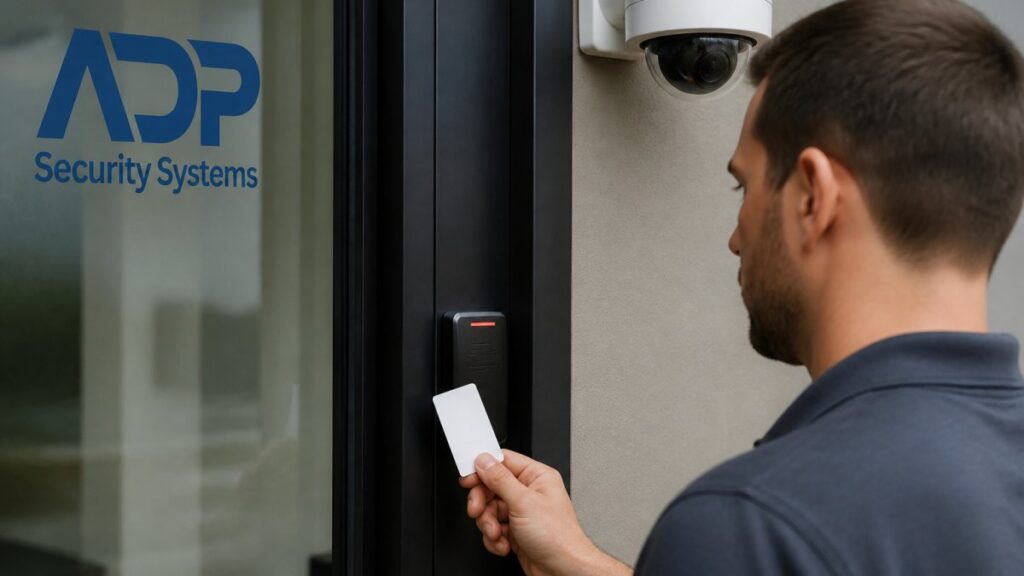
Table of Contents
- Why Integrate Video Surveillance With Access Control
- Assess Your Current Systems and Compatibility
- Choose Access Control Software That Works With Video
- Plan Your Integration Architecture
- Configure Security Cameras in Access Control Systems
- Access Control System Installation and Integration Steps
- Address Cybersecurity and Privacy Considerations
- Maintain and Troubleshoot Your Integrated System
- Frequently Asked Questions
Last Updated: October 13, 2026
Why Integrate Video Surveillance With Access Control
Integrating video surveillance with access control means connecting your cameras directly to your access control system so they work as one platform.
This integration solves fragmented security. Most businesses run these systems separately, so access logs show an entry at 2:15 PM while video shows someone in the building at 2:20 PM, wasting hours matching timestamps.
When integrated, an access event triggers video recording and real-time alerts, so you investigate and respond faster, the difference between reactive security and proactive control.
Integration transforms security from a collection of separate tools into one coordinated system that prevents problems instead of just documenting them.
Assess Your Current Systems and Compatibility
Before integrating anything, know what you’re working with. Most businesses discover their systems use different protocols, networks, or incompatible hardware, the biggest roadblock to integration.
Document existing infrastructure
Start by listing what you have. Write down:
- Access control system brand and model
- Video camera brands and models
- How many cameras and readers are installed
Contact your vendors and ask directly: “Does your system integrate with video surveillance?” Get technical documentation. Don’t assume compatibility based on brand names, a camera brand you recognize might not work with your access control system at all.
Check protocol and hardware compatibility
Compatibility comes down to protocols and standards. Your access control system and cameras need to “speak the same language.”
Common protocols that enable integration:
- ONVIF, Open standard for IP cameras. Most modern cameras support it. Check if your access control software supports ONVIF.
- RTSP, Real-time streaming protocol. Used for video feeds from IP cameras.
- API connections, Some systems offer custom integrations through their API (application programming interface).
Check your equipment specs. Analog cameras (old coaxial connections) are much harder to integrate; modern IP-based systems integrate more easily.
Hardware compatibility also matters: your network may need upgrades for video streaming, and storage requirements increase significantly when recording video tied to access events.
Older analog camera systems rarely integrate with modern access control software. If your cameras are more than 8-10 years old, budget for camera replacement as part of your integration plan.
Choose Access Control Software That Works With Video
Your access control software is the brain of the integrated system. It needs to support video integration natively or through third-party connections.
When evaluating software, ask these specific questions:
- Does it support ONVIF or RTSP video streams?
- Can it trigger recording based on access events?
- Does it store video metadata linked to access logs?
Software that supports integration typically offers features like:
- Video playback synchronized with access logs
- Automated recording triggered by door activity
- Real-time alerts and notifications
We help businesses evaluate whether their current software can handle integration or whether a platform upgrade makes sense. Some systems are worth upgrading.
Request demos and test the integration with your actual equipment in a controlled environment before a full rollout.
Plan Your Integration Architecture
How you structure the integration affects reliability, scalability, and cost. This is where many deployments go wrong.
Centralized vs. distributed management
Centralized management puts all video, access logs, and alerts in one location. One server, one database, one dashboard.
Advantages:
- Easier to manage across multiple sites
- Single point of investigation for incidents
- Lower hardware costs per location
Disadvantages:
- Single point of failure (if the server goes down, you lose everything)
- Network bandwidth demands are high
- Requires strong backup and recovery systems
Distributed management keeps video and access control local at each site, with central reporting and alerts.
Advantages:
- Each location continues operating if central connection fails
- Lower bandwidth requirements
- Better performance for large deployments
Disadvantages:
- More complex to manage
- Harder to investigate incidents across multiple sites
- Requires more hardware at each location
For most businesses, a hybrid approach works best: local recording and access control at each site with central monitoring and alerting.
Network and server requirements
Video integration demands significant network and storage capacity, so plan before you install anything.
Network requirements:
- Dedicated bandwidth for video streaming (not shared with business operations)
- Gigabit network switches at minimum
- Redundant connections for critical access points
Server and storage requirements:
- Server hardware sized for your camera count and frame rates
- Storage: 1 TB typically stores 7-14 days of continuous video from one camera
- Backup storage for disaster recovery
Calculate storage carefully: a 16-camera system recording continuously needs roughly 2-4 TB per month, while event-triggered recording drops storage significantly.
Use event-triggered recording instead of continuous recording. Record only when doors open, access is denied, or alerts trigger. This cuts storage costs by 60-80% while keeping the video you actually need.
Configure Security Cameras in Access Control Systems
This is where integration becomes real: linking specific cameras to specific access points and creating rules for when video records.
Link video footage to access events
Start by mapping cameras to doors. Each access point needs at least one camera. Many businesses use two: one on the door itself, one on the approach.
In your access control software, assign cameras to each access point:
- Camera 1: Main entrance door
- Camera 2: Main entrance hallway approach
- Camera 3: Server room door
The software now knows that when someone swipes the main entrance badge reader, it should pull video from cameras 1 and 2 for that moment.
Configure the video window: most systems let you start recording 10 seconds before the access event and continue 30 seconds after, capturing the person approaching, their credentials being read, and their entry.
Test with actual badge swipes. Verify that:
- Video timestamps match access logs
- The right cameras are recording
- Video quality is sufficient to identify faces
Set up real-time alerts and automated recording
Real-time alerts are where integration prevents problems instead of just documenting them.
Configure alerts for:
- Unauthorized access attempts (badge not recognized)
- After-hours access to sensitive areas
- Multiple failed access attempts (possible break-in attempt)
When these alerts trigger, the system:
- Notifies security staff (email, SMS, or app alert)
- Starts recording on all cameras for that area
- Logs the event with video attached
Automated recording rules prevent you from missing critical footage. Set rules like:
Get a Free Security Assessment →
- Record whenever access is denied
- Record for 60 seconds after any alarm trigger
- Record continuously during off-hours
Start conservative, record more than you think you need, then adjust after you see what’s useful.
Access Control System Installation and Integration Steps
Installing an integrated system is a process, not a single event. Plan for 2-4 weeks depending on facility size and complexity.
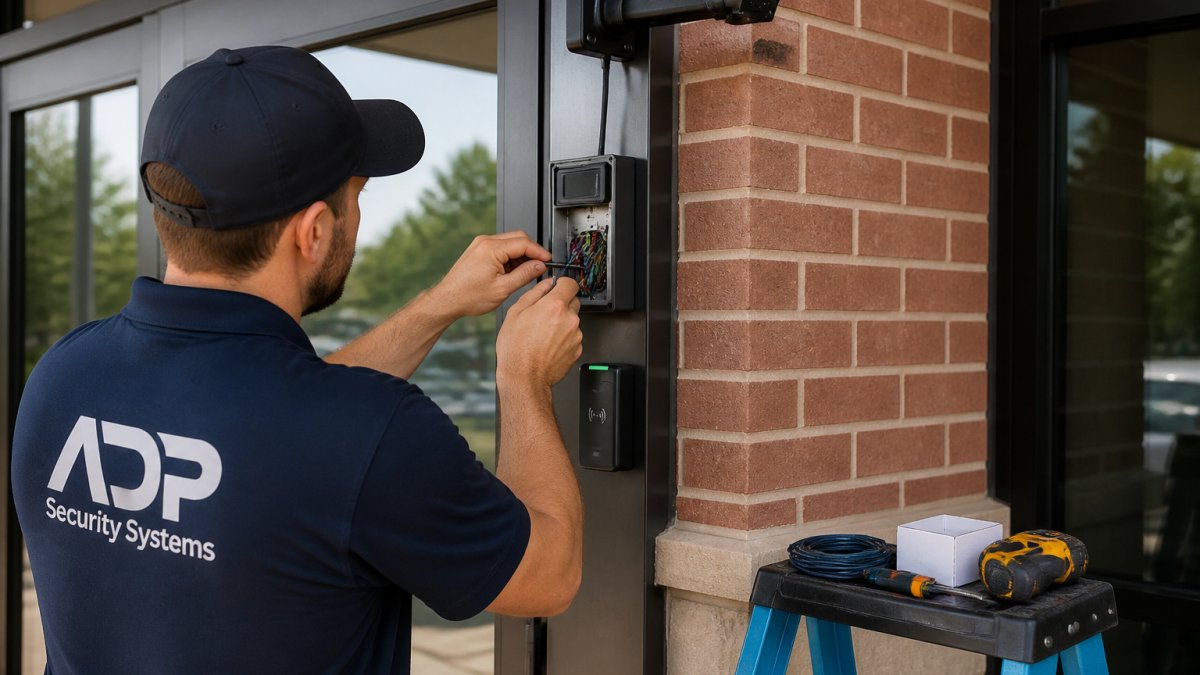
Step 1: Install or upgrade access control hardware
Begin with access control readers and door locks if you’re not already using them.
Install:
- Badge readers at each access point
- Electronic door locks or strikes
- Controllers that manage the readers and locks
If you’re upgrading existing access control, verify compatibility with your new software before installation. Test hardware in a lab environment first.
This step typically takes 1-2 weeks for a multi-building facility. Plan for disruption: doors may need to be temporarily propped open during installation. Coordinate with building management to minimize impact.
Step 2: Deploy video management infrastructure
Install cameras, network switches, and storage systems.
Install:
- IP cameras at each access point and approach
- Network switches with sufficient bandwidth
- Server hardware for video management software
If you’re using existing cameras, verify compatibility before installation. IP cameras should support ONVIF; analog cameras require converters or replacement.
Network installation is critical. Run dedicated network cables for cameras. Don’t share video traffic with business network traffic. Separate networks prevent video streams from slowing down your business operations.
This step typically takes 1-2 weeks. Electrical and network installation can happen in parallel with access control hardware installation.
Step 3: Configure synchronization and event rules
This is the integration work: connecting your access control software to your video system.
Configuration steps:
- Install and configure access control software
- Install and configure video management software
- Create API or ONVIF connections between systems
Test each connection:
- Swipe a badge and verify video records
- Trigger an alert and verify notification is sent
- Search for video by access event and verify results
This step typically takes 3-5 days for a small facility, up to 2 weeks for a complex multi-building deployment.
Step 4: Test integration and incident response
Run a full test before going live.
Test scenarios:
- Normal access (authorized badge swipe)
- Denied access (invalid badge)
- After-hours access
For each scenario, verify:
- Access is logged correctly
- Video records for the right duration
- Alerts are sent to the right people
This step takes 2-3 days. Don’t skip it. Integration failures usually emerge during testing, when you have time to fix them.
Test with real users, not just administrators. Employees will use the system differently than you expect. Their feedback often reveals usability issues that affect adoption.
Address Cybersecurity and Privacy Considerations
Video surveillance tied to access control creates security risks you need to manage.
Cybersecurity risks:
- Video streams can be intercepted on the network
- Access control systems can be hacked to grant unauthorized entry
- Video storage can be accessed by unauthorized users
Mitigate these risks:
- Use strong passwords and multi-factor authentication for all accounts
- Encrypt video streams in transit (HTTPS/TLS)
- Encrypt video storage at rest
Privacy considerations:
- Employees have privacy expectations in certain areas (restrooms, changing rooms, break rooms)
- Recording in these areas may violate state privacy laws
- Customers and visitors expect privacy in dressing rooms, offices, and bathrooms
Before deploying cameras:
- Consult with legal counsel about state privacy laws
- Notify employees and customers that surveillance is in use
- Restrict camera placement to areas where privacy expectations are low
Many states require notice before recording. Some states require consent. The legal landscape varies significantly. Get legal review before you deploy.
Maintain and Troubleshoot Your Integrated System
Integration creates complexity. Ongoing maintenance prevents problems.
Routine maintenance:
- Check camera lenses monthly for dirt or condensation
- Verify storage space hasn’t filled up
- Test alert notifications monthly
Common problems and fixes:
| Problem | Cause | Fix |
|---|---|---|
| Video not recording on access event | Camera not assigned to access point | Verify camera-to-door mapping in software |
| Alerts not being sent | Email or SMS configuration incorrect | Test alert settings with manual trigger |
| Video timestamps don’t match access logs | System clocks not synchronized | Sync all servers to network time protocol (NTP) |
| Network congestion slowing business operations | Video using shared network bandwidth | Separate video network with dedicated switch |
| Storage filling up too quickly | Retention policy not set or too long | Reduce retention period or use event-triggered recording |
| Camera offline frequently | Network connection unstable | Check network cable, switch port, and camera power |
When troubleshooting, start with the simplest explanations. Check power and network connections before diving into software configuration.
Document your system configuration. Keep records of:
- Camera locations and angles
- Access point assignments
- User accounts and permissions
This documentation saves hours when troubleshooting or onboarding new staff.
Integrating video surveillance with access control gives you the visibility and control to secure your property effectively.
We’ve helped businesses across South Carolina plan and deploy integrated security systems for over 30 years.
Frequently Asked Questions
How does integrating video surveillance with access control improve security?
Integration creates a unified view of physical security. When an access event occurs, the system can automatically trigger video recording and link footage to that event. This enables faster incident response, verification of credentials, and investigation of unauthorized access attempts. You can see exactly who entered, when, and what happened, eliminating gaps between access logs and visual evidence.
What access control software features are essential for video integration?
Look for access control software that supports API connectivity, event-triggered recording, and a unified dashboard. The software must synchronize timestamps between access readers and cameras, allow you to tag video clips by access event, and generate reports linking door activity to recorded footage. Ensure it handles your facility’s scale, single-site or multi-location, and integrates with your existing video management platform.
Can I integrate my existing security cameras with a new access control system?
Yes, but compatibility depends on your camera type and network infrastructure. Check whether your cameras support standard protocols like ONVIF or RTSP, and verify that your access control software can accept video feeds from those devices. Older analog cameras may require conversion to IP-based systems. A professional assessment will identify what hardware upgrades are needed and whether rewiring is necessary for reliable integration.
What should I test before considering the integration complete?
Test event-to-video linking by triggering access events and confirming that video recording starts automatically and timestamps align. Verify real-time alerts work across your network. Check that authorized and unauthorized access attempts are logged correctly and visible in recorded footage. Test multi-site synchronization if applicable. Simulate an incident response workflow to ensure security staff can quickly locate and review relevant video. Document all test results before full deployment.