How to Choose Business Alarms That Fit Your Site
August 18, 2026
AI Video Analytics for Business Security: A Complete Guide
August 19, 2026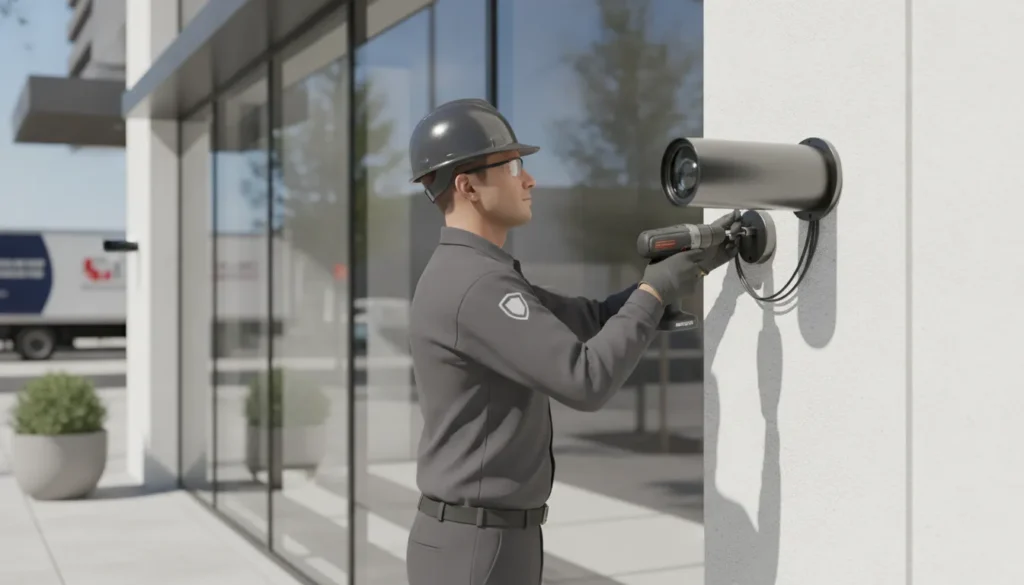
A camera system is only useful when it captures the right areas, preserves usable footage, and supports a clear response when something happens. For a business, installation decisions affect theft prevention, employee safety, incident review, and day-to-day visibility.
Business video surveillance combines strategically placed cameras, recording and storage, remote access, and optional analytics to help protect commercial property and make faster, better-informed decisions. The right system should match your building, operating hours, risk areas, and future growth rather than simply add cameras everywhere.
Before selecting equipment, it helps to identify the business risks a professionally designed system can address, from visible deterrence to evidence after an incident.
Why Your Business Needs a Video Surveillance System
A business video surveillance system is more than a way to review footage after an incident. When designed around your property, it becomes a practical layer of protection that can discourage criminal activity. Clarify disputed events, reduce losses, and help managers understand how a facility operates.
Visible cameras can deter crime
Cameras make security visible. A clearly positioned camera can cause a potential burglar or vandal to reconsider targeting your property. Especially when cameras are paired with appropriate lighting, signage, access control, and professional monitoring. A 40-year systematic review of CCTV research found a significant crime-reduction effect in settings including parking lots and public transportation areas. Review the academic CCTV meta-analysis for the research background.
Deterrence is not a substitute for a complete security plan, but it can reduce the likelihood that an incident begins. It also gives employees, customers, and visitors a stronger sense that the property is being actively protected. For a broader look at equipment and installation options, see ADP Security Systems’ commercial security camera systems.
Objective footage supports liability protection
When a customer, visitor, or employee reports an injury, property dispute, or other incident, recollections can conflict. Recorded video provides objective visual proof. Footage may help managers establish what happened, when it happened, and who was present. That clarity can support an internal investigation, insurance documentation, or a legal response, while helping the business avoid relying solely on conflicting statements.
Effective evidence depends on more than owning cameras. The system must cover relevant areas, record clearly, preserve footage for an appropriate period, and restrict access to authorized users. Professional planning helps align camera placement and storage with the risks specific to your facility.
Surveillance can reduce internal theft
Inventory rooms, loading areas, cash-handling points, and other controlled spaces can carry elevated loss risk. Monitoring high-risk areas can discourage internal theft and help identify process weaknesses when inventory or cash does not reconcile. The goal is not indiscriminate employee monitoring. It is to protect people, assets, and business processes with clearly defined coverage and responsible access to recordings.
Video can improve day-to-day operations
Managers can also use surveillance information to understand workflow and operational efficiency. Video may reveal congestion at a service counter, recurring delivery bottlenecks, an underused entrance, or a layout that makes routine tasks harder than necessary. Those observations can support better staffing, training, and facility decisions without requiring a manager to be physically present in every area.
- Protect assets: Monitor inventory, entrances, parking areas, and other priority zones.
- Resolve questions: Review reliable footage instead of relying on assumptions.
- Improve workflow: Identify patterns that affect service, safety, and productivity.
ADP Security Systems combines consultation, professional installation, monitoring, and ongoing support so your system serves a defined business purpose from day one.
What to Look for in Business Video Surveillance Systems
The right camera package should match the property, the risks, and the way your team operates. Start with image quality, then evaluate reliability, storage, coverage, and the ability to expand. A system that looks impressive in a product listing can still leave a loading dock, parking area, or point of sale difficult to identify.
Prioritize useful image quality
High-definition cameras produce clearer evidence for identification and investigation than older low-resolution analog cameras. Resolution matters most where you need to distinguish a face, recognize an object, or review activity at an entrance. For larger properties, ask whether the system can support high-resolution recording for license-plate reading. This feature is useful at vehicle entrances, parking lots, and loading areas, but it depends on appropriate camera placement, lighting, and lens selection.
Do not judge a camera by resolution alone. Its field of view determines how much of the scene it covers. A wide lens can monitor a general area with fewer cameras, while a narrower lens can focus detail on a specific doorway or drive lane. The goal is not simply to see more. It is to see the right area clearly enough to support a real security decision.
Balance connection reliability with flexibility
Wired cameras typically provide more stable connections than wireless alternatives, which can be especially important across large business environments. Cabling may require more planning during installation, but a dependable connection helps reduce interruptions and supports consistent recording. Wireless cameras can be practical in locations where running cable is difficult, though the design should account for signal strength, interference, power, and network coverage.
Ask how the system will continue operating if a connection fails. A professionally designed solution can also address network resilience and secure remote access. Allowing authorized users to review live or recorded video through a mobile app without exposing camera feeds unnecessarily.
| Wired cameras | Wireless cameras | |
|---|---|---|
| Connection stability | More dependable in large environments | Can be affected by signal strength and interference |
| Installation effort | Usually requires more cabling planning | Easier in locations where running cable is difficult |
| Best suited for | Large sites, open lobbies, long sight lines | Remote corners, temporary setups, retrofits |
| Power needs | Typically wired power alongside data | Check battery or power-source requirements |
Plan storage and future expansion
Storage requirements depend on the number of cameras, recording resolution, motion levels, and how long footage must be retained. Local storage keeps recordings on equipment at the property and can provide fast access. Cloud storage adds an off-site backup, helping preserve footage if the on-site recorder is stolen or damaged. Many businesses benefit from discussing a blended approach rather than treating local and cloud storage as mutually exclusive.
Scalability is another practical consideration. Choose a platform that can accommodate additional cameras or storage as your business grows, changes its layout, or adds locations. Confirm capacity before installation, including available ports, bandwidth, retention, and licensing.
Account for low light and night conditions
Security concerns do not end when the lights go off. Infrared or low-light cameras help maintain visibility during nighttime and other poor-light conditions. Review how the cameras perform around glare, shadows, headlights, and changing outdoor conditions. A site survey can identify where supplemental lighting or a different camera type is needed.
ADP Security Systems can help compare these considerations when selecting commercial security camera systems for your property. The best design combines clear footage, dependable connections, appropriate coverage, protected storage, and room to grow.
How to Assess Your Coverage Needs Before Installation
A reliable camera plan begins with the property, not a preset package. Before selecting equipment, document how people, vehicles, inventory, and money move through the site. A strategic survey helps identify high-risk areas, environmental limitations, and regulatory requirements so the finished system provides useful coverage rather than a collection of disconnected views.
- Walk the entire property and document the site. Review entrances, exits, parking areas, loading zones, sales floors, hallways, stockrooms, offices, and exterior boundaries. Note lighting conditions, obstructions, weather exposure, reflective surfaces, and locations where a camera could be damaged or tampered with. The survey should also account for how the building operates after hours, when darkness, locked doors, or reduced staffing may change the risk profile.
- Identify the areas where an incident would matter most. Prioritize points that need deterrence, identification, or both. Entryways may require a clear view of faces, while registers and payment areas may need a more focused angle. Stockrooms and inventory transfer points deserve attention because surveillance can help deter internal theft. High-traffic areas, delivery entrances, and isolated exterior zones may also create blind-spot risks. Write down the purpose of each view before deciding which camera belongs there.
- Separate general observation from detailed identification. A wide view can show activity across a parking lot, warehouse aisle, or lobby, but it may not provide enough detail to identify a person at a doorway. A narrower field of view is better suited to a specific entrance, register, or access point. Plan each camera around the evidence needed: broad situational awareness, facial detail, license-plate visibility, or activity tracking. Proper placement at entryways, registers, and other critical areas reduces blind spots and maximizes the useful field of view.
- Account for environmental and regulatory requirements. Exterior cameras may need protection from rain, heat, dust, or glare. Interior cameras may face low light, changing illumination, or obstructions created by shelving and displays. Confirm that proposed views avoid areas where people have a reasonable expectation of privacy, such as bathrooms and changing rooms. Review applicable local and state requirements, signage expectations, retention practices, and workplace policies before installation. Legal requirements vary, so a qualified installer or attorney should address questions specific to your location and business.
- Estimate camera counts from coverage objectives, not room counts. One room may need several views if shelving, columns, or traffic patterns create obstructions. Conversely, a carefully selected camera may cover a simple open area. Mark each proposed camera on a floor plan, draw its intended field of view, and check for overlap at critical approaches. Include space for future expansion if the business may add entrances, storage, parking, or another location. A professional small business video surveillance guide can help translate these observations into a practical system design.
- Finalize mounting and positioning before pulling cable. Mount cameras high enough to discourage tampering while preserving an effective viewing angle. Avoid aiming directly into bright windows or lights, and confirm that the mounting surface can support the equipment. Review the image from the expected camera height, not just from a diagram. This final check can reveal blocked faces, glare, excessive distance, or a blind area while adjustments are still inexpensive.
A documented survey gives the installer a defensible basis for camera selection, placement, and future expansion. It also makes it easier to explain what each view is intended to protect and where coverage limitations remain.
Where Should Your Business Surveillance Cameras Be Placed?
Effective coverage depends on more than the number of cameras installed. Each camera should have a defined purpose, a useful field of view, and a position that makes it difficult to obstruct or damage. A site survey can help identify the areas where business video surveillance will provide the most value without creating unnecessary overlap or privacy concerns.
Prioritize entrances, exits, and registers
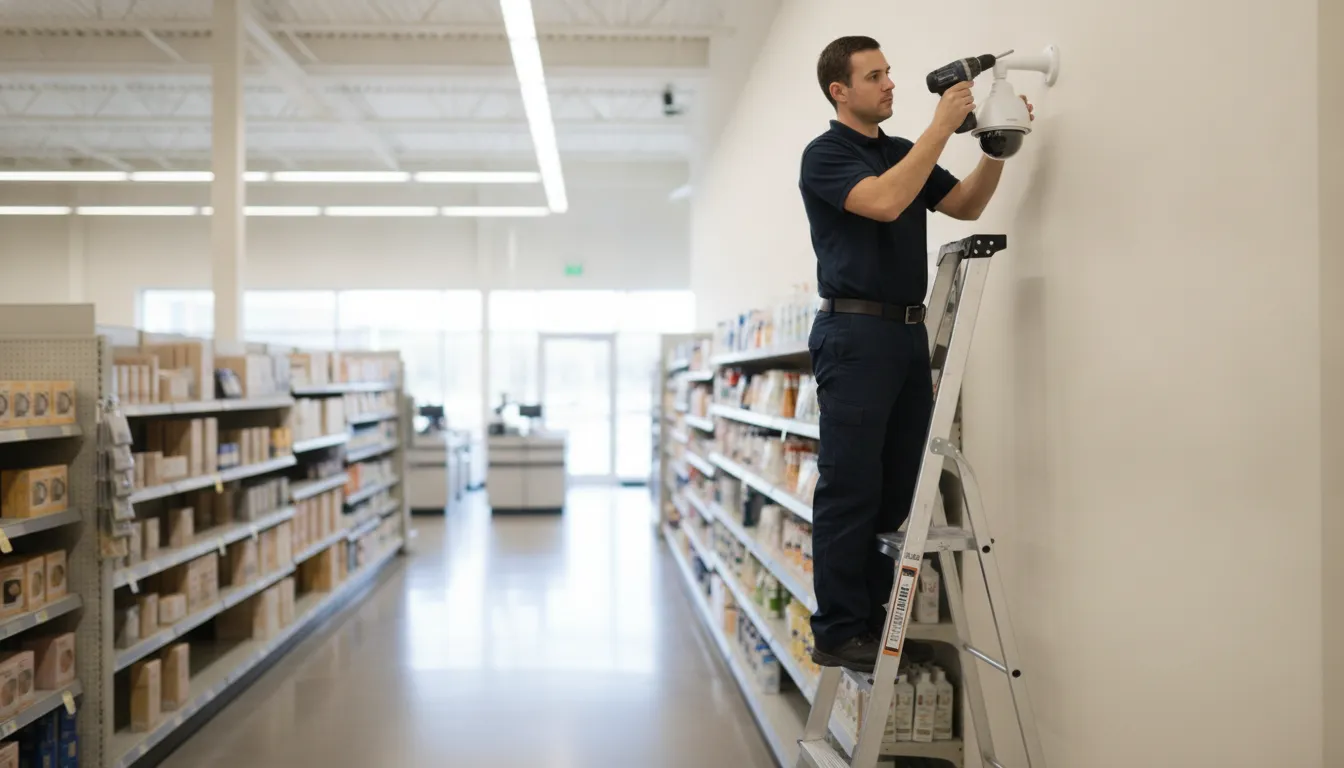
Entryways are among the first locations to evaluate. Position cameras to capture faces as people enter and leave, while avoiding angles that point directly into bright outdoor light. If your business has multiple entrances, receiving doors, or emergency exits, include each access point in the coverage plan. Camera placement at entryways, registers, and other high-traffic areas is critical for reducing blind spots and improving visibility of important activity.
Cash registers, checkout lanes, payment counters, and service desks also deserve dedicated coverage. Aim cameras so they can show the interaction and the surrounding area without relying on a view that is blocked by displays, shelving, or equipment. In retail and service environments, this positioning can support incident reviews and clarify what happened during a transaction or customer dispute.
Cover inventory areas and high-traffic zones
Stockrooms, loading areas, storage cages, and inventory aisles are common high-risk locations for unauthorized access or loss. A dedicated camera view of inventory areas can deter internal theft and provide useful footage when products, shipments, or equipment go missing. Avoid placing the camera where tall shelving consistently blocks the lower portion of the image. Recheck the view after layout changes, because a new rack or stacked pallet can create a blind spot.
High-traffic areas such as corridors, lobby spaces, stairwells, and shared work zones should be assessed as part of the overall coverage plan. These cameras can help show movement between critical areas and reveal gaps between entry, sales, storage, and exit points. They should complement, not replace, cameras aimed at specific high-value assets.
Do not overlook parking lots and exterior approaches
Exterior cameras should cover parking-lot entrances, drive lanes, pedestrian approaches, delivery zones, and areas where vehicles or equipment are stored. Select equipment with appropriate low-light performance and weather protection, then test the image after dark. Avoid aiming cameras directly at headlights, reflective surfaces, or the rising and setting sun. When possible, overlap views at key exterior approaches so one camera can provide context if another view is obstructed.
Mount cameras for visibility and protection
Mounting height requires a practical balance. Cameras should be high enough to discourage tampering and provide a broad view, but not so high that faces and other identifying details become difficult to see. Protect exposed cable runs, use secure mounts, and consider vandal-resistant housings in public or easily reached areas. A visible camera can also serve as a psychological deterrent, since its presence may discourage vandalism or other illegal activity.
- Keep the lens clear: Check for glare, dust, condensation, and obstructions before finalizing the mount.
- Protect the equipment: Use tamper-resistant hardware and route cables through protected paths.
- Review the layout regularly: Renovations, new shelving, landscaping, and lighting changes can reduce coverage.
- Respect privacy: Never aim cameras into bathrooms, changing rooms, or other areas where people have a reasonable expectation of privacy.
A professional installer can test each angle, confirm nighttime visibility, and document what every camera is intended to monitor. That process creates a more reliable system than placing cameras wherever power or network access happens to be available.
Business Video Surveillance and the Law: Privacy and Compliance
Effective surveillance protects a business without disregarding the privacy of employees, customers, vendors, or visitors. Before cameras are installed, define where recording is appropriate, how people will be notified, who may access footage, and how long recordings will be retained. The legal details vary by jurisdiction, so treat a general checklist as a starting point rather than a substitute for local legal advice.
Respect reasonable expectations of privacy
The clearest boundary is the reasonable expectation of privacy. Bathrooms, changing rooms, and similar spaces should not be monitored with video cameras. Colorado guidance explains that privacy laws prohibit visual recording without consent when a person has a reasonable expectation of privacy, including when using a bathroom: Colorado Division of Real Estate surveillance guidance. Texas law similarly addresses invasive visual recording in bathrooms, changing rooms, and other private areas: Texas State Law Library recording-law guide.
Privacy concerns can also arise in less obvious locations. Avoid camera angles that look into private areas, break rooms where recording may be inappropriate, or neighboring properties. Audio recording deserves separate attention because conversations can trigger additional consent requirements. If a camera includes a microphone, confirm that the feature is necessary and legally permitted before enabling it.
Check state and local requirements before installation
Business owners are responsible for checking the rules that apply to their location, industry, and recording practices. Requirements can differ by state, county, municipality, and use case. They may address video, audio, employee monitoring, data retention, access to recordings, and disclosure. Compliance with applicable local, state, and federal laws should be part of the installation plan, not an afterthought.
- Map camera locations: Document each proposed camera and confirm that its view is limited to legitimate business areas.
- Define access: Give footage access only to authorized managers or security personnel, and protect accounts with strong, unique passwords.
- Set retention rules: Keep recordings for a documented business or legal purpose, then dispose of them securely according to your policy.
- Review employment practices: Make sure workplace monitoring aligns with employee-notice requirements and written policies.
Use clear signage and employee notice
Many jurisdictions require signs, and clear notice is a responsible practice even where signage is not specifically mandated. Place readable notices at entrances and other monitored access points. The sign should tell people that video surveillance is in use and identify the business or responsible operator when appropriate. Signs can also deter misconduct by making the system visible, but they should never be treated as permission to record in private spaces.
Employees should receive direct notice through an employee handbook, surveillance policy, onboarding materials, or a documented policy update. Explain the purpose of the cameras, monitored areas, prohibited areas, who can review footage, and how concerns can be raised. A professional installer can help design camera views, signage placement, and system permissions around the business’s operational needs. But the owner should still confirm current requirements with qualified local counsel or regulators.
Remote Monitoring, AI Analytics, and Smart Alerts
A modern camera system should help your team understand what is happening without requiring someone to watch every feed continuously. Secure remote access lets authorized business owners and managers check the property through a mobile app from almost anywhere. That access is useful for reviewing a delivery area, checking a closing procedure, or confirming conditions after an alarm. It depends on a properly secured network and carefully managed user permissions, not simply on connecting cameras to the internet.
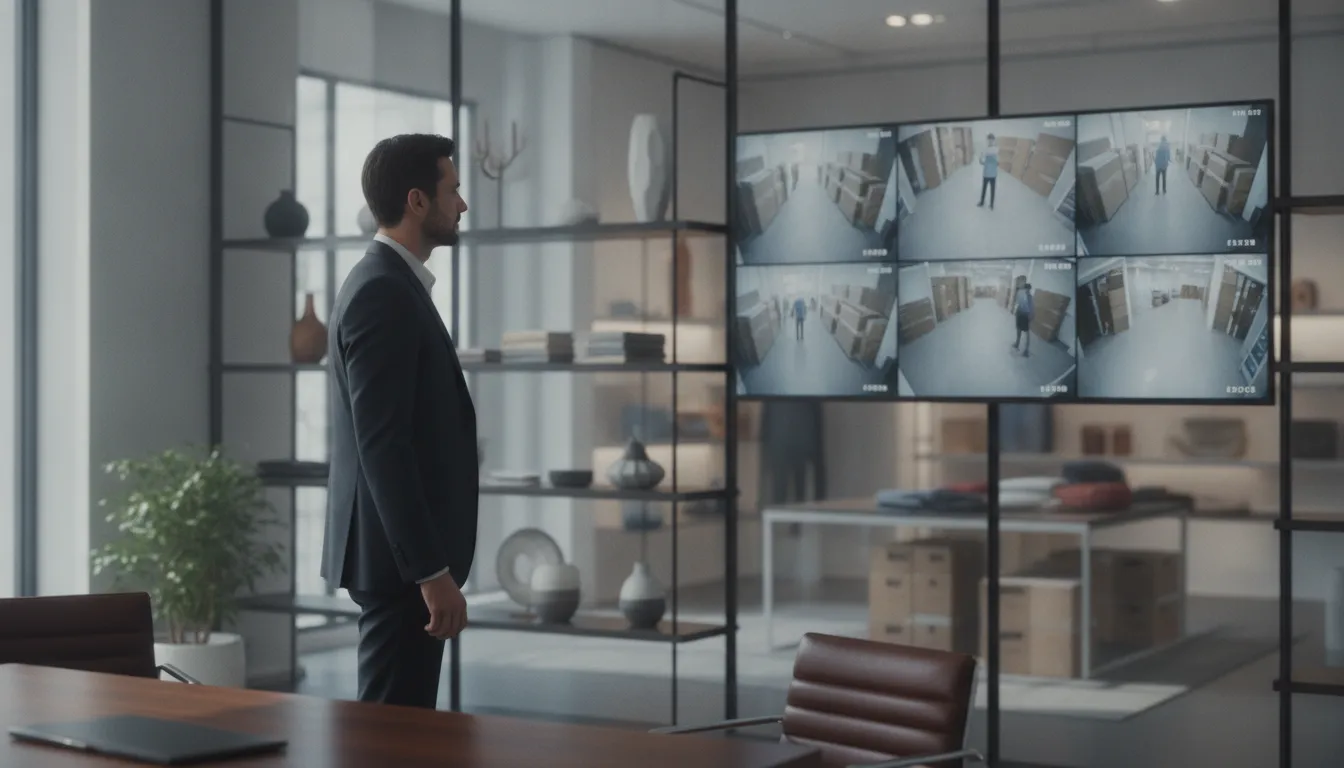
Mobile access becomes more valuable when paired with event-based alerts. Instead of sorting through hours of routine footage, managers can receive a notification when the system detects activity that deserves attention. Real-time alerts through a mobile app can support a faster response to suspicious events, while recorded video gives the business an objective record for follow-up.
How AI analytics make alerts more useful
AI video analytics can help distinguish meaningful movement from ordinary activity. Intelligent cameras may differentiate between humans, vehicles, and pets, reducing false alerts caused by motion that does not represent a security concern. That distinction can make incident response more practical, especially at loading areas, parking lots, entrances, and other locations where activity is expected throughout the day.
For example. A system configured to identify a person entering a restricted area can produce a more useful event than a basic motion detector that reacts to every shadow or passing vehicle. Analytics should support human decision-making, not replace it. The rules, alert recipients, schedules, and escalation process should be matched to the property and the business’s operating hours. Learn more about AI video analytics and how intelligent monitoring can support commercial security operations.
Reliability and cybersecurity belong in the design
Remote monitoring is only helpful when the system can communicate reliably. A dual-path setup can transmit surveillance data through more than one communication channel, helping maintain connectivity if one network connection fails. This additional resilience matters when an event requires prompt review or when a monitoring station needs to receive an important signal.
Cybersecurity should receive the same attention as camera placement and image quality. Unauthorized access to live feeds or stored footage can expose sensitive information about employees, customers, schedules, and operations. A professional system should use safeguards such as:
- Unique, strong passwords for administrators and every authorized user.
- Encrypted video streams to help protect footage as it moves between cameras, applications, storage, and monitoring services.
- Limited permissions so each user can access only the cameras and functions required for their role.
- Current firmware and software maintained as part of the system’s ongoing support plan.
When selecting business video surveillance, ask how remote access, AI analytics, dual-path communication, and cybersecurity will work together. The strongest solution is not simply the one with the most features. It is the one configured for your site, supported by experienced professionals, and maintained so alerts and footage remain available when your business needs them.
Video Surveillance Maintenance: Keeping Your System Reliable
Even a well-designed camera system can lose value when lenses become cloudy, cables loosen, or recorded footage is unavailable when an incident occurs. A maintenance routine keeps your business video surveillance clear, connected, and ready to support daily operations or an investigation.
Inspect the physical system regularly
Dust, weather, vibration, and accidental contact can affect image quality over time. Clean camera lenses with appropriate materials so dirt does not obscure faces, entrances, inventory, or vehicle details. During the same inspection, check cable connections, exposed cable runs, mounts, and housings for damage or signs of tampering. Routine checks of camera lenses and cable integrity are necessary for reliable performance.
- Clean lenses: Remove dust, residue, and environmental buildup that can reduce clarity.
- Check connections: Confirm that power, network, and video cables remain secure.
- Review camera views: Look for shifted angles, new blind spots, glare, or changes caused by construction and furniture.
- Test critical coverage: Confirm that entryways, registers, stockrooms, and other priority areas still produce usable footage.
Protect and verify recorded video
Recording video is only part of the job. Businesses should regularly back up surveillance data so historical footage remains available if the primary recorder fails, is damaged, or reaches a storage limit. Test the backup process rather than assuming it works. A backup that cannot be located or played when needed does not provide meaningful protection.
Off-site or cloud storage adds another layer of resilience. Cloud storage provides an off-site backup, helping protect footage if on-site recording equipment is stolen or destroyed. Review retention settings, access permissions, and available capacity as your camera count and recording needs change. Keep administrative credentials protected, and confirm that recorded video and camera feeds are secured against unauthorized access.
Keep firmware and security controls current
Firmware and software updates can address reliability issues and security weaknesses. Establish a controlled process for reviewing updates, applying them during an appropriate service window, and confirming that cameras, recording, remote access, and alerts still work afterward. Use strong passwords and encrypted connections where supported. Cybersecurity is part of physical security because an exposed camera account can compromise both live feeds and stored evidence.
A professional maintenance plan makes these checks consistent instead of leaving them to an already busy manager. ADP Security Systems uses a vertically integrated support model that connects consultation, professional installation, 24/7 monitoring, and ongoing support. That continuity gives your team a clear partner for inspections, troubleshooting, system changes, and performance reviews as the business grows.
Schedule a consultation to talk through the coverage, storage, monitoring, and maintenance options for your facility.
Frequently Asked Questions
What is the best video surveillance system for a business?
The best system matches your property layout, lighting, risk areas, retention needs, and growth plans. Look for reliable coverage at entrances, registers, stockrooms, and exterior areas, with low-light capability, secure remote access, and storage suited to your operation. Wired equipment may provide a more stable connection in larger environments, while scalable systems make future expansion easier.
How much does a business video surveillance system cost?
There is no responsible one-size-fits-all price. Cost depends on the number and type of cameras, installation complexity, recording and storage choices, networking, monitoring, and retention requirements. A site survey can identify the equipment and labor needed before you compare proposals. Ask whether the estimate includes installation, configuration, training, maintenance, and future storage or camera additions.
Is it legal to surveil employees?
Employee surveillance may be permitted in work areas when it serves a legitimate security or operational purpose, but privacy rules vary by jurisdiction. Do not place cameras in bathrooms, changing rooms, or other areas where people reasonably expect privacy. Colorado guidance describes that expectation, and Texas law specifically addresses bathrooms and changing rooms. Review local requirements and provide clear notice where required.
Do I need a license to install business surveillance cameras?
Licensing and permit requirements depend on your state, locality, the work being performed, and whether the installer provides monitoring or other regulated security services. Some projects may involve electrical, low-voltage, alarm, or contractor rules. Confirm requirements with the relevant authority and choose an appropriately qualified security provider. A professional consultation can also identify compliance issues before installation begins.
Can you request surveillance footage from a business?
You can ask a business to preserve or share footage. But a private business generally controls its recordings and is not automatically required to release them to every requester. The business may have retention limits, privacy obligations, or policies protecting other people in the video. For an incident, provide the date, time, location, and reason for the request. Law enforcement or legal process may be necessary.
Does video surveillance reduce business crime?
Visible cameras can discourage some burglary, vandalism, and internal theft, while recorded footage supports incident investigation and liability reviews. A 40-year systematic review and meta-analysis found a significant crime-reduction effect for CCTV in parking lots and public transport settings: academic review. Cameras work best as one layer of a plan that includes lighting, access control, monitoring, and response.
Schedule a Consultation for Your Business Video Surveillance System
A thoughtful site assessment can help you match camera coverage, storage, monitoring, and analytics to the way your business operates. ADP Security Systems can help you evaluate practical options and plan a system that fits your facility.
Schedule a consultation to discuss your business video surveillance needs with our team.