Smart Lock Retrofit for Deadbolts: What Actually Fits
November 4, 2026
How to Understand How Fall Detection Technology Works
November 4, 2026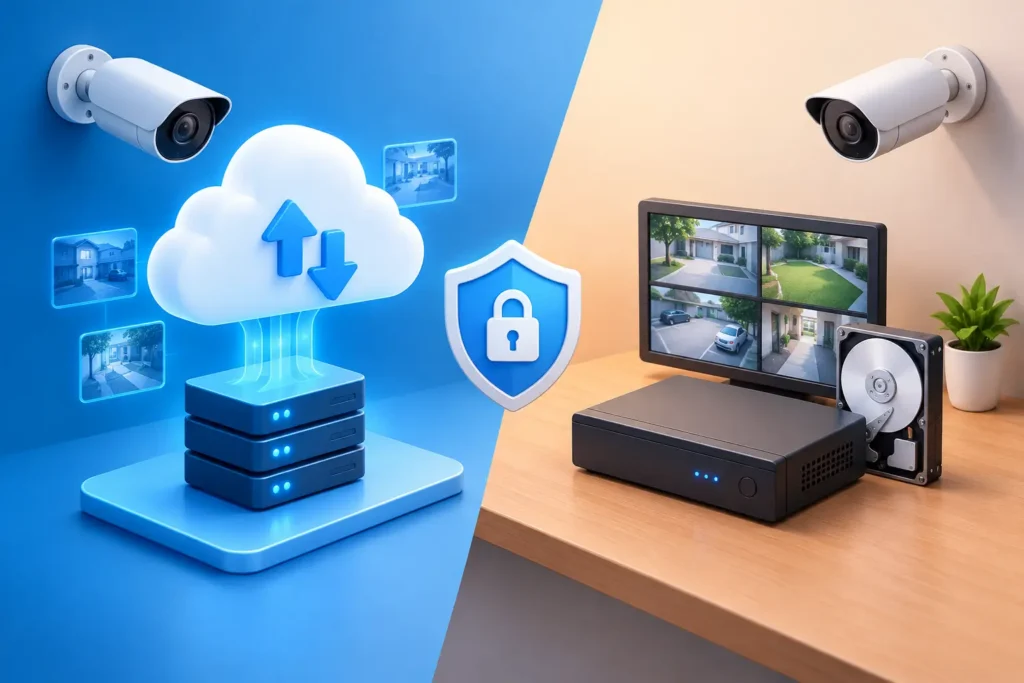
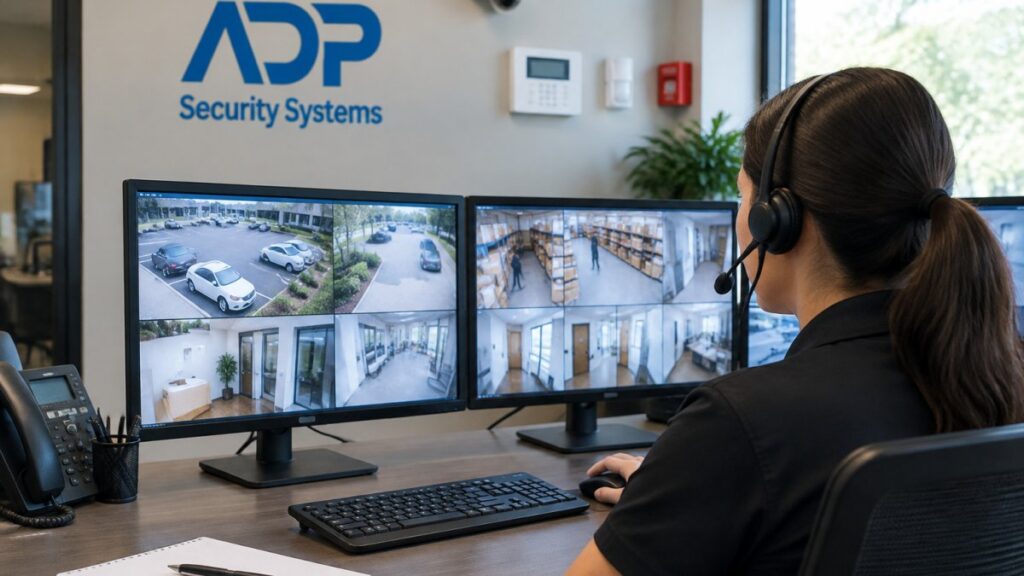
A security camera only helps if you can find and use the video when something happens. That is why cloud storage versus local recording is more than a technical choice. It affects how long footage is available, who can access it, what happens during an internet outage, and how confidently you can respond to an incident at home or at your business.
For many South Carolina property owners, the best answer is not strictly one or the other. It is a camera system designed around the property, the level of risk, and the people who need access to video. A professionally installed system can often combine the advantages of both approaches.
Cloud Storage Versus Local Recording: The Core Difference
Cloud storage sends recorded video over an internet connection to secure off-site servers. You can typically view live and recorded video through a smartphone app, tablet, or computer from nearly anywhere. Depending on the service plan and camera settings, recordings may be stored continuously, when motion is detected, or when a person, vehicle, or other selected event is detected.
Local recording keeps video at the property. Footage may be saved to a network video recorder, digital video recorder, memory card inside the camera, or another on-site storage device. A recorder can support multiple cameras and may retain video for days, weeks, or longer, depending on camera resolution, recording schedule, motion activity, and hard-drive capacity.
Neither method is automatically better in every situation. Cloud storage prioritizes convenient off-site access and protection from on-site damage or theft. Local recording prioritizes control, consistent recording capacity, and reduced dependence on internet bandwidth.
When Cloud Video Storage Makes Sense
Cloud storage is particularly useful for homeowners who want to check cameras while at work, traveling, or away from a second property. If a package disappears, a vehicle enters the driveway, or someone approaches a door, recorded clips can be available quickly from a connected device. This is also helpful for adult children checking in on an older family member who lives independently.
For businesses, cloud access can help owners and managers review activity across one or more locations without being physically present. A restaurant owner may want to review an after-hours delivery. A facility manager may need to verify when a contractor arrived. A retail operator may need to examine a specific event before the next shift begins.
The biggest protective benefit is that footage is stored away from the camera location. If an intruder damages an on-site recorder or steals equipment during a break-in, previously uploaded cloud footage may still be available. That can be a meaningful advantage when video is needed for an insurance claim or law enforcement follow-up.
Cloud plans do have practical limits. Most involve recurring fees, and retention periods vary. A lower-cost plan may save event clips for a limited number of days rather than provide 24/7 continuous recording. Upload speed also matters. A property with weak or inconsistent internet service may have delays, lower video quality, or missed uploads when several cameras are active.
Cloud recording should also be set up with account security in mind. Strong, unique passwords and multi-factor authentication help protect access to camera feeds. The convenience of remote viewing should never mean that anyone in the household or business can treat account security as an afterthought.
Where Local Recording Has the Advantage
Local recording is often the stronger fit when continuous coverage and longer retention are priorities. Commercial properties with multiple entrances, loading areas, parking lots, cash-handling locations, or valuable inventory may generate far more video than a basic cloud plan is designed to store. An appropriately sized local recorder gives the system room to capture that activity without relying entirely on monthly cloud retention limits.
It can also keep recording when the internet goes down. Cameras connected to a functioning local recorder can continue saving footage even if remote viewing is temporarily unavailable. For businesses, this is valuable during service interruptions. For homeowners, it provides reassurance during severe weather or other events that affect connectivity.
Local storage can provide more direct control over video retention. A business may want 30, 60, or 90 days of footage based on operations, liability concerns, or internal policies. The actual retention period still depends on storage capacity and recording settings, but local systems can be designed to meet a defined target rather than accepting a fixed cloud plan.
There are trade-offs. A recorder needs a secure installation location, reliable power, and occasional maintenance. If it is placed in an obvious, accessible area, it could be damaged or removed. Hard drives also have a service life and should be monitored. Local video is not automatically backed up off-site unless the system is configured to do so.
Reliability Is About More Than the Storage Location
It is tempting to think of cloud storage as dependent on the internet and local recording as independent. The reality is more nuanced. Every camera system depends on several components working together: power, camera connections, network equipment, storage hardware, and settings that match the intended use.
A cloud-based camera may continue recording to internal memory during a brief internet interruption, then upload footage after the connection returns. A local recorder may be paired with remote access, allowing an owner to view stored video from a phone when the network is available. A system with battery backup can keep critical equipment running through a short power outage.
Professional planning is especially valuable here. Camera placement, field of view, lighting, Wi-Fi coverage, wired connections, recorder location, and available upload bandwidth all influence whether video will be useful. A camera pointed at a wide, dark parking lot or mounted too high to identify a face will not become more effective simply because it records to the cloud.
Privacy and Access Need Clear Rules
Whether video is stored in the cloud or locally, access should be controlled. Homeowners may want to give a spouse access to all cameras while allowing a babysitter or house manager to view only a front-door camera. Businesses should decide which managers can review footage, export clips, change settings, or add users.
Commercial customers should also establish a practical retention and access policy. Video should serve security, safety, and operational needs without becoming casually available to every employee. This is particularly important in offices, healthcare-related settings, employee areas, and properties with sensitive customer activity.
For local systems, physical security matters as much as passwords. The recorder should be installed in a protected location rather than left in an unlocked office, utility room, or public-facing counter area. For cloud systems, account credentials and user permissions deserve the same care as keys and alarm codes.
A Hybrid Approach Often Provides Better Protection
A hybrid system uses local recording as the primary video archive while also sending selected clips or alerts to the cloud. This approach can give a business the depth of on-site continuous recording and the added protection of off-site event footage. It can also give a homeowner immediate alerts and remote clips without giving up the reassurance of a local recorder.
Consider a small business with cameras at the front entrance, back door, register, and parking lot. Local recording can preserve continuous footage across all four areas. Cloud alerts can notify the owner when someone enters after hours or a person is detected near the rear door. If the recorder is damaged, the most important event clips may already be stored off-site.
At a home, a hybrid setup may allow a family to receive a clip when someone approaches the front porch while retaining fuller video coverage during the day. The right configuration depends on the number of cameras, the activity level around the property, desired retention time, internet reliability, and budget.
Questions to Ask Before Choosing Camera Storage
Before selecting cloud, local, or hybrid recording, start with the event you most need to capture. A homeowner may be focused on visitors, deliveries, and driveway activity. A business owner may need usable evidence of unauthorized entry, employee access, vehicle traffic, or an incident near inventory.
Then consider how long video needs to remain available. If you may not discover a problem for several weeks, a short cloud retention period may not be enough. If immediate alerts and simple clip review matter most, cloud storage may be a practical fit. Also consider whether your internet connection can reliably support the number of cameras you plan to install.
Finally, think about who will manage the system. The best security camera solution should be easy for the right people to use without creating unnecessary access or technical burden for everyone else.
For more than 30 years, ADP Security Systems has helped South Carolina homes and businesses choose protection built around real risks, not one-size-fits-all equipment. A thoughtful camera assessment can identify the recording approach that keeps your most important video accessible when you need it most.