Smart Locks for Small Business Comparison Guide
July 27, 2026
NFPA 72 Fire Alarm Requirements South Carolina: Compliance Guide
July 29, 2026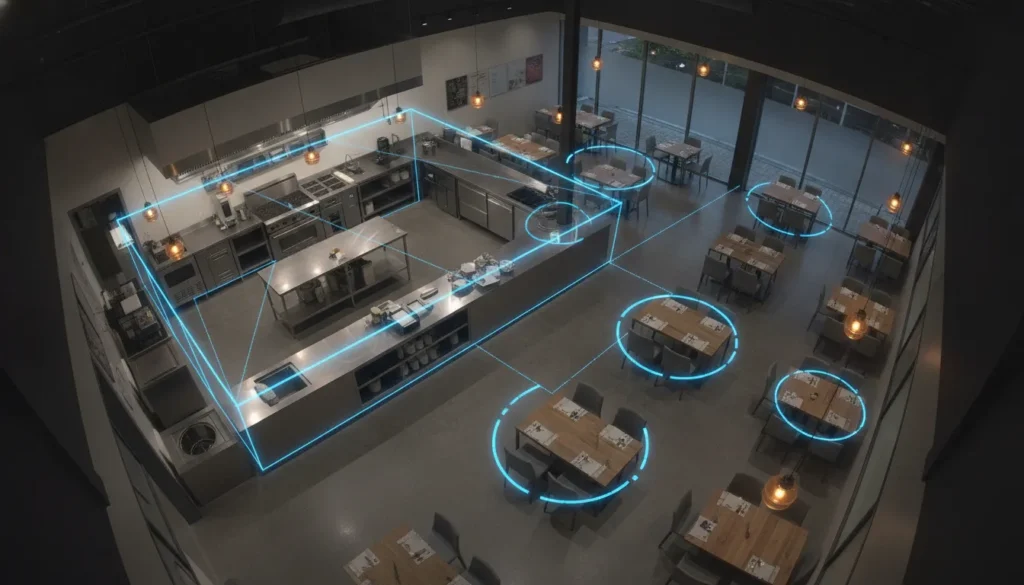
Restaurants manage more than busy dining rooms. They also face cash and inventory loss, employee and customer safety concerns, and limited time to review hours of recorded video. A camera system that only stores footage may document an incident after the fact, but intelligent analytics can help identify events that deserve attention while they are happening.
AI security cameras for restaurants combine event-based video analytics, point-of-sale integration, and real-time monitoring to help owners investigate suspicious transactions, protect high-risk areas, verify alarms, and improve daily operations.
Get a free security assessment for your Greenville or Upstate SC restaurant. Compare commercial AI camera options here.
That approach gives managers a clearer view of entrances, exits, kitchens, prep areas, and inventory storage without requiring someone to watch every feed continuously. It can also help connect what happened on camera with the transaction or operational event that occurred at the same time. The first priority is often theft prevention, where faster detection and better context can reduce losses before they become recurring problems.
How Do AI Security Cameras Reduce Theft in Restaurants?
Restaurant theft rarely looks like a dramatic break-in. It can appear as repeated voids, questionable refunds, unrecorded meals, after-hours access, or inventory that disappears a little at a time. AI video analytics help restaurant owners move from reviewing hours of footage after a loss to identifying activity that deserves attention while it is happening.
Identify suspicious transactions and behavior
When camera footage is connected to point-of-sale data, managers can search for risky transactions and review the paired video for context. That connection can help investigate:
- Refund fraud and fake returns
- Unusual discounts and void abuse
- Possible employee theft
- After-hours access to registers or inventory
This does not replace sound controls or management judgment, but it gives decision-makers a faster way to see what happened around a transaction. AI can also detect suspicious activity in real time and trigger audio or visual deterrents. A prompt warning may interrupt an attempted theft before it becomes a cash or inventory loss.
Protect inventory across the building
Shrinkage is not limited to the register. A useful camera plan covers the points where products enter, move through, and leave the operation. AI-enabled monitoring can be applied at entrances and exits, cold storage and inventory areas, kitchens, and prep spaces. Reviewing activity across those zones can help identify unauthorized access, unusual movement, or process gaps that make internal and external theft harder to detect.
For restaurants using alarm monitoring, POS data paired with video can also speed alarm verification. Operators can view transaction details alongside relevant footage and determine more quickly whether an event appears genuine. For a broader look at how AI-powered security cameras identify activity and support proactive response, review the related video analytics guide.
POS Integration: Connecting Video to Your Point-of-Sale System
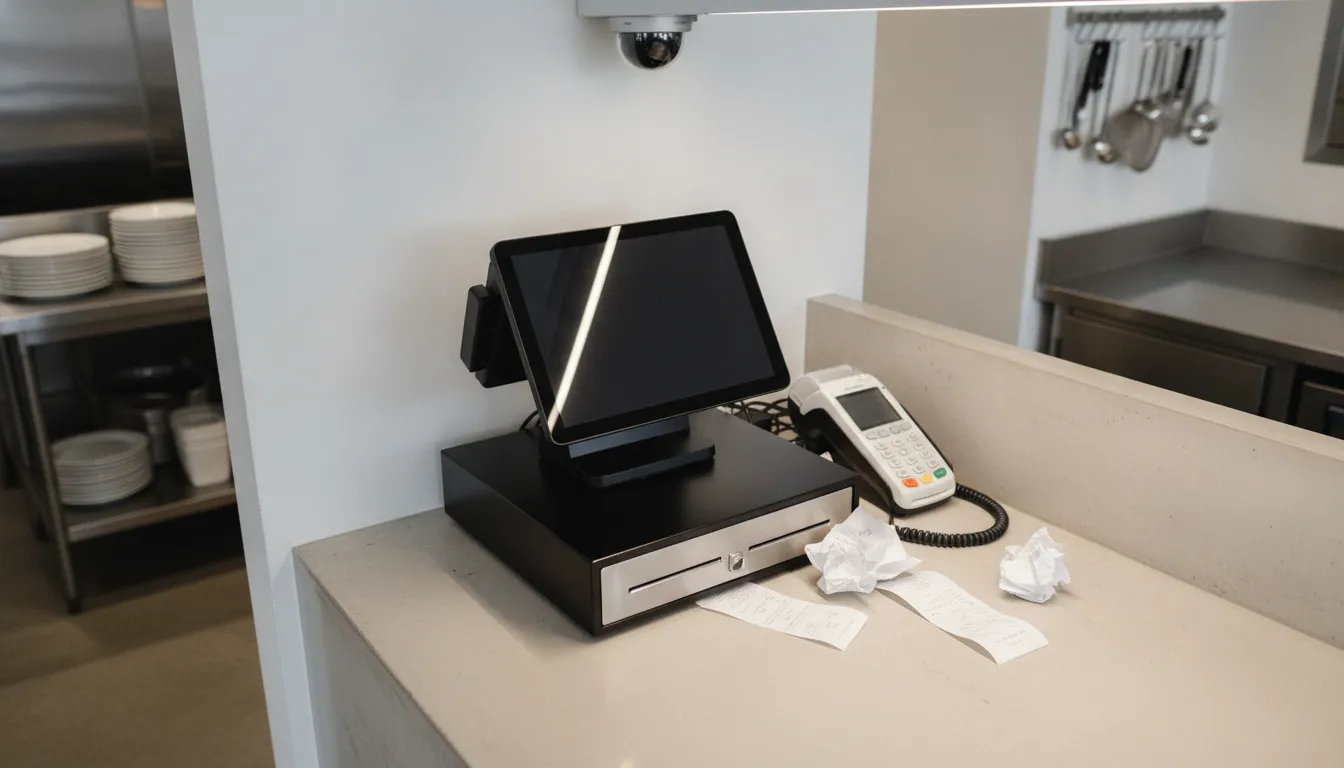
A camera can show what happened at the counter, while a point-of-sale system records what was entered into the register. When those systems are connected, restaurant managers can review the transaction and the surrounding video together instead of searching through hours of footage. This pairing helps identify risky transactions and provides context for investigating suspected theft or fraud.
Spotting refunds, voids, and sweethearting
Consider a cashier who processes a refund after a customer leaves, repeatedly voids items before payment, or gives food to a friend without entering the sale. On its own, a refund report may only show an unusual pattern. With AI security cameras for restaurants, the manager can search the transaction, open the linked video, and see whether a customer returned an item, whether a supervisor approved the void, or whether the order was handed over without payment.
The same approach can help with fake returns. A manager may notice multiple refunds tied to one employee, then review the footage around each event to determine whether merchandise or a receipt was actually presented. The goal is not to treat every exception as proof of misconduct. It is to give managers a faster, more objective way to compare register activity with what occurred at the counter.
Faster alarm verification and better follow-up
POS context also makes alarms more useful. Viewing transaction data alongside video of a suspicious event can help an operator verify an alert faster and reduce the time spent deciding whether a response is needed.
For restaurant groups, cloud-based systems can extend this workflow across locations. Owners and regional managers can review activity from multiple restaurants through a single dashboard, helping standardize investigation procedures without requiring them to be on-site at every store. A properly configured system still needs clear permissions, employee training, and a documented process for handling sensitive video and transaction records.
Real-Time Monitoring and Operational Insights for Restaurant Owners
Restaurant owners need more than footage after an incident. A well-configured camera system can provide a live view of what is happening across dining areas, entrances, kitchens, storage rooms, and service points, helping managers respond while an issue is still developing. With AI-powered security cameras, video analytics turn activity into practical information that can support daily decisions.
Use occupancy data to plan staffing
Busy periods do not always follow the schedule on a manager’s calendar. Real-time occupancy data can show how many people are in a dining area or waiting zone, giving operators a clearer basis for adjusting staffing. When traffic rises, managers may be able to move team members toward host stands, service areas, or pickup points. When demand is lighter, they can avoid keeping more staff on the clock than the operation requires.
This information is especially useful for owners overseeing more than one location. A manager can review activity remotely instead of relying only on phone calls or end-of-shift reports. Analytics do not replace sound judgment or employee scheduling practices, but they give those decisions a more current operational picture.
Verify cleanliness and opening procedures
Consistent standards are difficult to maintain when owners cannot be in every restaurant for every shift. AI-powered video checks can help verify cleanliness, compliance with safety standards, and whether opening or closing procedures occurred at the expected time. Used appropriately, they can help identify a missed task for follow-up rather than waiting for a customer complaint or the next scheduled inspection.
Owners should define which areas and procedures warrant review, while managers remain responsible for confirming conditions on site. Clear policies also help employees understand what is monitored and why.
Confirm alarms before dispatch
Real-time video verification can reduce unnecessary alarm responses. When an alert occurs, a remote operator or central station can access live video to determine whether the event appears to be a genuine threat, an employee activity, or an environmental trigger. Restaurant owners can review alerts from a mobile device or rely on a central station to escalate verified activity according to the response plan.
ADP Security Systems can design and monitor an integrated system for South Carolina restaurants, combining intelligent video with the response support needed when an alert requires attention.
Ready to improve your restaurant security? Explore commercial security camera systems designed for food service operations.
How Can Drive-Thru and Multi-Unit Operations Benefit from AI Cameras?
Drive-thru performance can change quickly during a lunch rush. A camera system that only records incidents after the fact will not show where the process is slowing down or why customers leave. AI video analytics can track:
- Order abandonment and vehicle stack times
- Drive-offs and unpaid service
- Activity at the menu board and pull-ahead lane
- Comparative performance across locations
These insights help operators compare busy periods, identify bottlenecks, and adjust staffing or lane procedures based on observed conditions.
Turn drive-thru activity into an operating signal
For a single restaurant, this information can help a manager investigate recurring delays without relying only on anecdotal feedback. For a franchise group, consistent analytics create a more useful comparison across stores. A location with unusually high abandonment or long stack times may need a closer look at staffing, equipment placement, order accuracy, or peak-hour procedures. The cameras do not replace management judgment, but they give leaders a clearer record of what is happening outside the building.
Manage every location from one dashboard
Multi-unit operators also need security oversight that does not require logging into separate systems at every store. A cloud-based platform can provide a single dashboard for monitoring locations, reviewing alerts, and applying consistent security policies remotely. That centralized view is especially useful for owners and operations teams managing restaurants across Greenville and the Upstate South Carolina area. It can make it easier to spot recurring issues, confirm that procedures are being followed, and support local managers without requiring the regional operator to be on-site.
Cloud modernization does not always mean replacing every existing camera at once. Platforms that support established systems and phased deployments can help restaurant groups update legacy infrastructure with less disruption. A professional assessment can identify which cameras, network components, and recording equipment can remain in service and where newer analytics-enabled devices will provide the greatest operational value. Modern AI security cameras for restaurants can then be planned around the chain’s locations, priorities, and growth path.
Kitchen Safety and Back-of-House Monitoring with AI
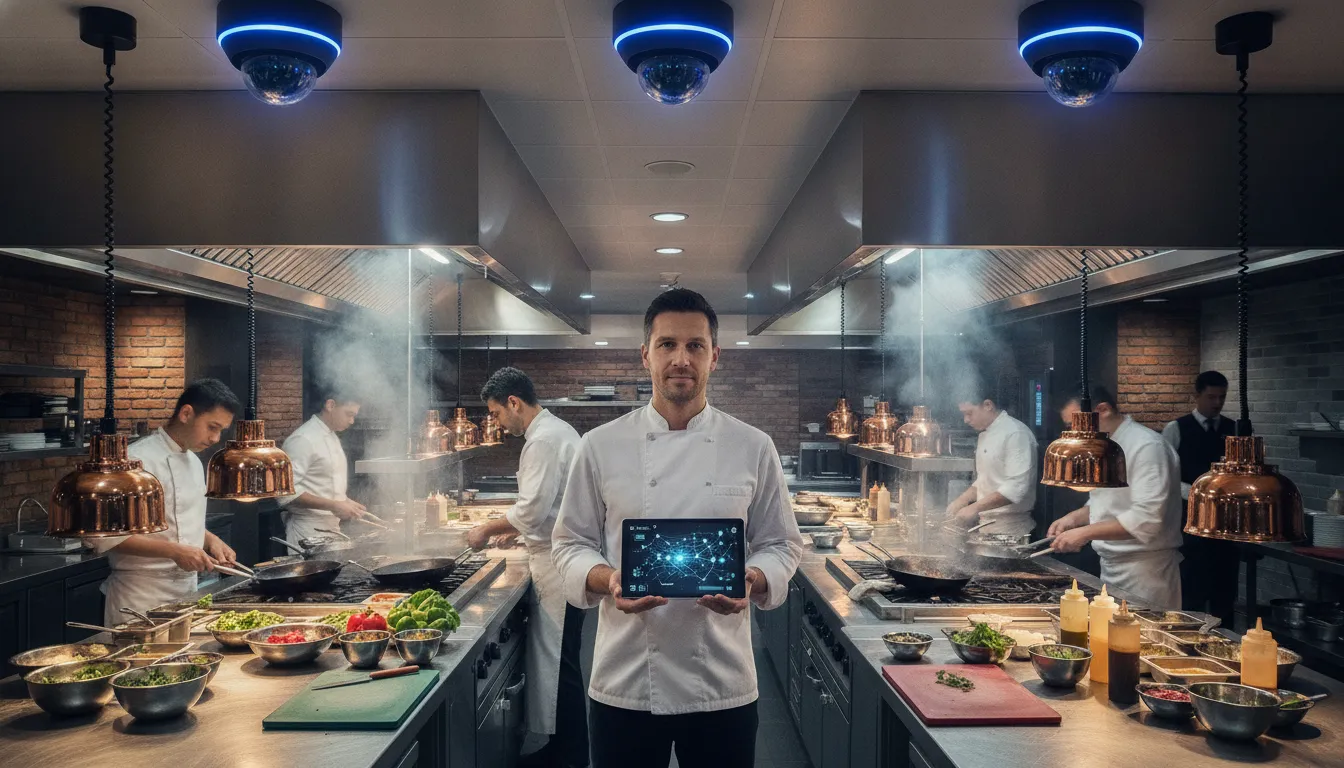
A busy commercial kitchen combines heat, sharp equipment, wet floors, crowded work areas, and frequent lifting. AI camera monitoring can give managers a clearer view of these risks without requiring someone to watch every feed continuously. Cameras positioned in kitchens, prep areas, cold storage, and other back-of-house zones can support both safety oversight and inventory protection.
Identify lifting and overexertion risks earlier
Posture detection is one way computer vision can support injury prevention. Research housed by the CDC describes posture detection and monitoring as an early-warning approach for reducing overexertion risk. In a restaurant, that could help managers review recurring problems such as awkward lifting from low shelves, twisting while carrying supplies, or moving heavy containers through a congested prep area.
The same research examines computer vision and deep learning to predict worker behavioral intent during manual transportation of heavy objects. That does not replace training, safe lifting procedures, or direct supervision. It can, however, help identify patterns that deserve attention before a strain becomes a serious incident. The CDC source notes that more than 36% of workplace injuries involving missed workdays in its cited data resulted from shoulder and back injuries, underscoring why back-of-house ergonomics deserve regular review.
Monitor kitchens without creating another distraction
AI cameras can monitor defined zones and flag activity for review instead of forcing an owner or shift manager to constantly scan hours of video. Managers can use footage to investigate:
- Blocked walkways and unsafe movement around deliveries
- Recurring congestion near ovens, dishwashing stations, and prep tables
- Consistent adherence to safety procedures between formal inspections
In Greenville and across South Carolina, this type of monitoring can give restaurant operators useful documentation when reviewing an incident, correcting a hazard, or working with their safety and insurance teams. It should be paired with employee notice, appropriate privacy policies, regular training, and human review. The goal is not to penalize workers for normal activity, but to make unsafe conditions easier to see and correct.
For a broader look at placement, resolution, and remote management, review these modern AI security cameras for restaurants. ADP Security Systems can design and professionally install a system that connects back-of-house coverage with the rest of a commercial security plan.
How to Choose the Right AI Security Camera System for Your Restaurant
The best system should solve specific operating problems, not simply add more recorded video. Start by listing your highest-risk areas, such as entrances, registers, dining rooms, kitchens, storage, delivery doors, and parking areas. Then evaluate whether each camera and analytics feature will help prevent loss, verify an incident, improve safety, or support a faster response.
Look for useful integrations and analytics
Prioritize AI analytics that can distinguish meaningful events from routine movement. Key features to evaluate:
- Person, vehicle, line-crossing, and loitering alerts
- POS integration for transaction-video pairing
- Remote live monitoring with verified alerts
- Multi-location dashboard for centralized management
Consider whether the platform can support your restaurant as it grows. Multi-location operators should be able to manage cameras, alarms, users, and retention settings from one dashboard. A unified cloud platform can standardize security policies, track activity across zones, and help owners maintain consistent procedures across locations.
Compare cloud and on-premise requirements
Cloud systems generally make remote access, software updates, multi-site management, and centralized reporting easier. On-premise recording may offer more local control and can suit a restaurant with specific storage, bandwidth, or data-retention requirements. The right choice depends on your internet reliability, desired retention period, cybersecurity practices, and who will maintain the equipment.
| Feature | Cloud-Based | On-Premise |
|---|---|---|
| Remote access | Built in from any device | Requires VPN or port forwarding |
| Multi-location management | Single dashboard | Separate systems per site |
| Software updates | Automatic | Manual IT maintenance |
| Data storage | Remote encrypted servers | Local DVR/NVR hardware |
| Upfront cost | Lower (subscription model) | Higher (equipment purchase) |
| Works during internet outage | Limited | Yes (local recording continues) |
You may not need to replace every existing camera at once. Some cloud platforms support legacy hardware and phased deployments, allowing a business to modernize in stages while minimizing disruption. Confirm compatibility before purchasing, including camera resolution, network requirements, recording hardware, and any needed POS or access-control integrations.
Do not overlook installation and monitoring
Camera placement, lighting, network configuration, retention settings, and privacy controls all affect whether a system works when you need it. Professional installation helps ensure that critical views are not blocked by shelving, glare, steam, or changing daylight. Ask whether the provider also offers 24/7 monitoring and a clear escalation process, rather than leaving staff to interpret every alert alone.
ADP Security Systems serves Greenville and businesses throughout South Carolina, combining more than 30 years of experience with professional installation, cameras up to 4K/8MP, and UL-certified central station monitoring. Explore advanced video analytics for restaurants or review ADP’s commercial security camera systems to compare options for your location.
AI security cameras for restaurants provide real-time theft detection, POS integration, occupancy analytics, and centralized multi-location management. The right system reduces loss while improving daily operations for Greenville and Upstate SC food service businesses.
Frequently Asked Questions
How much do AI security cameras for restaurants cost?
Cost depends on the number of cameras, image resolution, storage method, analytics features, POS integrations, monitoring, and installation requirements. A single-location restaurant may need a different design than a multi-unit operation with drive-thru lanes and centralized management. Request a site assessment from ADP Security Systems for a quote tailored to your Greenville or Upstate SC restaurant.
Can AI cameras integrate with my existing POS system?
Most modern AI security camera platforms support integration with major restaurant POS systems, including Aloha, Micros, Toast, and others. The integration connects transaction data with video footage so managers can investigate voids, refunds, and discounts in context. Confirm compatibility with your specific POS provider before purchasing.
Do AI security cameras work during internet outages?
On-premise recording continues locally during an outage, but cloud-based remote access will be limited until the connection is restored. Many hybrid systems cache footage locally and upload it once the internet reconnects. Discuss your restaurant’s connectivity and uptime requirements during the planning phase.
How many cameras does a typical restaurant need?
A small quick-service restaurant may need 4-6 cameras covering the register, kitchen, storage, and entrance. A full-service or multi-location operation may require 8-16 or more, including coverage for dining areas, drive-thru lanes, back-of-house, and exterior perimeters. A professional site survey can determine the optimal number and placement.
Are AI security cameras difficult to operate for restaurant staff?
Modern AI security camera systems are designed for easy daily use. Managers access live feeds, review alerts, and search transactions through a dashboard or mobile app. Most platforms provide training and onboarding support. The AI handles the analysis so staff focus on running the restaurant.