How Home Alarm Systems Work Explained
October 10, 2026
Fire Inspections That Protect Your South Carolina Property
October 11, 2026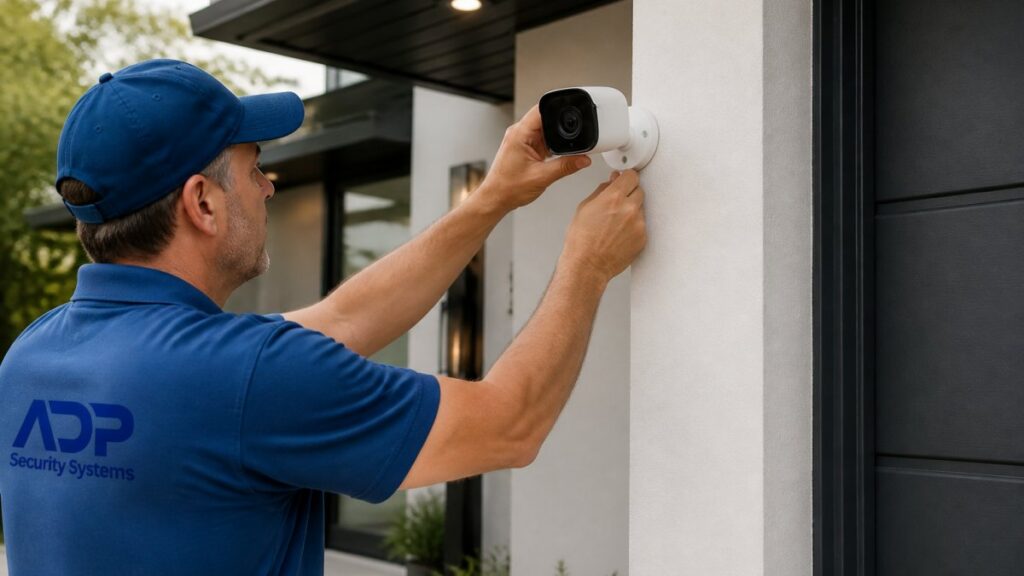
Table of Contents
- Security Camera Placement for Maximum Coverage: A Planning Guide
- Best Places to Install Security Cameras Around Your Property
- Understanding Security Camera Blind Spots and How to Eliminate Them
- Security Camera Mounting Height and Viewing Angles
- How Many Security Cameras Do I Need for Full Coverage
- Nighttime Performance, Lighting, and Weather Considerations
- Power, Cabling, Wi-Fi, and Installation Planning
- Privacy and Legal Considerations for Home Security Cameras
- Frequently Asked Questions
Last Updated: October 10, 2026
Security Camera Placement for Maximum Coverage: A Planning Guide
Proper security camera placement for maximum coverage is the foundation of any effective home security system. Strategic positioning before installation prevents costly blind spots that leave your property vulnerable.
This guide covers entry points, blind spots, mounting height, and practical considerations that determine whether your system delivers real protection.
Best Places to Install Security Cameras Around Your Property
Most break-ins occur at entry points, package theft at front doors, and vehicle break-ins in driveways. Prioritize these high-risk zones in your security camera placement strategy.
Front Entry and Main Doors
Position your front door camera 8 to 10 feet high, angled slightly downward to capture facial features, full body, and packages.
Mount the camera to the side of the door to prevent glare and capture visitors head-on. Use a soffit or overhang as your ideal mounting surface.
Angle your front door camera so the door itself is slightly off-center in the frame. This positioning captures both the person and their hands, making it easier to spot if someone is holding a weapon or tool.
Back Doors and Side Entrances
Back doors and side entrances are often overlooked by homeowners, making them attractive to intruders who seek areas less visible from the street.
Mount back door cameras 8 to 10 feet high using the same angle as front door cameras. Prioritize side entrances closest to your garage, facing inward to respect neighbor privacy.
Driveway and Garage Areas
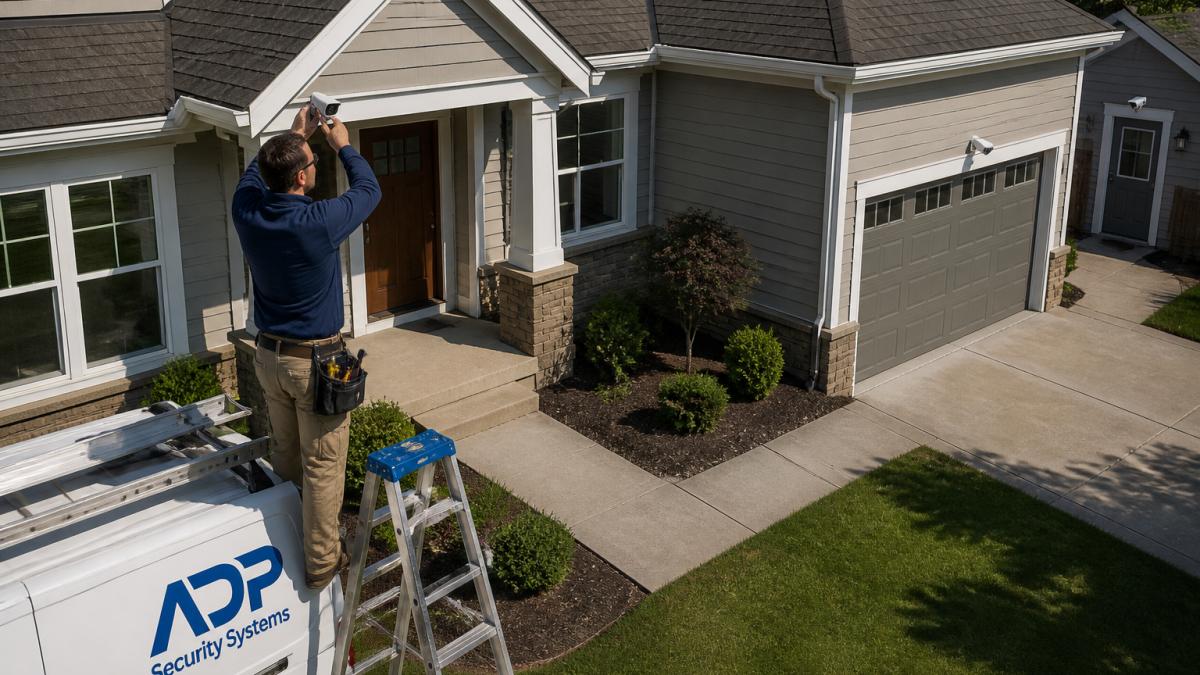
Position driveway cameras at the corner of your home, 10 to 12 feet high, to capture vehicle activity and garage approach.
Mount garage cameras above the door pointing outward to capture vehicles and approaching visitors. Avoid pointing directly at infrared beams to prevent nighttime glare.
Exterior Corners and Perimeter
Mount cameras at back corners to see both sides, as criminals often use corners to move undetected around your property.
Understanding Security Camera Blind Spots and How to Eliminate Them
Blind spots are inevitable given camera field-of-view limits. Identify them intentionally and decide which matter for your property. Verifying coverage determines whether your system captures needed evidence.
Identifying Blind Spots on Your Property
Walk your property at dusk and note where shadows, trees, landscaping, or architecture block sightlines. These are your natural blind spots.
Most blind spots occur where two camera coverage areas meet without overlapping, for example, a front door camera missing the porch corner or a driveway camera missing the transition to side yard.
Document gaps on paper or photos. Not every blind spot requires a camera, a backyard gap may be acceptable, but a side door gap is not.
Overlapping Coverage Strategy
Position cameras so fields of view overlap 10 to 20 percent. This creates redundancy if one camera fails and eliminates gaps where intruders could move undetected.
Gaps between cameras are security vulnerabilities. An intruder moving quickly through an uncovered zone leaves no record. Always verify overlap between adjacent cameras during installation testing.
Testing Coverage and Measuring Image Quality
Before finalizing placement, conduct a measurable coverage test:
Step 1: Map Coverage Zones, Walk your perimeter with live camera feed and mark actual coverage boundaries on a floor plan. Architectural features and landscaping often reduce real-world coverage versus manufacturer specs.
Step 2: Test Facial Recognition Distance, Stand at 10, 15, and 20 feet from entry cameras and review footage. Determine the distance at which facial features are clearly identifiable without enhancement.
Step 3: Verify License Plate Legibility, Record a vehicle at typical distances and confirm the plate is readable without digital zoom. If blurry, adjust camera height, angle, or lens before finalizing.
Step 4: Check for Glare and Reflection, Record footage at different times and in low light. Look for lens flare or infrared haze. Adjust camera angle or add a lens hood if needed.
Effective coverage is measurable, not theoretical. Test your cameras at the distances and angles that matter for your property before finalizing installation. A camera that captures clear faces at 12 feet is more valuable than a camera with a 120-degree field of view that captures blurry faces at 20 feet.
Security Camera Mounting Height and Viewing Angles
Camera height determines what your system captures. Too low and you miss activity beyond your immediate property line. Too high and facial detail becomes impossible to recognize.
Optimal Height for Facial Recognition
Mount entry-point cameras 8 to 10 feet high to capture identifiable faces and prevent tampering.
At 8 feet, standard lenses capture facial features from 10 to 15 feet away. Use 10 feet of height if your porch is set back significantly from the street.
Field of View and Camera Angle Selection
Camera field-of-view options: narrow (50°) captures facial detail over distance, standard (90°) balances detail and area, wide (120°) captures more area but sacrifices detail.
Use standard (90°) field of view for entry points to capture the person and door without distortion. Use wide-angle lenses for driveway and perimeter areas to monitor larger zones.
Angle cameras downward 15 to 25 degrees to capture faces, body language, and hand position. Straight angles miss feet and packages; steep angles miss faces.
How Many Security Cameras Do I Need for Full Coverage
Most residential properties need 3 to 5 cameras: front door, back door, driveway, side entrance (if applicable), and exterior corner.
Get a Free Security Assessment →
Start with front door, back door, and driveway cameras, these cover 80 percent of typical break-in entry points. Add side entrance and perimeter cameras for larger properties.
Nighttime Performance, Lighting, and Weather Considerations
Most break-ins and package thefts occur at dusk or night. Nighttime camera performance depends on placement decisions involving trade-offs between infrared range, external lighting, and image quality.
How Infrared Range Affects Camera Placement
IR performance depends on distance and obstruction. A camera with 30 feet of IR range may only see 15 feet if porch light glare or high mounting spreads the IR beam too wide.
IR range measures distance for recognizable images in darkness, but “recognizable” doesn’t mean “identifiable.” A 30-foot IR camera may capture movement at 30 feet but clear facial detail only at 15 feet. Know whether your coverage supports facial identification or only motion detection.
Assume effective IR range is 50 percent of manufacturer specs. A 30-foot IR camera should position critical areas within 15 feet to account for dust, humidity, and IR beam spread.
Balancing External Lighting and IR Performance
External lighting and infrared are complementary, but placement must account for their interaction.
Motion-Activated Lights, Position 6 to 8 feet high at entry points and driveways. Place cameras 2 to 3 feet to the side to avoid glare while benefiting from illumination. These significantly improve nighttime facial detail.
Constant Porch Lights, Position entry cameras to the side, not directly above, to avoid lens flare and washed-out footage. This captures the lit entry without glare.
IR Glare and Reflection, Angle cameras 15 to 20 degrees to the side of glass doors to reduce reflection and white haze in nighttime footage.
Placement Strategy for Nighttime Facial Recognition
For nighttime facial identification: (1) Mount entry cameras 8-10 feet high, angled 15-25° downward to illuminate faces at 10-15 feet; (2) Position 2-3 feet to the side of doors to reduce glare; (3) Add motion-activated lighting to improve facial recognition; (4) Test IR performance at night by standing at 10, 15, and 20 feet and reviewing footage for facial clarity.
Weather Protection and Nighttime Durability
Weather exposure affects both camera longevity and nighttime performance. Moisture on the lens degrades IR image quality significantly, a camera with a wet lens loses 50 percent or more of its effective IR range.
Mount cameras under eaves or overhangs where possible to reduce direct rain and sun exposure. If an overhang isn’t available, add a small hood or shroud above the camera to shed water away from the lens. Ensure all connections are sealed against moisture using weatherproof junction boxes and outdoor-rated cabling.
For cameras exposed to salt spray (coastal properties) or heavy dust, plan for more frequent lens cleaning. A dirty lens reduces both daytime and nighttime image quality. Consider cameras with motorized lens wipers or plan to clean lenses monthly during high-exposure seasons.
Nighttime coverage requires placement decisions that balance IR range, external lighting, and glare reduction. Test your nighttime image quality at the distances that matter for your property. A camera positioned for daytime facial recognition might not capture clear nighttime faces without adjustment or supplemental lighting.
Power, Cabling, Wi-Fi, and Installation Planning
Practical installation constraints often determine where cameras can actually go. A perfect camera location is useless if power and network connectivity aren’t available.
Wired cameras require electrical outlets or hardwired power lines. Wireless cameras need strong Wi-Fi signal. Plan your camera locations around these infrastructure realities.
For wired systems, run conduit along your home’s exterior to hide cabling and protect it from weather and tampering. Plan conduit routes before drilling holes or mounting equipment.
For wireless systems, test Wi-Fi signal strength at proposed camera locations before finalizing placement. Brick walls, metal siding, and distance from your router reduce signal strength.
Consider running a dedicated network line to outdoor cameras if your property is large. This separate network improves reliability and security compared to relying on shared home Wi-Fi.
Privacy and Legal Considerations for Home Security Cameras
Security camera placement must respect neighbors’ privacy and comply with local regulations. Recording someone else’s property without consent violates privacy expectations in most jurisdictions.
Position cameras to monitor your own property. Angle them away from neighboring homes, yards, and windows. If your driveway camera naturally captures a neighbor’s property, adjust the angle or use camera masking software to blur that area.
Inform guests and service workers that recording is occurring. Many jurisdictions require visible signage indicating surveillance is active. Post a simple sign at your property entrance: “This property is under video surveillance.”
Audio recording is more heavily regulated than video recording. Many states prohibit recording conversations without consent. If your camera includes audio, disable it or understand your state’s consent requirements before enabling audio recording.
Effective security camera placement for maximum coverage combines strategic positioning at entry points, careful attention to blind spots, and practical consideration of power and network infrastructure. Our team assesses your home’s unique vulnerabilities, recommends optimal camera locations, and handles professional installation so your system works reliably from day one. Get a Free Security Assessment
Frequently Asked Questions
How many security cameras do I need for a typical residential home?
Most homes need 4-8 cameras for complete coverage. Start with entry points: front door, back door, and garage. Add cameras at side entrances and exterior corners. For a single-story home under 2,000 sq ft, 4-5 cameras usually suffice. Larger homes or those with multiple outbuildings may need 8-10. A professional security assessment can determine your exact needs based on property layout and blind spots.
What mounting height works best for security camera placement?
Mount cameras 8-10 feet high for optimal facial recognition and to prevent tampering. At this height, the camera captures faces clearly while covering a wider area. For entry doors, position the camera slightly above eye level (6-8 feet) to get identifiable facial detail. For perimeter coverage of large areas, 10-12 feet works well. Avoid mounting too low (below 6 feet) where someone could easily block or damage the camera.
Can my neighbor’s security camera point at my backyard?
Laws vary by state, but most allow security cameras on your own property pointing toward your own space. However, cameras should not intentionally point into a neighbor’s private areas like bedrooms or bathrooms. If a camera incidentally captures part of a neighbor’s yard while monitoring your own property, that’s generally legal. If you have concerns about a neighbor’s camera placement, contact local law enforcement or consult an attorney about privacy violations in your area.
How do I avoid security camera blind spots when planning placement?
Map your property layout and identify areas cameras cannot see: behind trees, under eaves, or blocked by structures. Use overlapping camera coverage so adjacent cameras cover the same area from different angles. Test sight lines by walking the property and noting obstructions. Position cameras at exterior corners to eliminate side-of-house blind spots. Install cameras high enough to see over landscaping. Consider wide-angle lenses (180-degree field of view) for large areas, but pair them with standard cameras for facial detail in critical zones.