Common Fire Safety Violations in SC Businesses
October 15, 2026
Apartment Building Access Guide for Safer Properties
October 17, 2026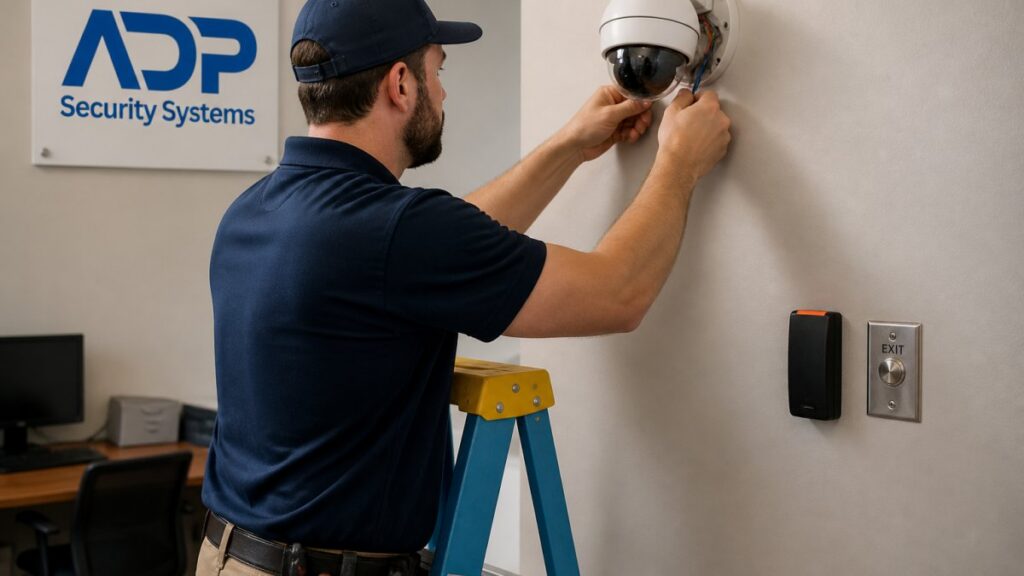
Table of Contents
- Assess Your Current Security Setup and Identify Gaps
- Plan Your Phased Commercial Security System Upgrade
- Commercial Security Camera Upgrade Essentials
- Commercial Access Control System Upgrade Strategy
- Upgrade Existing Security System: Compatibility and Legacy Equipment
- Commercial Security System Cost and Budget Planning
- Execute the Upgrade and Test System Integration
- Compliance, Privacy, and Data Retention
- Frequently Asked Questions
Last Updated: October 15, 2026
Assess Your Current Security Setup and Identify Gaps
Before you upgrade commercial security systems, you need to know exactly what you have.
Start by documenting every component in your current system. Write down the alarm panel model, camera types, access control readers, sensors, and monitoring service. Take photos of the equipment.
Next, evaluate your coverage gaps. Walk through your building and note blind spots where cameras don’t reach. Test every door and window sensor.
Document existing system components and age
Your system’s age matters more than you might think. Equipment installed before 2015 may not integrate with modern cloud-based systems. Older alarm panels sometimes can’t communicate over LTE or Wi-Fi. Legacy access control readers often lack smart features like mobile unlock or real-time audit logs.
Create a simple inventory:
- Alarm panel model and installation year
- Camera count, resolution, and storage method
- Access control readers and lock types
- Sensor types (motion, door, window, glass break)
- Current monitoring provider and contract terms
- Power backup systems (UPS, battery backup)
- Network infrastructure (dedicated line, shared Wi-Fi, cellular)
Evaluate coverage gaps and weak points
Walk your building systematically. Stand in each room and identify areas where cameras can’t see. Check hallways, stairwells, loading docks, and storage areas. Mark blind spots on a floor plan.
Test your alarm sensors by opening doors and windows. Note which ones respond slowly or fail to trigger. Check your monitoring center’s response time by reviewing past incidents.
Ask staff about problem areas:
- Doors that won’t unlock during system glitches
- Cameras that lose connection during busy hours
- False alarms that waste emergency response time
- Areas where people tailgate through secure doors
This information shapes your upgrade strategy. Focus first on the biggest gaps.
Plan Your Phased Commercial Security System Upgrade
Upgrading everything at once creates business disruption. A phased approach spreads costs and minimizes downtime. You can prioritize critical areas first, then expand.
Prioritize what to upgrade first
Rank your upgrades by risk and impact. Start with the areas that create the biggest security or compliance problems.
High-priority upgrades typically include:
- Main entry points with access control failures
- High-traffic areas with coverage gaps
- Spaces storing valuable inventory or sensitive data
- Areas required for compliance (healthcare, financial services)
- Outdoor perimeter with poor visibility
Medium-priority upgrades address secondary areas:
- Interior hallways and common spaces
- Parking lots with outdated cameras
- Employee-only zones
- Loading docks and receiving areas
Lower-priority upgrades enhance capabilities:
- Additional storage for video retention
- Advanced analytics features
- Integration with other building systems
- Backup power enhancements
Minimize downtime and business continuity
Plan your upgrade schedule around your business operations. Don’t upgrade access control during peak business hours. Don’t cut power to critical systems without advance notice.
Coordinate with your team. Notify staff when systems will be down. Have a temporary access plan ready.
For businesses that operate 24/7, schedule work during the slowest shift. For retail, upgrade during closed hours. For offices, plan weekend or evening work.
Consider a staged approach:
- Week 1: Upgrade cameras in Zone A
- Week 2: Install new access control in Zone A
- Week 3: Upgrade cameras in Zone B
- Week 4: Install new access control in Zone B
This keeps critical systems running while you modernize piece by piece.
Commercial Security Camera Upgrade Essentials
Modern cameras deliver more than better image quality. They offer cloud storage, real-time alerts, and integration with access control systems.
Resolution, storage, and cloud integration
Today’s commercial cameras come in 2MP, 4MP, and 8MP resolutions. Higher resolution means you can zoom in on details without losing clarity.
Storage matters as much as resolution. Cloud storage lets you access video from anywhere. Local storage on a network video recorder (NVR) keeps your footage private but requires on-site equipment.
Check how long your system retains video. Most regulations require 30 to 90 days of retention. Your upgrade should support your compliance requirements.
Compatibility with existing infrastructure
Not all cameras work with old systems. Before you buy, verify that new cameras integrate with your existing NVR or cloud platform.
Test the network connection. New cameras need stable bandwidth. If your building has weak Wi-Fi, you’ll need to upgrade your network infrastructure too.
Ask your installer about firmware updates. Older systems sometimes can’t receive security patches. Newer cameras get regular updates that fix vulnerabilities.
Commercial Access Control System Upgrade Strategy
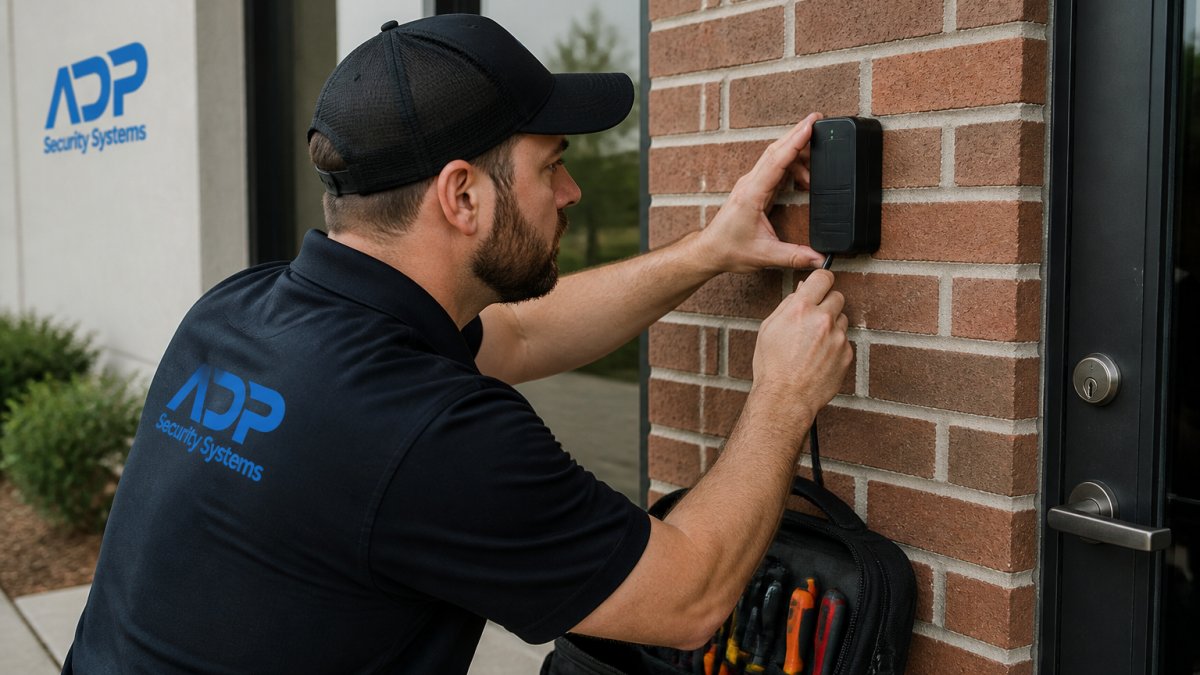
Access control ties security and operations together. When it fails, employees can’t get in. When it works well, you have a complete audit trail of who entered where and when.
Smart locks, keypads, and reader integration
Modern access control systems use card readers, keypads, biometric scanners, or mobile credentials. Each has trade-offs.
Card readers are reliable and fast. Employees tap their badge and enter.
Keypads require staff to remember codes. Codes change slowly, creating audit problems. Benefit: no physical credential to lose.
Biometric readers (fingerprint, facial recognition) are secure and fast. No credential needed. Downside: cost and occasional false rejections.
Mobile credentials let employees unlock doors with their phone. This is the fastest-growing option.
Centralized access control management
A centralized system lets you manage all doors from one place. You can grant or revoke access instantly.
Cloud-based access control is easier to manage than on-premise systems. You don’t maintain servers. You access it from any device.
On-premise systems give you more control. Your data stays in your building. You manage all updates.
Hybrid systems use both cloud and local control. Critical doors stay on-premise. Secondary doors go to the cloud. This balances security and convenience.
Upgrade Existing Security System: Compatibility and Legacy Equipment
Most commercial buildings have systems that are 5 to 15 years old. Upgrading doesn’t mean replacing everything. Smart integration keeps your legacy equipment working.
Get a Free Security Assessment →
Testing legacy equipment integration
Before you commit to a new system, test whether old equipment works with new gear. Ask your installer to run a compatibility test.
Some legacy equipment won’t integrate. Old analog cameras can’t connect to IP systems without a converter. Some access control readers use proprietary protocols that new systems don’t support.
Document what works and what doesn’t. This shapes your upgrade path. You might keep working legacy equipment and add new systems around it.
Cybersecurity and network hardening during migration
Your security system is now an IT system. It sits on your network. It connects to the cloud. This creates cybersecurity risk.
During your upgrade, add network hardening:
- Isolate your security system on a separate network if possible
- Use strong passwords for all access control accounts
- Enable two-factor authentication for cloud access
- Keep all firmware updated with the latest security patches
- Use a firewall to limit traffic to your security system
- Disable default accounts and change default passwords
Ask your installer about their cybersecurity practices. Do they use encrypted connections? Do they test for vulnerabilities? Do they provide security updates regularly?
Commercial Security System Cost and Budget Planning
Upgrading costs vary widely. A small office might spend a few thousand dollars. A large facility might spend tens of thousands. The key is understanding what drives costs.
Equipment makes up about 40 percent of total cost. Installation and labor add 30 to 40 percent. Monitoring and maintenance add 20 to 30 percent. Your total cost of ownership includes all three.
Equipment, installation, and monitoring fees
Equipment costs depend on what you’re upgrading. Cameras range from basic to high-end. Access control readers vary by type. Storage systems scale with your retention needs.
Installation costs depend on your building. Existing wiring reduces cost. New conduit and wiring increases cost. Difficult locations cost more.
Monitoring fees vary by provider and service level. Basic monitoring is cheaper. Advanced monitoring with rapid response costs more.
For budget planning, ask your installer for a detailed quote that breaks down:
- Equipment cost per component
- Installation labor and materials
- Network upgrades needed
- Monitoring and maintenance fees
- Training and documentation
Total cost of ownership and ROI
Think beyond the initial purchase. Your system costs money for five to ten years.
Calculate your total cost of ownership:
| Cost Category | Timeframe | Example |
|---|---|---|
| Equipment | Upfront | Cameras, readers, panels |
| Installation | Upfront | Labor, conduit, wiring |
| Monitoring | Monthly | 24/7 monitoring service |
| Maintenance | Annual | Software updates, repairs |
| Replacement parts | As needed | Batteries, sensors, bulbs |
ROI comes from reduced losses and improved operations. Better access control prevents unauthorized entry. Better cameras identify thieves and vandals. Faster response time limits damage.
Document your current losses. Theft, vandalism, or false alarms cost money. Your upgrade should reduce these costs.
Execute the Upgrade and Test System Integration
The installation phase is where things go wrong. Poor coordination creates downtime. Incomplete testing leaves gaps. Skipped training wastes the investment.
Installation best practices and team coordination
Assign one person to oversee the entire upgrade. This person coordinates with your installer, manages your team, and handles problems.
Create a detailed timeline:
- Day 1: Install new cameras in Zone A
- Day 2: Connect new cameras to network
- Day 3: Install access control hardware
- Day 4: Test all new equipment
- Day 5: Train staff on new system
Brief your team before work starts. Explain what will happen, when systems will be down, and what to do if something breaks.
Have a backup plan. If the new system fails, can you fall back to the old one? Test this before you need it.
Verification, training, and ongoing support
After installation, verify everything works. Test every camera. Try every access control reader. Check that the monitoring center receives alerts.
Train your team on the new system.
Set up ongoing support. Know who to call when something breaks. Understand your warranty and support options. Schedule regular maintenance to keep the system running smoothly.
At ADP Security Systems, we’ve helped commercial properties upgrade their security systems over our 30+ years in business.
Compliance, Privacy, and Data Retention
Security systems collect data. Video footage shows people. Access logs show who entered where.
Understand your legal requirements. Healthcare facilities must comply with HIPAA.
Set your data retention policy. How long do you keep video?
Secure your data. Encrypt video in transit and at rest. Control who can access footage.
Document your policies. Create a written retention schedule. Document who has access to security data.
Upgrading your commercial security system is a significant project.
At ADP Security Systems, we provide comprehensive security, fire, and life safety solutions throughout South Carolina. We handle assessment, planning, installation, and 24/7 monitoring so your business stays protected. Get a Free Security Assessment and let our team show you how to upgrade your system the right way.
Frequently Asked Questions
Can you upgrade an existing commercial security system, or do I need to replace everything?
Most existing security systems can be upgraded incrementally. You can replace cameras, access control readers, and alarm panels one component at a time while keeping your monitoring center connection active. Compatibility depends on your current system’s age and architecture. Hardwired legacy equipment may require additional integration work, but complete replacement is rarely necessary. A professional assessment will identify which components can stay and which should be upgraded first.
How much does a commercial security system upgrade typically cost?
Commercial security system upgrade costs vary significantly based on building size, number of cameras, access control points, and whether you’re upgrading cameras, alarms, access control, or all three. Pricing depends on equipment quantity, installation complexity, and monitoring service terms. Contact ADP Security Systems for a customized quote based on your specific building layout and security needs. They offer free security assessments to identify what you actually need.
How long does a commercial security system upgrade take without shutting down my business?
A phased upgrade approach typically takes 2-8 weeks depending on system complexity and your building size. By upgrading one zone or component at a time, you maintain continuous coverage and avoid business downtime. Video surveillance upgrades can often be done during off-hours or weekends. Access control and alarm system changes require careful coordination with your monitoring center to ensure no gaps in protection during the transition.
What should I upgrade first: cameras, alarms, or access control?
Prioritize based on your biggest security gaps and business risk. If video surveillance is outdated or has blind spots, start there since cameras provide evidence and deterrence. If access control is failing or unreliable, upgrade that next to restore employee productivity and building security. Alarm systems typically last longer but should be upgraded if they generate false alarms or lack mobile app integration. A risk assessment helps identify your highest-priority upgrade.