Benefits of Remote Monitoring for Commercial Properties
October 24, 2026
7 Steps to Planning a Fire Alarm System Retrofit
October 25, 2026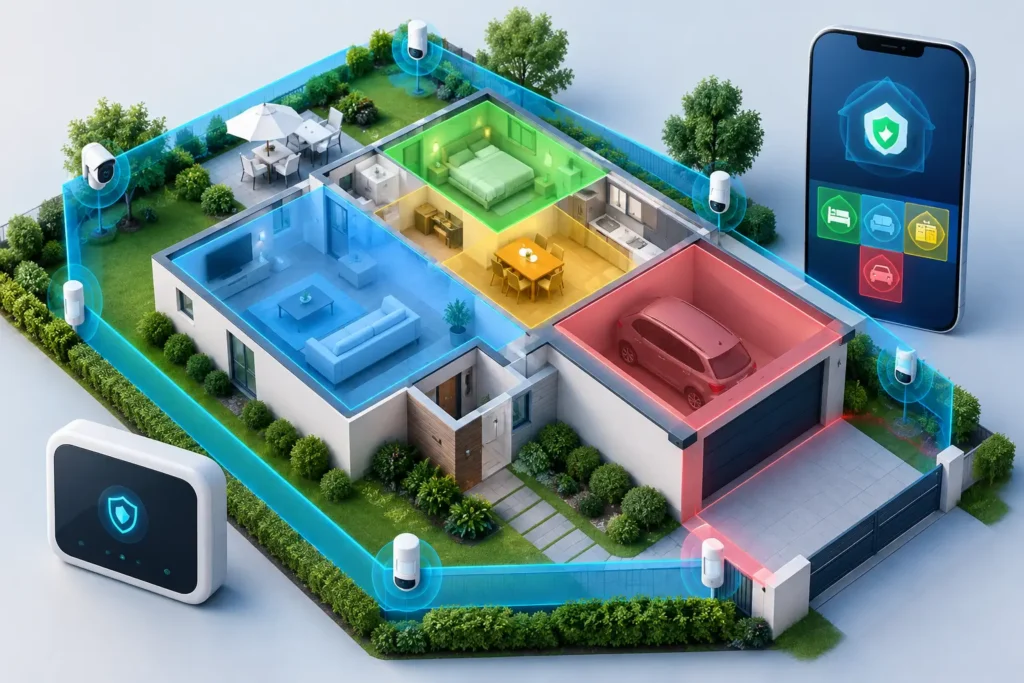
A back door left on a separate zone, a motion detector armed while employees are still working, or a smoke detector treated like a standard intrusion device can create real problems. Knowing how to manage alarm zones helps you protect the areas that matter without making your system difficult to use every day.
Alarm zones should reflect how people actually live, work, enter, leave, and move through a property. When they are set up thoughtfully, your security system can provide clear information during an alarm, reduce avoidable false dispatches, and make daily arming simpler for everyone who uses the building.
What an alarm zone does
An alarm zone is a labeled part of your security system that identifies where an event occurred. A zone may represent a single device, such as a front-door contact, glass-break detector, panic button, or smoke detector. In other systems, several devices may be assigned to one logical area, such as a group of windows in a storage room.
The label matters. “Zone 04” does not tell a homeowner or central station operator much in a stressful moment. “Rear patio door” or “Warehouse loading dock motion” provides useful context immediately. Good zone management begins with names that are accurate, specific, and easy to understand.
Zones also determine how a system responds. Some are intended to trigger an immediate alarm when armed. Others may have an entry delay, allowing an authorized person to disarm after opening a designated door. Fire, carbon monoxide, medical, and panic devices typically follow different response rules and should never be managed like a routine door or motion zone.
Start with a zone map of the property
Before changing settings, take a practical walk through the home or business. Start at the perimeter, then move inside. Identify every protected opening, sensor, detector, keypad, camera-related trigger, and life-safety device.
For a home, this often includes exterior doors, accessible windows, garage doors, interior motion detectors, glass-break sensors, smoke detectors, and carbon monoxide detectors. For a business, include employee entrances, customer-facing doors, loading areas, offices, server rooms, stockrooms, emergency exits, and restricted-access spaces.
As you review each device, ask three simple questions: What does it protect? Who uses this area? What should happen if this device activates? The answers reveal whether a zone name, zone type, or arming schedule needs attention.
A useful zone map should note the device location, its label at the keypad or mobile app, and whether it is an intrusion, fire, environmental, medical, or panic device. Keep the map with other property records, and update it after renovations, new equipment installations, or changes in how a space is used.
Label zones for quick decisions
Use plain-language names that distinguish similar areas. “Office window” is less useful than “Manager office east window.” “Motion sensor” is less helpful than “Upstairs hall motion” or “Receiving area motion.”
For commercial properties, names should help a manager quickly determine whether an event may relate to normal activity. A zone label such as “Cleaning crew entrance” can be more meaningful than a generic door number, particularly when reviewing after-hours activity.
Avoid labels that rely on one employee’s memory or an outdated floor plan. If a “conference room” becomes an inventory room, update the name. The goal is clear communication for everyone authorized to use the system and for the monitoring team responding to an alarm.
Set arming behavior around real routines
The best zone configuration is not always the most restrictive one. It is the one that protects the property while accounting for normal movement. A family may need to arm perimeter doors and windows at night while allowing people to move through interior hallways. A retail business may need the sales floor armed after closing while a manager finishes paperwork in a back office.
Many systems offer different arming modes, commonly described as stay and away. Stay mode generally protects the perimeter while allowing selected interior zones to remain inactive. Away mode may arm perimeter and interior detection after everyone leaves. Exact features vary by system, so your settings should be reviewed with a trained security professional rather than assumed.
For businesses, consider whether different departments or areas need separate control. A property with multiple suites, a warehouse and office, or several authorized teams may benefit from partitions or independently managed areas. This prevents one group’s schedule from forcing the entire facility into an inconvenient security routine.
Be careful with entry and exit delays
Entry delays should be assigned only where authorized people normally enter. Your main front door may need time for a homeowner to reach the keypad or use a mobile app. A rear door, loading door, or rarely used side entrance may be better configured as an immediate alarm zone.
Long delays can give an intruder more time inside the property. Delays that are too short can lead to false alarms when family members, staff, or contractors cannot disarm quickly enough. The right setting depends on the layout of the property, the location of the keypad, and the people using the system.
Reduce false alarms without weakening protection
False alarms are often a sign that a zone needs attention, not that it should be ignored. A door contact may be misaligned, a motion detector may be aimed at a ceiling fan or pet area, or staff may not understand the closing procedure.
When a recurring false alarm occurs, record the zone, time, circumstances, and who was present. Patterns are valuable. An alarm that happens during heavy rain may point to a door or window issue. One that occurs at opening time may indicate an entry delay or training problem. A motion alarm after hours could be caused by HVAC airflow, an unsecured balloon, insects, or an improperly placed detector.
Do not solve repeated alarms by permanently bypassing a zone. A bypassed zone is not protecting that part of the property. Temporary bypassing may be appropriate when a known device needs service, but it should be documented and removed as soon as repairs are complete.
For pet owners, interior motion devices require special planning. Pet-immune sensors can help in some situations, but size, jumping behavior, furniture placement, and the number of animals all matter. A professional assessment can determine whether repositioning, alternative detection, or a different arming routine is the better choice.
Treat fire and life-safety zones differently
Fire and carbon monoxide devices are life-safety equipment. They should not be routinely bypassed, disabled, or grouped with ordinary burglary zones for convenience. If a fire device is showing trouble, chirping, activating unexpectedly, or reporting a communication issue, contact your security provider promptly.
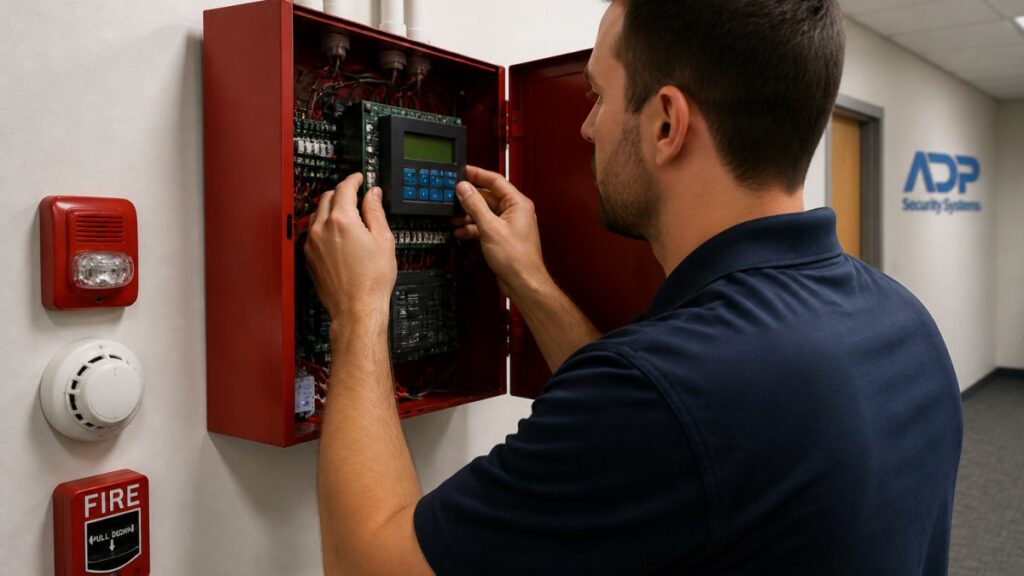
Commercial fire alarm systems also have code, inspection, testing, and documentation requirements that differ from intrusion systems. Facility managers should make sure staff know which signals require evacuation, which devices are connected to monitoring, and who is responsible for contacting service when a trouble condition appears.
The same care applies to medical alert buttons and personal emergency response devices. These devices are designed to summon help quickly, so users and family members should understand how to test them, how to wear them, and when to report a concern.
Keep users, codes, and schedules current
Zone management includes people management. Every person with access to a system should have an individual user code when the system supports it. Individual codes make it easier to remove access when an employee leaves, a contractor finishes work, or a household routine changes.
Avoid shared codes whenever possible. They make it difficult to know who armed or disarmed the system and create unnecessary risk when a code is passed along. Commercial managers should also review alarm procedures with opening staff, closing staff, supervisors, and cleaning crews.
If your system allows scheduled arming, use it as a backup to good habits, not a replacement for them. Schedules can be helpful for predictable business hours, but holidays, special events, late shifts, and maintenance work can change the plan. Confirm that responsible users know how to adjust schedules or notify the right person before an exception creates an alarm.
Test zones and request service when conditions change
A zone that appears on a keypad is not automatically a zone that is working correctly. Testing confirms that contacts, motion detectors, communication paths, batteries, sirens, and monitoring signals are functioning as intended. Coordinate tests with your monitoring provider so test signals are handled properly.
For homes, seasonal checks are a practical habit, especially after a move, renovation, storm damage, or new smart-home installation. Businesses should follow their service and inspection schedules and test after layout changes, construction, staffing shifts, or changes to building access.
Professional installation and ongoing support make this process less burdensome. ADP Security Systems can help South Carolina homeowners and businesses review zone labels, device placement, system behavior, and maintenance needs as properties change.
A system that fits real life
Your alarm system should not require guesswork when someone opens a door, stays late at work, brings home a new pet, or remodels a room. Clear zone labels, sensible arming rules, current user access, and prompt service turn individual devices into a protection plan people can use with confidence. When a zone no longer matches the way your property operates, treat that as a reason to review the system, not a detail to put off.