Medical Alert Systems for Seniors: Home or Mobile?
June 12, 2026
Medical Alert Bracelet vs. Pendant: Which Is Better?
June 16, 2026
A home medical alert button can provide valuable support, but it may leave a gap when an active older adult walks through the neighborhood, shops, drives, or visits family. A GPS medical alert system is designed to travel with the user and connect them with monitored help beyond the range of a home base station. For families in Greenville and across Upstate South Carolina, understanding that difference is the first step toward choosing protection that supports both safety and independence.
Request a personalized medical alert assessment from ADP Security Systems.
The best system is not simply the one with the longest feature list. It is the one a person can wear comfortably, charge consistently, and use confidently during a stressful moment. This guide explains how mobile alerts work, who benefits most, what limitations to consider, and which questions to ask before choosing a system.
What is a GPS medical alert system?
A GPS medical alert system is a wearable mobile device that uses location technology and a cellular connection to reach a monitoring center. During an emergency, it can help a monitoring specialist identify the user’s location and coordinate an appropriate response, even when the user is away from home.
A mobile medical alert combines a help button, speaker, microphone, cellular connection, and location capability in a device worn as a pendant, watch, or clip. When the button is pressed, the user can speak with a monitoring specialist through the device. If the person cannot clearly explain where they are, location data can help the specialist determine where assistance should be sent.
The term GPS refers to the satellite-based Global Positioning System. As NIST explains in its GPS overview, receivers use signals from satellites to calculate position. A medical alert device still needs a supported cellular signal to transmit an alert and establish two-way communication. GPS can help determine location, but it does not replace the cellular link to the monitoring center.
GPS location and cellular communication work together
Location accuracy and connection quality can vary based on the device, network coverage, buildings, terrain, and whether the user is indoors or outdoors. That is why families should test a device in the places that matter most, including the home, yard, regular walking route, grocery store, and frequently visited areas. In rural or mountainous parts of Upstate South Carolina, a coverage test is especially important.
Some devices also offer optional fall detection. Sensors may recognize movement patterns consistent with a fall and send an alert when the wearer cannot press the button. Fall detection can add another layer of protection, but no sensor can identify every fall. The user should press the help button whenever possible.
How mobile protection differs from a home-only alert
A home-only medical alert normally communicates through a base station. Its wearable button works only within a tested range of that station. This can be a sensible option for someone who spends nearly all of their time at home. A GPS-enabled mobile unit uses a cellular network, so it is intended to work in a much wider service area.
Neither choice is universally better. The right fit depends on routine, mobility, coverage, charging habits, and comfort. ADP Security Systems helps families compare mobile options with Smart Care solutions and broader senior care services without treating every household as if it has the same needs.
When does mobile protection make sense?
Mobile protection makes sense for someone who regularly leaves home alone, walks outdoors, drives, shops, attends appointments, or travels. It can also help when caregivers want a monitored response plan that includes location information during an emergency.
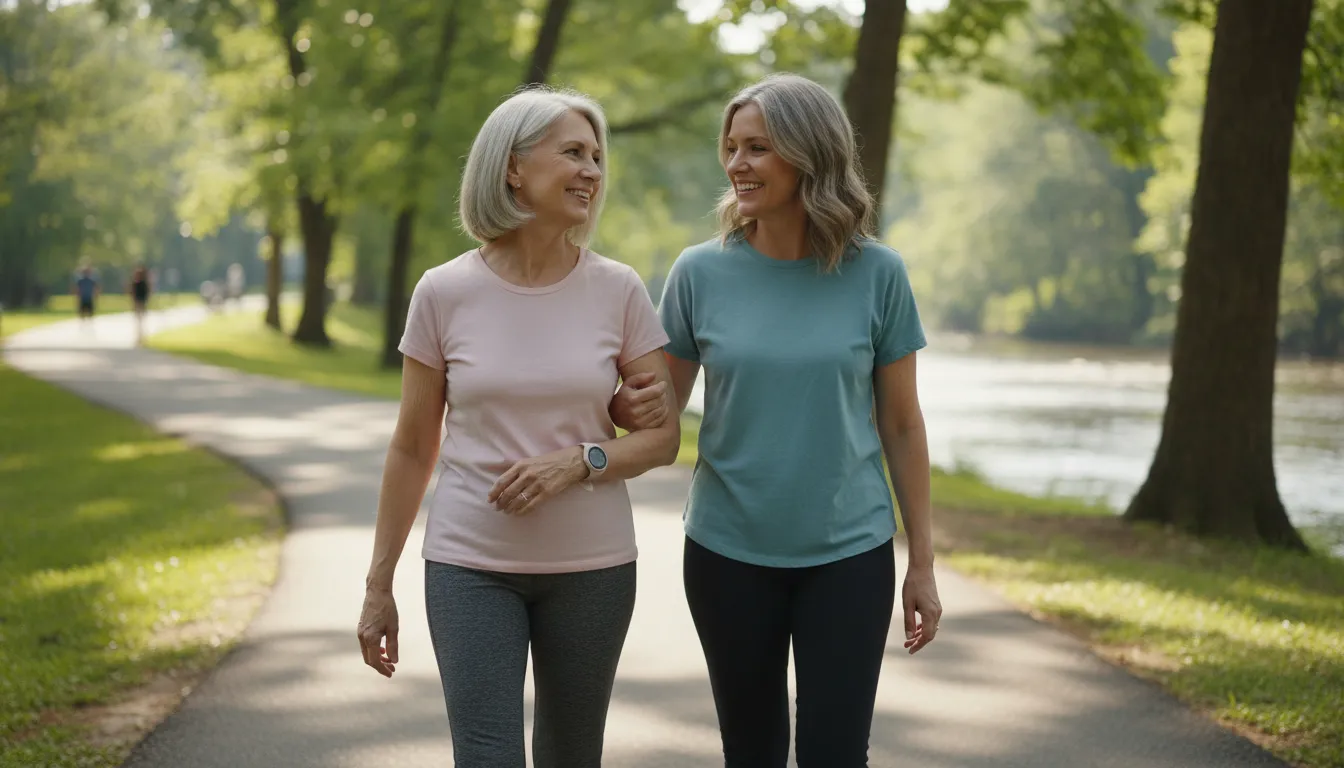
A useful way to decide is to map a normal week. Note how often the person leaves home, where they go, whether they travel alone, and how reliably they carry a phone. A person who works in the garden, walks a dog, visits Falls Park, attends church, or drives to appointments may benefit from protection that is not tied to a base station.
Daily routines reveal the real coverage need
Consider not only planned outings but also ordinary moments when help could be harder to reach. Someone may step outside to collect the mail, take a short solo walk, or stop at a store after an appointment. A mobile alert keeps a direct help button close during those routine activities. It may also be useful for an adult who divides time between their own home and a relative’s house.
By contrast, someone who rarely leaves home without a caregiver may be well served by home-only coverage, provided the wearable works throughout the house and property. Testing range matters. Basements, detached garages, large yards, and thick construction can affect a home system. The goal is to match actual behavior rather than assume that one product category fits every senior.
Caregiver peace of mind should respect independence
Families often want reassurance without making an older adult feel watched. A monitored medical alert can provide a balanced approach because the user has a direct way to request help. Some mobile systems may include caregiver tools, but features and privacy settings vary. Families should discuss who can access location information, when it is available, and how it will be used.
Research published through the National Library of Medicine has examined how GPS-based alarms can support independent activity. Technology works best when the user understands its purpose and agrees with the plan. Include the person wearing the device in every decision about features, contacts, and response preferences.
How does a mobile medical alert work in an emergency?
In an emergency, the user presses the help button or an available fall-detection feature triggers an alert. The device connects with a monitoring specialist and shares available location data. The specialist assesses the situation, contacts the appropriate responder, and follows the user’s response plan.
A simple, practiced process matters during a stressful event. Before relying on a system, the user and family should understand what happens after an alert, which contacts are listed, and when emergency services may be called. They should also know how to cancel an accidental activation without hesitating to request help when it is truly needed.
The response process, step by step
- An alert begins. The user presses the device button. If the plan includes fall detection, the device may also initiate an alert after detecting a possible fall.
- The device connects. A cellular connection sends the alert to the monitoring center and opens two-way voice communication when available.
- A specialist responds. The specialist speaks with the user, reviews available account information, and evaluates what type of help is needed.
- Location supports the response. The device provides available location information, which is especially useful when the user is away from home or cannot state an address.
- The plan is followed. Based on the situation, the specialist may contact emergency services, a family member, caregiver, neighbor, or another designated contact.
The response plan should reflect the user’s health needs and preferences, but a monitoring specialist must still respond appropriately to the circumstances. Keep contact names and phone numbers current. Tell the provider about a move, new caregiver, changed lockbox information, or any other update that could affect access or response.
Monitoring quality matters as much as device features
A mobile alert is only one part of the service. The people answering alerts and the procedures they follow are equally important. ADP Security Systems connects medical alert users with U.S.-based monitoring specialists and reports an average response time of 30 seconds. That average describes how quickly alerts are answered, not how long local responders will take to arrive.
Families should ask how the monitoring center handles unclear audio, accidental alerts, an unavailable emergency contact, and a user who cannot respond. They should also schedule regular tests according to provider instructions. Testing confirms that the device connects and gives the wearer practice using it before a real emergency.
Which features should you compare before choosing?
Compare cellular coverage, location capability, battery life, water resistance, two-way voice quality, fall-detection options, caregiver tools, monitoring procedures, and total cost. Prioritize a device that the user can wear, charge, test, and operate consistently.
Feature comparisons should begin with the user’s routine. A battery that lasts several days can be convenient, but it is only useful if the charging process fits established habits. A pendant may offer easy access for one person, while another may prefer a watch. Water resistance matters because a device should remain available during activities allowed by its rating, including situations where falls can occur.
A practical evaluation checklist
- Coverage: Confirm which cellular network the device uses and test it in regularly visited locations.
- Battery: Ask about expected battery life, low-battery notifications, charging time, and replacement procedures.
- Location: Learn how the system determines location and how conditions can affect accuracy.
- Voice: Test speaker and microphone clarity indoors, outdoors, and around normal background noise.
- Wearability: Choose a form that is comfortable enough to wear consistently.
- Water resistance: Review the exact rating and follow the manufacturer’s usage instructions.
- Fall detection: Ask whether it is available, how it works, and what limitations apply.
- Monitoring: Understand who answers, how quickly, and what response steps they follow.
- Terms: Review equipment, setup, monitoring fees, cancellation terms, and support.
The National Council on Aging’s medical alert guidance also recommends looking closely at practical features and costs. Avoid choosing solely from an advertisement or a single technical specification. Ask for clear answers, involve the wearer, and test the selected system thoroughly.
Local guidance can make comparison easier. ADP Security Systems is family-owned and owner-operated, with more than 30 years of experience. Factory-trained technicians provide professional installation, explain equipment, and help users test their systems. Families can review the company’s guide to medical alert systems in South Carolina before discussing their specific needs.
GPS medical alert system vs. home-only protection
A GPS medical alert system is intended for protection beyond the home and can provide location information over a cellular connection. A home-only system operates within the tested range of its base station. Choose based on where the user spends time, available coverage, and the person’s ability to manage the device.
| Decision factor | GPS mobile alert | Home-only alert |
|---|---|---|
| Primary use | At home and away from home | At home and within tested base range |
| Connection | Supported cellular network | Base station connection |
| Location support | Can provide mobile location data | Uses the registered home location |
| Power routine | Requires regular device charging | Base station remains plugged in with backup power as offered |
| Best fit | Active routines and regular outings | Primarily at-home routines |
Mobile protection offers broader reach, but it also adds responsibilities. The wearer must keep the device charged, take it along, and remain within supported cellular coverage. A home-only system may be simpler to manage and may provide dependable coverage for someone whose daily life centers on the home. Families should not pay for mobile capability that will not be used, but they also should not assume a home button works beyond its tested range.
A hybrid approach may suit some households. Ask how devices work together, whether the same response plan applies, and how testing should be performed. The ADP Smart Care team can explain available options in plain language.
How do you choose the right protection for your family?
Choose protection by mapping the user’s normal week, testing cellular coverage, identifying where emergencies could occur, and confirming who should be contacted. Request a clear explanation of equipment, monitoring, installation, testing, costs, cancellation terms, and ongoing support before deciding.
Start with a conversation that centers the person who will wear the device. Ask what makes them feel safe, what type of wearable they would actually use, and which routines they want to preserve. Then list likely scenarios: a fall at home, dizziness during a walk, car trouble, confusion in an unfamiliar place, or an accidental button press. Ask each provider to explain how its service would handle those situations.
Next, arrange a hands-on evaluation. Check button size, speaker volume, charging steps, comfort, and signal at important locations. Professional installation by factory-trained technicians can help ensure the equipment is set up correctly. ADP Security Systems provides that guidance to Greenville and Upstate South Carolina families.
Finally, review the complete agreement. Ask about equipment ownership, recurring monitoring cost, optional feature fees, repair or replacement procedures, and cancellation. ADP Security Systems offers medical alert monitoring with no long-term contract, allowing families to adjust when needs change. For a broader view of connected care options, explore ADP senior care services.
Cost planning should also account for insurance coverage. Original Medicare generally covers qualifying durable medical equipment, but its durable medical equipment guidance does not list medical alert systems as a standard covered item. Benefits can differ, so contact the specific insurance plan before making assumptions about coverage.
Frequently asked questions about GPS medical alerts
Does Medicare pay for GPS medical alert systems?
Original Medicare generally does not cover GPS medical alert systems as standard durable medical equipment. Some Medicare Advantage plans or other benefit programs may offer an allowance or related support, but benefits vary. Contact the specific plan and ask what is covered, which providers qualify, and what documentation is required before purchasing.
Should I wear medical identification if I have a pacemaker?
The American Heart Association recommends considering medical identification for people with pacemakers. Medical identification and a monitored alert serve different purposes: identification communicates health information, while a monitored alert provides a way to request help. Ask a clinician what information to carry and whether a particular device is appropriate.
Can a GPS medical alert work without cellular coverage?
A mobile medical alert generally needs supported cellular coverage to send an alert and establish two-way voice communication. GPS may still help calculate location, but it does not replace the cellular connection used to reach monitoring specialists. Test coverage where the user spends time and ask what happens if the signal is weak or unavailable.
Is a GPS medical alert system worth it?
It can be worthwhile for someone who regularly leaves home and wants a direct connection to monitored help. Value depends on whether the user consistently wears and charges it, whether coverage is reliable, and whether the response service fits the family’s needs. Compare it with a home-only option rather than assuming mobile protection is automatically necessary.
Get local guidance on mobile medical alerts
Choosing a medical alert system is easier when the conversation begins with real routines, not a generic product list. ADP Security Systems is a family-owned, owner-operated provider with more than 30 years of experience serving families in the region. Its team can help you compare mobile and home-based protection, explain monitoring, and build a response plan that makes sense for the person using it.
Contact ADP Security Systems for a personalized GPS medical alert assessment.