What Happens When Your Home Security Alarm Goes Off
October 8, 2026
Best Security Upgrades for Warehouses in 2026
October 9, 2026
Table of Contents
- Why Regular Sensor Testing Matters for Your Home Alarm System
- What You’ll Need Before You Test Home Security Sensors
- How to Use Home Alarm System Test Mode
- How to Test a Door Alarm Sensor
- How to Test a Motion Detector Alarm
- Alarm Sensor Troubleshooting: Common Faults and Fixes
- Building a Sensor Maintenance Schedule and When to Call a Pro
- Frequently Asked Questions
Last Updated: October 9, 2026
Why Regular Sensor Testing Matters for Your Home Alarm System
A home security system only works if its sensors work. That sounds obvious, but most homeowners never test them until something goes wrong.
Here’s the hard truth: sensors fail quietly. A door sensor with a weak battery still looks fine on the wall. A motion sensor blocked by a moved bookshelf still blinks its little red light.
The U.S. Fire Administration’s home safety guidance makes the same point about smoke detectors: test them monthly, because a device you never check is a device you can’t trust. The same logic applies to every sensor in your system.
Below, we’ll walk through exactly how to test home security sensors, zone by zone, using test mode and a few basic tools. You’ll learn what each result means and when to call a professional instead of guessing.
Test your sensors every month with a quick walk test, and do a full zone-by-zone check every six months. Monthly testing catches dead batteries; the deeper check catches wiring and range problems.
What You’ll Need Before You Test Home Security Sensors
Gather a few things first so you’re not running back and forth mid-test. Nothing here is expensive, and most of it you already own.
- Your alarm panel code, or the master user code
- The phone number for your monitoring station
- A notebook or phone to log results
- Fresh batteries that match your sensor models
- A small screwdriver for sensor covers
- A multimeter, if you have wired sensors
- A helper, for testing motion sensors
One more thing: tell everyone in the house what you’re doing. A sensor test triggers alarms, and you don’t want a family member panicking or punching in codes while you work.
If your system is monitored, calling the monitoring station before you start is not optional. More on that next.
How to Use Home Alarm System Test Mode
Home alarm system test mode is a setting that lets you trigger sensors without sending a real alarm to the monitoring station.
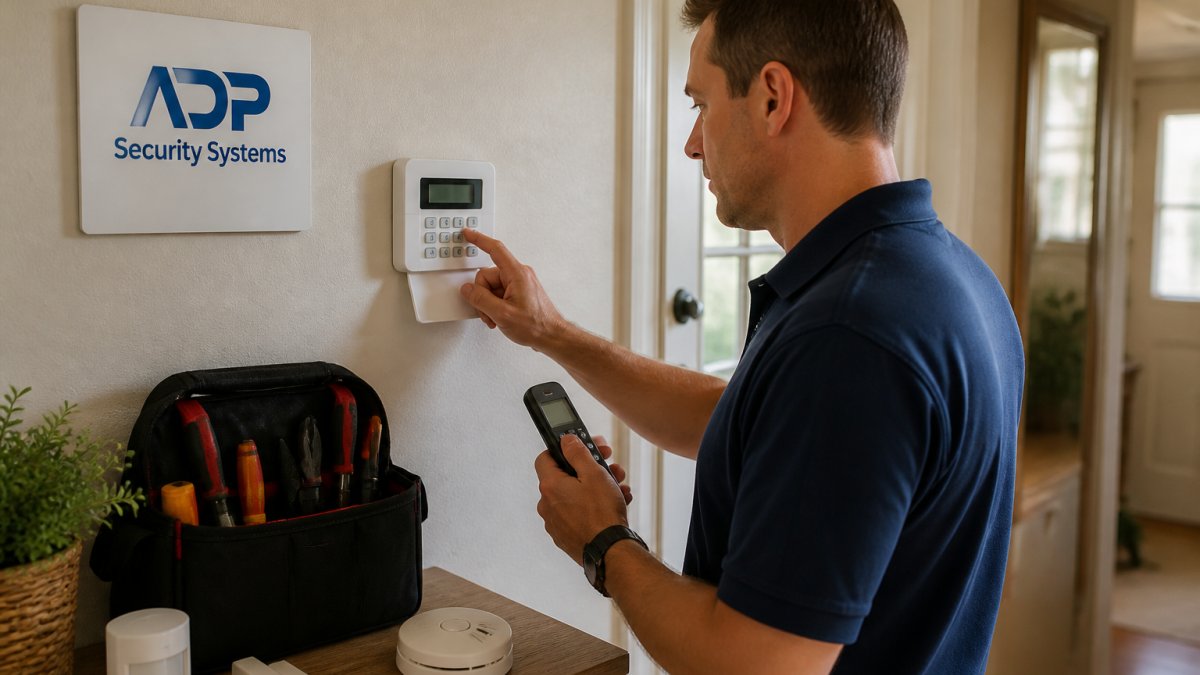
Every panel is a little different. On most systems, you enter your master code, then press a test or walk-test button, or select it from the menu. Some panels display “TEST MODE” on the screen. Others just stop sending signals out.
If you can’t find test mode, call your provider. At ADP Security Systems, our technicians walk customers through this during installation so they’re never stuck guessing at a keypad.
Contacting Your Monitoring Station First
Call your monitoring station before you enter test mode. Give them your account number and tell them you’re testing sensors. They’ll put your account on a test list so any signals that come through won’t trigger a police or fire response.
This one step prevents the most common and most expensive mistake in sensor testing: a false alarm dispatch. Fire departments and police departments in many areas charge fees for repeated false alarms, and some stop responding to a property altogether. Don’t be that house.
When you finish, call them back and confirm the test is complete. Ask them to read back the signals they received. That log is your proof the system actually communicated.
Interpreting Panel Messages and Zone Status
Your panel is talking to you. Learn its language and you’ll diagnose most problems in seconds.
- “Ready” means all zones are closed and the system is armed-ready.
- “Not ready” means at least one zone is open.
- “Fault” means a zone isn’t reporting the way it should.
- “Low battery” points to a sensor with a dying battery.
- “Tamper” means a sensor cover is open or a device was moved.
Write down the zone number every time you trigger a sensor. If zone 4 is your front door and the panel shows zone 4 when you open it, that sensor is wired correctly. If nothing shows up, that’s your first clue something’s wrong.
How to Test a Door Alarm Sensor
Testing a door alarm sensor is the easiest part of the job. Open the door or window slowly and watch the panel.
A door sensor uses a magnetic contact: one piece mounts on the frame, the other on the door itself. When the door closes, the two pieces sit next to each other and complete the circuit. When the door opens, the gap breaks the circuit and the panel sees an open zone.
Here’s the sequence:
- Put the system in test mode.
- Open the door or window.
- Watch the panel for the matching zone to show open.
- Close the door and confirm the zone returns to closed.
- Repeat for every door and window on the system.
Do this on every entry point, even the ones you never use. The back window you never open is the one an intruder will try first.
Don’t test a door sensor by just tapping the door. Open it all the way. A sensor can read “closed” on a small gap and still fail on a full open, which is exactly the failure that matters in a break-in.
Checking Wired Sensor Connections and Using a Multimeter
Wired sensors fail at the connections more often than anywhere else. Loose screws, corrosion, and pinched wires cause most of the problems we see in older homes.
Set your multimeter to measure resistance in ohms. With the door closed, touch the probes to the two sensor terminals. A healthy normally closed circuit reads near zero ohms, meaning current flows freely. Open the door and the reading should jump to infinite, meaning the circuit is broken.
You can also use the continuity setting. It beeps when the circuit is complete. No beep with the door closed means a broken wire, a bad connection, or a dead sensor.
Get a Free Security Assessment →
Check every terminal screw while you’re in there. A quarter turn with a screwdriver fixes a surprising number of “dead” sensors.
How to Test a Motion Detector Alarm
Motion sensors need a different approach. You can’t just open a door. You have to walk through the space and watch the panel.
A motion sensor, also called a PIR detector, senses body heat moving across its field of view. It needs a few seconds of movement to trigger, so don’t sprint past it. Walk normally from one side of the room to the other.
For each motion sensor:
- Confirm the panel shows the correct zone when you walk through.
- Wait for the sensor to reset, usually a few seconds.
- Walk through again from a different angle.
- Check that furniture, plants, or boxes aren’t blocking the view.
Pets are a common cause of false alarms. If you have a large dog, make sure your sensors are pet-immune models, or aim them above the animal’s height.
Wireless Range and Signal-Strength Checks
Wireless sensors have to reach the panel, and distance plus walls plus metal can break that link. A sensor that works from the hallway may fail from the far end of a detached garage.
Test range by triggering each wireless sensor from its normal position and watching for the panel to register it every single time. If a sensor misses even once, you have a range problem. Weak signals cause the worst kind of failure: intermittent alarms that work sometimes and vanish other times.
Signs of a range or signal problem:
- The zone shows up late, or not at all
- The panel logs the zone as a fault
- The sensor works up close but not from its mounted spot
- You see low battery warnings even with fresh batteries
Metal siding, foil-backed insulation, and thick masonry walls all weaken wireless signals. If a sensor can’t reach the panel, a repeater or a repositioned sensor usually fixes it.
Alarm Sensor Troubleshooting: Common Faults and Fixes
Most alarm sensor problems fall into a handful of categories. Match the symptom to the fix before you call anyone.
| Symptom | Likely Cause | What to Do |
|---|---|---|
| Zone never triggers | Dead battery or broken wire | Replace battery, check terminals |
| Zone always shows open | Magnet misaligned or gap too wide | Realign magnet, close the gap |
| Random false alarms | Drafts, pets, or loose mounting | Secure sensor, adjust aim |
| Low battery warning | Old or wrong battery | Replace with the correct type |
| Tamper fault | Cover loose or sensor moved | Reseat cover, remount sensor |
| Sensor works up close only | Weak wireless signal | Add repeater, reposition sensor |
A few more things worth knowing:
- Drafts from vents and windows can trip motion sensors. Aim them away from air sources.
- Spiderwebs inside a sensor housing cause false triggers. Blow them out gently.
- Old batteries are the number one cause of sensor failure we see. Replace them on a schedule, not when they die.
If a zone still fails after these fixes, stop testing and call a professional. Chasing a wiring fault through a wall isn’t a homeowner job.
Building a Sensor Maintenance Schedule and When to Call a Pro
A simple schedule keeps your system honest. Put these on your calendar.
- Monthly: Quick walk test of all entry sensors. Two minutes per door.
- Every six months: Full zone-by-zone test, including motion sensors and battery check.
- Yearly: Professional inspection of wiring, panel, and monitoring communication.
- After any renovation: Retest every sensor near the work.
- After a power outage: Confirm the panel and all wireless sensors reconnected.
Log every test in a notebook or a note on your phone. Note the date, the zones you tested, and anything that acted up. That log is gold when you call for service, because it tells the technician exactly where to look.
Call a professional when:
- A wired zone fails after you’ve checked the connections
- Multiple zones fail at once, which points to a panel problem
- Your panel shows a ground fault or a communication error
- You can’t find test mode or your code doesn’t work
- The system is more than a few years old and has never been serviced
ADP Security Systems has served Greenville and the surrounding area for over 30 years. Our technicians handle sensor repairs, battery replacement, and full system checks, and our 24/7 monitoring keeps your home covered between visits.
Your sensors are the eyes and ears of your alarm system, and they only work when you check them.
If testing turns up faults you can’t fix, or if you’d rather have a professional handle it from the start, ADP Security Systems is here to help.
Frequently Asked Questions
Do I need to put my alarm system in test mode before testing sensors?
Yes, if your system is monitored. Test mode prevents your panel from sending real alarm signals to the monitoring station, which avoids false dispatches and potential fines from your local municipality. Call your monitoring company first, give them your account number, and ask them to place the system in test mode for a set window, usually 30 to 60 minutes. Once testing is complete, call back to confirm the system is back online.
Can I test a wired alarm sensor with a multimeter?
Yes. Set your multimeter to measure resistance in ohms, then disconnect the sensor from its zone terminals. A normally closed magnetic contact should read near zero ohms with the magnet in place and show an open circuit when the magnet is removed. Readings that stay open or drift far from zero suggest a broken wire, corrosion, or a failed contact. Always power down the panel before working on wired sensor circuits.
What should I do if a security sensor does not trigger the alarm?
Start with the battery if the sensor is wireless; a low battery is the most common cause of a sensor that fails to trigger. Next, check that the magnet gap on door and window contacts is within the manufacturer’s limit, usually about half an inch. For wired sensors, inspect terminals for loose or corroded connections. If the sensor still fails after these checks, the device itself may need replacement, and a qualified technician can confirm the fault.
How can I tell which sensor is causing an alarm system fault?
Most modern alarm panels display a zone number or zone name when a fault occurs. Write down the zone, then check your panel’s zone list or user manual to match it to a specific door, window, or motion detector. If your panel only shows a general fault, enter test mode and walk each sensor one at a time, watching the keypad for the zone that fails to report open and closed states correctly.