Your Guide to Commercial IP Security Systems South Carolina
April 30, 2026
What Is Fire Alarm Monitoring? A Complete Guide
May 2, 2026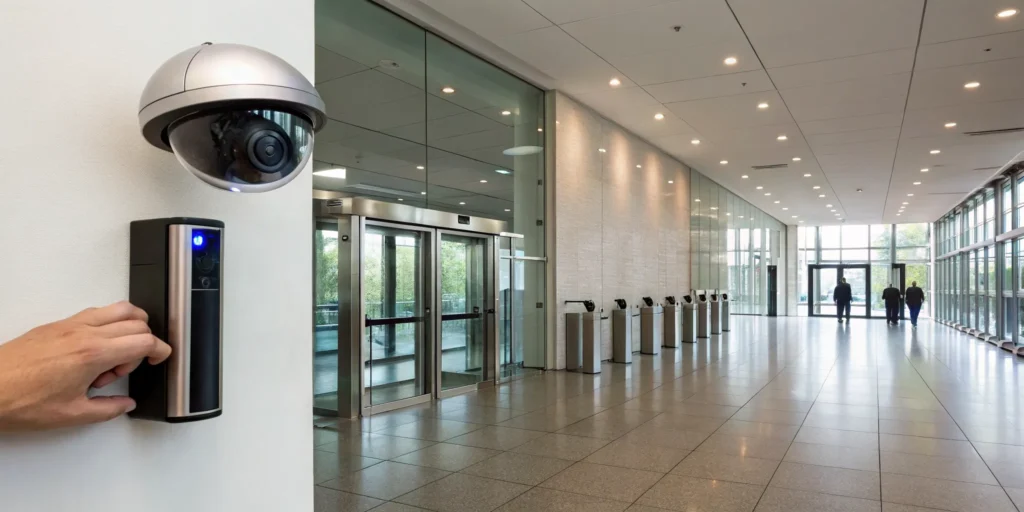
Your business has cameras. It has keycard readers. But do they actually talk to each other? When these systems operate in separate worlds, you’re left with security gaps and a management headache. The true strength of a modern security plan comes from integration. Combining your access control and cctv systems creates one seamless, intelligent network. An access event at a sensitive door can automatically trigger a camera to record, providing immediate context and verification. This synergy between cctv and access control transforms your security from a passive observer into an active guardian for your Upstate business.
Key Takeaways
- Combine cameras and access control: An integrated system is smarter than standalone devices. It connects video footage directly to access events, giving you the full context needed to verify what’s happening and respond appropriately.
- Invest in essential modern features: To be effective, your system needs high-definition video for clear evidence, AI analytics for smart alerts that minimize false alarms, and remote access for managing security from anywhere.
- Choose a security partner, not just a vendor: The right provider is as critical as the technology. Look for a local expert who offers custom design, professional installation, and 24/7 monitoring to ensure your system works correctly from day one and for years to come.
What Are Access Control and CCTV Systems?
When you think about securing your business, two key technologies probably come to mind: security cameras and controlled entry points. These aren’t just separate tools; they are the foundational pillars of a modern commercial security strategy. Think of them as your digital eyes and ears, working around the clock to protect your property, employees, and assets. Commercial security cameras provide constant surveillance, giving you a visual record of everything that happens. Access control, on the other hand, acts as your intelligent gatekeeper, managing exactly who can enter specific areas and when.
For business owners here in South Carolina, from a retail shop in downtown Greenville to a manufacturing plant in Spartanburg, having a robust security plan is non-negotiable. The real power, however, comes from integrating these systems. When your cameras and access control work together, they create a smart, responsive shield around your business. Instead of just reacting to an incident after the fact, an integrated system allows you to see what’s happening in real-time and verify who is coming and going. This combination transforms your security from a passive observer into an active guardian, giving you peace of mind and greater control over your operations.
The Core Components of a CCTV System
A modern security camera system is much more than just a few cameras mounted on a wall. It’s a complete ecosystem designed to capture, record, and analyze video footage. The core components include high-definition cameras, a central recording unit (like a CCTV system), and often, integrated alarms. But today’s technology goes even further. Many systems now include powerful AI features that can automatically detect unusual activity, send you intelligent alerts, and even provide operational analytics to help you understand customer traffic patterns. This means your camera system not only helps with security but can also offer valuable insights to improve your business operations.
The Core Components of an Access Control System
An access control system gives you precise control over who can enter your building or specific rooms, replacing traditional locks and keys with a more secure and manageable solution. These systems are built around a few key components: credentials for users (like keycards, fobs, or even a mobile app on their phone), readers at each entry point, and a central panel that manages the permissions. You can easily grant or revoke access for employees, set time-based schedules, and track every entry. This technology is incredibly flexible, with options ranging from simple keypads to advanced biometric scanners that use fingerprints for verification.
Credential-Based Access: Keycards, Fobs, and Mobile Apps
The most common form of access control is based on something you have. Think of it as a modern key that’s smarter and more secure. Instead of a metal key, your employees use a credential like a plastic keycard, a small fob that attaches to their keychain, or even a mobile app on their smartphone. They simply present this credential to a reader at the door to gain entry. The beauty of this system is the control it gives you. If an employee leaves the company, you don’t have to change the locks; you just deactivate their specific credential in the system. This method is incredibly efficient for managing access for a team, whether you have five employees or five hundred.
Identity-Based Access: Biometrics, Facial Recognition, and PINs
For a higher level of security, you can use systems based on what you know or who you are. The simplest version is a PIN pad, where employees enter a unique code to unlock a door. This is great because there’s no physical item to lose. Taking it a step further, biometric systems use unique physical traits for verification. These advanced readers can scan a fingerprint or use facial recognition to confirm a person’s identity before granting access. Because a fingerprint can’t be forgotten, lost, or shared like a PIN or keycard can, biometrics offer one of the most secure ways to protect sensitive areas of your business in places like Anderson or Clemson.
Multi-Modal Authentication for Enhanced Security
For maximum protection, especially for critical areas like a server room or cash office, you can combine different methods. This is called multi-modal or multi-factor authentication, and it creates layers of security that are much harder to bypass. For example, you could require an employee to both swipe their keycard (something they have) and enter a PIN (something they know) to access a high-security zone. By combining different security systems and authentication types, you create a powerful barrier against unauthorized entry. A local expert can help you determine which combination of access methods makes the most sense for protecting your most valuable assets.
How Integrated Systems Create Stronger Security
This is where your security strategy becomes truly powerful. When security cameras and access control are integrated, they create a seamless and intelligent network. Imagine an employee uses their keycard to access a sensitive area after hours. The system can automatically prompt the nearest camera to record the event and send you a mobile alert with the video clip attached. This synergy provides immediate context, allowing you to verify events as they happen. Combining video evidence with access logs creates a much more effective security solution, giving you a complete picture of activity on your property and enabling a faster, more informed response to any incident.
6 Must-Have Features for Your Security System
When you’re choosing a security system for your business, the options can feel overwhelming. It’s not just about having cameras; it’s about having the right cameras and features that work for you. A modern, effective system should provide clear evidence, reduce false alarms, and give you control, whether you’re on-site or on the go. Let’s walk through the essential features that will make a real difference in protecting your Upstate business.
Prioritize High-Definition Video Quality
Grainy, pixelated footage won’t help you identify a person or read a license plate. For your security system to be effective, you need high-definition (HD) video. Look for cameras with at least 1080p resolution, but consider 4K for areas where detail is critical, like cash registers or entry points. The best systems use cameras engineered with large image sensors that capture crisp, clear video even in challenging lighting conditions. This clarity is what turns a simple recording into actionable evidence, giving you the details you need when it matters most.
Get Clear Footage, Day or Night
Your business needs protection around the clock, not just during business hours. That’s why reliable night vision is non-negotiable. Traditional infrared (IR) night vision produces black-and-white images, which can be effective. However, many modern systems now offer color night vision, which uses ambient light to produce full-color video after dark. This technology can provide crucial details, like the color of a vehicle or a person’s clothing, that would be lost otherwise. A system that provides clear video in all low-light conditions ensures your property is never left in the dark.
Receive Alerts That Actually Matter with AI
Older security systems would send you an alert for every gust of wind or passing car, leading to a flood of notifications that were easy to ignore. Today’s systems use artificial intelligence (AI) to be much more discerning. Key AI features can distinguish between people, vehicles, and other motion. You can set up smart alerts to receive real-time notifications for specific events, like a person crossing a virtual line after hours or a vehicle lingering in the parking lot. This intelligence cuts down on false alarms and lets you focus only on the events that truly require your attention.
Ensure Your Systems Work Together Flawlessly
Your security cameras, access control, and alarm systems shouldn’t operate in separate silos. A truly effective security solution is an integrated one, where every component works together. For example, when a restricted door is opened, the system can automatically point a nearby camera to that location and send you an alert with the video clip. This seamless integration gives you a complete picture of your business’s security. Working with a provider who can design a custom security plan ensures all your technical needs are met in one place, without the headache of managing different manufacturers.
Manage Your Security from Anywhere
As a business owner, you can’t be on-site 24/7. Remote access gives you the freedom to monitor your business from anywhere with an internet connection. Using a smartphone app or web browser, you can view live video feeds, review recorded footage, and manage system settings. This feature is invaluable for checking in on daily operations, responding to an after-hours alert, or even managing security across multiple locations. The ability to manage your cameras from almost anywhere provides both incredible convenience and true peace of mind.
Choose a System That Grows with You
The security system you invest in today should be able to grow with you tomorrow. Whether you’re planning to expand your current facility or open new locations, you need a scalable system. A flexible platform allows you to easily add more cameras, card readers, or sensors without having to replace the entire infrastructure. This ensures your initial investment remains valuable for years to come. Look for a solution that can be customized to fit your business’s exact needs now, while offering a clear path for future expansion.
A 7-Step Plan for Successful System Integration
Bringing your security cameras and access control together is more than just a technical upgrade; it’s a strategic move that requires a clear plan. A successful integration doesn’t happen by accident. It follows a logical process, from understanding your unique risks to ensuring your team knows how to use the new tools. Think of it as a roadmap to creating a smarter, more responsive security environment for your business. By following these seven steps, you can ensure your integrated system is set up for success from day one, giving you a powerful solution that truly protects your property and people.
Step 1: Assess Your Security Needs and Vulnerabilities
Before you can choose the right tools, you need to understand the specific challenges you’re trying to solve. A thorough security assessment is the foundation of a successful integration. Walk through your property and think like a potential intruder. Where are the blind spots? Which doors lead to sensitive areas like server rooms or inventory storage? “Understanding your specific security needs and vulnerabilities is crucial,” as experts at BTI Group note. This initial review will guide every decision you make, ensuring the system you build directly addresses your most critical risks, whether it’s preventing after-hours entry or monitoring a loading dock.
Step 2: Evaluate Your Existing Systems for Compatibility
Many businesses already have some security components in place, like older cameras or a standalone keypad. The next step is to determine if these existing pieces can communicate with a new, integrated system. Unfortunately, not all brands and technologies are designed to work together. In some cases, special software can act as a bridge between incompatible devices. However, trying to force outdated technology to work with a modern platform can sometimes be more trouble than it’s worth. It’s important to evaluate whether upgrading your existing components would provide a more reliable and future-proof solution.
Step 3: Ensure Your Network Can Handle the Load
An integrated security system relies heavily on your business’s network. High-definition video streams and constant communication from access readers generate a significant amount of data. If your network isn’t robust enough, you could experience laggy video feeds, delayed alerts, or even system failures—rendering your investment ineffective when you need it most. Before installation, it’s essential to confirm your network infrastructure has enough bandwidth and stability to support the new system. A professional assessment can identify any potential bottlenecks and ensure your network is ready for “smooth operation.”
Step 4: Plan for Professional Installation and Setup
While DIY projects can be tempting, integrating a commercial security system is a job for professionals. Proper installation goes far beyond just mounting hardware. It involves strategic camera placement for optimal coverage, correct wiring to ensure reliable communication, and precise software configuration to make the different components work together seamlessly. This is where partnering with a local expert makes all the difference. A team like ours at ADP Security Systems handles the entire process, ensuring every part of your system is installed and configured correctly for peak performance and long-term reliability.
Step 5: Test the Integrated System Thoroughly
Once the installation is complete, the system needs to be put through its paces. Thorough testing is the only way to confirm that every feature is working as intended. This means triggering every possible scenario. Does swiping a card at the back door automatically bring up the corresponding camera feed? Do you receive a mobile alert when a restricted area is accessed after hours? According to security platform Avigilon, “testing the system is essential to ensure that all components work together seamlessly.” This critical step verifies that your security system will perform exactly as expected during a real event.
Step 6: Train Your Team for Effective Use
The most advanced security system in the world is only effective if your team knows how to use it. Proper training is crucial for getting the most out of your investment. Your key staff members should be comfortable with the day-to-day operations, such as reviewing footage, managing user permissions, and understanding what different alerts mean. A good security partner won’t just install the hardware and leave; they will provide comprehensive training tailored to your team’s needs. This empowers your staff to confidently manage the system and respond appropriately to any security event.
Step 7: Schedule Regular Maintenance and Updates
Your security system is a long-term investment, and like any important asset, it requires ongoing care to stay effective. This includes regular physical maintenance, like cleaning camera lenses and checking connections, as well as consistent software updates. These updates often include critical security patches to protect against new threats and may even add new features to your system. Establishing a regular maintenance schedule with your security provider ensures your system remains reliable, secure, and up-to-date, providing continuous protection for your business for years to come.
Key Design and Technical Considerations
Beyond the step-by-step plan for integration, there are several key technical details that can make or break your system’s effectiveness. These are the behind-the-scenes elements that ensure your security is reliable, secure, and easy to manage. From protecting your system against cyber threats to simplifying the physical installation, paying attention to these design considerations will result in a more robust and user-friendly solution. Thinking through these technical aspects ahead of time will help you build a security infrastructure that is not only powerful but also practical for your business’s daily operations.
Protecting Your Security System with Cybersecurity
Any device connected to your network, including your security system, can be a potential target for cyberattacks. It’s crucial to protect the system that’s supposed to be protecting you. This means implementing strong cybersecurity measures like firewalls to block unauthorized access and encryption to secure your data, both in transit and at rest. This is especially important if your system uses sensitive information, such as with fingerprint scanners or other biometric readers. A secure network design ensures that your security system doesn’t become a backdoor into your business’s digital infrastructure.
Simplifying Installation with Power over Ethernet (PoE)
Modern technology has made installing security devices much simpler, and Power over Ethernet (PoE) is a great example. This technology allows a single network cable to provide both data connectivity and electrical power to devices like cameras and card readers. As noted by networking experts at Axis Communications, PoE “simplifies installation” significantly. It eliminates the need to run separate power lines to each device, which means cleaner-looking installations and more flexibility in where you can place cameras, since you aren’t tied to the location of the nearest electrical outlet. This often translates to faster and more cost-effective installations.
Ensuring Accurate Timestamps with Time Synchronization
When you need to investigate an incident, matching video footage to an access event is critical. If your camera’s clock is even a few minutes off from your access control log, creating a clear timeline of events becomes nearly impossible. That’s why all devices in your integrated system—including cameras, access readers, and servers—must be synchronized to the same time. This ensures that when an employee swipes their card at 2:05 PM, the corresponding video clip is also timestamped at 2:05 PM. This creates an accurate and reliable audit trail that can serve as indisputable evidence.
Respecting Privacy and Legal Boundaries
While security is a top priority, so is respecting the privacy of your employees and customers. It’s essential to be aware of legal and ethical boundaries when placing cameras. In the US, you should always avoid installing surveillance in areas where people have a reasonable expectation of privacy. As security installers at Staley Technologies point out, this includes places like restrooms, locker rooms, or employee break areas. Focusing your surveillance on public areas, entry points, and sensitive operational zones ensures you are protecting your business without crossing legal or ethical lines. Being transparent with your staff about your security policies can also help build trust.
Choosing Between On-Premise and Cloud Hosting
When setting up your system, you’ll need to decide where your video footage and access data will be stored. With an on-premise solution, you have a physical server or recorder located at your business. With a cloud-hosted solution, your data is managed remotely by your provider. Cloud-based systems have become increasingly popular because they allow for “24/7 monitoring from anywhere” and make it easy to manage security across multiple locations. They also typically include automatic software updates and backups. The best choice depends on your business’s specific needs, internet reliability, and budget.
How to Choose the Right Security Partner
Selecting the right technology is only half the battle; the team you choose to install and support it is just as critical. A security provider isn’t just a vendor, they’re a long-term partner in protecting your business. The right one will offer more than just equipment. They provide expertise, reliable support, and a commitment to your company’s safety and success. As you evaluate your options, look for a partner who understands your specific needs and has a proven track record of delivering on their promises. This relationship is the foundation of a truly effective security strategy.
Think about it this way: your security system is an ecosystem of hardware and software that needs to work perfectly, all the time. The partner you choose is the architect and caretaker of that ecosystem. They are the ones you’ll call for maintenance, the experts you’ll consult when you want to expand, and the team you’ll rely on in an emergency. A great partner takes the time to understand your business operations, potential vulnerabilities, and future goals. They don’t just sell you a box of cameras; they deliver a comprehensive solution and the peace of mind that comes with it. This section will walk you through the key qualities to look for in a security partner, from local knowledge to a commitment to your long-term success.
Understanding the Landscape of Security Brands
When you start researching security systems, you’ll quickly find a dizzying array of brands. It’s easy to get caught up comparing features and prices, but focusing on a single brand can be a mistake. The most effective security strategies aren’t built around one manufacturer; they’re built around a cohesive system where different components work together perfectly. A skilled security partner knows which cameras, access readers, and software platforms integrate flawlessly. Their expertise lies in designing a custom solution tailored to your property, rather than pushing a one-size-fits-all package from a single brand. When security cameras and access control are integrated, they create a seamless and intelligent network that provides far greater protection and insight.
Why Local Security Expertise Matters
When it comes to securing your business, there’s a distinct advantage to working with a local provider. A team based right here in South Carolina understands the specific challenges that businesses in Greenville, Spartanburg, and the surrounding Upstate communities face. They’re familiar with local regulations and can provide faster, more personal service when you need it most. Choosing a local partner means you’re not just another account number in a national database. You’re working with neighbors who are genuinely invested in the safety of your community and can offer security solutions tailored to the local environment.
Get a Security System Designed for Your Business
Your business is unique, and your security system should be too. Off-the-shelf kits can leave critical gaps in coverage or saddle you with features you don’t need. A true security partner will take the time to conduct a thorough assessment of your property, listen to your concerns, and design a custom security plan that fits your layout, operations, and budget. Whether you run a retail shop in Easley or a warehouse in Anderson, a tailored system ensures every angle is covered, from camera placement to access control points, giving you effective protection without wasted resources.
Why Around-the-Clock Monitoring is Essential
A security system is only effective if someone is there to respond when an alarm is triggered. That’s why professional, 24/7 monitoring is non-negotiable for any business. This service ensures that a trained team of professionals is always watching over your property, day or night. If a sensor is tripped or a camera detects unusual activity, they can verify the threat and dispatch emergency services immediately. This constant vigilance provides peace of mind, knowing your business is protected even when you’re not there, and ensures a swift emergency response when every second counts.
Why Professional Installation Makes a Difference
While DIY solutions might seem tempting, commercial security requires a level of precision that only a professional can provide. Experienced technicians ensure that every component, from cameras to door sensors, is installed correctly for optimal performance and reliability. They understand how to minimize blind spots, secure wiring against tampering, and seamlessly integrate your system with your existing network. Professional installation from a company like HS Tech Group guarantees that your system works as intended from day one, avoiding the technical headaches and vulnerabilities that can come with a self-installed setup.
Find a Partner, Not Just a Provider
The best security provider acts as a long-term partner who is committed to your business’s ongoing safety. They don’t just complete the installation and disappear. Instead, they offer continuous support, system maintenance, and guidance as your business evolves. A dedicated partner will help you get the most out of your investment, showing you how interactive features can not only enhance security but also provide valuable insights into your operations. They understand that every business, no matter its size, has assets worth protecting and will work with you to ensure your security strategy grows and adapts right alongside you.
How Much Does an Access Control and CCTV System Cost?
One of the first questions every business owner asks is, “What’s the budget for this?” When it comes to protecting your property, people, and assets, it’s helpful to think of a security system not as a cost, but as an investment. The price of a commercial security system can vary widely because no two businesses are exactly alike. A small retail shop in Greer has very different needs than a large manufacturing plant in Spartanburg.
The final cost depends on several key factors: the size of your property, the number and type of cameras you need, how many doors require access control, and the level of monitoring you choose. A basic setup with a few cameras might start around $1,500, while a comprehensive, fully integrated system for a large enterprise can run well over $50,000. Most businesses in our area find their ideal solution falls somewhere in between. The key is to work with a security partner who can design a system that fits your specific operational needs and budget, ensuring you only pay for the protection you truly require.
Cost Breakdown for Small Businesses
If you run a small business, like a local boutique, a professional office, or a café, you need effective security that doesn’t break the bank. For most small businesses, a well-designed system typically costs between $5,000 and $25,000. This investment usually covers a handful of high-definition cameras placed at critical points like entrances, cash registers, and inventory areas. It might also include basic access control for a main entrance or a sensitive office. The goal is to gain clear visibility and control over your space, deter theft, and give you peace of mind without overwhelming your budget.
Cost Breakdown for Mid-Sized Companies
As your business grows, so do your security needs. For a mid-sized company, perhaps a growing medical practice or a regional distribution center with 16 to 64 cameras, the cost generally ranges from $8,000 to $25,000. This budget accommodates more extensive coverage across a larger facility. It allows for a greater number of cameras, more sophisticated access control across multiple entry points, and increased video storage capacity. At this level, you can also begin to integrate more advanced features, like AI-powered analytics that can distinguish between a person and a vehicle, making your system smarter and your alerts more meaningful.
Cost Breakdown for Large Enterprises
Large enterprises, such as manufacturing plants, corporate campuses, or school districts, require a robust and fully integrated security ecosystem. With 64 or more cameras, these systems often start at $25,000 and can exceed $100,000. The investment reflects the complexity involved in securing a large-scale operation. This includes comprehensive camera coverage, advanced access control for dozens or even hundreds of doors, and integration with other critical systems like fire alarms and emergency communication platforms. For these organizations, the security system is a vital part of daily operations, risk management, and long-term strategic planning.
Don’t Forget Ongoing Costs like Monitoring
The initial price of hardware is only part of the story. To ensure your system provides reliable protection, you need to account for professional installation, ongoing monitoring, and maintenance. The cost of professional installation can vary based on the complexity of the job, but it ensures every component is set up correctly for optimal performance. More importantly, 24/7 professional monitoring means a trained expert is always ready to respond to an alert. Finally, just like any other critical equipment, security systems need routine maintenance to function properly, ensuring cameras are online and software is up to date when you need it most.
4 Common Implementation Mistakes to Avoid
Installing a new security system is an exciting step toward protecting your business, but it’s helpful to know about potential bumps in the road. Being aware of common challenges ahead of time means you can plan for a smoother, more successful rollout. From making sure your new tech plays well with existing systems to getting your team comfortable with the controls, a little foresight goes a long way.
Avoiding System Compatibility Headaches
One of the most common hurdles is getting a new security system to work with your building’s current infrastructure. This is especially true for older buildings in places like Greenville or Spartanburg, where the physical layout can be tricky. You might find that a new camera system or access control panel has compatibility issues with your existing wiring, network, or even other security software. That’s why a thorough site assessment is so important. A professional can spot these potential conflicts early and design a system that integrates seamlessly from day one.
Solving the Video Storage Puzzle
Modern high-definition cameras capture crystal-clear video, but all that detail creates a lot of data. The sheer volume of footage can quickly fill up your storage space if you don’t have a solid plan. You’ll need to decide how long to keep recordings to meet both your security needs and any industry regulations. Planning for scalable storage and retention is key, whether you choose on-site servers or cloud-based solutions. This ensures you always have the footage you need without constantly worrying about running out of room.
Is Your Network Ready for Your Security System?
Your security system is only as reliable as the network it runs on. IP cameras and access control systems require a stable, high-speed internet connection to stream video and send real-time alerts without lag. Before installation, it’s crucial to assess your current network’s capacity. Investing in a strong network infrastructure not only supports your security system but also improves your business’s overall connectivity and efficiency. A weak network can lead to dropped camera feeds and delayed notifications, which defeats the purpose of having a system in the first place.
Make Sure Your Team Can Actually Use the System
The most advanced security system in the world won’t do much good if your team doesn’t know how to use it. Some systems can feel overly complex, leaving your staff feeling frustrated or intimidated. The goal is to find a solution that is powerful yet intuitive. This is where professional security consultants can make a huge difference. They can recommend a user-friendly system tailored to your needs and provide hands-on training for your team. This ensures everyone feels confident managing the system, from arming it at night to reviewing footage.
Tailoring CCTV and Access Control to Your Industry
Every business has unique security needs. A system that works for a retail shop in downtown Greenville won’t be the right fit for a manufacturing plant in Spartanburg. The key is to find a solution tailored to your specific environment, protecting your assets, employees, and customers effectively. Let’s look at what works best for different industries.
Security Solutions for Retail and Offices
In a retail or office setting, your security system should do more than just record break-ins. It’s a tool for improving daily operations and ensuring everyone’s safety. High-definition cameras placed at entrances, cash registers, and stock rooms can deter theft and help you resolve any customer or employee disputes. Modern systems send you smart alerts for suspicious activity, so you know what’s happening even when you’re not there. With features like clear color night vision, you get peace of mind knowing your business is protected around the clock.
Security Solutions for Warehouses and Manufacturing
Warehouses and manufacturing facilities are large, complex spaces with valuable inventory and equipment. Your security system needs to match. Wide-angle cameras are essential for monitoring large floor areas, loading docks, and perimeters, while cameras with strong low-light performance keep watch overnight. More importantly, an access control system is a must. By installing readers at sensitive entry points, you can restrict access to authorized personnel only and keep a digital log of everyone who enters. This helps secure restricted areas and track movement throughout your facility.
Security Solutions for Healthcare and Schools
Security in healthcare and school environments is all about balancing safety with privacy. For medical offices in communities like Anderson or Greer, a security system must protect patients and staff while complying with privacy laws. A professional installation ensures cameras are placed effectively and ethically, respecting patient confidentiality and meeting HIPAA Security Rule guidelines. In schools, the goal is to create a secure campus. Systems that monitor entrances, hallways, and common areas, paired with real-time alerts, allow staff to respond quickly to any situation and keep students safe.
Security Solutions for Restaurants and Gyms
For restaurants and gyms, a great security system protects your patrons and your bottom line. Cameras overlooking dining areas, kitchens, and entrances help ensure a safe experience for everyone. In a gym, they can monitor expensive equipment and member activity. But today’s systems can offer more than just surveillance. Smart features like people counting can provide valuable data, helping you understand peak hours to optimize staffing. This turns your security investment into a tool that also provides business insights, helping you manage your operations more efficiently.
What Can an Integrated CCTV and Access Control System Do for You?
When your security cameras, access control, and alarm systems work together, they create something far more powerful than the sum of their parts. An integrated system means all your security components communicate with each other. Instead of juggling separate apps and platforms for your cameras and door locks, you get one streamlined, intelligent solution that provides a complete view of your property. This synergy doesn’t just make managing your security easier; it makes it smarter. For business owners in Greenville, Spartanburg, or anywhere in the Upstate, this means faster responses, deeper insights, and a system that adapts to your needs, giving you true peace of mind.
Gain Total Visibility with Real-Time Monitoring
An integrated system brings all your security feeds into a single, easy-to-use dashboard. Whether you’re managing one storefront in Anderson or multiple facilities across South Carolina, you can see everything that’s happening in real time. This unified view allows you to instantly check on a specific camera, review access logs for a particular door, and verify an alarm event without switching between different programs. Having this complete operational picture helps you make quicker, more informed decisions to protect your people and property. It’s about having total visibility and control, right at your fingertips.
Respond Faster with Automated Alerts
When your security components talk to each other, they can react automatically to potential threats. Imagine an unauthorized person tries to access a restricted area after hours. An integrated system can instantly lock down nearby doors, pivot the closest camera to capture the event, and send a real-time video alert directly to your phone and our 24/7 monitoring center. These AI-powered alerts can distinguish between a person, a vehicle, and a stray animal, drastically reducing false alarms. This automation ensures that you’re notified of genuine security events the moment they happen, enabling a much faster and more effective response.
Detect Unauthorized Entry and Tailgating
An integrated system acts as your vigilant gatekeeper, linking every access attempt to live video. When an employee uses their keycard, the system doesn’t just unlock the door—it can also prompt the nearest camera to record the event. This synergy provides immediate context, allowing you to verify that the person using the card is the one who should be. This is especially useful for catching “tailgaters”—unauthorized individuals who slip in behind an approved employee. The system can flag these events and send you an alert with the video clip, so you can address security breaches as they happen, not after the fact.
Trigger Alarms for Forced Doors or Tampering
A brute-force attack on a door or tampering with a card reader is a serious threat, and an integrated system provides an immediate, multi-layered response. If someone tries to force a door open, the system doesn’t just log a failed attempt; it can trigger an audible alarm, lock down other access points in the area, and ensure cameras automatically start recording the incident. By combining the access control log with video evidence, you get a complete and undeniable record of the event. This gives our 24/7 monitoring team the verified information they need to dispatch authorities quickly, turning a potential disaster into a documented, controlled event.
Turn Security Data into Actionable Insights
Modern security systems do more than just protect your business; they provide valuable data that can help you run it better. Integrated systems can offer powerful video analytics that turn your security cameras into business intelligence tools. You can use features like people counting to optimize staffing during peak hours, or analyze foot traffic patterns to improve your store layout. This data gives you a clear understanding of how people move through your space, helping you make strategic decisions that can enhance customer experience, streamline operations, and ultimately improve your bottom line.
Leverage AI to Stay Ahead of Threats
The security landscape is always changing, and an integrated system is built to evolve with it. These platforms are designed to incorporate the latest advancements, from AI-driven analytics to new IoT sensors. As technology progresses, your system can be updated to include features like advanced human and vehicle detection, which makes your surveillance more accurate and efficient. This focus on modern security technology ensures your investment is protected for the long term, keeping your business secure against both today’s threats and tomorrow’s challenges.
Related Articles
- Commercial Security For Your Business – ADP Security
- Access Control Systems Greenville SC: The Ultimate Guide
- Your Guide to Commercial Burglar Alarms in Greenville SC
- Commercial Security Solutions For Upstate SC Businesses For Your Business – ADP Security
Frequently Asked Questions
What’s the real difference between a professional system and the security cameras I can buy online? While off-the-shelf cameras can be a good starting point, a professional commercial system is designed for reliability and business-specific needs. The key difference is in the strategy. We don’t just sell you hardware; we design a complete security plan tailored to your property’s layout and potential weak spots. This includes professional installation to ensure cameras have the best viewing angles and are tamper-resistant, plus the integration of access control and alarms into one seamless platform you can manage easily.
My business is in an older building. Will a modern security system even work with my current setup? Absolutely. This is a common concern, especially in historic areas, and it’s one of the main reasons a professional assessment is so important. An expert technician can evaluate your existing infrastructure, including wiring and network capabilities, to design a system that works with what you have. We can often find creative and effective solutions to install modern IP cameras and access control readers without requiring a complete overhaul of your building’s electrical or network systems.
How much control will I actually have over the system once it’s installed? You will have complete control. Modern security systems are designed to be powerful yet user-friendly, giving you full access from a smartphone app or a web browser. From anywhere, you can view live camera feeds, review recorded video, grant or revoke access for an employee, and adjust your notification settings. The goal is to put you in the driver’s seat, providing the information and tools you need to manage your business’s security confidently and conveniently.
What happens if my internet connection goes down? Will my security system stop working? This is a great question. While a stable internet connection is important for remote viewing and mobile alerts, a professionally installed system is designed with safeguards. Many systems can continue to record footage locally to an on-site recorder even if the internet is down. Once the connection is restored, everything syncs back up. This ensures you don’t lose critical video evidence during a temporary network outage, providing a reliable layer of protection.
Is 24/7 professional monitoring really necessary if I get alerts on my phone? While mobile alerts are incredibly useful for staying informed, they require you to be the one to see the notification and decide how to respond. Professional monitoring provides a crucial extra layer of security. A trained team is watching over your business around the clock, so if an alarm is triggered at 3 a.m., they can immediately verify the situation and dispatch emergency services on your behalf. This ensures a fast, professional response even when you’re unavailable, asleep, or in an area with poor cell service.
Connect with Other Building and Communication Systems
A truly smart security system doesn’t operate on an island. The real power of modern technology is its ability to connect with the other systems that keep your business running. When your access control and CCTV are integrated with your building’s communication and management platforms, you create a central nervous system for your facility. This network not only strengthens your security posture but also creates new levels of efficiency and automation. It transforms your building from a collection of separate components into a responsive, intelligent environment that works for you, saving time, energy, and money.
Integrate with Intercoms for Remote Verification
Imagine a delivery driver arrives at your back door, but no one is there to let them in. By integrating your access control with an intercom system, you can handle this situation from anywhere. When a visitor presses the intercom button, you can receive an alert on your phone, see them through the nearest camera, and have a two-way conversation. This allows your staff to talk to visitors remotely and verify their identity before granting access with a simple tap. It’s a perfect solution for managing after-hours deliveries or unexpected appointments without having to be physically present, adding a powerful layer of convenience and security to your daily operations.
Link to HVAC and Building Management for Efficiency
Integrating your security system with your building management system can lead to significant energy savings. For example, you can link your access control system to your HVAC and lighting. When the last employee badges out of an office area for the day, the system can automatically set back the thermostat and turn off the lights. This ensures you aren’t wasting money heating, cooling, or illuminating empty spaces. By connecting to occupancy sensors, the system can also manage building resources intelligently, turning on climate control only when a room is in use. This turns your security investment into a smart-building tool that actively reduces your utility bills.
Improve Operational Efficiency and Safety
Beyond just preventing break-ins, an integrated security system is a powerful tool for making your entire business run more smoothly and safely. It provides the data and control you need to protect your employees, streamline workflows, and reduce losses. From refining your emergency procedures to controlling access to sensitive equipment, the right system becomes an active partner in your day-to-day operations. It helps you create a more secure, productive, and efficient work environment for everyone on your team.
Evaluate and Refine Emergency Response Plans
In an emergency, every second counts, and clear information is critical. An integrated system provides immediate context, allowing you to verify events as they happen. For instance, if a fire alarm is triggered, your security platform can instantly show live video from that area, helping you confirm if it’s a real fire or a false alarm. You can also see access control data to know who is in the building. This synergy enables a faster, more informed response and allows you to refine your emergency plans with real-world data, ensuring your team and first responders have the information they need to act decisively.
Control Access to High-Value Equipment
Your business likely has areas or equipment that should only be accessible to specific personnel. An access control system gives you precise control over who can enter sensitive rooms like server closets, inventory stockrooms, or areas with heavy machinery. By replacing traditional keys with credentials like keycards or mobile apps, you can easily manage permissions for each employee. This means you can grant access only to trained staff, reducing the risk of accidents, damage, or theft. It also creates a detailed audit trail, so you always have a record of who accessed a secure area and when.
Reduce Business Losses and Improve Productivity
The visible presence of security cameras is one of the most effective ways to deter theft from both outside and within. When potential thieves see that they are being recorded, they are far more likely to think twice. Beyond preventing crime, cameras can also help stop employees from stealing, which is a significant source of loss for many businesses. Furthermore, a secure environment often translates to a more productive one. Knowing that clear procedures and monitoring are in place helps create a fair and accountable workplace, encouraging everyone to stay focused and operate with integrity. This protects your bottom line and fosters a more professional atmosphere.