Benefits of Unified Security Monitoring for Businesses
November 22, 2026
Last Updated: November 21, 2026
Quick Summary
To upgrade an outdated commercial fire system, first assess code compliance, parts availability, failure history, and cost to decide between repair, retrofit, or full replacement. Then follow a phased process: records review, code review, design and submittal, phased installation with temporary protection, acceptance testing, and staff handover.
- An outdated commercial fire system no longer meets current code, can’t be serviced with available parts, or fails often.
- Run the decision framework in order: code compliance, parts availability, reliability history, then cost.
- Install the new panel and riser first, then migrate devices zone by zone or floor by floor.
- Follow a written impairment procedure and post fire watch where required before taking any system portion offline.
- Confirm signal transmission to the monitoring center before the acceptance test, not after.
Table of Contents
- Signs Your Commercial Fire Protection System Is Outdated
- Repair vs. Replace: A Decision Framework for Your System
- Commercial Fire Alarm System Replacement: What the Process Involves
- Fire Alarm System Compatibility With Existing Wiring and Devices
- Commercial Fire Protection System Retrofit: Upgrading Without a Full Tear-Out
- Code Compliance, Permits, and the Authority Having Jurisdiction
- Commercial Fire Alarm Inspection and Testing After the Upgrade
- Schedule a Commercial Fire System Assessment With ADP Security Systems
- Frequently Asked Questions
Signs Your Commercial Fire Protection System Is Outdated
An outdated commercial fire system is one that no longer meets current code, can’t be serviced with available parts, or fails often enough that tenants stop trusting it. Most failing systems announce themselves long before a real emergency. The trick is knowing what to look for.
Start with the panel. If your fire alarm panel still uses fuses instead of addressable circuit boards, it’s likely decades old. Obsolete components are the clearest warning sign.
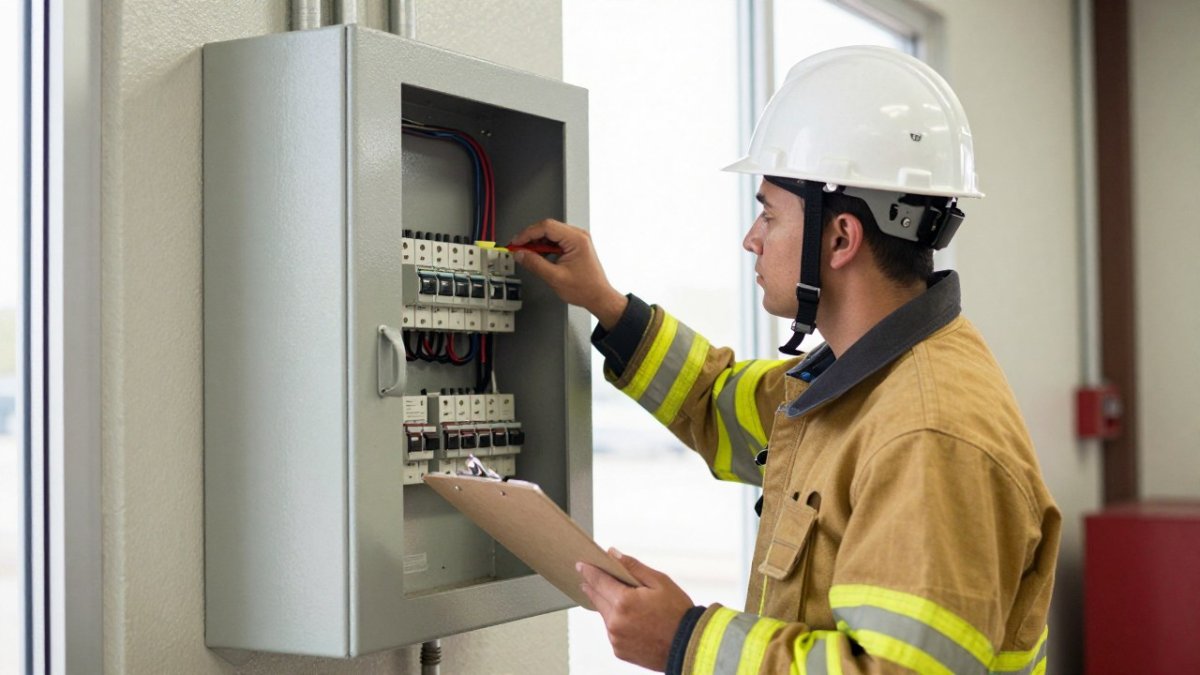
Equipment, Wiring, and Performance Warning Signs
Walk your building and check for these signals:
- Frequent false alarms that train occupants to ignore the horn
- Dead zones where detectors no longer report to the panel
- Cracked or corroded wiring in older raceways
- Sprinkler heads painted over or past their service life
- Notification devices too quiet for the space they cover
- Panels that fail inspection two years running
One common mistake is treating a single malfunction as bad luck. A pattern of failures means the whole system is aging out together. That’s when repair costs start climbing faster than replacement.
Repair vs. Replace: A Decision Framework for Your System
The right call depends on more than age. A workable decision framework weighs four factors in order: code compliance, parts availability, reliability history, and the cost of keeping the existing system alive. Run them in that sequence, because a system that fails the first test cannot be rescued by passing the others.
Step 1, Does the system still meet the adopted code? Confirm which edition of NFPA 72 your jurisdiction enforces and whether the existing panel, detection, and notification meet it. If the system cannot be brought into compliance through device-level changes, you are already in replacement territory. A retrofit that leaves a code violation in place will not pass final inspection.
Step 2, Can you still get parts? Check whether the manufacturer still produces and supports the panel, detectors, and notification appliances. Obsolete equipment is the single most common reason a repair quote turns into a replacement. Ask the manufacturer or a distributor directly rather than relying on a technician’s memory.
Step 3, What is the failure history? Pull the service log and inspection reports for the relevant period. A pattern of false alarms, dead zones, or repeat failures on the same circuits points to a system aging out together. Isolated failures on supported equipment are usually worth repairing.
Step 4, What does the money say? Compare the repair quote against the assessed cost of a retrofit or replacement, and factor in the ongoing maintenance burden of aging equipment.
| Situation | Best option | Why |
|---|---|---|
| Panel under 10 years old, one failed device | Repair | Supported parts, isolated fault, lowest cost |
| Panel obsolete but devices and wiring still pass | Partial retrofit | Reuse sound wiring and devices, replace the panel |
| Multiple failures, no parts available, code gaps | Full replacement | Repair costs outrun value and compliance is at risk |
| Adding coverage to a growing or renovated building | Retrofit plus expansion | Keeps working infrastructure and extends coverage |
| System passes inspection but draws frequent nuisance alarms | Retrofit of detection and notification | Addresses the reliability problem without a full tear-out |
Watch out: a repair quote that looks cheap can hide a compliance problem. If the replacement part is no longer listed for use with the existing panel, the repair may not satisfy the inspector even though the system powers up.
Document the decision. A short written assessment that records the code edition, parts status, failure history, and cost comparison gives you a defensible basis for the budget request and a record the authority having jurisdiction can review during plan review.
Commercial Fire Alarm System Replacement: What the Process Involves
Replacement sounds simple until you are running a business inside the building. A commercial fire alarm system replacement generally follows a sequence that runs from records review to handover, and each stage produces a document the next stage depends on.
1. Records review and existing-conditions assessment. Gather the original drawings, device schedules, inspection reports, and service logs. Walk the building to confirm what is actually installed versus what the drawings show, because older buildings rarely match their as-builts.
2. Code and jurisdiction review. Confirm the adopted code edition and local amendments with the authority having jurisdiction, usually the fire marshal. Ask what the plan review submittal must contain and whether a pre-application meeting is available.
3. Design and submittal. Produce the new device layout, sequence of operations, and battery and voltage calculations. Submit plans and device schedules for review and pull the required permits before work starts. Expect review comments, and build time for a resubmittal into the schedule.
4. Phased installation in an occupied building. This is where most guides stop and where most projects actually go wrong. You cannot leave a commercial building without life safety coverage during construction.
5. Impairment procedures and temporary protection. Before any portion of the system is taken offline, follow a written impairment procedure: notify the fire department and insurer where required, post fire watch if the impairment crosses the threshold your jurisdiction sets, and document when protection is restored.
6. Acceptance testing and commissioning. Test every detector, pull station, and notification appliance under load, verify the sequence of operations, and confirm that signals reach the monitoring center. The authority having jurisdiction often witnesses the acceptance test, so schedule it with them rather than around them.
7. Documentation and staff handover. Deliver updated as-built drawings, the device schedule, programming records, and the inspection and testing log. Train the building staff on panel operation, silence and reset procedures, and who to call for service.
Watch out: the most common cause of a delayed certificate of occupancy is a commissioning test scheduled before the monitoring connection is verified. Confirm signal transmission end to end before the acceptance test, not after.
For a business-focused look at addressable systems, see our guide to addressable fire alarm systems in South Carolina.
Fire Alarm System Compatibility With Existing Wiring and Devices
Fire alarm system compatibility with existing wiring is the question that decides whether you retrofit or tear out. The answer usually comes down to whether your building runs conventional or addressable wiring.
Conventional systems use simple circuits where a whole zone alarms together. Addressable systems give every device its own address, so the panel reports the exact location of a problem. If your building already has addressable wiring, you can often swap the panel and keep the devices. If it’s conventional, the wiring may not support the new panel at all.
What most guides miss is that compatibility isn’t just about wire. It’s about voltage, protocol, and whether the device manufacturer still supports the equipment. If you’re weighing the two architectures, our conventional vs. addressable comparison breaks down the trade-offs.
Commercial Fire Protection System Retrofit: Upgrading Without a Full Tear-Out
A commercial fire protection system retrofit upgrades the weak parts and keeps the sound ones. That means new panels and detectors on top of existing conduit and sprinkler mains. It’s faster, cheaper, and less disruptive than a full replacement.
The retrofit process usually covers:
- Panel and device modernization
- Sprinkler coverage fixes in renovated areas
- Notification upgrades for audibility and visibility
- Integration with access control and monitoring
Watch out: retrofits fail when contractors skip the building assessment and assume old wiring is sound. Corroded conduit or undersized circuits will haunt you later. Plan the retrofit in phases so the building stays protected throughout. Our 7-step retrofit planning guide walks through the full sequence.
Code Compliance, Permits, and the Authority Having Jurisdiction
Code compliance is where commercial fire projects live or die. The authority having jurisdiction, usually your local fire marshal, has the final say on what gets approved. National standards like NFPA 72, the National Fire Alarm and Signaling Code set the technical baseline. Your state and local rules layer on top.
The compliance steps for a commercial upgrade look like this:
- Confirm the current code edition your jurisdiction enforces
- Submit plans and device schedules for review
- Pull the required permits before work starts
- Schedule inspections at rough-in and final stages
- Get a certificate of occupancy or compliance sign-off
Watch out: skipping the pre-application meeting with the fire marshal is the most common delay. Ask what they want to see before you draw a single line.
Commercial Fire Alarm Inspection and Testing After the Upgrade
Inspection and testing after the upgrade proves the system actually works. A new panel means nothing if the devices weren’t tested under load. Post-installation testing should confirm every detector, pull station, and notification device reports correctly.
Regular commercial fire alarm inspection and testing keeps the system compliant long after handover. Many jurisdictions require periodic testing, and some devices follow different schedules. Keep a written log. It’s the first thing an inspector asks for. Our commercial fire alarm inspection checklist gives you a practical form to follow.
Schedule a Commercial Fire System Assessment With ADP Security Systems
The hardest part of upgrading an outdated commercial fire system isn’t the wiring. It’s knowing whether you need a repair, a retrofit, or a full replacement, and getting that answer before the next inspection. Guessing costs money. A proper assessment saves it.
At ADP Security Systems, we’ve served South Carolina for over 30 years. We install fire and life safety systems, provide 24/7 alarm monitoring, and offer customizable maintenance schedules for your building. Contact us to discuss your existing infrastructure and your upgrade options.
Get started with ADP Security Systems and get a free security assessment for your commercial property.
Aging fire systems don’t fail all at once. They fail quietly, one device at a time, until the day you need them most. The businesses that avoid that day are the ones that plan the upgrade before the alarm goes off. Let us help you get ahead of it.
Frequently Asked Questions
How do I know if a commercial fire alarm system is outdated?
Look for panels that are discontinued or no longer supported by the manufacturer, frequent trouble signals or false alarms, and devices that fail inspection. Missing replacement parts and wiring that does not meet current code are also red flags. A professional assessment can help determine whether your system can be repaired or needs replacement.
Can a new fire alarm panel work with existing devices and wiring?
Sometimes, but it depends on the wiring type and device age. Addressable panels generally will not work with conventional wiring, and older devices may not be listed for use with a new panel. A technician tests the existing infrastructure and checks manufacturer compatibility lists before recommending a partial upgrade. Fire alarm system compatibility with existing wiring often decides whether you save money with a retrofit or need a full replacement.
Do commercial fire system upgrades require permits or inspections?
Yes. Most jurisdictions require a permit before work begins and an inspection before the system is placed back in service. Plans typically must be submitted to the authority having jurisdiction and meet current NFPA 72 and local fire code requirements. Skipping this step can delay occupancy approvals and create liability. Confirm the approval sequence with your contractor early so installation, inspection, and sign-off happen in the right order.
How long does it take to replace a commercial fire alarm system?
A small panel swap can take a day or two, while a full replacement across a large building may run several weeks, especially when work is phased around business hours. Commercial fire alarm system replacement timelines depend on building size, device count, wiring condition, and inspection scheduling. Phased installation lets occupied spaces stay protected while sections are cut over, which limits downtime for retail and industrial facilities.