What Security Features Do Apartment Renters Really Need?
November 21, 2026
Best Emergency Contacts for Seniors to Keep Ready
November 22, 2026
Last Updated: November 16, 2026
Quick Summary
Wireless security sensors are battery-powered devices that detect door openings, window breaks, motion, and glass shattering, then transmit alerts to a control panel over radio frequency rather than through cabling. They win on installation speed, flexibility, and renter suitability, while wired systems win on long-term reliability and zero battery maintenance.
- Wireless sensors mount with adhesive or two screws and pair with the panel in minutes, with no visible wiring.
- Motion detectors typically drain batteries fastest, especially in hallways with constant foot traffic.
- Test signal strength at the exact mounting spot, since thick walls, metal, and appliances weaken radio range.
- Most professional systems use their own radio frequency between sensor and panel, plus cellular backup for monitoring.
- Replace sensor batteries when you change smoke detector batteries and keep a spare set on hand.
Table of Contents
- Wireless Security Sensors: The Short Answer
- Wireless vs. Wired Home Security Systems: Side-by-Side
- The Advantages: Fast Install, Easy Expansion, Renter-Friendly
- The Disadvantages: Batteries, Signals, and Interference
- Wireless Security System Reliability: What Actually Causes Failures
- Wireless Security Sensor Battery Life and Replacement Planning
- Wireless Security Sensors Without Wi-Fi: Cellular Backup and Mesh Options
- Get a Free Security Assessment for Your Home
- Frequently Asked Questions
Wireless Security Sensors: The Short Answer
Wireless security sensors are battery-powered devices that detect door openings, window breaks, motion, and glass shattering, then transmit alerts to a control panel over radio frequency rather than through cabling. Wireless wins on installation speed, flexibility, and renter suitability, while wired wins on long-term reliability and zero battery maintenance.
The pros and cons of wireless security sensors come down to four trade-offs: installation labor versus battery upkeep, flexibility versus signal vulnerability, quick setup versus potential interference, and lower upfront wiring cost versus ongoing replacement costs. Below, each one is broken down so you can decide which fits your property.
Keep reading and you will know exactly which sensor type belongs on which door, how long batteries actually last, and what to do when Wi-Fi fails.
Wireless vs. Wired Home Security Systems: Side-by-Side
Wireless security sensors communicate with the control panel via radio frequency or cellular signal, while hardwired sensors connect through physical cabling run inside walls. The table below shows where each approach differs.
| Factor | Wireless Sensors | Hardwired Sensors |
|---|---|---|
| Installation | No drilling through walls in most cases | Requires fishing cable through walls |
| Install time | Hours, not days | Days, plus drywall repair |
| Power source | Battery-powered with backup battery | Wired to home power |
| Signal risk | Interference, range limits | Minimal once installed |
| Renter suitability | High, fully portable | Low, permanent modification |
| Expansion cost | Add sensors anywhere | New cable runs per sensor |
| Maintenance | Battery replacement schedule | Occasional wiring checks |
The trade-off is real in both directions. A hardwired alarm is more permanent and immune to radio signal interference, but the installation cost and disruption are substantially higher. For an older home with existing wiring, a hybrid approach often makes the most sense.
If you are weighing both paths directly, our team put together a full comparison of wired versus wireless security that walks through reliability and protection differences property by property.
The Advantages: Fast Install, Easy Expansion, Renter-Friendly
The biggest practical win is speed. A wireless sensor mounts with adhesive or two screws, pairs with the control panel in minutes, and requires no visible wiring running down a doorframe. That matters most in three situations:
- Renters who cannot modify walls and need to take the system with them at lease end
- Older homes where fishing cable through finished walls is expensive and messy
- Growing households where adding a door sensor or motion detector later should take minutes, not an electrician visit
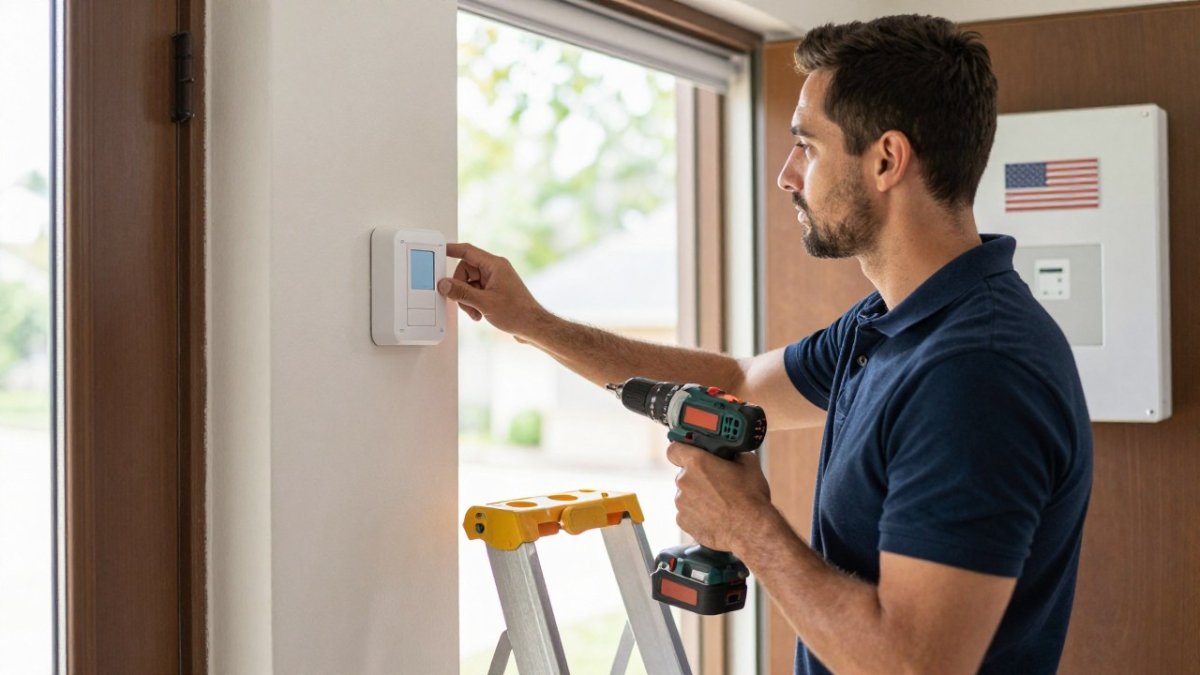
Scalability is the underrated benefit. Wireless security sensors let you start with two door sensors and a motion detector, then add a glass-break detector or window sensor when your needs change. No new cable runs, no drywall patching.
For renters specifically, we keep a separate guide on installing home security without drilling that covers the mounting options that leave no trace.
The Disadvantages: Batteries, Signals, and Interference
Batteries are the honest downside nobody mentions at the sales pitch. Every wireless sensor is battery-powered, and every battery eventually dies. The failure mode is not dramatic, it is a sensor that silently stops reporting while the panel still shows the zone as armed.
Battery drain is not uniform across sensor types, and treating every device the same is where maintenance plans go wrong:
- Door and window contacts are reed switches that draw almost nothing until the magnet separates, so they are the longest-lived devices on the system.
- Motion detectors actively sense continuously and typically drain fastest, especially in hallways with constant foot traffic.
- Glass-break detectors listen for a specific acoustic signature and vary with how often they are triggered and how noisy the room is.
- Environmental sensors such as flood, freeze, and smoke detectors often have the shortest service intervals because they must remain alert at all times.
Signal problems come second, and they are a placement problem more than a technology problem. Radio signal range drops through thick walls, metal siding, and concrete, and it drops further when a sensor is mounted on a metal door frame or directly beside a refrigerator.
Watch out: a sensor that tests fine on the bench can fail at the mounting spot, so test signal strength at the exact location before committing to screws or adhesive.
The protocol behind the sensor changes the failure profile. Wi-Fi sensors share airtime with every phone, laptop, and streaming device on the network, so congestion shows up as intermittent dropouts. Z-Wave and Zigbee devices run on their own low-power mesh, which is more stable but depends on every mains-powered device in the mesh staying online.
A less obvious disadvantage is compatibility. A sensor built for one hub generally will not pair with another brand’s panel, so expansion is limited to the ecosystem you started with. Before buying, confirm which protocols the panel supports and whether the manufacturer publishes a compatibility list.
The full breakdown of subscription and replacement expenses lives in our guide to the hidden costs of wireless home security, which covers what most quotes leave out.
Wireless Security System Reliability: What Actually Causes Failures
Wireless security system reliability depends far more on installation quality and signal planning than on the technology itself. In practice, most failures trace to four causes:
- Dead batteries from ignored low-battery alerts
- Poor sensor placement putting too much wall or metal between sensor and panel
- Wi-Fi congestion on crowded networks causing intermittent connectivity
- Tampering on exterior sensors left reachable
A common mistake is treating a wireless system as install-and-forget. The systems that stay reliable get tested monthly, have their batteries replaced on schedule, and use encrypted radio signals between sensor and panel so a nearby device cannot spoof a sensor.
Sensor-specific performance matters too. A door sensor is a simple reed switch and rarely fails. A motion detector does more work and drains faster. A glass-break detector depends on acoustic pickup and needs careful placement away from noisy appliances.
Wireless Security Sensor Battery Life and Replacement Planning
Battery life for wireless security sensors varies by sensor type and traffic, so planning a replacement schedule is worthwhile. Door and window contacts generally last the longest because they only wake when the magnet separates, while motion detectors and environmental sensors generally drain faster because they must stay alert continuously.
A practical replacement calendar looks like this:
- Door and window contacts: check annually, replace on the low-battery alert; expect the longest service interval on the system.
- Motion detectors: check every six to twelve months, since continuous sensing drains faster and high-traffic hallways drain fastest.
- Glass-break detectors: check annually, replace on alert, and re-test after replacement because acoustic pickup is placement-sensitive.
- Environmental sensors (flood, freeze, smoke): follow the manufacturer’s interval and never let one lapse, since these protect life safety rather than perimeter.
- Control panel backup battery: replace on the manufacturer’s schedule, not on failure.
Low-battery alerts are the mechanism that makes this manageable, but they only work if someone acts on them. Most panels report a low-battery condition to the keypad and, on monitored systems, to the monitoring center or a mobile app. The alert usually fires weeks before the battery actually dies, which is the window you are meant to use.
Replacement frequency is a real ownership cost, and it is the part of total cost of ownership that quotes leave out. Over several years, the equipment price is fixed but the battery line item recurs: the more sensors you add, the more batteries you replace, and motion and environmental sensors replace more often than contacts.
A practical habit: when you change smoke detector batteries, change the sensor batteries you have not touched in a year. Keep a spare set on hand so a low-battery alert never becomes a coverage gap.
Confirm your panel has a backup battery for power outages. When the power goes out, a wireless system running on panel backup keeps working, while a system without backup goes dark. Test that backup on the same schedule as the sensor batteries so the whole system is checked at once.
Wireless Security Sensors Without Wi-Fi: Cellular Backup and Mesh Options
Wireless security sensors do not have to depend on your home Wi-Fi. Most professional systems use their own radio frequency between sensor and panel, then a cellular communicator for the panel-to-monitoring-center link. That means a cut internet connection or a downed Wi-Fi router does not disable the alarm.
Cellular backup is the standard answer for reliability. If the landline or internet drops, the panel switches to cellular communication and still reaches remote monitoring. Mesh networking extends radio signal range across a large property by letting sensors relay through intermediate devices.
For properties where signal loss is a real concern, our team explains cellular versus landline alarm options and which one holds up during an outage.
Get a Free Security Assessment for Your Home
The right answer depends on your walls, your wiring, your lease, and how much maintenance you want to own. A free security assessment from ADP Security Systems can help you determine which approach fits your property. For current details, contact ADP Security Systems directly. ADP Security Systems has served Greenville and South Carolina for over 30 years, offering 24/7 alarm monitoring, expert installation of security and life safety systems, and customizable maintenance schedules.
If you would rather compare systems first, our roundup of the best wireless home security systems shows what to look for before you book anything.
Wireless security sensors trade battery upkeep and signal planning for fast installation, easy expansion, and renter-friendly flexibility. If you want a system sized to your actual property rather than a generic package, ADP Security Systems will assess your home, test signal strength at each entry point, and install a setup built around your layout. Get started with ADP Security Systems and get continuous 24/7 monitoring with a maintenance schedule that keeps every sensor live.
Frequently Asked Questions
Are wireless security sensors reliable?
Yes, when they are installed with proper signal planning. Reliability depends on three things: distance from the control panel, building materials between sensor and panel, and battery condition. Modern wireless security sensors use encrypted radio signals and supervise themselves, sending a trouble alert to the panel if a sensor stops reporting. The weak points are metal walls, foil-backed insulation, and dead batteries. A professional site survey identifies weak spots before installation, and adding a repeater closes most gaps.
How often do wireless security sensor battery life need to be replaced?
Most wireless security sensor battery life runs from two to five years, depending on sensor type and traffic. Door and window sensors that trigger often drain faster than smoke detectors that sit idle. Motion detectors sit in the middle. Panels usually display a low-battery warning weeks before a sensor dies, so you can replace it on schedule instead of on a hunch. Plan a yearly battery check and keep a spare set of the correct cell size on hand.
Do wireless security sensors work without Wi-Fi?
Yes. Wireless security sensors without Wi-Fi still work because they talk to the control panel over a low-power radio protocol, not your home internet. The panel then reaches the monitoring center over cellular or a landline. If your Wi-Fi drops, sensors keep reporting to the panel and alarms still go out. That is why cellular backup matters more than a fast internet connection for alarm reliability.
Can burglars disable wireless alarms?
Disabling a professionally installed wireless system is harder than it looks. Signals are encrypted, and panels report tampering and loss of supervision. The realistic risks are a cut phone line, a jammed radio band, or a smashed panel. Cellular backup covers the first, spread-spectrum protocols cover the second, and a panel placed out of sight covers the third. Ask your installer which of these protections your system includes.