What Are Wireless Alert Systems? A Simple Guide
June 4, 2026
Your Guide to Consumer Reports’ Best Home Security System
June 5, 2026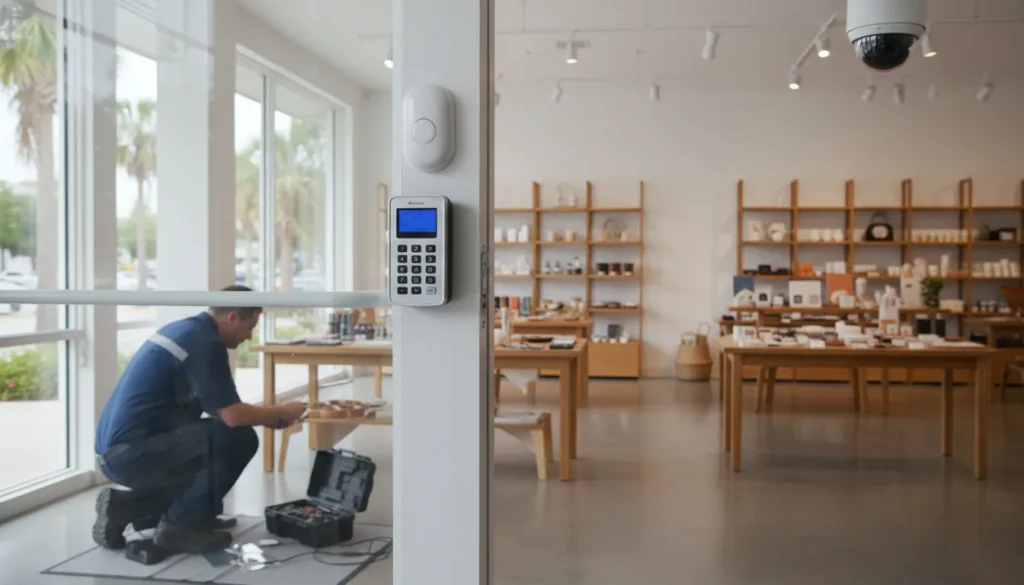
A storefront with one back door needs a different alarm plan than a warehouse. The right choice starts with the risks your South Carolina business faces after hours and during the workday.
Commercial alarm systems should match your facility, daily operations, and response needs before you compare equipment packages. Start with entry points, valuable inventory, employee access, after-hours activity, and any areas where cameras or access control would improve visibility. For a South Carolina small business, ask the provider to confirm local Authority Having Jurisdiction requirements and explain how monitoring, maintenance, and future upgrades will work. Some safety rules can mandate specific features for small retail settings, so compliance is not a box to check later. Favor non-proprietary equipment when practical, because it gives you more flexibility to change service, maintenance, or monitoring providers as your needs evolve without replacing every component.
The best option is not a generic bundle or the longest feature list. It is a system built around your actual exposure, staffing, and property. To compare options with purpose, begin with Commercial alarm systems: start with your risk profile. Here’s how.
Commercial alarm systems: start with your risk profile
The right commercial alarm system starts with the site, not a preset package. A retail shop, office, warehouse, and service business do not face the same risks. Before choosing devices, map what could happen, when it could happen, and where people or property may be exposed.
Site and operating risks
Start with the building layout and daily routine. Count public doors, staff doors, loading areas, windows, and any access points that are hard to see. Note who opens and closes the site. Also record whether employees work alone, handle cash, or move valuable stock after hours.
Then match the plan to the business type. A shop may focus on cash handling, entry points, and shoplifting exposure. A warehouse may need more attention at loading bays, storage areas, and staff-only doors. An office may need tighter control around records, equipment, and rooms with limited access.
This review helps you decide where intrusion detection, video coverage, and access control may fit. ADP’s page on commercial alarm systems for small business gives local owners a useful starting point for that discussion.
Life safety and local requirements
Security is only part of the risk profile. Review fire and life-safety needs at the same time. Consider the building use, staff count, visitor traffic, exits, and areas where a fire or emergency could be missed. Keep employee safety in view during every choice.
Local context matters, too. A South Carolina business should confirm the rules that apply to its site and use. Some local safety ordinances set specific requirements for small retail businesses. Research on such ordinances shows why owners should check the rules before installation, rather than assume every site is the same. The published study on small retail safety requirements offers added context.
A site review should leave you with a clear list: key risks, exposed areas, operating hours, employee concerns, and life-safety needs. That list makes it easier to compare systems without buying devices that do not solve a real problem.
Which alarm system features does a small business need?
The right setup starts with the building, not a long product list. Review each entry point, employee-only area, stockroom, and after-hours access need. Small businesses may also face local safety rules. Research on retail security ordinances shows that required measures can vary by setting and implementation, according to a public health study of convenience store requirements.
Core intrusion protection
Start with intrusion detection at the doors and windows that someone could use to enter the building. Door and window sensors cover those openings. Motion detection adds a second layer inside the space. It can help flag movement when the site should be empty.
Professional monitoring is also a practical baseline for most small businesses. It gives alarm events a response path when no employee is on site. Remote alerts help owners or managers stay aware, but they should support monitoring rather than replace it. A guide to professional alarm monitoring services explains how monitored systems work.
Must-haves and optional additions
Not every business needs the same mix of tools. A small office may need fewer sensors than a retail shop with rear access and stock storage. Use this table as a starting point, then adjust the plan for your layout and daily work.
| Feature. | Priority. | When it fits. |
|---|---|---|
| Door and window sensors. | Must-have. | Cover reachable entry points. |
| Motion detection. | Must-have. | Add interior backup after hours. |
| Professional monitoring and remote alerts. | Must-have. | Route alarm events and keep managers informed. |
| Surveillance integration. | Common addition. | Review activity at entries, registers, or storage areas. |
| Access control. | Site-based addition. | Manage staff-only doors or varied access levels. |
| Fire and life safety. | Needs code review. | Plan around the building and local requirements. |
The table is a starting point. Confirm every feature during a site assessment.
Each feature should solve a clear business risk.
Features that depend on the site
Surveillance integration helps when a business needs video context around an alarm event. Access control fits sites with staff-only spaces, several doors, or different access levels. These tools are useful additions, but the layout should drive the choice. For a broader local planning view, see these commercial alarm systems for small business.
Fire and life safety needs deserve a separate review. They depend on the building, its use, and local requirements. A small business should not treat fire protection as an add-on to a burglar alarm package. Ask for a plan that covers both security goals and code needs.
Why monitoring, installation, and support matter
Service beyond the equipment list
An equipment list shows what will be installed. It does not show who will design the system, test it, or respond when help is needed. The right commercial alarm systems pair suitable devices with professional installation and a clear support plan.
Installation matters because each property has its own layout, work patterns, and risk points. Local rules may also shape the plan. Research available through the National Institutes of Health repository notes that some safety ordinances for small retail businesses require specific measures. A provider should review the site and account for local requirements before work begins.
Monitoring is part of that service plan, not an add-on to consider later. ADP Security Systems offers consultation through 24/7 monitoring. Its professional alarm monitoring services guide explains why a monitored setup differs from equipment that only sounds an on-site alarm.
Maintenance and local accountability
A commercial system needs care after installation. Panels, communicators, sensors, and other parts must keep working as intended. For fire alarm systems, ADP checks panels, communicators, and initiating devices each year. It also tests smoke detector sensitivity and function every two years.
Support should be practical when a component fails or a business changes. A local provider can review the issue, explain the options, and plan service around the property. That accountability matters for businesses that want a long-term relationship instead of a one-time install.
Existing equipment also deserves a close look. ADP can take over panels and systems from other providers. A full replacement is not always the first step. The company also offers non-proprietary fire alarm installation, maintenance, and monitoring. That approach can help a property owner avoid vendor lock-in and keep future service options open.
Older systems may need staged work rather than an immediate overhaul. ADP can plan phased upgrades for outdated or obsolete equipment, which helps businesses manage budgets. Its commercial security services cover the broader mix of alarm, surveillance, fire, and access control needs.
How can you avoid vendor lock-in?
Start with the panel
Ask whether the alarm panel is proprietary before you sign a service agreement. A proprietary panel may limit which companies can service, program, or monitor it. A non-proprietary option can leave more room to change providers later. Still, compatibility depends on the panel, its condition, and the work your site needs.
If your business already has equipment, ask for a panel review before planning a full replacement. ADP can take over existing panels and systems from other providers when the equipment is suitable. This may preserve useful parts of the system while solving service or monitoring gaps. It is a practical issue to raise when choosing a commercial alarm system.
Plan the upgrade path
Older equipment does not always need to be replaced in one project. ADP offers phased upgrade plans for outdated or obsolete systems to help businesses manage their budgets. Ask which devices can stay in place now, which parts should change first, and what may need replacement later.
Also ask how each upgrade affects monitoring, service visits, and future expansion. The answer should cover the panel, communicators, sensors, cameras, and access control where those parts apply. For businesses comparing commercial alarm systems for small business, that phased view can make quotes easier to compare.
Questions to ask before signing
Contract terms matter as much as the hardware. Ask who can program the panel, whether another qualified provider can monitor it, and what happens when equipment reaches end of life. Confirm which parts you own, which parts are leased, and whether early exit fees apply.
- Can another provider service or monitor this panel?
- Can you take over my current panel if it is in good condition?
- Which upgrades are urgent, and which can be phased?
- Are software access, service calls, and monitoring listed separately?
- How will local code needs affect the system design?
Do not assume every site has the same requirements. Research on retail security ordinances shows that mandated measures can vary with local rules and implementation. The published compliance study is a useful reminder to ask about site-specific needs before signing.
How to compare commercial alarm system quotes
A clear quote should show more than one total price. Ask each provider to use the same site details and business needs. That makes it easier to compare commercial alarm systems line by line, not just by the lowest monthly fee.
Use one checklist for every proposal
Start with your floor plan, entry points, work areas, and any spaces with added risk. If you are still defining the system, review this guide to choosing a commercial alarm system. Then send the same checklist to every provider.
- Match the scope. List every included panel, sensor, camera, keypad, access-control point, and alarm type. Note whether the provider will use existing equipment or replace it. Ask what equipment is optional and what could be added later.
- Separate installation costs. Compare equipment, labor, permits, programming, training, and any network or electrical work. Ask whether the quote covers removal of old devices and repair of walls or ceilings. Confirm the project schedule and any limits on after-hours work.
- Review monitoring and response. Confirm which events are monitored and how notifications are sent. Ask who receives calls, what happens after an alarm, and how support works outside business hours. For more context, see this guide to professional alarm monitoring services.
- Check maintenance and service. Ask what routine checks, software updates, battery replacements, and repair visits are included. Compare response times, service hours, and fees for emergency visits. If fire alarms are part of the proposal, ask how the plan addresses code and local authority requirements.
- Plan for growth. Ask whether you can add doors, sensors, cameras, or locations without replacing the main system. Check whether equipment is proprietary. Also ask whether another qualified provider could service the system if your needs change.
- Read the full contract. Compare the term, renewal process, cancellation rules, warranty, ownership of equipment, and price-change terms. Ask for a written list of exclusions. Confirm who pays for permits, false-alarm fees, repairs, and future upgrades.
Check local requirements before signing
Do not assume every site has the same security requirements. Research shows that some city ordinances for convenience stores require specific security features. The details depend on the local rule and business type. Review the relevant commercial security ordinance requirements, then ask each provider how the quote fits your site.
A useful comparison sheet has one row for each item and one column for each provider. Mark every item as included, optional, excluded, or still unclear. Follow up in writing so your final choice is based on the same scope.
What should you ask a South Carolina security provider?
A useful first meeting should focus on your site, not a standard package. Ask whether the provider will assess entrances, storage areas, employee access points, and after-hours risks. The right plan for commercial alarm systems depends on how the building works each day.
Local knowledge and response
Ask how the provider serves Greenville and Upstate South Carolina businesses after installation. Who handles service calls? What happens when a panel fails, a false alarm repeats, or your team needs help changing access?
Local knowledge also matters when rules affect the project. Research on retail security ordinances shows that requirements can respond to local crime patterns. Ask the provider to explain which rules apply to your site and who confirms them with the local authority. This is more useful than a vague claim about compliance. The published review of retail security ordinances gives helpful context.
Design that can grow
A site review should cover today’s risks and the next likely changes. Ask whether cameras, intrusion sensors, access control, and monitoring can expand as your team or floor plan changes. If you may add a second site, ask how users, alerts, and reports will work across locations.
Existing equipment deserves a direct question: Can the provider support your current panel, or will every part need replacement? A phased plan may help when some devices still serve their purpose. ADP’s page on commercial alarm systems for small business outlines options for Upstate South Carolina sites.
Fire and life-safety coordination
If the property needs fire alarm work, ask whether the same provider can coordinate security with fire and life-safety service. Keep the scope clear. A burglar alarm discussion should not blur fire code duties, testing, or local review steps. Review the provider’s commercial fire services before the site visit.
Bring a short question list:
- Who performs the site assessment, installation, and later service calls?
- Can you support existing equipment and explain any parts that need replacement?
- How will the design scale if we add doors, staff, or another location?
- What response times should we expect for urgent service and routine requests?
- How do you coordinate fire and life-safety needs when they apply?
A final checklist before you choose a system
Before you contact a provider, write down what your business needs to protect. Start with your building, daily work, staff access, valuable items, and after-hours risks. Local rules can also shape the plan. Research on retail safety rules shows that required measures can depend on local conditions and how a business operates. Review the research on small retail safety requirements when you consider your own risk fit.
Questions to take into the first consultation
Use this checklist to compare commercial alarm systems on the same terms. It will help you ask clear questions and spot gaps before installation begins.
- Risk fit: Does the plan address your entrances, windows, stock areas, cash handling, offices, and after-hours activity?
- Core devices: Which sensors, cameras, panic buttons, and access control devices are included? Ask what each device protects.
- Monitoring: Who receives an alarm, how are events checked, and what happens if your internet or power fails? Review how professional alarm monitoring services work before comparing options.
- Support: Who handles service calls, system tests, repairs, and staff training? Ask how urgent issues are handled outside normal business hours.
- Scalability: Can the system add doors, cameras, users, or locations as the business changes?
- Contract clarity: What are the installation, monitoring, service, renewal, cancellation, and equipment ownership terms? Get each item in writing.
- Existing-system compatibility: Can the provider assess your current panel and devices before recommending full replacement? Ask whether a phased upgrade is possible.
- Life safety: Do fire alarms, smoke detectors, and other life-safety devices need a separate plan? Ask how local code needs will be checked.
Bring your notes, floor plan, current equipment list, and key questions to the consultation. A provider can then explain what fits now and what can wait. For more local context, use this guide to choosing a commercial alarm system. The FAQ below covers common questions that may come up next.
Frequently asked questions about commercial alarm systems
What is the best commercial alarm system for a small business?
The best system is the one designed around the property’s actual risks. A storefront, office, warehouse, and service business may need different combinations of door and window sensors, motion detection, monitoring, video surveillance, access control, and life-safety planning. Start with a site assessment instead of a preset package.
How much does a commercial security system cost per month?
Monthly cost depends on the property, monitoring scope, equipment, service terms, and any added features. Ask providers to separate installation, monitoring, maintenance, and optional upgrades in writing. A line-by-line quote is more useful than comparing one monthly number without knowing what it includes.
What features are essential in commercial alarm systems?
Most small businesses should evaluate intrusion detection at accessible doors and windows, interior motion detection, professional monitoring, and remote alerts. Cameras, access control, panic buttons, and fire or life-safety equipment may also fit the site. The building layout and daily operations should determine the final design.
Can an alarm company take over an existing business security system?
Sometimes. Compatibility depends on the panel, equipment condition, and the work the site needs. ADP Security Systems can take over existing panels and systems from other providers when the equipment is suitable. Ask for a panel review before assuming every component must be replaced.
Are there different commercial alarm system requirements in South Carolina?
Requirements can depend on the building, use, location, and the authorities with jurisdiction over the project. Ask the provider to identify the rules that apply to your site and explain who will confirm them. If fire or life-safety work is involved, keep those review and testing obligations clear.
Ready to Choose the Right Commercial Alarm System?
Waiting too long to select an alarm system can leave important security needs unresolved and make a rushed decision more likely. Starting now gives you room to map risks, compare equipment and monitoring options, and plan installation around your daily operations. A clear review can help you choose a practical system for your property, staff, budget, and plans for future growth.
Ready to protect your South Carolina business with a clearer security plan? Call (864) 246-1006 to request a commercial security consultation and discuss your priorities with ADP Security Systems. You can review your site needs, timing, and next steps before small security concerns become larger operational problems. Call now so your team has time to choose a system without rushing the evaluation.