How to Hire Certified Fire Alarm Installers Anderson SC
April 15, 2026
Best Home Security Systems Greenville SC: A Buyer’s Guide
April 20, 2026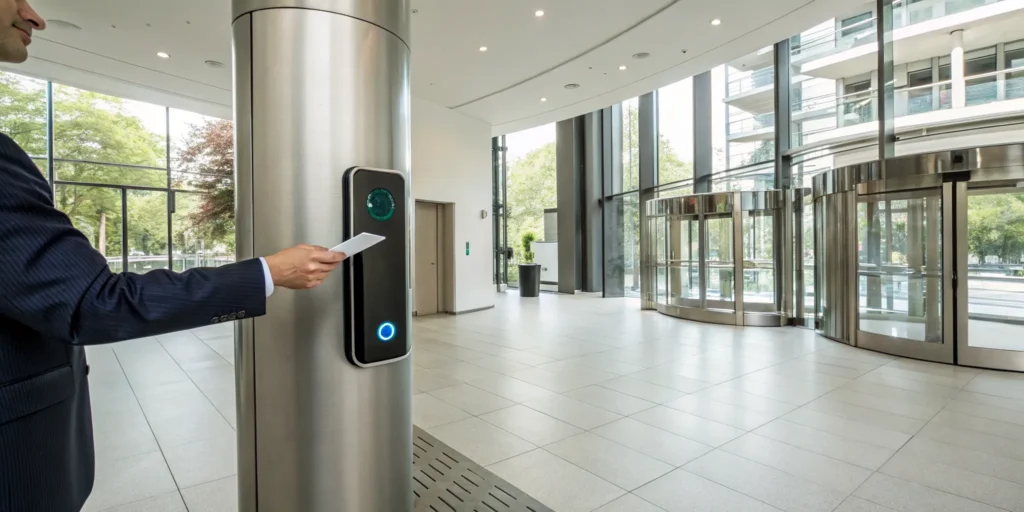
Security is about more than just keeping people out; it’s about running your business smarter. Think about the time and money you spend juggling keys, tracking down copies, or paying for a locksmith every time someone leaves. A key card system changes all of that. It simplifies access for everyone—from employees to cleaning crews—and gives you a clear digital log of all activity. This is huge for accountability. For business owners in Anderson, this is how you take back control, improving both security and your daily workflow.
Key Takeaways
- Gain Granular Control Over Your Space: Key card systems let you manage exactly who enters specific areas and when, creating a digital log that provides clear accountability and eliminates the costs of rekeying old locks.
- Look for a Smart, Integrated System: The best access control solutions connect with your existing security tools, like cameras and alarms, to create a unified and more effective defense for your business.
- Plan for a Professional Partnership: A successful security upgrade involves more than just hardware; work with an expert to assess your needs, ensure a compliant installation, and provide ongoing support to keep your system running smoothly.
What Is a Business Key Card System?
If you’re tired of juggling metal keys and worrying about who has a copy, a business key card entry system is the modern solution. Think of it as a smart, digital gatekeeper for your company. These systems are powerful access control tools that let you decide exactly who can enter your building, specific rooms, or sensitive areas, and when. Instead of a traditional lock and key, your employees use a credential, like a plastic card or a key fob, to gain entry. This isn’t just about replacing keys; it’s about gaining complete control and visibility over your facility’s security.
For business owners here in Anderson, a well-implemented access control system can significantly enhance security, protect your assets, and provide genuine peace of mind. Imagine an employee leaves the company. Instead of paying a locksmith to change the locks, you can deactivate their card with a few clicks, instantly securing your premises. You can also grant temporary access to vendors or contractors without handing over a physical key that could be copied. It’s a flexible, scalable solution that grows with your business. Organizations consistently report higher satisfaction and improved security outcomes with keycard entry systems compared to traditional methods, making them a reliable investment for any local company looking to upgrade its protection.
How Does Key Card Technology Actually Work?
A key card entry system may look simple on the surface, but several components work together behind the scenes to control access. It all starts with the credential, which is usually a card or fob containing a unique identifier. When an employee presents their card to a reader installed at a door, the reader sends that information to a central control panel. The panel checks the credential against a database of permissions you’ve set. If the user is authorized for that door at that specific time, the lock is released. It’s a nearly instant and seamless process. Two common types of systems are RFID proximity and swipe cards, with swipe systems often being a more budget-friendly option for organizations.
The Role of Challenge-Response Security
At its core, a key card system operates on a simple “challenge-response” principle. Think of it as a quick, secure conversation happening every time someone tries to open a door. The card reader installed at the entrance issues a “challenge” by asking for identification. The card or fob then “responds” with its unique digital credentials. The system instantly checks this information against the permissions you’ve established in the central control panel. If the credentials match an approved user for that specific door and time, the lock is released. This entire process happens in a fraction of a second, providing a seamless experience for your team while maintaining a powerful security barrier against unauthorized entry.
Exploring Different Types of Credentials
When we talk about key card systems, the “key” itself is what we call a credential. This is the object your employees use to identify themselves to the reader. While we often picture a plastic card, credentials come in several forms, each offering different levels of convenience and security. The main goal is always the same: to help businesses keep their buildings safe by letting authorized people in and keeping unauthorized people out. Choosing the right type of credential for your Upstate business depends on your daily operations, security requirements, and budget. From simple swipe cards to advanced smartphone apps, the right credential makes security feel effortless for your team while giving you precise control over your facility.
Key Cards: From Swipe to Smart Cards
Physical cards are the most common type of credential, but they aren’t all created equal. The simplest is the magnetic stripe or “swipe” card, similar to an old credit card. While cost-effective, these are less secure and more prone to wear and tear. A significant step up is the proximity card, which uses RFID technology. Your employees can simply hold the card near the reader without direct contact, making it faster and more convenient. For even higher security, smart cards contain a microchip that can store encrypted data and interact with the reader in more complex ways. Each of these different types of key card systems offers a unique balance of security and ease of use that can be tailored to your needs.
Digital Keys: Beyond the Front Door
The newest evolution in access control is the digital key, which turns your smartphone into a credential. Instead of carrying a separate card or fob, your employees can use an app on their phone to unlock doors. As one expert explains, a digital key is like a virtual version of a regular key that uses secure technologies like Bluetooth or NFC to communicate with the door reader. This is incredibly convenient—people rarely forget their phones—and highly secure. For business owners, it means you can grant or revoke access instantly from anywhere, without ever needing to collect a physical card. It’s a perfect fit for a modern, integrated security plan that prioritizes both flexibility and protection.
Why Anderson Businesses Choose Key Card Access
Beyond the immediate security benefits, Anderson businesses choose key cards for operational efficiency. These systems create a digital record of who enters and exits, which is invaluable for tracking activity and investigating any incidents. You can easily restrict access to sensitive areas like server rooms or inventory storage, ensuring only authorized personnel can enter. This level of granular control helps you protect valuable assets and maintain compliance with industry regulations. Ultimately, it simplifies security management, giving you one less thing to worry about so you can focus on running your business. It’s a proactive approach to safety that supports your company’s growth and stability.
Must-Have Features for Your Card Entry System
When you start looking at key card systems, you’ll quickly see that they come with a wide range of features. Choosing the right ones for your Anderson business is about more than just convenience; it’s about creating a secure and efficient environment. These aren’t just tools for massive corporations anymore. Modern access control is scalable and essential for local shops, offices, and facilities right here in the Upstate.
The best systems offer a blend of control, visibility, and integration that works together to protect your property, assets, and people. Instead of just a simple lock and key, you get a smart system that adapts to your daily operations and gives you a clear picture of who is moving through your space. This technology allows you to be proactive, not just reactive, when it comes to security. Thinking through these key features will help you find a solution that not only secures your building but also simplifies how you manage it. Let’s look at the core functions that provide the most value and give you true peace of mind.
Cloud-Based vs. On-Premises Management
One of the biggest decisions you’ll make is how you want to manage your system. A cloud-based system lets you control access from anywhere with an internet connection—your office, your home, or even on vacation. This is a huge plus for business owners who manage multiple locations or simply aren’t tied to a desk all day. On the other hand, an on-premises system keeps all your data and management software on a dedicated server at your business location. While this gives you direct physical control over your hardware, it often requires more IT maintenance and can be harder to scale as your business grows. For most Anderson businesses, the flexibility and ease of a cloud-based solution offer a significant advantage.
The Advantage of Open-Architecture Systems
Another key factor is whether the system uses an open architecture. This simply means the technology is designed to work with hardware and software from different manufacturers. Think of it as a team player. This is incredibly important because it allows you to integrate your key card system with other security tools, like your surveillance cameras and alarm system, creating a single, unified defense. Proprietary, or “closed,” systems lock you into one brand for everything, which can be costly and limiting down the road. Choosing an open system gives you the freedom to upgrade components or add new technology without having to replace everything. It’s a smarter, more flexible approach that protects your investment for the long term.
Control Who Goes Where (and When)
One of the biggest advantages of a card entry system is the ability to set specific permissions for every person. You can decide exactly who is allowed to enter certain areas, which is crucial for protecting sensitive information or valuable inventory. For example, you can grant your entire team access to the main entrance but restrict access to the server room to only your IT staff. You can even set time-based rules, ensuring a cleaning crew’s card only works after hours or a part-time employee’s card is only active during their shift. This level of granular control helps you secure your facility without getting in the way of daily work.
Track Activity with Real-Time Reporting
With traditional keys, you never really know who has come and gone. A key card system changes that by creating a detailed digital log of every entry attempt, successful or not. These real-time reports show you which card was used, where it was used, and at what time. This information is invaluable if you ever need to conduct a security audit or investigate an incident. It also makes managing access much simpler. If an employee leaves the company, you don’t have to change the locks; you just deactivate their card in the system. This provides both security and operational insight.
Integrate with Your Existing Security System
A modern key card system shouldn’t operate in a silo. The most effective setups are the ones that connect with your other security tools. By choosing an integrated security system, your card reader can communicate with your surveillance cameras and alarms. Imagine this: if someone tries to use an unauthorized card at a back door, the system can automatically trigger the nearest camera to start recording and send you an alert. Instead of having separate pieces of equipment, you have a unified system where each component works together to provide a complete picture of what’s happening at your business.
Connecting with Intercoms, Visitor Management, and Lockdown Solutions
This integration becomes even more powerful when you connect your card access system with other key security tools. You can link it to an intercom, letting you speak with and visually verify visitors before buzzing them in—perfect for managing deliveries or unexpected guests. For contractors and clients, a visitor management function allows you to create temporary credentials that expire automatically, so you never have to worry about unreturned keys. And in a critical situation, you can implement a lockdown with a single command, instantly securing all connected doors to protect your team. These features transform your key card system from a simple gatekeeper into a responsive, comprehensive security network.
How Do Key Card Systems Compare to Other Methods?
Choosing the right access control system feels like a big decision, but it gets easier when you compare your options side-by-side. While traditional keys and high-tech biometrics both have their place, key card systems often hit the sweet spot for Anderson businesses, balancing modern security with practical, everyday use. Understanding the key differences in convenience, security, and cost will help you find the perfect fit for your company’s needs and budget.
Key Cards vs. Traditional Metal Keys
If you’re still using metal keys, you already know the headaches they can cause. When an employee leaves or a key goes missing, your only option is to call a locksmith, rekey the locks, and distribute new keys to everyone. This process is not only expensive but also disruptive. A key card system eliminates this completely. Instead of changing the locks, you can simply deactivate a lost or stolen card from your computer in seconds. This instant control gives you peace of mind and keeps your operations running smoothly, which is why many organizations report better security outcomes with keycard entry systems compared to old-fashioned locks and keys.
Key Cards vs. Biometric Scanners
On the other end of the spectrum are biometric scanners, which use unique physical traits like fingerprints or facial features to grant access. There’s no question that biometric access control offers an exceptional level of security because it verifies the person, not just what they’re holding. This technology is ideal for high-security areas like server rooms or labs. However, for many main entrances and common areas, key card systems provide more than enough security and are often more user-friendly and cost-effective. They offer a significant upgrade from traditional keys without the higher price tag and complexity that can come with biometrics.
What’s the Long-Term Value? A Cost Comparison
When you look at the numbers, it’s clear that value is about more than just the initial price. While a standard lock and key might seem cheapest upfront, the hidden costs of rekeying, replacing keys, and potential security breaches add up over time. Key card systems require a larger initial investment, but they save you money in the long run by eliminating locksmith fees and giving you tighter control. The final key card door lock system price depends on the features you choose. A simple swipe card system is a great budget-friendly option, while more advanced systems with encryption and integration capabilities offer even greater security and data for your investment.
How to Choose the Right System for Your Anderson Business
Picking the perfect key card system for your business doesn’t have to be overwhelming. The best choice comes down to understanding your company’s specific needs, budget, and legal requirements. Think of it as a long-term investment in your security and peace of mind. By focusing on these three key areas, you can confidently select a system that protects your assets, streamlines operations, and scales with your Anderson business. A thoughtful approach ensures you get a solution that works for you, your team, and your customers.
Key Questions to Ask a Provider
Before you commit, it’s important to have a conversation with any potential provider to make sure their solution is the right fit. Start with the fundamentals: How easy is it to add or remove users, and can a lost card be deactivated instantly? Ask if the system can grow with your business, allowing you to add new doors or users down the road. A crucial question is about integration—will it work with your existing security cameras and alarms to create a unified system? Finally, discuss support. Does the company offer training for your team, and is there 24/7 help available if something goes wrong? Getting clear answers is a key part of choosing the right access control system and understanding the long-term value of your investment.
Common Industries We Serve in the Upstate
Key card systems are incredibly versatile, which is why we see them in all kinds of businesses across the Upstate. For professional offices in Greenville, they’re essential for protecting client data and managing employee access. In Spartanburg, retail stores use them to secure inventory and track staff movement after hours. We also work with healthcare facilities in Anderson, where these systems are critical for securing sensitive areas and ensuring only authorized personnel can access patient information. From schools and apartment buildings to local gyms, a well-designed access control solution provides security and efficiency no matter your industry.
What Are Your Unique Security Needs?
First, take a walk through your facility and think about your daily operations. Who really needs access to which areas, and when? Your needs will differ from the retail shop next door or the warehouse across town. Do you have sensitive areas like a server room, inventory storage, or a manager’s office that require restricted entry? Modern access control systems are designed to regulate who can enter specific areas, giving you precise control. Consider creating different access levels for employees, delivery personnel, and cleaning crews to ensure everyone gets where they need to go without compromising security.
Define Your Budget and ROI Goals
While the initial price tag is important, it’s only one part of the financial picture. When planning your budget, consider the total cost of ownership, which includes installation, hardware, software, and potential maintenance. Key card systems are often a cost-effective option long-term, especially when you factor in the expense of rekeying traditional locks every time an employee leaves. Think about the return on your investment, too. A good system saves time managing keys, reduces the risk of internal theft, and provides valuable data on who is moving through your building.
Ensure You Meet Industry Compliance Standards
Security is about more than just keeping people out; it’s also about letting them leave safely in an emergency. Your business must adhere to specific safety and building regulations, and your access control system is a key part of that. For example, commercial doors must comply with local fire codes, which often require exit doors to unlock automatically during a power outage or fire alarm. Working with a local security expert who understands Anderson’s requirements ensures your system is not only secure but also fully compliant, protecting both your people and your business from liability.
Understanding Regulations like NDAA Section 889
Beyond local fire codes, some businesses need to be aware of federal regulations that can impact their security choices. A key one is the National Defense Authorization Act (NDAA) Section 889, which prohibits federal agencies from using security and surveillance equipment from certain foreign manufacturers. If your Anderson business holds or plans to bid on federal contracts, this is critical. The rule means you must verify that your key card system components are NDAA-compliant to avoid penalties and maintain eligibility. This is where partnering with a knowledgeable expert is essential. Our team at ADP Security Systems helps Upstate businesses navigate these requirements, ensuring your system is both secure and fully compliant from day one.
What to Expect During Professional Installation
Choosing a key card system is a big step, but the installation process doesn’t have to be complicated. When you work with a local team like ours, we handle all the technical details so you can stay focused on your business. We see it as a partnership, and our goal is to make the transition to a more secure facility as smooth as possible. From the initial walkthrough to training your team, we’re with you every step of the way. Here’s a look at what our professional installation process involves.
Step 1: Assessing Your Space and Planning the Layout
Before installing any hardware, we start with a thorough site assessment. One of our security experts will walk through your Anderson facility with you to understand its layout, daily traffic, and specific security concerns. We’ll identify the best locations for card readers and controllers to ensure maximum coverage and convenience. This planning phase is essential for integrating access control systems effectively. We create a custom security blueprint tailored specifically to your property and operational needs.
Step 2: Setting Up and Configuring Your New System
Once we have a solid plan, our certified technicians get to work. This is where the blueprint comes to life. We handle everything from running wires neatly to mounting the hardware and connecting it to the central control panel. After the physical components are in place, we configure the software to match your access rules, like setting up user permissions and scheduling door access times. Our team is skilled in every aspect of card reader installation, guaranteeing your system works correctly from day one.
Step 3: Training Your Team to Use the System
A new security system is only effective if your team knows how to use it, which is why we finish every installation with comprehensive training. We won’t just hand you a manual. Instead, we’ll guide your key staff through the management software, showing them how to add or remove users, assign access levels, and pull activity reports. We make sure you feel confident managing your new system. Properly training your team is crucial for protecting your assets and gives everyone peace of mind.
Understanding the Risks and How to Mitigate Them
While a key card system is a powerful upgrade for your business, no security solution is completely foolproof. It’s important to understand the potential risks so you can make informed decisions and choose a system that actively addresses them. Thinking about these vulnerabilities isn’t about causing alarm; it’s about being prepared. The good news is that modern access control technology has evolved specifically to counter these threats. By being aware of the potential weak points, you can work with a security partner to select the right features and implement best practices that keep your Anderson facility secure, your employees safe, and your assets protected.
The Risk of Cloning and Unauthorized Duplication
One of the main concerns with some key card systems is the risk of cloning, where a criminal creates an unauthorized copy of a card. This is a real threat, but it primarily affects older, less secure technologies. Basic magnetic stripe cards (like an old hotel key) and some first-generation proximity cards can be duplicated with relatively inexpensive tools. This is why it’s so important to choose the right type of credential. Modern systems use encrypted smart cards or mobile credentials that are significantly harder to copy. These advanced key card entry systems use secure protocols to protect the card’s data, making unauthorized duplication nearly impossible and ensuring your security isn’t compromised by outdated tech.
Security Gaps from Lost or Damaged Cards
Another common worry is what happens when an employee loses their key card. If it falls into the wrong hands, it could potentially be used to gain access to your building. However, this is one area where key card systems truly outshine traditional locks. With a metal key, your only option is to call a locksmith for an expensive and disruptive rekeying. With a key card system, the solution is simple and instant. You can log into your management software and deactivate the lost card in seconds, completely removing its access privileges. This ability to manage credentials remotely provides immediate peace of mind and saves you from the high costs associated with rekeying your entire facility.
How to Keep Your Key Card System Running Smoothly
Once your key card system is installed, a little ongoing attention will ensure it protects your Anderson business for years to come. Think of it like any other essential piece of equipment; consistent, simple maintenance is the key to reliable performance. A great system is more than just hardware, it’s a dynamic security tool that adapts with your business. By staying on top of a few key areas, you can ensure your investment continues to pay off by keeping your property, assets, and team secure.
Proactively Monitor Your System’s Health
The best way to prevent problems is to catch them before they start. Proactive monitoring involves regularly checking on the physical components of your access control system. For example, some electronic locks are battery-powered, and regular maintenance includes checking those levels to prevent unexpected lockouts. It’s also smart to periodically inspect card readers for damage and ensure doors are latching correctly. Having a clear maintenance plan helps you address small issues before they can become security vulnerabilities, keeping your system in top shape.
Planning for Hardware Lifespan and Replacement
Your key card system is a long-term investment, and like any technology, its components won’t last forever. A well-maintained access control system can serve your business for a decade or more, but individual parts like card readers and sensors often have a shorter lifespan of around five to seven years. Instead of waiting for a component to fail, it’s smart to have a replacement plan. This doesn’t mean you need to budget for a complete overhaul all at once. A strategic approach involves upgrading key components, like the control panel and software, to extend your system’s life. Working with a security partner helps you understand the typical life expectancy of an access control system and create a proactive replacement schedule, ensuring your security remains seamless and up-to-date without unexpected costs or downtime.
Keep Your System Secure with Regular Updates
The software is the brain of your key card system, and just like your computer or smartphone, it needs regular updates. These updates are crucial for security. They patch potential vulnerabilities and protect your system from emerging threats. They can also introduce new features or improve the system’s performance, making it faster and easier to manage. A well-maintained access control system is one of the most effective ways to protect your assets and provide peace of mind, and keeping the software current is a critical part of that process.
The Importance of Strong Password Practices
Think of your access control software as the brain of your security system—and its password is the only thing protecting it. A simple or reused password can leave the digital door wide open, undoing all the good your physical security hardware provides. This password is your first line of defense against anyone trying to gain unauthorized access to your system controls. Because people can often be the weakest link in security, creating strong password habits is just as critical as the locks on your doors. This means using a long, complex password for your management software and changing it regularly to keep your system secure from the inside out.
What to Do When a Key Card Is Lost or Damaged
One of the biggest advantages of a key card system becomes clear the first time an employee loses their card. Unlike with traditional keys, you don’t have to worry about the cost and hassle of changing the locks. Instead, you can simply log into your system, deactivate the lost card in seconds, and issue a new one. This instantly removes the security risk without disrupting your operations. It’s important to have a clear policy for employees to report lost or stolen cards immediately so you can take swift action.
What Determines the Cost of a Key Card System?
When you’re thinking about upgrading your business’s security, one of the first questions is, “How much will it cost?” With a key card entry system, the price is an investment tailored to your specific needs. Understanding the key cost factors will help you set a realistic budget and choose a system that provides real value for your Anderson-area business.
Breaking Down the Initial Investment
The total price of a key card system is more than just the cost of the hardware you see on the door. The initial investment covers three main areas: the physical hardware (like card readers and electronic locks), the management software, and the professional installation that ties it all together. Think of it as a complete security ecosystem. While it’s tempting to price out individual components online, this can be misleading. A comprehensive quote from a security partner will account for everything, including the wiring, the central control panel, and the labor needed to ensure your system is reliable and secure from day one. This approach helps you avoid unexpected expenses that can pop up during the project.
Typical First-Year Costs Per Door
To help you budget, it’s useful to think about the cost on a per-door basis. For a standard mid-range commercial system, you can generally expect the total first-year cost to be between $1,500 and $4,500 per door. This range typically includes the necessary hardware, professional setup, software, and system configuration. It’s important to get a detailed quote, as some industry reports show that hidden costs can add a significant percentage to initial estimates if they aren’t thorough. Factors like your building’s existing infrastructure and the complexity of the installation can influence the final price, which is why an on-site assessment is so valuable for creating an accurate plan.
Cost of Key Cards and Fobs
Beyond the core system, you’ll also need to account for the credentials your team will use and the software that powers everything. The good news is that modern key cards and fobs are very affordable, typically costing between $5 and $10 each. The more significant ongoing expense is the software license, which is what gives you the power to manage access remotely. For cloud-based systems, you can expect to pay a monthly fee per door. Basic plans might run from $3.50 to $15 per door, while advanced plans with more sophisticated features can range from $30 to $200 per door each month. This subscription model ensures your system stays updated and secure.
Hardware and Complexity: What’s the Impact on Cost?
The biggest factor in the initial cost is the hardware and how complex your system needs to be. A simple setup for a single door will cost less than a system for a building with dozens of access points. The type of card readers, electronic locks, and the number of key cards you need all contribute to the price. Advanced features also play a role. For example, a system with high-level encryption and integration capabilities with your existing alarms or video surveillance will have a higher upfront cost but provides a much more robust security solution.
Factoring in Support and Monitoring Fees
A key card system is not a “set it and forget it” piece of equipment. To keep it running securely, you need to plan for ongoing support. This includes regular software updates to protect against new threats and routine hardware checks to ensure everything is functioning correctly. Many businesses forget about this upkeep, which can lead to security gaps. Regular maintenance from a local partner like ADP ensures your system stays reliable, from checking battery levels to providing prompt support. This proactive approach is a small ongoing cost that protects your larger investment.
Smart Budgeting and Cost-Saving Strategies
Planning for Hidden Costs and Contingencies
When you’re budgeting for a new key card system, it’s tempting to focus only on the initial quote. However, the true financial picture is found in the total cost of ownership, which includes all the expenses that pop up over the life of the system. Think about ongoing software licenses, fees for cloud management, the cost of replacing lost or damaged cards, and even the staff time required to manage user permissions. These recurring costs can add up, so it’s smart to plan for them from the start. A transparent security partner will walk you through all potential expenses, ensuring your budget accounts for the complete investment and there are no surprises down the road.
How to Save on Installation and Hardware
You can make your budget go further without compromising on security. For starters, if you’re securing multiple doors, ask about discounts for purchasing hardware in bulk. While a DIY setup might seem cheaper, professional installation is a true long-term cost-saver. A local expert ensures your system is installed correctly and complies with all Anderson fire and safety codes, protecting you from costly fines and rework. Also, consider asking about open-architecture systems. These are designed to work with hardware from various manufacturers, giving you the flexibility to upgrade or switch components later without being locked into a single brand.
Are Financing or Payment Plans Available?
Securing your business is a significant investment, so it’s important to look beyond the initial price tag. When you evaluate options, consider the total cost of ownership, which includes installation and ongoing maintenance. A cheaper system might save you money today but could cost more in the long run if it’s unreliable or lacks support. We understand that managing cash flow is critical for local businesses, which is why we offer flexible financing and payment plans. This makes it easier to get the high-quality system your business deserves without a massive upfront expense.
Essential Security Features for Local Companies
When you invest in a key card system, you’re getting more than just a new way to open doors. You’re adopting a powerful tool that actively protects your assets, employees, and customers. For businesses here in the Upstate, from bustling storefronts in Anderson to manufacturing facilities in Clemson, the right features can make all the difference. A modern system offers layers of control and information that traditional locks and keys simply can’t match. It’s about creating a secure environment that runs smoothly and gives you total peace of mind.
Think of it as your digital gatekeeper. This technology allows you to set specific rules for who can go where and when, all from a central dashboard. If an issue arises, you have a clear, digital record of every entry attempt, successful or not. This level of detail is invaluable for accountability and resolving security incidents quickly. Furthermore, these systems are designed to integrate with other security measures, like surveillance cameras and alarm systems, creating a unified defense for your property. Let’s look at the core features that transform a simple entry system into a cornerstone of your company’s security strategy.
How Key Cards Prevent Unauthorized Entry
The most fundamental job of a key card system is to control access. You get to decide exactly who is allowed into your building and even specific rooms within it. Modern access control systems regulate who can enter sensitive areas like server rooms, inventory storage, or private offices, while still giving your team the quick entry they need. You can also set time-based permissions, granting a cleaning crew access only after hours or restricting entry to a warehouse on weekends. This granular control ensures that only the right people are in the right places at the right times, significantly reducing the risk of internal theft or unauthorized access.
Keep a Detailed Record with Access Logs
Ever wonder who accessed the supply closet over the weekend? A key card system eliminates the guesswork. Every time a card is used, the system creates a digital timestamp, giving you a detailed report of who entered, where they went, and at what time. These systems help businesses track entry activity and manage permissions without the hassle of physical keys. This log is incredibly useful for security audits or investigating an incident. Instead of relying on memory or messy sign-in sheets, you have a clear, searchable record at your fingertips, providing undeniable accountability for your entire facility.
How to Plan for Emergencies with Your System
A great security system is one you can count on, especially when things go wrong. What happens if an employee loses their card or the power goes out? With a key card system, you can instantly deactivate a lost or stolen card from your computer, securing the premises immediately. Unlike changing locks, this takes just a few clicks. Professional systems also include battery backups to keep your doors secure during a power outage. Regular maintenance ensures these backups are always ready. This proactive approach to security means your business stays protected through unexpected events, giving you one less thing to worry about.
Related Articles
- Access Control Systems Greenville SC: The Ultimate Guide
- Access Control & Time Tracking: A Small Business Guide
- Biometric Access Installation in SC: A Complete Guide
Frequently Asked Questions
What happens if an employee loses their key card? Do I have to change all the locks? This is one of the best reasons to switch from traditional keys. If a card is lost or an employee leaves, there’s no need to call a locksmith. You can simply log into your system’s software and deactivate that specific card in a matter of seconds. The card immediately becomes useless, and your building remains secure. You can then issue a new card to a new employee just as easily.
Is a key card system affordable for a small business? Absolutely. These systems are incredibly scalable, which means they can be designed to fit your specific needs and budget. You can start with a simple system for just one or two main doors and expand it later as your business grows. When you consider the long-term savings from not having to rekey locks or replace keys, a key card system is a smart and cost-effective investment for any local company.
What happens if the power goes out? Will my business be unsecured? Professional access control systems are designed with emergencies in mind. They include battery backups that keep your system running and your doors secured during a power outage. Plus, systems are installed to meet local fire codes, which means certain doors will automatically unlock to allow for a safe exit in an emergency, while others remain secure to protect your assets.
Can I add or remove employees from the system myself? Yes, and it’s very straightforward. A professionally installed system comes with user-friendly management software that gives you complete control. From your computer, you can easily add new employees, remove former ones, and even change access permissions for specific people or areas. You won’t need to call a technician every time you have a staffing change.
Does this system work with my existing security cameras or alarm? The most effective key card systems are designed to integrate with other security tools. When your access control system communicates with your surveillance cameras and alarm, you get a much stronger, unified security solution. For example, you can set the system to automatically trigger a camera to record if an unauthorized card is used, giving you a complete picture of what’s happening at your property.