What Is a Duress Alarm and How Does It Work?
September 29, 2026
Medical SOS Pendants for Everyday Peace of Mind
October 3, 2026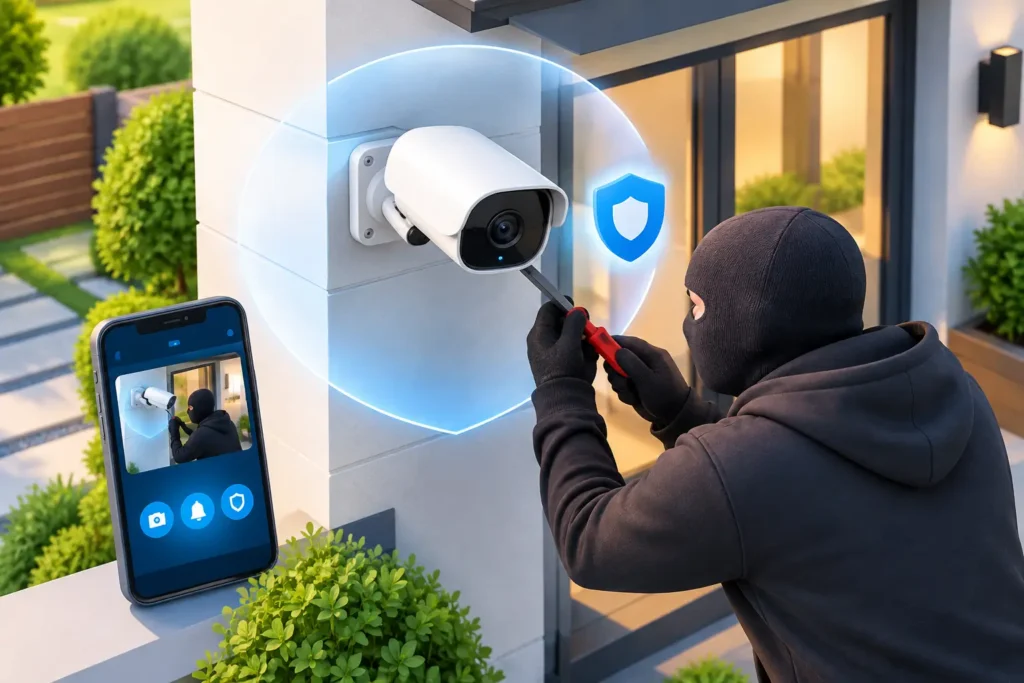
A security camera cannot protect what it cannot see. That is why camera theft deterrence deserves the same planning as the cameras themselves. A camera placed within easy reach, powered by an exposed cord, or mounted without proper hardware can become a quick target for someone who wants to avoid being recorded. For South Carolina homeowners and businesses, protecting the system helps preserve evidence, maintain coverage, and discourage repeat attempts.
The goal is not to make every camera impossible to reach. It is to make removal difficult, visible, and likely to trigger an immediate response. A professionally designed system considers where a camera is mounted, how it is powered, what it records before an incident, and who receives an alert if someone tampers with it.
Why Camera Theft Deterrence Matters
People sometimes assume a stolen camera means the recorded video is gone. That may be true with a standalone device that stores footage only on a removable card inside the camera. It is far less likely when the system records to a protected recorder, uses secure cloud storage, or sends event clips and alerts as activity occurs.
Camera theft can also create a larger security gap. A removed camera may leave a back entrance, loading area, parking lot, or side yard unmonitored until someone notices the problem. For a business, that gap can affect employee safety, inventory protection, and the ability to investigate an incident. At home, it can leave families without visibility at the point where they need it most.
The best approach combines physical protection with dependable monitoring and recording. One measure alone may help, but layered protection gives a potential thief more reasons to leave the equipment alone.
Start With Smarter Camera Placement
Height is one of the most effective theft deterrents. Cameras should be high enough that a person cannot simply grab, cover, or disconnect them from ground level. For many exterior locations, mounting under an eave, on a second-story wall, or above a commercial entry provides useful protection while still allowing a clear view of faces and activity below.
Height has limits. A camera mounted too high may capture the top of a hat instead of a face. It may also be difficult to service safely. The right placement balances image quality, accessibility for maintenance, lighting conditions, and resistance to tampering.
Avoid placing every camera in an obvious location. A visible camera at the main entrance sends a strong deterrent message. A second camera covering that first camera can provide valuable evidence if someone attempts to disable it. This overlapping coverage is especially useful at business entrances, cash-handling areas, equipment yards, and residential driveways.
Think about approach paths, not just the area you want to watch. If a person can walk up behind a camera without being recorded, they have more opportunity to interfere with it. Position cameras so their fields of view overlap at gates, doors, corners, and access points.
Protect Cables and Power Connections
Exposed wiring gives someone an easy way to disable a camera without removing it. Whenever possible, route cables through walls, conduit, attic spaces, or protected raceways. Exterior runs should be enclosed in weather-resistant conduit that is secured to the building.
Wireless cameras reduce visible cabling, but they still need dependable power unless they are battery-operated. Battery cameras can be useful in locations where wiring is impractical, yet they require a maintenance plan. A low battery, weak Wi-Fi signal, or missed software update can create a problem just as effectively as a cut wire.
For commercial properties, a hardwired camera system with protected cabling and a secured network or recorder often provides greater consistency. For homes, the best choice depends on the property layout, internet connection, desired coverage, and willingness to manage battery changes. A security assessment can identify the practical option rather than forcing a one-size-fits-all setup.
Use Hardware That Resists Tampering
A camera is only as secure as its mount. Standard screws, lightweight brackets, and exposed adjustment knobs can make removal easy. Tamper-resistant screws, reinforced mounting plates, locking junction boxes, and weatherproof housings add meaningful protection without making the system difficult to service.
Vandal-resistant dome cameras are often a strong choice in lower mounting positions or public-facing areas. Their enclosed design makes it harder to redirect the lens or access mounting hardware. Bullet cameras can also be effective, particularly when installed high under an eave with the cable connection concealed behind the mounting surface.
For some locations, a protective cage is appropriate. It can help safeguard cameras in warehouses, recreation areas, alleyways, and places where accidental impact is as likely as intentional damage. A cage should not block the camera’s view or create reflections around nighttime infrared lighting, so product selection and installation matter.
Do not overlook the equipment inside the building. Network video recorders, power supplies, and internet equipment should be kept in a locked closet, cabinet, or restricted office. If someone can remove the recorder, they may be able to take locally stored evidence with them.
Keep the Video Even if the Camera Is Damaged
Reliable recording is central to effective camera theft deterrence. Cameras can be damaged or removed, but footage recorded before the event may identify the person involved, show how they approached the property, and document other suspicious activity.
A well-designed system should record to more than one location when the risk justifies it. Local recording can provide continuous, high-quality video without relying entirely on internet service. Cloud backup or remote event storage can protect key clips if an on-site recorder is stolen or damaged. The right mix depends on the number of cameras, available bandwidth, retention needs, and the sensitivity of the area being monitored.
Tamper alerts add another layer. Many modern systems can notify the property owner or designated manager when a camera goes offline, loses its view, detects motion in a restricted area, or has its housing opened. An alert does not stop every incident, but it shortens the time between a problem and a response.
For a business, decide who receives alerts after hours and what that person should do. For a homeowner, make sure app notifications are enabled and that more than one trusted family member can access the system when appropriate. Technology is most useful when someone has a clear plan to act on the information it provides.
Make the Property Less Attractive to Tamper With
Good lighting supports both security and camera performance. Motion-activated lighting near entrances, driveways, rear doors, and equipment areas can make a person more visible and improve nighttime video. Avoid aiming lights directly into the lens, which can create glare and reduce useful detail.
Signs can help establish that the property is protected by video surveillance and alarm monitoring. They work best when they are truthful and supported by an active system. A sign alone may discourage casual trespassers, but it will not replace cameras, alarms, access control, or a response plan.
Physical barriers matter as well. Locked gates, maintained fencing, trimmed landscaping, and controlled access to rooflines or utility areas all reduce opportunities to reach cameras unnoticed. On commercial sites, access control can document who entered a protected area and limit unnecessary traffic near critical equipment.
A camera should also be part of a broader security strategy. If someone enters a property to steal equipment, intrusion detection and professionally monitored alarms may create the response pressure that video alone cannot. ADP Security Systems can help South Carolina property owners evaluate how cameras, alarms, access control, and monitored protection can work together around the specific risks of a site.
Avoid Common Mistakes
The most common mistake is treating cameras as plug-and-play devices. A camera may turn on and display a clear image during installation, yet still fail to provide useful evidence if it has a poor viewing angle, unreliable recording, unsecured wiring, or insufficient nighttime coverage.
Another mistake is placing cameras only where they are easy to install. Convenient locations are not always protective locations. A camera near an exterior outlet may be simple to power, but if it can be unplugged from the ground, it needs additional protection or a different placement.
Finally, do not wait for a theft or vandalism event to test the system. Review recorded footage regularly, confirm that time and date settings are accurate, check notifications, and inspect mounts and cables for weather damage or loosened hardware. Businesses should include this review in scheduled maintenance procedures, especially after renovations, landscaping changes, or shifts in traffic patterns.
A Professional Assessment Finds the Gaps
Every property presents different challenges. A downtown storefront may need discreet coverage and durable hardware near public sidewalks. A warehouse may need cameras protected from forklifts, dust, and wide loading areas. A family home may need clear driveway coverage without creating an intrusive view of a neighbor’s property.
A professional assessment looks beyond the camera model. It identifies vulnerable approaches, evaluates lighting and network reliability, considers where recordings should be stored, and recommends equipment that can withstand the environment. It also gives property owners a practical service plan for testing, maintenance, and support.
The most reassuring camera system is one that remains in place, captures what matters, and lets you know when something is wrong. Protect the equipment with the same care you use to protect the people, property, and daily operations it was installed to serve.