Outdoor Camera Reviews: What Matters Most
November 10, 2026
7 Ways to Secure Vintage Windows Without Damaging Frames
November 12, 2026
Last Updated: November 9, 2026
Quick Summary
Professional smart lock installation services cover compatibility checks, door preparation, hardware mounting and alignment, app and network configuration, testing, and a final walkthrough. A professional installer confirms door thickness, backset, cross bore, and strike plate fit before mounting anything, then tests bolt throw and the backup entry method. ADP Security Systems has served South Carolina for more than 30 years.
- Confirm door thickness, backset, cross bore, and strike plate alignment before buying a lock.
- Standard backset is either 2-3/8 or 2-3/4 inches, and the cross bore should be 2-1/8 inches.
- Retrofit installation reuses existing bore holes and is faster than cutting fresh bores.
- A misaligned strike plate is the most common cause of a deadbolt that binds.
- Every smart lock should have a backup entry method such as a physical key or keypad code.
Table of Contents
- Why Professional Smart Lock Installation Services Matter
- Smart Lock Compatibility Check Before You Buy
- What Smart Lock Installation Cost Covers
- Professional Locksmith vs Handyman for Smart Locks
- What Professional Smart Lock Installation Services Include Step by Step
- Smart-Home Setup, Access Control, and Failure Planning
- Maintenance, Troubleshooting, and Long-Term Ownership
- Get a Free Security Assessment for Your Smart Lock Upgrade
- Frequently Asked Questions
Why Professional Smart Lock Installation Services Matter
Professional smart lock installation services are the difference between a lock that works reliably for a decade and one that jams, drains batteries, and locks you out in the rain.
The stakes are higher than a stuck door. A smart deadbolt is a motorized device that must align precisely with a strike plate, sit square in a mortise, and communicate with your network.
Below, we walk through compatibility checks, what an installation quote covers, and the step-by-step process a professional installer follows.
Smart Lock Compatibility Check Before You Buy
A compatibility check helps confirm a lock fits your door before you buy it.
- Door thickness: Door thickness is one of the first measurements to check against a lock’s specifications.
- Backset: Measure from the door edge to the center of the deadbolt hole. Standard is either 2-3/8 or 2-3/4 inches, and most locks ship with an adjustable latch.
- Cross bore: The hole through the door face should be 2-1/8 inches. Oversized or ragged holes need door preparation before any new lock installation.
- Door frame and strike plate: Check that the existing strike plate aligns with the deadbolt. A misaligned strike plate is the most common cause of a deadbolt that binds.
We recommend checking the manufacturer’s compatibility tool against your specific door before ordering. ANSI/BHMA deadbolt security grade standards are also worth understanding, since Grade 1 hardware is built for higher-traffic doors than Grade 3.
If your door is metal, glass-set, or unusually thin, stop and get an on-site assessment. If you are weighing retrofit options, our breakdown of smart lock retrofits for deadbolts covers which hardware actually fits common residential doors.
Door Prep, Deadbolt Spacing, and Strike Plate Fit
Door preparation is where cheap installations fail. The deadbolt must sit square, the latch must retract without drag, and the strike plate must catch the bolt fully with the door closed. A professional installer checks all three before mounting anything.
Retrofit Installation vs New Lock Installation
Retrofit installation reuses the existing bore holes and hardware footprint, which suits most homes. New lock installation means cutting fresh bores, which is needed when a door has no deadbolt or the existing holes are damaged. Retrofit is faster and less invasive; new installation gives you a clean, correctly sized setup.
What Smart Lock Installation Cost Covers
Smart lock installation quotes typically cover more than the lock itself, including door preparation and configuration. Pricing depends on door condition and lock type, so an assessment is needed before a quote can be given. For current pricing, contact ADP Security Systems directly. What you can do is understand what the quote should contain so you can tell a complete estimate from a thin one.
An installation quote may break down into these components:
- Removal and inspection: Taking off the existing deadbolt and knob, checking bore holes, and confirming the door is square and sound. Rot, warping, or a hollow-core door can turn a swap into a repair job.
- Door preparation and adjustment: Cleaning up ragged bores, correcting a misaligned strike plate, or cutting a fresh bore when no deadbolt exists. This is the labor most likely to move the price.
- Hardware mounting and alignment: Fitting the lock, setting the latch and bolt throw, and confirming the bolt fully engages the strike plate with the door closed.
- Configuration: Pairing the lock to the app, setting user codes or fingerprints, connecting Wi-Fi or a hub, and confirming remote status reporting.
- Testing and handoff: Cycle testing, battery and backup-entry checks, and a walkthrough of features before the installer leaves.
- Disposal and cleanup: Removing old hardware and packaging.
CISA guidance on securing smart home devices is a useful reference for the configuration side of the job, since account and network setup is part of what you are paying for.
Factors That Move the Installation Quote
- Door condition: Rot, warped frames, oversized or ragged bores, and damaged strike plates add labor. A door that needs repair before mounting costs more than a clean swap.
- Lock type: Fingerprint door locks and Wi-Fi models take longer to configure than a basic keypad lock, and models that need a hub add a setup step.
- Number of doors: Multi-door jobs usually cost less per door because travel and setup are shared.
- Integration: Connecting to an alarm panel or access control system adds configuration time and may require coordination with another system.
- After-hours or emergency service: Scheduling outside normal hours carries a premium, and emergency lockouts are priced differently from planned installations.
- Retrofit versus new bore: Retrofit installation reuses existing holes and is faster; new lock installation means cutting fresh bores and often repairing the frame.
Watch out: an estimate that quotes only the mounting labor and omits door preparation, configuration, and testing is not comparable to a complete quote, even if the number looks lower.
For current pricing on your property, request a quote from ADP Security Systems.
Professional Locksmith vs Handyman for Smart Locks
If you are deciding whether to hire out at all, our comparison of professional home security installation versus DIY lays out the trade-offs directly.
What Professional Smart Lock Installation Services Include Step by Step
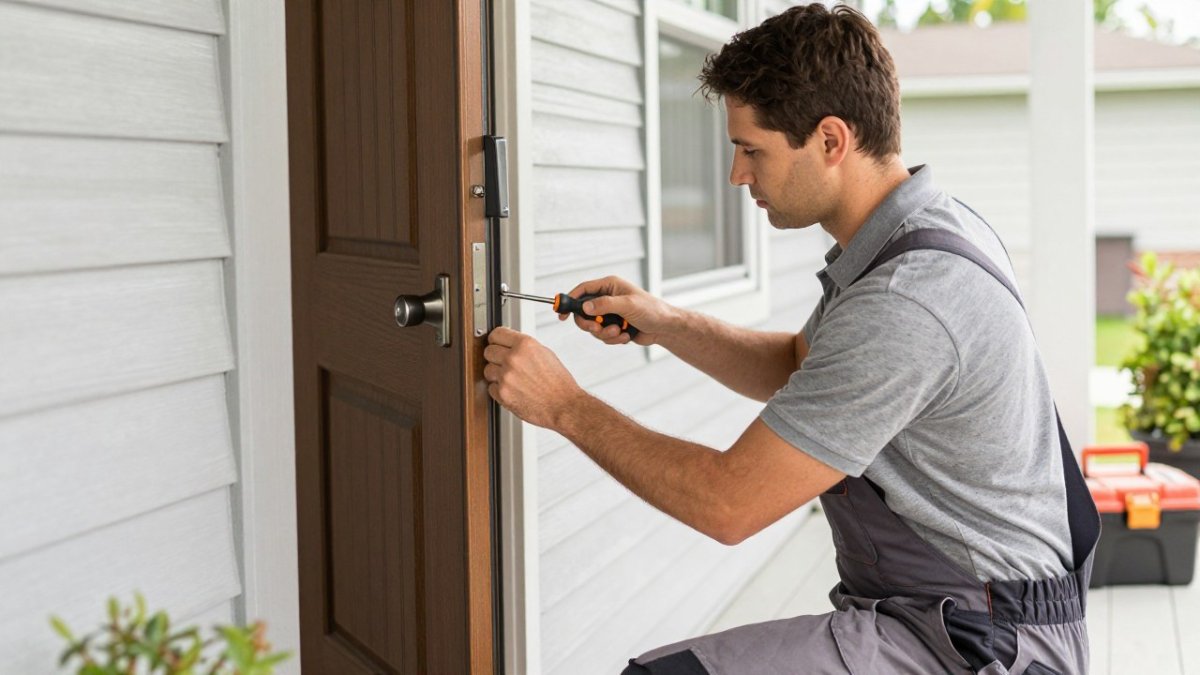
A professional smart lock installation follows a defined sequence, and each stage exists to catch a problem before it becomes a callback.
Assessment and Compatibility Confirmation
Before any hardware comes off, the installer confirms door thickness, backset, cross bore, and strike plate alignment against the lock’s requirements. This is the stage that prevents a return: a lock built for a 1-3/8-inch door will not seat correctly on a 1-3/4-inch door without the right kit, and an oversized bore needs preparation before mounting. The installer also checks the door for rot, warping, and frame damage that would undermine the lock’s security.
Door Preparation and Hardware Removal
The existing deadbolt and knob come off, and the bore holes are inspected and cleaned up so the new hardware seats flush. If the door has no deadbolt, or the existing holes are damaged, the installer cuts fresh bores and may repair the frame. The door is checked for square, because a door that binds will drag the latch no matter how well the lock is made.
Mounting and Alignment
The new lock is mounted, the latch and strike plate are aligned, and the bolt is tested for full throw. Alignment is the step that separates a reliable installation from a rushed one: a bolt that does not fully engage the strike plate is a security gap and a battery drain, because the motor works harder every cycle. The installer adjusts the strike plate and frame as needed rather than forcing the bolt.
Configuration and Smart-Home Setup
The lock is paired to your app, user codes or fingerprints are set, and Wi-Fi or hub connectivity is confirmed.
Testing and Failure Planning
The installer runs a full cycle test, confirms the bolt throw and strike plate engagement, and checks the backup entry method: a physical key, a keypad code, or a battery jump point. Ask to see all three before the installer leaves, and confirm what happens during a power or network outage.
Handoff and Walkthrough
You get a walkthrough of the lock’s features, the battery schedule, and the firmware update process before the installer leaves. A written record of the configuration and backup method is worth keeping, especially for rental properties or multi-door systems.
Watch out: an installer who mounts the lock and leaves without testing bolt throw, strike plate engagement, and the backup entry method has skipped the stages that determine whether the lock holds up.
Here is the sequence a professional installer follows, stage by stage.
| Stage | What happens |
|---|---|
| Assessment and compatibility confirmation | Confirms door thickness, backset, cross bore, and strike plate alignment |
| Door preparation and hardware removal | Removes old deadbolt and knob, cleans bores, cuts fresh bores if needed |
| Mounting and alignment | Mounts lock, aligns latch and strike plate, tests bolt for full throw |
| Configuration and smart-home setup | Pairs lock to app, sets codes or fingerprints, confirms Wi-Fi or hub |
| Testing and failure planning | Runs cycle test, checks backup entry method |
| Handoff and walkthrough | Covers features, battery schedule, and firmware update process |
Smart-Home Setup, Access Control, and Failure Planning
Smart-home setup is where a good installer earns their fee, because a lock that works alone is only half the job. The installer connects the lock to your Wi-Fi or hub, sets up remote access, and confirms the lock reports status correctly.
Every smart lock should have a backup entry method, such as a physical key, a keypad code, or a battery jump point. For properties with multiple doors or tenants, our guide to smart locks for small business covers access control and backup access in more detail.
Maintenance, Troubleshooting, and Long-Term Ownership
Long-term ownership comes down to batteries, firmware, and alignment. Replace batteries on the schedule the app recommends rather than waiting for the low-battery warning.
If the lock stops responding, the cause is usually connectivity rather than hardware. Our troubleshooting guide for home security connectivity issues walks through the fixes in order. When a lock does fail, the priority is getting in safely, which is why after-hours service and a documented backup entry method matter.
Get a Free Security Assessment for Your Smart Lock Upgrade
The gap between a smart lock that works and one that fights you is almost always in the assessment and installation, not the box. Contact ADP for a free security assessment before you buy hardware. Schedule your assessment with our local smart home installers and get your keyless entry upgrade installed and tested properly.
A smart lock is only as good as the door it sits in and the installer who fitted it. ADP Security Systems brings more than three decades of local experience, 24/7 monitoring, and customizable maintenance schedules to every installation, so your access control works on day one and on day one thousand.
Frequently Asked Questions
How much do people charge to install a smart lock?
Quotes vary by door condition, lock brand, and whether door prep is needed. A straight swap onto a door that already has a standard deadbolt borehole usually costs less than a job requiring new drilling, frame repair, or strike plate work. Ask for an itemized quote covering labor, hardware removal, and setup rather than a single flat number. ADP Security Systems provides a free security assessment, so you know what the job involves.
Can a locksmith install any brand of smart lock?
A compatibility check should come first. Door thickness, backset, borehole size, and deadbolt spacing all affect which locks fit without modification. Confirm the installer has handled your specific model before booking, and ask whether they will verify compatibility on site.
Should I choose a locksmith or a handyman for smart lock installation?
A handyman can handle a simple swap on a door that is already prepared. A locksmith is the better choice when the door needs drilling, the frame is out of alignment, or the lock involves electronic access control and app configuration.
Do smart locks affect my home insurance policy?
Coverage rules differ by insurer, so read your policy or call your agent before assuming a discount. Keep your installation receipt and product documentation, since proof of professional installation can help if you file a claim. Ask specifically whether the lock must be professionally installed to qualify for any credit.